The Tech Edvocate

Top Menu

  • Advertisement
  • Apps
  • Home Page
  • Home Page Five (No Sidebar)
  • Home Page Four
  • Home Page Three
  • Home Page Two
  • Home Tech2
  • Icons [No Sidebar]
  • Left Sidbear Page
  • Lynch Educational Consulting
  • My Account
  • My Speaking Page
  • Newsletter Sign Up Confirmation
  • Newsletter Unsubscription
  • Our Brands
  • Page Example
  • Privacy Policy
  • Protected Content
  • Register
  • Request a Product Review
  • Shop
  • Shortcodes Examples
  • Signup
  • Start Here
    • Governance
    • Careers
    • Contact Us
  • Terms and Conditions
  • The Edvocate
  • The Tech Edvocate Product Guide
  • Topics
  • Write For Us
  • Advertise

Main Menu

  • Start Here
    • Our Brands
    • Governance
      • Lynch Educational Consulting, LLC.
      • Dr. Lynch’s Personal Website
      • Careers
    • Write For Us
    • The Tech Edvocate Product Guide
    • Contact Us
    • Books
    • Edupedia
    • Post a Job
    • The Edvocate Podcast
    • Terms and Conditions
    • Privacy Policy
  • Topics
    • Assistive Technology
    • Child Development Tech
    • Early Childhood & K-12 EdTech
    • EdTech Futures
    • EdTech News
    • EdTech Policy & Reform
    • EdTech Startups & Businesses
    • Higher Education EdTech
    • Online Learning & eLearning
    • Parent & Family Tech
    • Personalized Learning
    • Product Reviews
  • Advertise
  • Tech Edvocate Awards
  • The Edvocate
  • Pedagogue
  • School Ratings

logo

The Tech Edvocate

  • Start Here
    • Our Brands
    • Governance
      • Lynch Educational Consulting, LLC.
      • Dr. Lynch’s Personal Website
        • My Speaking Page
      • Careers
    • Write For Us
    • The Tech Edvocate Product Guide
    • Contact Us
    • Books
    • Edupedia
    • Post a Job
    • The Edvocate Podcast
    • Terms and Conditions
    • Privacy Policy
  • Topics
    • Assistive Technology
    • Child Development Tech
    • Early Childhood & K-12 EdTech
    • EdTech Futures
    • EdTech News
    • EdTech Policy & Reform
    • EdTech Startups & Businesses
    • Higher Education EdTech
    • Online Learning & eLearning
    • Parent & Family Tech
    • Personalized Learning
    • Product Reviews
  • Advertise
  • Tech Edvocate Awards
  • The Edvocate
  • Pedagogue
  • School Ratings
  • Navigating the Challenges of Neurodiversity Support in Schools

  • The Best European Cities for Graduates to Live and Work

  • States With the Biggest School Enrollment Drops Revealed

  • Empowering Future Innovators: The Role of STEAM Education in Tribal Communities

  • The Personal Liability of Founders in AI Misrepresentation Cases

  • The Rise of Skilled Trades: A Viable Alternative to Traditional College Degrees

  • The Rise of U.S. Youth Soccer: A New Frontier for Investment

  • The Human Element in Language Learning: A Challenge with Preply

  • What Can Healthcare Engagement Learn From Sports Betting?

  • Addressing the Rise of Fatigue: Expert Insights from Patrice Bonfiglio

Digital & Mobile Technology
Home›Digital & Mobile Technology›The 11 Best Features in the Windows 11 22H2 Update

The 11 Best Features in the Windows 11 22H2 Update
By Matthew Lynch
June 26, 2023
0
Spread the love

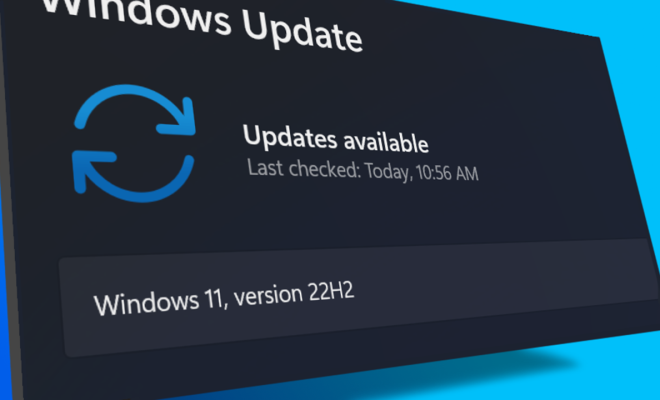
Windows 11 has been gaining popularity since its release with a stunning new interface and a plethora of great features. With the latest 22H2 update, Windows 11 has leveled up its game by adding several features that make life easier for its users. Let’s explore the eleven best features of this update.

1. Snap Layouts and Snap Groups: This feature allows the user to open several windows simultaneously and put them in different layouts of snaps (which can be accessed via the Snap Group icon on the taskbar) for easy multitasking.

2. Microsoft Teams integration: With remote work becoming the norm, Microsoft has integrated Teams into the taskbar to make it easy for users to conduct meetings.

3. New Start Menu options: Windows 11 has introduced two new start menu options, condensed and full, catering to different user preferences.

4. Dark mode options: With customization being the buzzword of the day, Windows 11 offers multiple options for a dark mode interface to help reduce eye strain and save battery life.

5. Virtual Desktops: This feature lets users create multiple virtual desktops and switch between them easily. It’s helpful for multitasking or keeping work and personal tasks separate.

6. New Widgets: Windows 11 has introduced a new widgets feature that lets users access news, weather reports, and other updates on their desktop.

7. Enhanced Touch Support: Windows 11 has improved its touch support, making it easier for users to use their fingers to manipulate windows and navigate the operating system.

8. Enhanced Task Manager: The Task Manager has been revamped with redesigned graphs that provide detailed information about the system’s performance.

9. New Power Management options: Windows 11 has added multiple power management options to help users save battery life.

10. Enhanced Xbox Game Pass Integration: With gaming being a major focus for Microsoft, Windows 11 offers enhanced Xbox game integration by providing a dedicated gaming tab in the taskbar.

11. Improved Accessibility Features: Windows 11 has enhanced its accessibility features to provide support for individuals with disabilities.

In conclusion, the 22H2 update for Windows 11 offers several features that improve usability, customization, multitasking, and gaming. With multiple quality of life improvements and customization options, Windows 11 continues to set the benchmark for modern operating systems.


Previous Article

How to Use Your PS4 or PS5 ...

Next Article

How to Control Your TV Volume Directly ...

Matthew Lynch

Related articles More from author

  • Digital & Mobile Technology

    Best Alarm Clock Apps for Android

    June 15, 2023
    By Matthew Lynch
  • Digital & Mobile Technology

    Best Text Editors for Mac

    August 5, 2023
    By Matthew Lynch
  • Digital & Mobile Technology

    How to Send Digital Steam Gift Cards to Friends

    August 3, 2023
    By Matthew Lynch
  • Digital & Mobile Technology

    Write Batch Files in Windows? How If-Else Statements Work

    June 13, 2023
    By Matthew Lynch
  • Digital & Mobile Technology

    How to See Who Viewed Your Instagram Posts

    August 3, 2023
    By Matthew Lynch
  • Digital & Mobile Technology

    Canon PIXMA iP8720 Review

    June 15, 2023
    By Matthew Lynch

Search

Login & Registration

  • Log in
  • Entries feed
  • Comments feed
  • WordPress.org

Newsletter

Signup for The Tech Edvocate Newsletter and have the latest in EdTech news and opinion delivered to your email address!

About Us

Since technology is not going anywhere and does more good than harm, adapting is the best course of action. That is where The Tech Edvocate comes in. We plan to cover the PreK-12 and Higher Education EdTech sectors and provide our readers with the latest news and opinion on the subject. From time to time, I will invite other voices to weigh in on important issues in EdTech. We hope to provide a well-rounded, multi-faceted look at the past, present, the future of EdTech in the US and internationally.

We started this journey back in June 2016, and we plan to continue it for many more years to come. I hope that you will join us in this discussion of the past, present and future of EdTech and lend your own insight to the issues that are discussed.

Newsletter

Signup for The Tech Edvocate Newsletter and have the latest in EdTech news and opinion delivered to your email address!

Contact Us

The Tech Edvocate
910 Goddin Street
Richmond, VA 23231
(601) 630-5238
[email protected]

Copyright © 2026 Matthew Lynch. All rights reserved.