The Tech Edvocate

Top Menu

  • Advertisement
  • Apps
  • Home Page
  • Home Page Five (No Sidebar)
  • Home Page Four
  • Home Page Three
  • Home Page Two
  • Home Tech2
  • Icons [No Sidebar]
  • Left Sidbear Page
  • Lynch Educational Consulting
  • My Account
  • My Speaking Page
  • Newsletter Sign Up Confirmation
  • Newsletter Unsubscription
  • Our Brands
  • Page Example
  • Privacy Policy
  • Protected Content
  • Register
  • Request a Product Review
  • Shop
  • Shortcodes Examples
  • Signup
  • Start Here
    • Governance
    • Careers
    • Contact Us
  • Terms and Conditions
  • The Edvocate
  • The Tech Edvocate Product Guide
  • Topics
  • Write For Us
  • Advertise

Main Menu

  • Start Here
    • Our Brands
    • Governance
      • Lynch Educational Consulting, LLC.
      • Dr. Lynch’s Personal Website
      • Careers
    • Write For Us
    • The Tech Edvocate Product Guide
    • Contact Us
    • Books
    • Edupedia
    • Post a Job
    • The Edvocate Podcast
    • Terms and Conditions
    • Privacy Policy
  • Topics
    • Assistive Technology
    • Child Development Tech
    • Early Childhood & K-12 EdTech
    • EdTech Futures
    • EdTech News
    • EdTech Policy & Reform
    • EdTech Startups & Businesses
    • Higher Education EdTech
    • Online Learning & eLearning
    • Parent & Family Tech
    • Personalized Learning
    • Product Reviews
  • Advertise
  • Tech Edvocate Awards
  • The Edvocate
  • Pedagogue
  • School Ratings

logo

The Tech Edvocate

  • Start Here
    • Our Brands
    • Governance
      • Lynch Educational Consulting, LLC.
      • Dr. Lynch’s Personal Website
        • My Speaking Page
      • Careers
    • Write For Us
    • The Tech Edvocate Product Guide
    • Contact Us
    • Books
    • Edupedia
    • Post a Job
    • The Edvocate Podcast
    • Terms and Conditions
    • Privacy Policy
  • Topics
    • Assistive Technology
    • Child Development Tech
    • Early Childhood & K-12 EdTech
    • EdTech Futures
    • EdTech News
    • EdTech Policy & Reform
    • EdTech Startups & Businesses
    • Higher Education EdTech
    • Online Learning & eLearning
    • Parent & Family Tech
    • Personalized Learning
    • Product Reviews
  • Advertise
  • Tech Edvocate Awards
  • The Edvocate
  • Pedagogue
  • School Ratings
  • The Brutal Truth: 8 Lies Scammers Tell About Your Student Loans

  • New Student Loan Rules: The Shocking Truth About 2026 Relief Programs

  • New Repayment Plan Changes Trigger Student Loan Scam Epidemic

  • Why Millions Are Ditching Degrees for This One Skill-Boosting Secret

  • The Quiet Revolution: How Micro-Credentials Are Reshaping Tech Careers

  • Why 96% of Employers Are Now Demanding Micro-Credentials

  • This One Incident Exposed How Vulnerable Your Student Data Really Is

  • The Brutal Truth About EdTech Security: 10 Solutions to Prevent Another Canvas LMS Disaster

  • The Billion-User Data Heist: Why Your Child’s School Data Is Under Attack

  • This Crucial Mistake Is Killing Your Tech Career (It’s Not What You Think)

Tech Advice
Home›Tech Advice›Stop a text from sending by quickly turning on Airplane Mode

Stop a text from sending by quickly turning on Airplane Mode
By Matthew Lynch
July 15, 2023
0
Spread the love

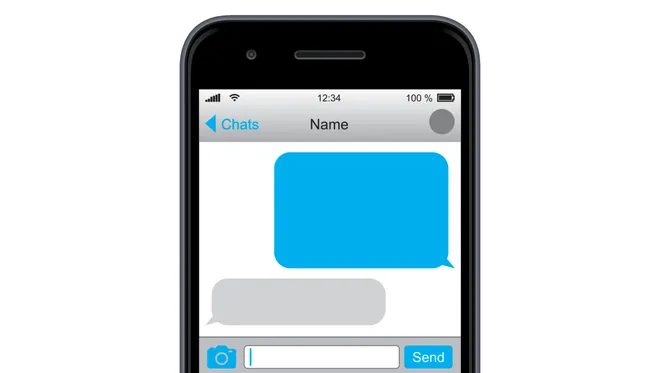
In today’s fast-paced world, mistakes in text messages can happen in an instant. Whether it’s a typo or accidentally sending a private message to the wrong recipient, it’s essential to know how to stop these errors before they cause trouble. Thankfully, there is a quick trick to help you prevent a text from being sent – turning on Airplane Mode. In this article, we will guide you through the steps to use this method effectively.

Step 1: Act Quickly

The key to stopping a text message from sending using Airplane Mode is rapid action. As soon as you notice the mistake and want to prevent the text from going through, proceed to the following steps immediately.

Step 2: Access Airplane Mode

Depending on your device, there may be different ways to enable Airplane Mode:

– iOS devices: Swipe up from the bottom of your screen or down from the top-right corner (for iPhone X and later models) to access the Control Center. You will find the Airplane Mode icon there – tap it once to enable it.

– Android devices: Swipe down from the top of your screen to access the notification panel. Find the Airplane Mode icon and tap it once to enable.

Step 3: Monitor Your Text Message

Now that you have enabled Airplane Mode, your device is disconnected from all networks – Wi-Fi and cellular data. This disruption will prevent your text message from being sent out.

Check your message app – if you acted quickly enough, your text message should show a “Not Delivered” or “Failed” status. You can then delete or edit the message as needed.

Conclusion

It’s important to remember that this method might not work every time due to factors such as network speed and the time taken to enable Airplane Mode. However, knowing this trick could save you from potential embarrassment or miscommunication. So, the next time you find yourself wishing you hadn’t hit “Send,” give Airplane Mode a try!


Previous Article

Stop incoming iPhone calls from ringing all ...

Next Article

Great Education Leaders Display a Sense of ...

Matthew Lynch

Related articles More from author

  • Tech Advice

    How a sex tech device called the Womanizer led to female orgasms worldwide

    July 4, 2023
    By Matthew Lynch
  • Tech Advice

    Experience the Magic: Best Shows at Universal Studios

    October 20, 2023
    By Matthew Lynch
  • Tech Advice

    World Backup Day 2023: Best Cloud Storage Software Options

    July 16, 2023
    By Matthew Lynch
  • Tech Advice

    Panasonic FlashXpress Toaster Oven review: The little toaster oven that could

    July 12, 2023
    By Matthew Lynch
  • Tech Advice

    The 2024 Maserati Ghibli 334 Ultima Terminates Six Decades of the V-8

    August 19, 2023
    By Matthew Lynch
  • Tech Advice

    ‘Alexa, Call Mom’: Set Up Your Amazon Device to Make Calls and Video Chats

    July 10, 2023
    By Matthew Lynch

Search

Login & Registration

  • Log in
  • Entries feed
  • Comments feed
  • WordPress.org

Newsletter

Signup for The Tech Edvocate Newsletter and have the latest in EdTech news and opinion delivered to your email address!

About Us

Since technology is not going anywhere and does more good than harm, adapting is the best course of action. That is where The Tech Edvocate comes in. We plan to cover the PreK-12 and Higher Education EdTech sectors and provide our readers with the latest news and opinion on the subject. From time to time, I will invite other voices to weigh in on important issues in EdTech. We hope to provide a well-rounded, multi-faceted look at the past, present, the future of EdTech in the US and internationally.

We started this journey back in June 2016, and we plan to continue it for many more years to come. I hope that you will join us in this discussion of the past, present and future of EdTech and lend your own insight to the issues that are discussed.

Newsletter

Signup for The Tech Edvocate Newsletter and have the latest in EdTech news and opinion delivered to your email address!

Contact Us

The Tech Edvocate
910 Goddin Street
Richmond, VA 23231
(601) 630-5238
[email protected]

Copyright © 2026 Matthew Lynch. All rights reserved.