The Tech Edvocate

Top Menu

  • Advertisement
  • Apps
  • Home Page
  • Home Page Five (No Sidebar)
  • Home Page Four
  • Home Page Three
  • Home Page Two
  • Home Tech2
  • Icons [No Sidebar]
  • Left Sidbear Page
  • Lynch Educational Consulting
  • My Account
  • My Speaking Page
  • Newsletter Sign Up Confirmation
  • Newsletter Unsubscription
  • Our Brands
  • Page Example
  • Privacy Policy
  • Protected Content
  • Register
  • Request a Product Review
  • Shop
  • Shortcodes Examples
  • Signup
  • Start Here
    • Governance
    • Careers
    • Contact Us
  • Terms and Conditions
  • The Edvocate
  • The Tech Edvocate Product Guide
  • Topics
  • Write For Us
  • Advertise

Main Menu

  • Start Here
    • Our Brands
    • Governance
      • Lynch Educational Consulting, LLC.
      • Dr. Lynch’s Personal Website
      • Careers
    • Write For Us
    • The Tech Edvocate Product Guide
    • Contact Us
    • Books
    • Edupedia
    • Post a Job
    • The Edvocate Podcast
    • Terms and Conditions
    • Privacy Policy
  • Topics
    • Assistive Technology
    • Child Development Tech
    • Early Childhood & K-12 EdTech
    • EdTech Futures
    • EdTech News
    • EdTech Policy & Reform
    • EdTech Startups & Businesses
    • Higher Education EdTech
    • Online Learning & eLearning
    • Parent & Family Tech
    • Personalized Learning
    • Product Reviews
  • Advertise
  • Tech Edvocate Awards
  • The Edvocate
  • Pedagogue
  • School Ratings

logo

The Tech Edvocate

  • Start Here
    • Our Brands
    • Governance
      • Lynch Educational Consulting, LLC.
      • Dr. Lynch’s Personal Website
        • My Speaking Page
      • Careers
    • Write For Us
    • The Tech Edvocate Product Guide
    • Contact Us
    • Books
    • Edupedia
    • Post a Job
    • The Edvocate Podcast
    • Terms and Conditions
    • Privacy Policy
  • Topics
    • Assistive Technology
    • Child Development Tech
    • Early Childhood & K-12 EdTech
    • EdTech Futures
    • EdTech News
    • EdTech Policy & Reform
    • EdTech Startups & Businesses
    • Higher Education EdTech
    • Online Learning & eLearning
    • Parent & Family Tech
    • Personalized Learning
    • Product Reviews
  • Advertise
  • Tech Edvocate Awards
  • The Edvocate
  • Pedagogue
  • School Ratings
  • US Battery as a Service Market Shifts Toward Fleet-Based Energy

  • The Startling Truth: Why Americans Distrust AI with Their Health

  • This Crucial Deadline for Banks Is Closer Than You Think

  • Baffling: CrowdStrike’s $500 Million AI Bet Reshapes Cybersecurity

  • This Crucial Autonomous Driving Rule Could Cost You Everything

  • Baffling: Microsoft AI CEO Demands Halt to Conscious AI Development

  • O seară în ritmul tău: atmosfera divertismentului de cazinou pe internet

  • Outrageous: AppLovin Hit With Lawsuit Over AI Claims — What Investors Need to Know

  • 9 Critical Ways AI Investment Fraud Is Quietly Draining Your Bank Account

  • Is the AI Bubble Bursting? OpenAI’s Funding Woes Revealed

Digital & Mobile Technology
Home›Digital & Mobile Technology›Samsung Pay vs. Google Pay (Formerly Android Pay)

Samsung Pay vs. Google Pay (Formerly Android Pay)
By Matthew Lynch
June 10, 2023
0
Spread the love

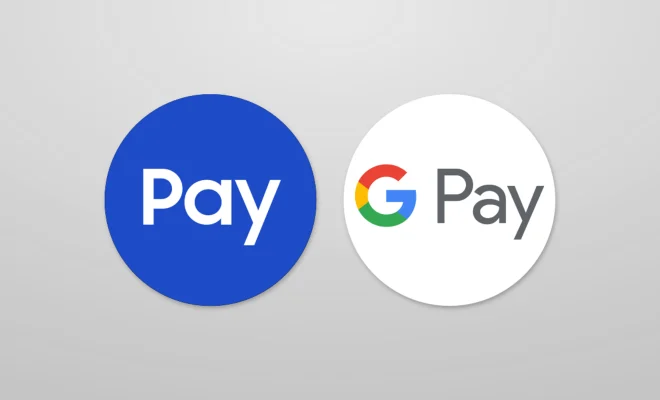
Technology has changed the way we make payments, making things easier for the consumers. Two of the most popular mobile payment apps are Samsung Pay and Google Pay (formerly known as Android Pay). While both of these apps have similar functions, there are some differences between them that set them apart from each other. Let’s take a closer look at each.

Samsung Pay:

Samsung Pay is a mobile payment app designed exclusively for Samsung Galaxy smartphones. The app uses both NFC (Near-Field Communication) and MST (Magnetic Secure Transmission) technologies, making it more adaptable than other mobile payment systems. This means that users can make payments at both NFC-enabled and non-NFC-enabled terminals. The app also supports credit, debit, loyalty and gift cards.

One of the biggest advantages of Samsung Pay is that it can imitate a magnetic stripe, which is a feature that Google Pay lacks. This technology enables Samsung Pay to work at almost any terminal that accepts cards, making it very convenient for users. Another significant benefit of Samsung Pay is its integration with Samsung Rewards, a loyalty program that enables users to get points and redeem them for discounts or Samsung products.

Google Pay:

Google Pay, formerly known as Android Pay, is a mobile payment app developed by Google that works on Android devices. Google Pay utilizes NFC to process transactions and stores your credit, debit, and loyalty cards securely in the cloud. The app also allows you to send and receive money to or from friends or pay for online purchases, and works on Android Wear smartwatches.

The biggest difference between Samsung Pay and Google Pay is that the former is limited to Samsung devices, while the latter works on any smart device running Android 4.4 or later. Moreover, Google Pay doesn’t offer the MST technology, which is present in Samsung Pay. Hence, Google Pay may be limited in its usage when it comes to payment terminals.

Which one should you use?

The answer depends on your device preferences and usage requirements. If you are a Samsung Galaxy user, Samsung Pay is the obvious choice. Its MST technology and Samsung Rewards program make it an ideal payment platform. However, if you’re using an Android device that is not a Samsung, you cannot use Samsung Pay, making Google Pay the way to go. Additionally, Google Pay has a smoother and more user-friendly interface, as well as broader acceptance globally, making it an easy option.

In conclusion, both Samsung Pay and Google Pay are excellent options for mobile payments. They both offer various benefits, but the choice between them depends on the personal preference of the user. Ultimately, with the widespread availability of contactless payment options, adopting mobile payment apps is becoming increasingly necessary. Your purchases can be completed quickly and securely when you choose the app that suits your needs the most.  

Previous Article

How to Customize an Embedded YouTube Video

Next Article

How to Fix an Upside Down Screen ...

Matthew Lynch

Related articles More from author

  • Digital & Mobile Technology

    How to Enable or Disable the On-Screen Keyboard in Windows 10

    June 1, 2023
    By Matthew Lynch
  • Digital & Mobile Technology

    How to Print Multiple Email Messages in macOS Mail

    July 6, 2023
    By Matthew Lynch
  • Digital & Mobile Technology

    How to Fix It When an HP Laptop Has a Black Screen

    June 2, 2023
    By Matthew Lynch
  • Digital & Mobile Technology

    How to Turn Off Siri on AirPods

    May 29, 2023
    By Matthew Lynch
  • Digital & Mobile Technology

    Garmin Vivomove HR Review

    June 15, 2023
    By Matthew Lynch
  • Digital & Mobile Technology

    Woofers, Tweeters, and Crossovers – Speakers

    June 4, 2023
    By Matthew Lynch

Search

Login & Registration

  • Log in
  • Entries feed
  • Comments feed
  • WordPress.org

Newsletter

Signup for The Tech Edvocate Newsletter and have the latest in EdTech news and opinion delivered to your email address!

About Us

Since technology is not going anywhere and does more good than harm, adapting is the best course of action. That is where The Tech Edvocate comes in. We plan to cover the PreK-12 and Higher Education EdTech sectors and provide our readers with the latest news and opinion on the subject. From time to time, I will invite other voices to weigh in on important issues in EdTech. We hope to provide a well-rounded, multi-faceted look at the past, present, the future of EdTech in the US and internationally.

We started this journey back in June 2016, and we plan to continue it for many more years to come. I hope that you will join us in this discussion of the past, present and future of EdTech and lend your own insight to the issues that are discussed.

Newsletter

Signup for The Tech Edvocate Newsletter and have the latest in EdTech news and opinion delivered to your email address!

Contact Us

The Tech Edvocate
910 Goddin Street
Richmond, VA 23231
(601) 630-5238
[email protected]

Copyright © 2026 Matthew Lynch. All rights reserved.