The Tech Edvocate

Top Menu

  • Advertisement
  • Apps
  • Home Page
  • Home Page Five (No Sidebar)
  • Home Page Four
  • Home Page Three
  • Home Page Two
  • Home Tech2
  • Icons [No Sidebar]
  • Left Sidbear Page
  • Lynch Educational Consulting
  • My Account
  • My Speaking Page
  • Newsletter Sign Up Confirmation
  • Newsletter Unsubscription
  • Our Brands
  • Page Example
  • Privacy Policy
  • Protected Content
  • Register
  • Request a Product Review
  • Shop
  • Shortcodes Examples
  • Signup
  • Start Here
    • Governance
    • Careers
    • Contact Us
  • Terms and Conditions
  • The Edvocate
  • The Tech Edvocate Product Guide
  • Topics
  • Write For Us
  • Advertise

Main Menu

  • Start Here
    • Our Brands
    • Governance
      • Lynch Educational Consulting, LLC.
      • Dr. Lynch’s Personal Website
      • Careers
    • Write For Us
    • The Tech Edvocate Product Guide
    • Contact Us
    • Books
    • Edupedia
    • Post a Job
    • The Edvocate Podcast
    • Terms and Conditions
    • Privacy Policy
  • Topics
    • Assistive Technology
    • Child Development Tech
    • Early Childhood & K-12 EdTech
    • EdTech Futures
    • EdTech News
    • EdTech Policy & Reform
    • EdTech Startups & Businesses
    • Higher Education EdTech
    • Online Learning & eLearning
    • Parent & Family Tech
    • Personalized Learning
    • Product Reviews
  • Advertise
  • Tech Edvocate Awards
  • The Edvocate
  • Pedagogue
  • School Ratings

logo

The Tech Edvocate

  • Start Here
    • Our Brands
    • Governance
      • Lynch Educational Consulting, LLC.
      • Dr. Lynch’s Personal Website
        • My Speaking Page
      • Careers
    • Write For Us
    • The Tech Edvocate Product Guide
    • Contact Us
    • Books
    • Edupedia
    • Post a Job
    • The Edvocate Podcast
    • Terms and Conditions
    • Privacy Policy
  • Topics
    • Assistive Technology
    • Child Development Tech
    • Early Childhood & K-12 EdTech
    • EdTech Futures
    • EdTech News
    • EdTech Policy & Reform
    • EdTech Startups & Businesses
    • Higher Education EdTech
    • Online Learning & eLearning
    • Parent & Family Tech
    • Personalized Learning
    • Product Reviews
  • Advertise
  • Tech Edvocate Awards
  • The Edvocate
  • Pedagogue
  • School Ratings
  • US Battery as a Service Market Shifts Toward Fleet-Based Energy

  • The Startling Truth: Why Americans Distrust AI with Their Health

  • This Crucial Deadline for Banks Is Closer Than You Think

  • Baffling: CrowdStrike’s $500 Million AI Bet Reshapes Cybersecurity

  • This Crucial Autonomous Driving Rule Could Cost You Everything

  • Baffling: Microsoft AI CEO Demands Halt to Conscious AI Development

  • O seară în ritmul tău: atmosfera divertismentului de cazinou pe internet

  • Outrageous: AppLovin Hit With Lawsuit Over AI Claims — What Investors Need to Know

  • 9 Critical Ways AI Investment Fraud Is Quietly Draining Your Bank Account

  • Is the AI Bubble Bursting? OpenAI’s Funding Woes Revealed

Tech Advice
Home›Tech Advice›LG Migo VX1000 (Verizon Wireless) review: LG Migo VX1000 (Verizon Wireless)

LG Migo VX1000 (Verizon Wireless) review: LG Migo VX1000 (Verizon Wireless)

By Matthew Lynch
July 12, 2023
0
Spread the love

Introduction:

The LG Migo VX1000 is a uniquely designed cell phone tailored for children and seniors. This device aims to provide basic call functionalities with an intuitive and user-friendly interface. In this article, we review the LG Migo VX1000, its features, and its performance on Verizon Wireless network.

Design and Build:

The LG Migo VX1000 has a compact and ergonomic design, featuring an oval shape with green accents. It measures 3.5 x 1.8 x 1 inches and weighs 2.5 ounces, making it easy to handle by kids and seniors alike. The device comes with a lanyard loop that allows it to be worn around the neck or attached to a bag for easy access.

Features:

One of the main selling points of the LG Migo VX1000 is its simplicity. The device offers four large speed-dial buttons that can be easily programmed by parents or caregivers to call predefined numbers. Additionally, there’s an emergency button labeled “911,” which directly connects to emergency services when pressed.

Another essential feature of the LG Migo is its GPS tracking capabilities, allowing parents or caregivers to monitor the device’s location via Verizon Wireless’ Chaperone service.

The LG Migo VX1000 also supports two-way communication with Verizon’s Push-to-Talk (PTT) service, which functions as a walkie-talkie between other PTT-enabled devices on the same network.

Performance:

In terms of call quality, the LG Migo VX1000 performs well on Verizon Wireless network. Users have reported clear audio reception and transmission. Given its simple functionality, battery life lasts significantly longer than most smartphones of today; users can expect up to four days of standby time.

Limitations:

The LG Migo VX1000 does not support text messaging or multimedia features found in other cell phones. However, this could be considered as an added benefit for parents and caregivers who wish to limit the communication capabilities accessible to children or seniors using the phone.

Conclusion:

The LG Migo VX1000 (Verizon Wireless) is an ideal choice for those seeking a simple, user-friendly device suitable for children and seniors. This phone offers basic call functions, GPS tracking via Chaperone service, and Push-to-Talk capabilities, while prioritizing ease of use and safety. Although it may lack certain features other phones possess, the LG Migo VX1000 proves to be an excellent option for parents and caregivers looking to maintain communication with their loved ones without the distractions of a modern smartphone.

Previous Article

LG LSE4617ST review: LG’s induction stove is ...

Next Article

LG C1 OLED TV review: The best ...

Matthew Lynch

Related articles More from author

  • Tech Advice

    Alienware m18 Review: A Big and Bold Gaming Beast

    July 13, 2023
    By Matthew Lynch
  • Tech Advice

    Why Florida Car Insurance is So Expensive

    August 22, 2023
    By Matthew Lynch
  • Tech Advice

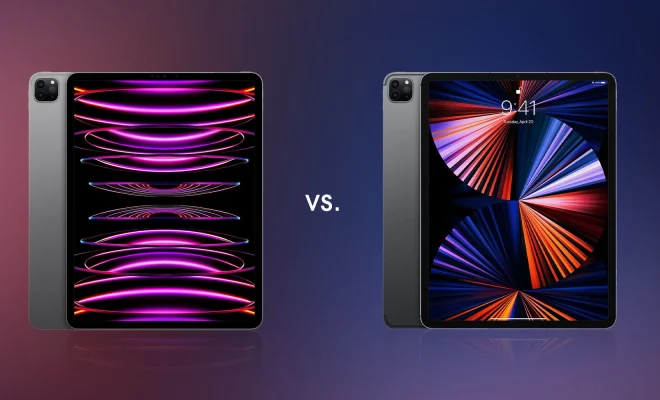
    Next iPad and iPad Pro: USB-C Ports, M2 Chips and What Else to Expect

    July 14, 2023
    By Matthew Lynch
  • Tech Advice

    CBD for Muscle Pain: Topicals and Pills Can Help, But Research is Limited

    July 14, 2023
    By Matthew Lynch
  • Tech Advice

    Get TSA PreCheck, Global Entry and CLEAR for Free: Here’s How

    July 11, 2023
    By Matthew Lynch
  • Tech Advice

    6 Tangle-Free Ways to Store Your Christmas Lights

    July 10, 2023
    By Matthew Lynch

Search

Login & Registration

  • Log in
  • Entries feed
  • Comments feed
  • WordPress.org

Newsletter

Signup for The Tech Edvocate Newsletter and have the latest in EdTech news and opinion delivered to your email address!

About Us

Since technology is not going anywhere and does more good than harm, adapting is the best course of action. That is where The Tech Edvocate comes in. We plan to cover the PreK-12 and Higher Education EdTech sectors and provide our readers with the latest news and opinion on the subject. From time to time, I will invite other voices to weigh in on important issues in EdTech. We hope to provide a well-rounded, multi-faceted look at the past, present, the future of EdTech in the US and internationally.

We started this journey back in June 2016, and we plan to continue it for many more years to come. I hope that you will join us in this discussion of the past, present and future of EdTech and lend your own insight to the issues that are discussed.

Newsletter

Signup for The Tech Edvocate Newsletter and have the latest in EdTech news and opinion delivered to your email address!

Contact Us

The Tech Edvocate
910 Goddin Street
Richmond, VA 23231
(601) 630-5238
[email protected]

Copyright © 2026 Matthew Lynch. All rights reserved.