The Tech Edvocate

Top Menu

  • Advertisement
  • Apps
  • Home Page
  • Home Page Five (No Sidebar)
  • Home Page Four
  • Home Page Three
  • Home Page Two
  • Home Tech2
  • Icons [No Sidebar]
  • Left Sidbear Page
  • Lynch Educational Consulting
  • My Account
  • My Speaking Page
  • Newsletter Sign Up Confirmation
  • Newsletter Unsubscription
  • Our Brands
  • Page Example
  • Privacy Policy
  • Protected Content
  • Register
  • Request a Product Review
  • Shop
  • Shortcodes Examples
  • Signup
  • Start Here
    • Governance
    • Careers
    • Contact Us
  • Terms and Conditions
  • The Edvocate
  • The Tech Edvocate Product Guide
  • Topics
  • Write For Us
  • Advertise

Main Menu

  • Start Here
    • Our Brands
    • Governance
      • Lynch Educational Consulting, LLC.
      • Dr. Lynch’s Personal Website
      • Careers
    • Write For Us
    • The Tech Edvocate Product Guide
    • Contact Us
    • Books
    • Edupedia
    • Post a Job
    • The Edvocate Podcast
    • Terms and Conditions
    • Privacy Policy
  • Topics
    • Assistive Technology
    • Child Development Tech
    • Early Childhood & K-12 EdTech
    • EdTech Futures
    • EdTech News
    • EdTech Policy & Reform
    • EdTech Startups & Businesses
    • Higher Education EdTech
    • Online Learning & eLearning
    • Parent & Family Tech
    • Personalized Learning
    • Product Reviews
  • Advertise
  • Tech Edvocate Awards
  • The Edvocate
  • Pedagogue
  • School Ratings

logo

The Tech Edvocate

  • Start Here
    • Our Brands
    • Governance
      • Lynch Educational Consulting, LLC.
      • Dr. Lynch’s Personal Website
        • My Speaking Page
      • Careers
    • Write For Us
    • The Tech Edvocate Product Guide
    • Contact Us
    • Books
    • Edupedia
    • Post a Job
    • The Edvocate Podcast
    • Terms and Conditions
    • Privacy Policy
  • Topics
    • Assistive Technology
    • Child Development Tech
    • Early Childhood & K-12 EdTech
    • EdTech Futures
    • EdTech News
    • EdTech Policy & Reform
    • EdTech Startups & Businesses
    • Higher Education EdTech
    • Online Learning & eLearning
    • Parent & Family Tech
    • Personalized Learning
    • Product Reviews
  • Advertise
  • Tech Edvocate Awards
  • The Edvocate
  • Pedagogue
  • School Ratings
  • The Brutal Truth: 8 Lies Scammers Tell About Your Student Loans

  • New Student Loan Rules: The Shocking Truth About 2026 Relief Programs

  • New Repayment Plan Changes Trigger Student Loan Scam Epidemic

  • Why Millions Are Ditching Degrees for This One Skill-Boosting Secret

  • The Quiet Revolution: How Micro-Credentials Are Reshaping Tech Careers

  • Why 96% of Employers Are Now Demanding Micro-Credentials

  • This One Incident Exposed How Vulnerable Your Student Data Really Is

  • The Brutal Truth About EdTech Security: 10 Solutions to Prevent Another Canvas LMS Disaster

  • The Billion-User Data Heist: Why Your Child’s School Data Is Under Attack

  • This Crucial Mistake Is Killing Your Tech Career (It’s Not What You Think)

Tech Advice
Home›Tech Advice›Keep Your Passwords Strong and Secure With These 9 Rules

Keep Your Passwords Strong and Secure With These 9 Rules
By Matthew Lynch
July 17, 2023
0
Spread the love

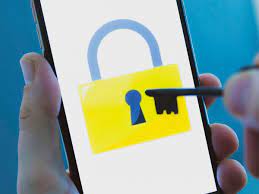
In today’s digital world, safeguarding your accounts with strong and secure passwords is crucial. A weak password can leave you vulnerable to attacks and identity theft, among other threats. Follow these nine rules to ensure your passwords remain strong and safe:

1. Make it lengthy

A longer password is harder for hackers to crack. Aim to create a password consisting of at least 12 characters. Longer is always better.

2. Use a mix of characters

Passwords should be made up of a combination of numbers, uppercase letters, lowercase letters, and special symbols. This variety improves the strength of your password by increasing the number of possible combinations.

3. Avoid common phrases

Stay away from using easily guessed phrases such as “password,” “123456,” or your name. The more unique and unpredictable your password, the safer it will be.

4. Stay away from personal information

Never use identifiable personal details, such as your birthdate, address or phone number. Hackers often use this type of information when attempting to crack passwords.

5. Randomize it

The most secure passwords are those that do not follow any pattern or sequence. Try generating a random string of characters for maximum security.

6. Change passwords regularly

Update each password at least once every three months (but preferably more often). Outdated passwords leave you vulnerable should they fall into the wrong hands.

7. Use different passwords for different accounts

Don’t use the same password for multiple accounts or websites — an attacker gaining access to one account could then potentially compromise all others.

8. Take advantage of two-factor authentication (2FA)

Implement 2FA whenever possible. This adds an extra layer of security by requiring you to authenticate using another verified method (such as receiving a text message).

9. Use a reputable password manager

A reliable password manager can help store, generate, and manage your passwords securely, saving you the hassle of remembering each unique and complex password.

By following these nine simple rules, you can significantly improve the strength and security of your passwords. Remember, it’s not just about creating a strong password; it’s also critical to manage and maintain them properly to ensure ongoing protection against potential threats.


Previous Article

Level Up Your AirPods Pro Experience With ...

Next Article

How to Turn on Dark Mode for ...

Matthew Lynch

Related articles More from author

  • Tech Advice

    How to Build an At-Home Gym on a Budget

    July 6, 2023
    By Matthew Lynch
  • Tech Advice

    2024 Mazda Mazda3 2.5 Turbo Premium Plus Package 4dr i-ACTIV All-Wheel Drive Sedan : Trim Details, Reviews, Prices, Specs, ...

    August 21, 2023
    By Matthew Lynch
  • Tech Advice

    5 Nickel Stocks to Consider

    September 5, 2023
    By Matthew Lynch
  • Tech Advice

    What Is Keystone Correction for Projectors? And Why You Should Avoid It

    July 24, 2023
    By Matthew Lynch
  • Tech Advice

    LG G8 ThinQ review: LG’s flagship phone can’t catch a break

    July 12, 2023
    By Matthew Lynch
  • Tech Advice

    OLED Burn-In: What You Need to Know for TVs, Phones and More

    July 16, 2023
    By Matthew Lynch

Search

Login & Registration

  • Log in
  • Entries feed
  • Comments feed
  • WordPress.org

Newsletter

Signup for The Tech Edvocate Newsletter and have the latest in EdTech news and opinion delivered to your email address!

About Us

Since technology is not going anywhere and does more good than harm, adapting is the best course of action. That is where The Tech Edvocate comes in. We plan to cover the PreK-12 and Higher Education EdTech sectors and provide our readers with the latest news and opinion on the subject. From time to time, I will invite other voices to weigh in on important issues in EdTech. We hope to provide a well-rounded, multi-faceted look at the past, present, the future of EdTech in the US and internationally.

We started this journey back in June 2016, and we plan to continue it for many more years to come. I hope that you will join us in this discussion of the past, present and future of EdTech and lend your own insight to the issues that are discussed.

Newsletter

Signup for The Tech Edvocate Newsletter and have the latest in EdTech news and opinion delivered to your email address!

Contact Us

The Tech Edvocate
910 Goddin Street
Richmond, VA 23231
(601) 630-5238
[email protected]

Copyright © 2026 Matthew Lynch. All rights reserved.