The Tech Edvocate

Top Menu

  • Advertisement
  • Apps
  • Home Page
  • Home Page Five (No Sidebar)
  • Home Page Four
  • Home Page Three
  • Home Page Two
  • Home Tech2
  • Icons [No Sidebar]
  • Left Sidbear Page
  • Lynch Educational Consulting
  • My Account
  • My Speaking Page
  • Newsletter Sign Up Confirmation
  • Newsletter Unsubscription
  • Our Brands
  • Page Example
  • Privacy Policy
  • Protected Content
  • Register
  • Request a Product Review
  • Shop
  • Shortcodes Examples
  • Signup
  • Start Here
    • Governance
    • Careers
    • Contact Us
  • Terms and Conditions
  • The Edvocate
  • The Tech Edvocate Product Guide
  • Topics
  • Write For Us
  • Advertise

Main Menu

  • Start Here
    • Our Brands
    • Governance
      • Lynch Educational Consulting, LLC.
      • Dr. Lynch’s Personal Website
      • Careers
    • Write For Us
    • The Tech Edvocate Product Guide
    • Contact Us
    • Books
    • Edupedia
    • Post a Job
    • The Edvocate Podcast
    • Terms and Conditions
    • Privacy Policy
  • Topics
    • Assistive Technology
    • Child Development Tech
    • Early Childhood & K-12 EdTech
    • EdTech Futures
    • EdTech News
    • EdTech Policy & Reform
    • EdTech Startups & Businesses
    • Higher Education EdTech
    • Online Learning & eLearning
    • Parent & Family Tech
    • Personalized Learning
    • Product Reviews
  • Advertise
  • Tech Edvocate Awards
  • The Edvocate
  • Pedagogue
  • School Ratings

logo

The Tech Edvocate

  • Start Here
    • Our Brands
    • Governance
      • Lynch Educational Consulting, LLC.
      • Dr. Lynch’s Personal Website
        • My Speaking Page
      • Careers
    • Write For Us
    • The Tech Edvocate Product Guide
    • Contact Us
    • Books
    • Edupedia
    • Post a Job
    • The Edvocate Podcast
    • Terms and Conditions
    • Privacy Policy
  • Topics
    • Assistive Technology
    • Child Development Tech
    • Early Childhood & K-12 EdTech
    • EdTech Futures
    • EdTech News
    • EdTech Policy & Reform
    • EdTech Startups & Businesses
    • Higher Education EdTech
    • Online Learning & eLearning
    • Parent & Family Tech
    • Personalized Learning
    • Product Reviews
  • Advertise
  • Tech Edvocate Awards
  • The Edvocate
  • Pedagogue
  • School Ratings
  • One Crucial Factor Could Decimate Your US Auto Insurance Rates in 2026

  • Unbelievable: Meta Hit With $25 Billion Fine — Is Your Health Data Next?

  • 10 Crucial AI Literacy Courses Every Parent Needs Now

  • The Unseen Force Quietly Reshaping Rural Life: 7 Satellite Internet Providers Battling for Supremacy

  • Best Buy’s Gamers Hub: The Unbelievable Truth About Its “Rewards” And Discounts

  • 8 Crucial Reasons Why MAI-DxO Just Obliterated Doctors in a Head-to-Head Diagnosis Battle

  • The Brutal Truth About Student Loan Refinancing for New Grads in 2024

  • The Brutal Truth: AI Just Blew Up PHP Security – Here’s How to Survive ‘Black October’

  • Sodium-ion storage maker Peak Energy raises $108 million in GM-led round – PV Magazine

  • Stunning: 93,000 Nursing School Applicants Rejected — Here’s Why It’s a Crisis

Tech Advice
Home›Tech Advice›OLED Burn-In: What You Need to Know for TVs, Phones and More

OLED Burn-In: What You Need to Know for TVs, Phones and More
By Matthew Lynch
July 16, 2023
0
Spread the love

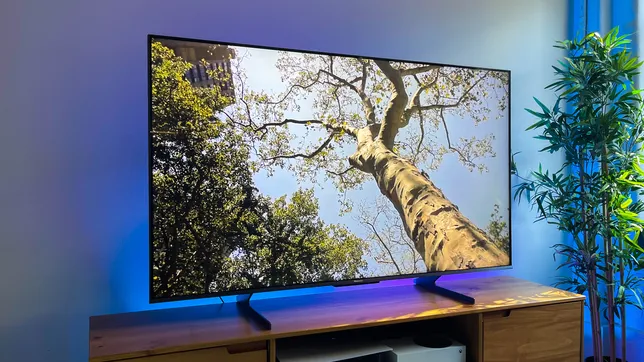
Burn-in is one of the most-discussed terms among users of electronic devices with OLED screens. But what exactly is it, and how does it affect your everyday life? This article covers everything you need to know about OLED burn-in, why it occurs, and how to prevent or minimize its impact on your TVs, smartphones, and other gadgets.

The Emergence of OLED Technology

Organic Light Emitting Diodes (OLED) technology has revolutionized the world of display panels by offering vivid colors, inky blacks, and razor-sharp contrast ratios. This is accomplished through the use of self-emitting pixels that can be turned on or off individually. Due to its superior performance and relatively thinner form factor than traditional LCDs or LEDs, OLED screens have become the go-to choice for high-end electronic devices such as TV sets and smartphones.

Understanding OLED Burn-In

Despite the many advantages of OLED technology, one notorious downside is the risk for “burn-in” over time. In simple terms, burn-in refers to a permanent discoloration or ghosting effect onscreen as a result of displaying static images for extended periods. This occurs when certain pixels are constantly illuminated while others aren’t used as frequently, leading to an uneven wear on the organic materials.

Signs of burn-in may include noticeable remnants of logos or channel indicators on televisions, ghosted navigation buttons on smartphones or tablets, and score panels in games or sports broadcasts.

Is Burn-In a Cause for Concern?

While burn-in seems like a glaring issue with OLED devices, it’s crucial to note that not all users will experience this phenomenon during regular use. Burn-in typically occurs when devices display static images for excessively prolonged periods – something that the average user is unlikely to do regularly.

Preventing and Minimizing Burn-In

There are several ways one can minimize or prevent burn-in for their OLED devices:

1. Reduce screen brightness: Lowering the brightness of your device can help slow down the degradation of OLED materials, thus reducing the likelihood of burn-in.

2. Use screen savers, sleep mode, and power-off: Make sure to enable screen savers or sleep mode on your OLED TVs or computers, turning off power when not in use. For smartphones and tablets, lock the screen when not in use.

3. Change image settings: If possible, adjust image settings like saturation and contrast to avoid high-stress levels on specific colors that could contribute to uneven wear.

4. Vary content playback: Avoid playing repetitive content with static elements regularly. For example, switch between TV channels or alter gaming patterns to vary the display’s pixel usage.

5. Software support: Some OLED devices come with anti-burn-in measures in their software. Keep your device firmware updated and make use of features like pixel refreshing or shifting.

In Conclusion

While OLED burn-in is a known concern among tech enthusiasts, it should not be a dealbreaker as long as proper usage guidelines are followed. By taking precautions and varying your onscreen content, you can ensure a long and enjoyable life for your OLED devices, allowing you to bask in their stunning display quality without worry.

Previous Article

6 Easy Ways to Secure Your Android ...

Next Article

Download Disney Plus movies and TV shows ...

Matthew Lynch

Related articles More from author

  • Tech Advice

    Tech for Teachers: Navigating the Digital Classroom in 2025

    March 6, 2025
    By Matthew Lynch
  • Tech Advice

    How to Unlock a Car Door – How to Undo a Lockout

    August 19, 2023
    By Matthew Lynch
  • Tech Advice

    Latest Xbox System Update Quiets Heavy Breathers

    July 22, 2023
    By Matthew Lynch
  • Tech Advice

    How to Borrow a Lot of Money

    September 6, 2023
    By Matthew Lynch
  • Tech Advice

    Top 15 Time Travel Movies of All Time

    August 11, 2023
    By Matthew Lynch
  • Tech Advice

    Hulu Ads vs. No Ads Plan: Should You Pay Extra to Nix Commercials?

    July 24, 2023
    By Matthew Lynch

Search

Login & Registration

  • Log in
  • Entries feed
  • Comments feed
  • WordPress.org

Newsletter

Signup for The Tech Edvocate Newsletter and have the latest in EdTech news and opinion delivered to your email address!

About Us

Since technology is not going anywhere and does more good than harm, adapting is the best course of action. That is where The Tech Edvocate comes in. We plan to cover the PreK-12 and Higher Education EdTech sectors and provide our readers with the latest news and opinion on the subject. From time to time, I will invite other voices to weigh in on important issues in EdTech. We hope to provide a well-rounded, multi-faceted look at the past, present, the future of EdTech in the US and internationally.

We started this journey back in June 2016, and we plan to continue it for many more years to come. I hope that you will join us in this discussion of the past, present and future of EdTech and lend your own insight to the issues that are discussed.

Newsletter

Signup for The Tech Edvocate Newsletter and have the latest in EdTech news and opinion delivered to your email address!

Contact Us

The Tech Edvocate
910 Goddin Street
Richmond, VA 23231
(601) 630-5238
[email protected]

Copyright © 2026 Matthew Lynch. All rights reserved.