The Tech Edvocate

Top Menu

  • Advertisement
  • Apps
  • Home Page
  • Home Page Five (No Sidebar)
  • Home Page Four
  • Home Page Three
  • Home Page Two
  • Home Tech2
  • Icons [No Sidebar]
  • Left Sidbear Page
  • Lynch Educational Consulting
  • My Account
  • My Speaking Page
  • Newsletter Sign Up Confirmation
  • Newsletter Unsubscription
  • Our Brands
  • Page Example
  • Privacy Policy
  • Protected Content
  • Register
  • Request a Product Review
  • Shop
  • Shortcodes Examples
  • Signup
  • Start Here
    • Governance
    • Careers
    • Contact Us
  • Terms and Conditions
  • The Edvocate
  • The Tech Edvocate Product Guide
  • Topics
  • Write For Us
  • Advertise

Main Menu

  • Start Here
    • Our Brands
    • Governance
      • Lynch Educational Consulting, LLC.
      • Dr. Lynch’s Personal Website
      • Careers
    • Write For Us
    • The Tech Edvocate Product Guide
    • Contact Us
    • Books
    • Edupedia
    • Post a Job
    • The Edvocate Podcast
    • Terms and Conditions
    • Privacy Policy
  • Topics
    • Assistive Technology
    • Child Development Tech
    • Early Childhood & K-12 EdTech
    • EdTech Futures
    • EdTech News
    • EdTech Policy & Reform
    • EdTech Startups & Businesses
    • Higher Education EdTech
    • Online Learning & eLearning
    • Parent & Family Tech
    • Personalized Learning
    • Product Reviews
  • Advertise
  • Tech Edvocate Awards
  • The Edvocate
  • Pedagogue
  • School Ratings

logo

The Tech Edvocate

  • Start Here
    • Our Brands
    • Governance
      • Lynch Educational Consulting, LLC.
      • Dr. Lynch’s Personal Website
        • My Speaking Page
      • Careers
    • Write For Us
    • The Tech Edvocate Product Guide
    • Contact Us
    • Books
    • Edupedia
    • Post a Job
    • The Edvocate Podcast
    • Terms and Conditions
    • Privacy Policy
  • Topics
    • Assistive Technology
    • Child Development Tech
    • Early Childhood & K-12 EdTech
    • EdTech Futures
    • EdTech News
    • EdTech Policy & Reform
    • EdTech Startups & Businesses
    • Higher Education EdTech
    • Online Learning & eLearning
    • Parent & Family Tech
    • Personalized Learning
    • Product Reviews
  • Advertise
  • Tech Edvocate Awards
  • The Edvocate
  • Pedagogue
  • School Ratings
  • RayNeo iO Smart Glasses: A Comprehensive Review

  • Glo Skin Beauty: The Aesthetician-Backed Brand Taking 25% Off for October Prime Day

  • The Shocking Truth: ESG Training Programs Are Quietly Reshaping Your Career Path

  • Why Millions of People Are Switching to These Green Energy Certifications Right Now

  • The green skills gap in 2026: How to address this growing problem

  • The Shocking Truth: Your Degree Won’t Land You the Best IT Jobs in 2026

  • The Brutal Truth About Degrees: Why Micro-Credentials Are Quietly Dominating Careers by 2026

  • Why 96% of Employers Now Prefer Skills Over Degrees: The Micro-Credential Revolution

  • This Crucial Mistake With AI Is Stunting Student Minds: Here’s How to Fix It

  • The AI ‘Cognitive Surrender’ Crisis: 7 Tools Every Educator Needs NOW

Assistive Technology
Home›Assistive Technology›Is the High Performance Power Plan Missing on Windows? Here’s the Fix

Is the High Performance Power Plan Missing on Windows? Here’s the Fix
By Matthew Lynch
June 10, 2023
0
Spread the love

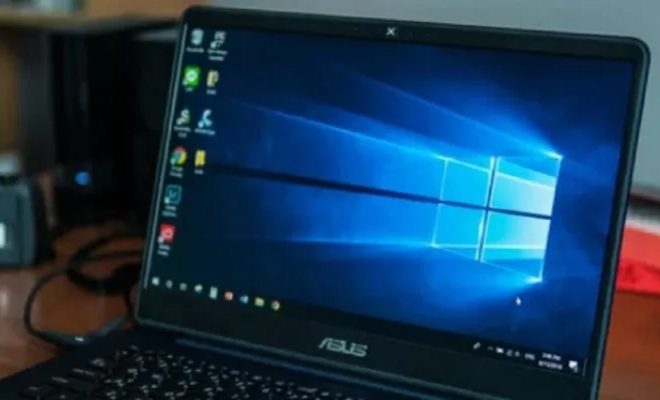
If you are wondering why your Windows computer is not performing at its best even after tweaking the settings, the culprit might be the missing High Performance Power Plan. In certain cases, this power plan is not visible on Windows, making it impossible to get the most out of your device. But fret not, there is a simple fix for this issue.

The High Performance Power Plan is a useful feature in Windows that allows your system to use its maximum potential. The plan optimizes all the resources needed for a specific task, ensuring that your computer works at the highest possible speed. However, many users have reported that the High Performance Power Plan is missing from their system.

The missing High Performance Power Plan can be due to multiple reasons, including system updates or driver issues. Whatever the reason, the impact on the overall performance of your device can be significant. When the power plan is not available, your system’s performance will be capped, and tasks such as video editing, heavy gaming or any other operation that requires more power and resources will become sluggish.

So how do you fix the missing High Performance Power Plan issue? Follow the steps outlined below:

Step 1: Type “Command Prompt” in the Windows search bar and right-click on it to select “Run as administrator.”

Step 2: In the Command Prompt window, type “powercfg –duplicatescheme e9a42b02-d5df-448d-aa00-03f14749eb61” and hit Enter.

Step 3: Close the Command Prompt window and go to Control Panel > Hardware and Sound > Power Options.

Step 4: Here, you should be able to see the High Performance Power Plan. If it is not visible, click on “Show additional plans” and it should appear.

Step 5: Click on the High Performance Power Plan to activate it.

And that’s it! With these simple steps, you can now access the High Performance Power Plan on your Windows computer and unlock its full potential. Make sure to set the plan as the default power option so that your system stays optimized at all times.

In conclusion, if you are facing the missing High Performance Power Plan issue on Windows, don’t fret. The solution is simple and requires only a few clicks. With the High Performance Power Plan activated, you should be able to enjoy your device’s maximum capabilities without any lag or slowdowns. Good luck, and happy computing!

Previous Article

What Are Windows Optional Updates, and How ...

Next Article

How to Restart a Samsung Galaxy Watch

Matthew Lynch

Related articles More from author

  • Assistive Technology

    How to Optimize Chromecast

    June 10, 2023
    By Matthew Lynch
  • Assistive Technology

    How to Use Google Translate for Text, Images, and Real-time Conversations

    June 12, 2023
    By Matthew Lynch
  • Assistive Technology

    How to Upgrade Install macOS Sierra Safely on Your Mac

    June 10, 2023
    By Matthew Lynch
  • Assistive Technology

    How to Format a USB Drive Into NTFS Format in Windows 11

    August 5, 2023
    By Matthew Lynch
  • Assistive Technology

    Ways to Fix Disconnecting AirPods on Windows 10 & 11

    June 22, 2023
    By Matthew Lynch
  • Assistive Technology

    How to Fix an Unexpected Store Exception Error in Windows 10 and Windows 11

    June 21, 2023
    By Matthew Lynch

Search

Login & Registration

  • Log in
  • Entries feed
  • Comments feed
  • WordPress.org

Newsletter

Signup for The Tech Edvocate Newsletter and have the latest in EdTech news and opinion delivered to your email address!

About Us

Since technology is not going anywhere and does more good than harm, adapting is the best course of action. That is where The Tech Edvocate comes in. We plan to cover the PreK-12 and Higher Education EdTech sectors and provide our readers with the latest news and opinion on the subject. From time to time, I will invite other voices to weigh in on important issues in EdTech. We hope to provide a well-rounded, multi-faceted look at the past, present, the future of EdTech in the US and internationally.

We started this journey back in June 2016, and we plan to continue it for many more years to come. I hope that you will join us in this discussion of the past, present and future of EdTech and lend your own insight to the issues that are discussed.

Newsletter

Signup for The Tech Edvocate Newsletter and have the latest in EdTech news and opinion delivered to your email address!

Contact Us

The Tech Edvocate
910 Goddin Street
Richmond, VA 23231
(601) 630-5238
[email protected]

Copyright © 2026 Matthew Lynch. All rights reserved.