The Tech Edvocate

Top Menu

  • Advertisement
  • Apps
  • Home Page
  • Home Page Five (No Sidebar)
  • Home Page Four
  • Home Page Three
  • Home Page Two
  • Home Tech2
  • Icons [No Sidebar]
  • Left Sidbear Page
  • Lynch Educational Consulting
  • My Account
  • My Speaking Page
  • Newsletter Sign Up Confirmation
  • Newsletter Unsubscription
  • Our Brands
  • Page Example
  • Privacy Policy
  • Protected Content
  • Register
  • Request a Product Review
  • Shop
  • Shortcodes Examples
  • Signup
  • Start Here
    • Governance
    • Careers
    • Contact Us
  • Terms and Conditions
  • The Edvocate
  • The Tech Edvocate Product Guide
  • Topics
  • Write For Us
  • Advertise

Main Menu

  • Start Here
    • Our Brands
    • Governance
      • Lynch Educational Consulting, LLC.
      • Dr. Lynch’s Personal Website
      • Careers
    • Write For Us
    • The Tech Edvocate Product Guide
    • Contact Us
    • Books
    • Edupedia
    • Post a Job
    • The Edvocate Podcast
    • Terms and Conditions
    • Privacy Policy
  • Topics
    • Assistive Technology
    • Child Development Tech
    • Early Childhood & K-12 EdTech
    • EdTech Futures
    • EdTech News
    • EdTech Policy & Reform
    • EdTech Startups & Businesses
    • Higher Education EdTech
    • Online Learning & eLearning
    • Parent & Family Tech
    • Personalized Learning
    • Product Reviews
  • Advertise
  • Tech Edvocate Awards
  • The Edvocate
  • Pedagogue
  • School Ratings

logo

The Tech Edvocate

  • Start Here
    • Our Brands
    • Governance
      • Lynch Educational Consulting, LLC.
      • Dr. Lynch’s Personal Website
        • My Speaking Page
      • Careers
    • Write For Us
    • The Tech Edvocate Product Guide
    • Contact Us
    • Books
    • Edupedia
    • Post a Job
    • The Edvocate Podcast
    • Terms and Conditions
    • Privacy Policy
  • Topics
    • Assistive Technology
    • Child Development Tech
    • Early Childhood & K-12 EdTech
    • EdTech Futures
    • EdTech News
    • EdTech Policy & Reform
    • EdTech Startups & Businesses
    • Higher Education EdTech
    • Online Learning & eLearning
    • Parent & Family Tech
    • Personalized Learning
    • Product Reviews
  • Advertise
  • Tech Edvocate Awards
  • The Edvocate
  • Pedagogue
  • School Ratings
  • A Visitors Guide to Long Beach (CA), United States

  • A Visitor’s Guide to Fresno (CA), United States

  • A Visitors Guide to New Orleans (LA), United States

  • A Visitors Guide to Sacramento (CA), United States

  • A Visitors Guide to Lyon, France

  • JisuLife Ultra2 Portable Fan: A Powerful Multi-Function Cooling Solution

  • A Visitors Guide to Viña del Mar, Chile

  • A Visitors Guide to Århus, Denmark

  • A Visitors Guide to Bakersfield (CA), United States

  • A Visitors Guide to Aurora (CO), United States

Online Learning & eLearning
Home›Online Learning & eLearning›Is It Safe to Delete Everything in Windows’ Disk Cleanup?

Is It Safe to Delete Everything in Windows’ Disk Cleanup?
By Matthew Lynch
March 27, 2023
0
Spread the love

As a frequent user of Windows operating system, your system may run slow over time, mainly if you have installed various applications or downloaded many files on your computer. Consequently, to keep your computer running efficiently, you may need to delete the junk files and temporary files on your computer, which takes up valuable disk space.

Fortunately, Windows offers a tool called Disk Cleanup that can do this for you. However, with any tool that involves deleting files, you may worry that you could delete something essential by accident.

So, the question is, Is it safe to delete everything in Windows’ Disk Cleanup?

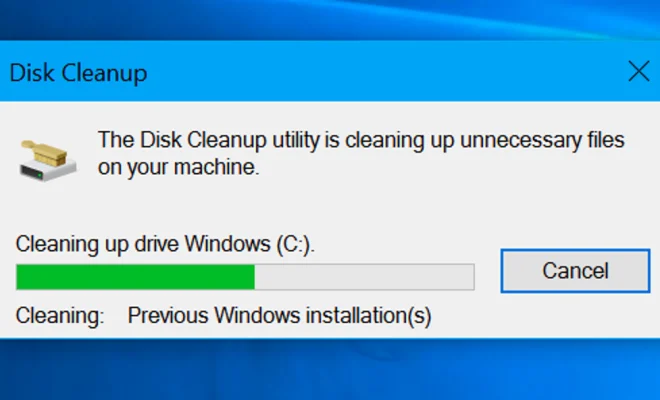
The short answer is yes. Disk Cleanup Tool is designed by Microsoft to clean up the unnecessary files that could slow down your computer. The tool targets various files, including temporary files, system files, log files, and even unwanted files in the recycle bin.

When you run the Disk Cleanup Tool, a list of files to be deleted will be displayed, categorized by type. Windows also shows you how much space is occupied by each file, so you can see how much space the tool has cleared up.

However, while it’s generally safe to delete most of the files identified by Disk Cleanup, some of these files may be used by specific applications or the operating system itself.

For instance, if you frequently use the hibernation option on your Windows computer, it’s recommended not to delete the Hibernation File Cleaner because it contains essential system files used to resume your computer’s state.

Additionally, if your computer has a low amount of RAM available, deleting the Windows ESD installation files might not be the best option. These files are used by Windows Update to help you install future updates, avoid redownloading the necessary files from the internet.

Therefore, it’s essential to review the files selected by Disk Cleanup carefully. If you are unsure of what to do with a specific file, do not delete it yet. Instead, you can Google its name to determine its importance, or better still, consult a professional.

Summing it up, it’s safe to delete most unnecessary files identified by Windows’ Disk Cleanup Tool. However, before running the tool, make sure to review the selected files carefully to avoid mistakenly deleting essential system files.  

Previous Article

Is Charging Your Phone All Night Bad ...

Next Article

Is My Phone Waterproof? IP68, IPX8 Ratings ...

Matthew Lynch

Related articles More from author

  • Online Learning & eLearning

    Hybrid Cloud: Benefits and Barriers

    March 27, 2023
    By Matthew Lynch
  • Online Learning & eLearning

    Blended Learning Built on Teacher Expertise

    January 15, 2020
    By Matthew Lynch
  • Online Learning & eLearning

    Online Video Teaching And Microlearning Trends

    March 22, 2023
    By Matthew Lynch
  • Online Learning & eLearning

    Top 5 Ways to Retrieve Deleted Text Messages on iPhone

    April 2, 2023
    By Matthew Lynch
  • Online Learning & eLearning

    Ways to Take a Break and Slack Off While Looking Like You’re Working

    June 12, 2023
    By Matthew Lynch
  • Online Learning & eLearning

    Nightmarish Netflix Movies Full of Jump Scares

    June 22, 2023
    By Matthew Lynch

Search

Login & Registration

  • Register
  • Log in
  • Entries feed
  • Comments feed
  • WordPress.org

Newsletter

Signup for The Tech Edvocate Newsletter and have the latest in EdTech news and opinion delivered to your email address!

About Us

Since technology is not going anywhere and does more good than harm, adapting is the best course of action. That is where The Tech Edvocate comes in. We plan to cover the PreK-12 and Higher Education EdTech sectors and provide our readers with the latest news and opinion on the subject. From time to time, I will invite other voices to weigh in on important issues in EdTech. We hope to provide a well-rounded, multi-faceted look at the past, present, the future of EdTech in the US and internationally.

We started this journey back in June 2016, and we plan to continue it for many more years to come. I hope that you will join us in this discussion of the past, present and future of EdTech and lend your own insight to the issues that are discussed.

Newsletter

Signup for The Tech Edvocate Newsletter and have the latest in EdTech news and opinion delivered to your email address!

Contact Us

The Tech Edvocate
910 Goddin Street
Richmond, VA 23231
(601) 630-5238
[email protected]

Copyright © 2025 Matthew Lynch. All rights reserved.