The Tech Edvocate

Top Menu

  • Advertisement
  • Apps
  • Home Page
  • Home Page Five (No Sidebar)
  • Home Page Four
  • Home Page Three
  • Home Page Two
  • Home Tech2
  • Icons [No Sidebar]
  • Left Sidbear Page
  • Lynch Educational Consulting
  • My Account
  • My Speaking Page
  • Newsletter Sign Up Confirmation
  • Newsletter Unsubscription
  • Our Brands
  • Page Example
  • Privacy Policy
  • Protected Content
  • Register
  • Request a Product Review
  • Shop
  • Shortcodes Examples
  • Signup
  • Start Here
    • Governance
    • Careers
    • Contact Us
  • Terms and Conditions
  • The Edvocate
  • The Tech Edvocate Product Guide
  • Topics
  • Write For Us
  • Advertise

Main Menu

  • Start Here
    • Our Brands
    • Governance
      • Lynch Educational Consulting, LLC.
      • Dr. Lynch’s Personal Website
      • Careers
    • Write For Us
    • The Tech Edvocate Product Guide
    • Contact Us
    • Books
    • Edupedia
    • Post a Job
    • The Edvocate Podcast
    • Terms and Conditions
    • Privacy Policy
  • Topics
    • Assistive Technology
    • Child Development Tech
    • Early Childhood & K-12 EdTech
    • EdTech Futures
    • EdTech News
    • EdTech Policy & Reform
    • EdTech Startups & Businesses
    • Higher Education EdTech
    • Online Learning & eLearning
    • Parent & Family Tech
    • Personalized Learning
    • Product Reviews
  • Advertise
  • Tech Edvocate Awards
  • The Edvocate
  • Pedagogue
  • School Ratings

logo

The Tech Edvocate

  • Start Here
    • Our Brands
    • Governance
      • Lynch Educational Consulting, LLC.
      • Dr. Lynch’s Personal Website
        • My Speaking Page
      • Careers
    • Write For Us
    • The Tech Edvocate Product Guide
    • Contact Us
    • Books
    • Edupedia
    • Post a Job
    • The Edvocate Podcast
    • Terms and Conditions
    • Privacy Policy
  • Topics
    • Assistive Technology
    • Child Development Tech
    • Early Childhood & K-12 EdTech
    • EdTech Futures
    • EdTech News
    • EdTech Policy & Reform
    • EdTech Startups & Businesses
    • Higher Education EdTech
    • Online Learning & eLearning
    • Parent & Family Tech
    • Personalized Learning
    • Product Reviews
  • Advertise
  • Tech Edvocate Awards
  • The Edvocate
  • Pedagogue
  • School Ratings
  • Viaim Opennote Review: The AI Note-Taker That Disappears Into Your Daily Routine

  • A Visitors Guide to Long Beach (CA), United States

  • A Visitor’s Guide to Fresno (CA), United States

  • A Visitors Guide to New Orleans (LA), United States

  • A Visitors Guide to Sacramento (CA), United States

  • A Visitors Guide to Lyon, France

  • JisuLife Ultra2 Portable Fan: A Powerful Multi-Function Cooling Solution

  • A Visitors Guide to Viña del Mar, Chile

  • A Visitors Guide to Århus, Denmark

  • A Visitors Guide to Bakersfield (CA), United States

Tech Advice
Home›Tech Advice›iOS 16.2 Makes the iPhone 14 Pro’s Always-On Display So Much Better

iOS 16.2 Makes the iPhone 14 Pro’s Always-On Display So Much Better
By Matthew Lynch
July 17, 2023
0
Spread the love

Introduction

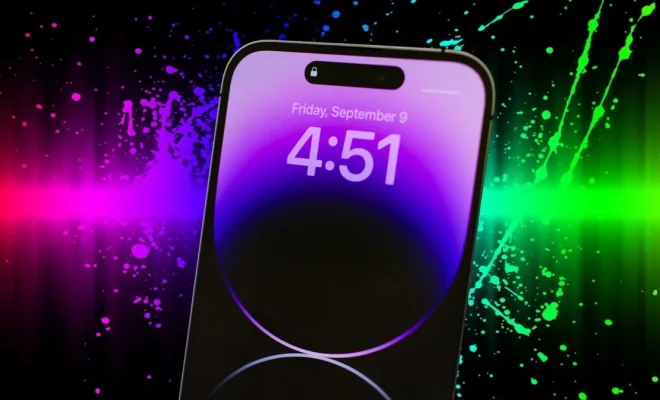
With the release of iOS 16.2, Apple has pushed the boundaries of what an always-on display can do on the iPhone 14 Pro, taking its functionality to a whole new level. In this article, we will explore how iOS 16.2 improves the user experience and various features of this already-innovative display technology.

Improved Notifications

One of the most prominent enhancements in iOS 16.2 is the improved way notifications are displayed on the always-on screen of the iPhone 14 Pro. You no longer need to wake your device to preview your messages or emails—all necessary information is now presented in a more visually appealing and organized manner, making it quicker and easier to overview all your recent notifications.

New Customization Options

iOS 16.2 brings several new customization options for your always-on display, giving you more control over screen aesthetics and functionality. Choose from a variety of new clock faces, widget designs, and color modes that suit your style and needs. You can also create the perfect balance between form and function by adding personalized shortcuts to your favorite applications.

Enhanced Battery Life

The iPhone 14 Pro’s always-on display had already been optimized for energy efficiency, but iOS 16.2 takes it even further. New power management techniques have been implemented to ensure your device lasts through the day without compromising on performance or functionality.

Context-Aware Functionality

One innovative feature introduced with iOS 16.2 is context-aware functionality for the iPhone 14 Pro’s always-on display. This means that your device will adapt to changes in its environment and automatically adjust display settings based on factors such as time, location, or activity level—providing relevant information tailored specifically for you.

Increased Interactivity

While previous iterations of Apple’s always-on displays were mostly static, iOS 16.2 brings interactivity front and center. Now, you can perform certain actions without fully waking your iPhone 14 Pro—for example, controlling your music playback, instantly enabling dark mode, or checking the status of running timers.

Conclusion

The Apple iPhone 14 Pro’s always-on display has been significantly enhanced with the arrival of iOS 16.2, a testament to the company’s commitment to continuous improvement. From its improved notifications and customization options to enhanced battery life and increased interactivity, users now have even more reasons to love their iPhone 14 Pro. If you haven’t done so already, it’s time to update your device and explore the fantastic new enhancements that iOS 16.2 has to offer.


Previous Article

iOS 15.5 Has a Bunch of Privacy ...

Next Article

The iPhone 13 Mini hasn’t changed my ...

Matthew Lynch

Related articles More from author

  • Tech Advice

    The Best Car Vacuums for Avoiding That Old Car Smell

    October 19, 2023
    By Matthew Lynch
  • Tech Advice

    Midjourney vs OpenArt: A Comprehensive Comparison of AI Art Generators

    October 26, 2025
    By Matthew Lynch
  • Tech Advice

    What to Do After An Accident That’s Not Your Fault

    August 22, 2023
    By Matthew Lynch
  • Tech Advice

    Best Advent Calendars for Kids: A World of Fun and Surprises

    July 7, 2023
    By Matthew Lynch
  • Tech Advice

    A brief history of the QWERTY keyboard

    July 4, 2023
    By Matthew Lynch
  • Tech Advice

    HP Photosmart 7520 Review: $200 All-In-One Printer Puts Your Prints in the Cloud

    July 12, 2023
    By Matthew Lynch

Search

Login & Registration

  • Register
  • Log in
  • Entries feed
  • Comments feed
  • WordPress.org

Newsletter

Signup for The Tech Edvocate Newsletter and have the latest in EdTech news and opinion delivered to your email address!

About Us

Since technology is not going anywhere and does more good than harm, adapting is the best course of action. That is where The Tech Edvocate comes in. We plan to cover the PreK-12 and Higher Education EdTech sectors and provide our readers with the latest news and opinion on the subject. From time to time, I will invite other voices to weigh in on important issues in EdTech. We hope to provide a well-rounded, multi-faceted look at the past, present, the future of EdTech in the US and internationally.

We started this journey back in June 2016, and we plan to continue it for many more years to come. I hope that you will join us in this discussion of the past, present and future of EdTech and lend your own insight to the issues that are discussed.

Newsletter

Signup for The Tech Edvocate Newsletter and have the latest in EdTech news and opinion delivered to your email address!

Contact Us

The Tech Edvocate
910 Goddin Street
Richmond, VA 23231
(601) 630-5238
[email protected]

Copyright © 2025 Matthew Lynch. All rights reserved.