The Tech Edvocate

Top Menu

  • Advertisement
  • Apps
  • Home Page
  • Home Page Five (No Sidebar)
  • Home Page Four
  • Home Page Three
  • Home Page Two
  • Home Tech2
  • Icons [No Sidebar]
  • Left Sidbear Page
  • Lynch Educational Consulting
  • My Account
  • My Speaking Page
  • Newsletter Sign Up Confirmation
  • Newsletter Unsubscription
  • Our Brands
  • Page Example
  • Privacy Policy
  • Protected Content
  • Register
  • Request a Product Review
  • Shop
  • Shortcodes Examples
  • Signup
  • Start Here
    • Governance
    • Careers
    • Contact Us
  • Terms and Conditions
  • The Edvocate
  • The Tech Edvocate Product Guide
  • Topics
  • Write For Us
  • Advertise

Main Menu

  • Start Here
    • Our Brands
    • Governance
      • Lynch Educational Consulting, LLC.
      • Dr. Lynch’s Personal Website
      • Careers
    • Write For Us
    • The Tech Edvocate Product Guide
    • Contact Us
    • Books
    • Edupedia
    • Post a Job
    • The Edvocate Podcast
    • Terms and Conditions
    • Privacy Policy
  • Topics
    • Assistive Technology
    • Child Development Tech
    • Early Childhood & K-12 EdTech
    • EdTech Futures
    • EdTech News
    • EdTech Policy & Reform
    • EdTech Startups & Businesses
    • Higher Education EdTech
    • Online Learning & eLearning
    • Parent & Family Tech
    • Personalized Learning
    • Product Reviews
  • Advertise
  • Tech Edvocate Awards
  • The Edvocate
  • Pedagogue
  • School Ratings

logo

The Tech Edvocate

  • Start Here
    • Our Brands
    • Governance
      • Lynch Educational Consulting, LLC.
      • Dr. Lynch’s Personal Website
        • My Speaking Page
      • Careers
    • Write For Us
    • The Tech Edvocate Product Guide
    • Contact Us
    • Books
    • Edupedia
    • Post a Job
    • The Edvocate Podcast
    • Terms and Conditions
    • Privacy Policy
  • Topics
    • Assistive Technology
    • Child Development Tech
    • Early Childhood & K-12 EdTech
    • EdTech Futures
    • EdTech News
    • EdTech Policy & Reform
    • EdTech Startups & Businesses
    • Higher Education EdTech
    • Online Learning & eLearning
    • Parent & Family Tech
    • Personalized Learning
    • Product Reviews
  • Advertise
  • Tech Edvocate Awards
  • The Edvocate
  • Pedagogue
  • School Ratings
  • Is AuraCam Pro’s Emotional AI a Privacy Nightmare or Security Breakthrough?

  • Unprecedented: N-able’s Global Shutdown After 30+ Zero-Days Revealed

  • The Urgent Truth: Your AI Tools for Financial Advisors Could Be a Compliance Nightmare

  • Unmasking the Troubling Truth About EU’s Digital Omnibus and Your Data

  • Outrageous: Your US Car Insurance 2026 Bill Is About to Explode – Here’s Why

  • Uncovering the Truth: Are AI Spending Concerns About to Tank Your Portfolio?

  • The Silent Revolution: How AI Property Valuation Is Quietly Reshaping Real Estate

  • The Astonishing Truth: Why Your Dream Car Is Now a $52,000 Illusion

  • Toxic Algorithms: Why Your Bank’s AI Could Cost You Everything

  • OpenAI’s GPT-6 Cyber: A Dangerous New AI Threat or Our Ultimate Digital Guardian?

Digital & Mobile Technology
Home›Digital & Mobile Technology›How to Watch IMDB TV Online

How to Watch IMDB TV Online
By Matthew Lynch
June 12, 2023
0
Spread the love

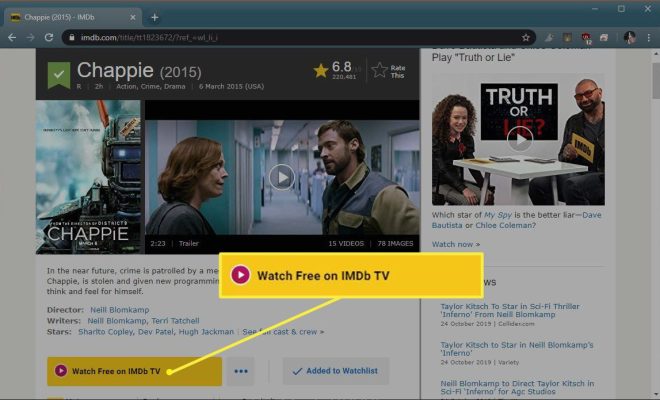
IMDb TV is a free streaming service that offers a wide range of TV shows and movies for viewers to enjoy. The platform is owned by Amazon and can be accessed by anyone with a compatible device and an internet connection. In this article, we’ll provide you with a step-by-step guide on how to watch IMDb TV online.

Step 1: Check your device compatibility

The first step in watching IMDb TV online is to ensure that your device is compatible with the streaming service. IMDb TV can be accessed on desktop computers, laptops, smart TVs, and mobile devices. You can also watch IMDb TV through the Amazon Prime Video app or through the IMDb website. Make sure that your device has a stable internet connection to avoid any buffering or streaming issues.

Step 2: Create an IMDb account

To watch IMDb TV online, you’ll need to create an IMDb account. Creating an account is completely free and can be done by visiting the IMDb website. You can opt to sign up using your Facebook or Amazon account, or create a new account using your email address.

Step 3: Access IMDb TV

Once you’ve created your account, you can start browsing the selection of TV shows and movies available on IMDb TV. You can access the streaming service through the IMDb website, or by using the Amazon Prime Video app. Simply search for “IMDb TV” in the app or visit the IMDb TV page on the website.

Step 4: Start watching

Once you’ve found a TV show or movie that you’d like to watch, simply click on the play button and start streaming. You can pause, rewind, or fast-forward through the content, giving you complete control of your viewing experience. There are also no ads to interrupt your viewing pleasure, making for a seamless watching experience.

In conclusion, watching IMDb TV online is a simple and easy process that requires just a few steps. You can access the platform on a range of devices and enjoy free streaming of your favorite TV shows and movies. With a vast selection of content and a user-friendly interface, IMDb TV is the perfect platform for anyone looking for free and high-quality streaming content.


Previous Article

How to Select Multiple Files in Windows

Next Article

How to Reboot Your iPad

Matthew Lynch

Related articles More from author

  • Digital & Mobile Technology

    Scientists create glow-in-the-dark cats

    July 4, 2023
    By Matthew Lynch
  • Digital & Mobile Technology

    How to Recover Deleted Facebook Posts

    August 3, 2023
    By Matthew Lynch
  • Digital & Mobile Technology

    How to Install a Trusted Platform Module on an Unsupported Computer

    April 27, 2023
    By Matthew Lynch
  • Digital & Mobile Technology

    4 Great Apple TV Party Games for Everyone

    June 23, 2023
    By Matthew Lynch
  • Digital & Mobile Technology

    How to Change the User Folder Name in Windows 10

    June 6, 2023
    By Matthew Lynch
  • Digital & Mobile Technology

    How to Link OneDrive to Your Microsoft Account on Windows

    June 23, 2023
    By Matthew Lynch

Search

Login & Registration

  • Log in
  • Entries feed
  • Comments feed
  • WordPress.org

Newsletter

Signup for The Tech Edvocate Newsletter and have the latest in EdTech news and opinion delivered to your email address!

About Us

Since technology is not going anywhere and does more good than harm, adapting is the best course of action. That is where The Tech Edvocate comes in. We plan to cover the PreK-12 and Higher Education EdTech sectors and provide our readers with the latest news and opinion on the subject. From time to time, I will invite other voices to weigh in on important issues in EdTech. We hope to provide a well-rounded, multi-faceted look at the past, present, the future of EdTech in the US and internationally.

We started this journey back in June 2016, and we plan to continue it for many more years to come. I hope that you will join us in this discussion of the past, present and future of EdTech and lend your own insight to the issues that are discussed.

Newsletter

Signup for The Tech Edvocate Newsletter and have the latest in EdTech news and opinion delivered to your email address!

Contact Us

The Tech Edvocate
910 Goddin Street
Richmond, VA 23231
(601) 630-5238
[email protected]

Copyright © 2026 Matthew Lynch. All rights reserved.