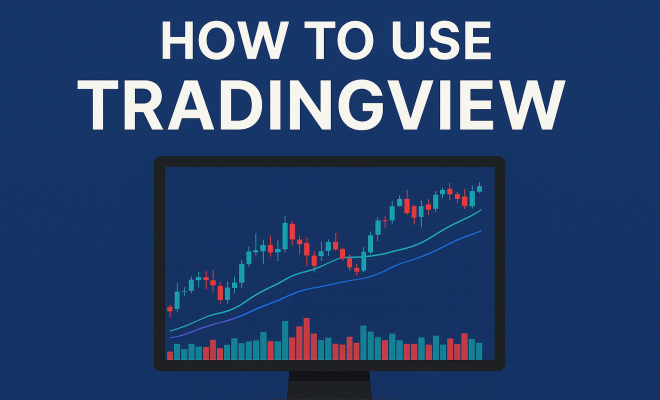
How to use TradingView
“`html
TradingView is more than just a charting tool; it’s a dynamic platform that has transformed the way traders and investors analyze markets and share ideas. Whether you’re a beginner or an experienced trader, this TradingView tutorial will guide you through the essential aspects of using this powerful platform effectively.
1. Understanding TradingView: The Basics
Launched in 2011, TradingView has quickly become a go-to resource for traders across the globe. Its user-friendly interface, extensive charting capabilities, and social networking features make it a unique player in the trading software space. The platform allows users to analyze financial markets in real-time, share trading ideas, and collaborate with other traders.
At its core, TradingView caters to a diverse range of markets, including stocks, forex, cryptocurrencies, and commodities. The platform’s flexibility allows traders to customize their charts and indicators, making it suitable for various trading styles, from day trading to long-term investing. Understanding the basics of TradingView is crucial for capitalizing on its full potential.
2. Creating Your TradingView Account: Getting Started
To embark on your TradingView journey, the first step is to create an account. The process is straightforward. Visit the TradingView website, and you’ll see an option to sign up. You can register using your email address, Google account, or Facebook account. After signing up, activate your account through the confirmation email sent to you.
Once your account is active, you can choose between a free tier and various paid subscriptions. The free version offers robust features, but upgrading to a paid plan unlocks additional tools, advanced charts, and enhanced customer support. This step is crucial, as the right plan can significantly impact your trading experience.
3. Navigating the TradingView Interface: Layout and Features
After logging in, you’ll be greeted by the TradingView dashboard. The interface is designed for ease of use, featuring a clean layout that divides the screen into several sections. The main components include the chart area, the symbol search bar, and the social feed where users share trading ideas.
On the left side of the screen, you’ll find a toolbar filled with various drawing tools, indicators, and chart types. You can switch between line charts, candlestick charts, and bar charts, depending on your analysis preference. Familiarizing yourself with the interface is essential for making the most of TradingView’s features.
4. Charting Tools: Customizing Your Analysis
Charting is where TradingView truly shines. The platform offers a myriad of chart types and customization options. You can add indicators such as moving averages, RSI, and Bollinger Bands to enhance your analysis. Simply click on the ‘Indicators’ button at the top of the chart to access a library of over 100 technical indicators.
Moreover, you can customize the appearance of your charts by adjusting colors, timeframes, and scaling options. This flexibility allows you to tailor your charts to suit your trading strategy. Additionally, TradingView allows users to save their chart layouts, making it easy to switch between different setups based on your trading needs.
5. Using Alerts: Stay Ahead of Market Movements
One of the standout features of TradingView is its alert system. Alerts can notify you when a specific price level is reached, making it easier to react to market changes without constantly monitoring charts. Setting up an alert is simple: right-click on the chart, select ‘Add Alert,’ and customize the conditions.
Alerts can be sent via email, SMS, or through the TradingView mobile app, ensuring that you never miss a critical moment in the market. This functionality is particularly beneficial for day traders who need to stay alert to price fluctuations. Understanding how to effectively use alerts can significantly improve your trading efficiency. (See: TradingView overview on Wikipedia.)
6. Social Features: Learning from the Trading Community
TradingView isn’t just a charting platform; it also serves as a social network for traders. This unique aspect allows users to share their ideas, strategies, and analyses with a global community. You can follow other traders, comment on their ideas, and even collaborate on trades. This interaction can provide valuable insights and help you refine your trading strategies based on collective knowledge.
Engaging with the TradingView community can also expose you to diverse trading styles and techniques. By following experienced traders or joining discussions, you can gain fresh perspectives that may enhance your own trading approach. The social features of TradingView set it apart from other trading platforms, fostering a sense of community among users.
7. Scripts and Custom Indicators: Personalizing Your Trading Experience
For the tech-savvy trader, TradingView allows the use of Pine Script, a programming language designed for creating custom indicators and strategies. If you have coding skills, you can develop your own indicators to meet your specific trading needs. You can also access a wide variety of community-created scripts shared by other users.
Creating scripts can help automate certain aspects of your trading strategy, potentially saving time and increasing efficiency. Whether you want to create a simple moving average crossover indicator or a more complex algorithmic trading strategy, TradingView’s scripting capabilities offer a powerful way to personalize your trading experience.
8. Mobile App: Trading on the Go
In today’s fast-paced world, being able to trade on the go is crucial. TradingView offers a mobile app available for both iOS and Android, allowing you to access your charts, set alerts, and stay connected with the trading community from anywhere. The app maintains the core features of the desktop version, ensuring a seamless transition.
Using the mobile app means you won’t miss critical market movements while away from your computer. You can quickly check your charts, execute trades, or respond to alerts with just a few taps. The app’s user-friendly design makes it easy to navigate, making it an essential tool for active traders.
9. Pro Tips for Maximizing TradingView: Expert Advice
To truly capitalize on what TradingView has to offer, consider these expert tips: first, take advantage of the comprehensive educational resources available on the platform, including tutorials, webinars, and community forums. Learning from others can significantly deepen your understanding of both TradingView and trading strategies.
Second, regularly backtest your strategies using TradingView’s built-in backtesting feature. This allows you to see how your strategies would have performed in past market conditions, providing valuable insights into their effectiveness. Finally, become an active participant in the TradingView community. Sharing your ideas and engaging with others can not only help you learn but may also lead to potential trading partnerships.
10. Advanced Charting Techniques: Going Deeper with Analysis
Once you’re comfortable with the basics of TradingView, it’s time to explore advanced charting techniques. One popular method is utilizing multiple time frames for analysis. By observing price action across different time frames, you can gain a more comprehensive view of market trends and potential reversal points. For instance, if you’re day trading on a 15-minute chart, checking the daily and hourly charts can help confirm your trading signals.
Another technique is using Fibonacci retracements, which can help you identify potential support and resistance levels. To apply this, select the Fibonacci retracement tool from the sidebar, and draw it from a significant low to a significant high (or vice versa). The key levels — 23.6%, 38.2%, 50%, 61.8%, and 100% — can guide your entry and exit points.
Integrating volume analysis with your charting can also enhance your decision-making. Volume indicators display the strength of price movements and can help confirm trends. For example, if a price breakout occurs with high volume, it’s more likely to be a legitimate breakout rather than a false signal.
11. Backtesting Your Strategies: A Critical Component of Trading
Backtesting is an essential practice for any trader looking to validate their trading strategies. TradingView provides a straightforward backtesting feature that allows you to test your strategies against historical data. You can access it through the ‘Pine Editor’ and create scripts that simulate trades based on your defined rules.
When backtesting, it’s important to analyze various market conditions. Review your results during bull markets, bear markets, and sideways trends to understand how robust your strategy is across different scenarios. Consider metrics like win rate, maximum drawdown, and profit factor to evaluate performance comprehensively. (See: CDC Youth Risk Behavior Survey.)
Statistics can tell you a lot about your strategy. For instance, a strategy with a 70% win rate may seem appealing, but if it has a high drawdown, it might not be suitable for your risk appetite. Use TradingView’s built-in analytics tools to visualize your backtesting results and make data-driven adjustments to your approach.
12. Integrating Fundamental Analysis: Beyond Technicals
While TradingView excels in technical analysis, incorporating fundamental analysis can provide a more holistic approach to trading. This involves examining economic indicators, earnings reports, and news events that can influence market movements. TradingView offers an economic calendar to help you keep track of important upcoming events that may impact the markets you’re trading.
For example, if you’re trading stocks, monitor the earnings calendar for companies you follow. Significant earnings surprises can lead to price volatility. Using TradingView, you can create custom alerts for these events, ensuring you’re prepared to make informed decisions based on fundamental shifts in the market.
Additionally, following financial news through TradingView’s integrated news feed can keep you informed about global market changes. This context can be invaluable in interpreting price movements and making educated trading decisions.
13. Risk Management and Trading Psychology: Keys to Long-term Success
Understanding risk management is fundamental to successful trading, and TradingView provides tools to help you implement effective strategies. Setting stop-loss and take-profit orders directly on your charts can help protect your capital and lock in profits without requiring constant supervision. You can also use the position size calculator available on TradingView to determine the appropriate amount to trade based on your risk tolerance and account size.
Trading psychology plays a crucial role in your trading journey. Keeping emotions in check and adhering to your trading plan is vital for long-term success. Journaling your trades and reflecting on your decisions can help identify patterns in your behavior and improve your discipline. Engage with the TradingView community to share experiences and strategies for managing emotions, as connecting with others can provide additional support and insights.
14. Frequently Asked Questions (FAQ)
What is TradingView best used for?
TradingView is primarily used for technical analysis of financial markets. It provides advanced charting tools, a wide range of indicators, and a social platform for traders to share ideas and strategies. Whether you are day trading, swing trading, or investing long-term, TradingView can cater to your needs.
Is TradingView free to use?
TradingView offers a free version with essential features. However, paid subscriptions unlock advanced tools, additional indicators, and more extensive customer support. Depending on your trading needs, the investment in a paid plan may be worthwhile.
Can I automate my trading strategies with TradingView?
Yes, you can automate certain aspects of your trading strategies using Pine Script. This allows you to create custom indicators and trading algorithms that can execute trades based on predefined conditions. However, fully automated trading may require integration with a broker that supports such functionalities.
Does TradingView provide real-time data?
Yes, TradingView provides real-time market data for various assets. However, the availability of real-time data may depend on your selected market and the type of account you hold. Some data feeds may be delayed for users on the free plan. (See: New York Times on stock market trading.)
Can I access TradingView from multiple devices?
Absolutely! TradingView is a cloud-based platform, so you can access your account from any device with internet connectivity. Whether you’re using a desktop, tablet, or mobile device, you can seamlessly transition between devices without losing your charts or settings.
What are the benefits of using TradingView compared to other platforms?
TradingView stands out due to its combination of advanced charting capabilities, a vast library of community-created indicators, and its social networking features. Unlike many other platforms, TradingView allows users to interact, share insights, and collaborate, creating a rich learning environment. Additionally, its scripting language, Pine Script, provides unmatched customization options for technical analysis.
Can I use TradingView for Forex trading?
Yes, TradingView is a popular choice among Forex traders due to its robust charting tools and access to a wide range of currency pairs. You can analyze price movements, apply technical indicators, and set alerts for your preferred Forex pairs. The platform also offers economic calendars relevant to Forex trading, keeping you updated on key events that could impact currency values.
15. Popular Trading Strategies on TradingView
Traders on TradingView often share their strategies, making it easier for newcomers to learn effective methods. Some popular strategies include:
- Trend Following: This strategy involves identifying and following the prevailing market trend using moving averages or trendlines. Traders look for entry and exit points that align with the trend direction.
- Breakout Trading: Breakout traders focus on price movements that break through established support or resistance levels. This strategy often involves setting alerts for key thresholds, allowing traders to capitalize on rapid price movements.
- Range Trading: Traders employing this strategy identify key support and resistance levels and buy at the lower end while selling at the upper end of the range. This method relies heavily on price oscillators to predict potential reversals.
Experimenting with these strategies on TradingView can help you discover which ones resonate with your trading style and risk tolerance. Using the platform’s backtesting feature, you can refine these strategies and gauge their effectiveness in different market scenarios.
16. Integrating Other Tools with TradingView
For a more comprehensive trading experience, many users integrate TradingView with other tools. For instance, some traders use economic analysis platforms or news aggregators alongside TradingView charts to make well-informed decisions. Additionally, you can link your TradingView account with brokers that support TradingView, allowing you to execute trades directly from the platform.
Other popular integrations include:
- Crypto Wallets: If you’re trading cryptocurrencies, linking a wallet can streamline your transactions and provide real-time insights into your holdings.
- Portfolio Trackers: These tools help you monitor your investments across multiple assets, providing a holistic view of your financial performance.
By following this TradingView tutorial, you’re well-equipped to harness the full potential of this powerful trading platform. Whether you’re a novice or seasoned trader, TradingView provides the tools and community support necessary to enhance your trading experience and improve your decision-making process.
“`
Trending Now
Frequently Asked Questions
What is TradingView used for?
TradingView is a powerful platform used for analyzing financial markets, including stocks, forex, cryptocurrencies, and commodities. It provides advanced charting tools and social networking features, allowing traders to share ideas and collaborate effectively.
How do I create a TradingView account?
To create a TradingView account, visit the TradingView website and click on the sign-up option. You can register using your email, Google account, or Facebook account. After confirming your email, your account will be activated.
What features does TradingView offer?
TradingView offers extensive charting capabilities, customizable indicators, and real-time market analysis. It also includes social networking features that allow users to share trading ideas and collaborate with other traders from around the world.
Is TradingView free to use?
Yes, TradingView offers a free version with robust features. However, users can upgrade to paid subscriptions to access advanced tools, enhanced charts, and additional customer support, which can improve the trading experience.
How can I navigate the TradingView interface?
Navigating the TradingView interface is user-friendly. After logging in, you'll find various layout options and features designed to help you analyze markets effectively. Familiarizing yourself with these tools is essential for maximizing your trading potential.
What’s your take on this? Share your thoughts in the comments below — we read every one.