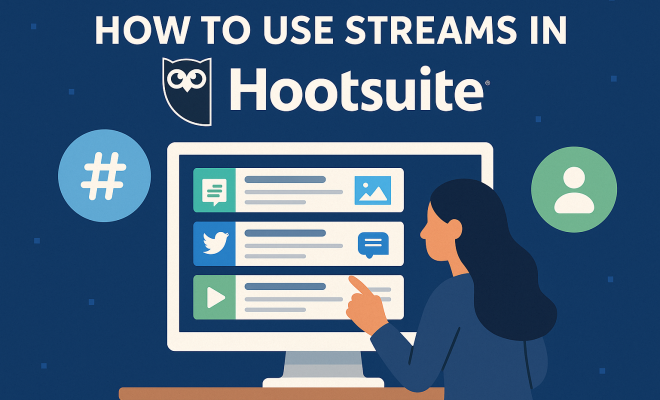
How to use streams in Hootsuite
“`html
If you’re managing social media for a business, a brand, or even just your personal platform, you know how quickly things can spiral. One minute you’re checking a notification, the next you’ve lost an hour scrolling through irrelevant posts. It’s a constant struggle to stay on top of engagement, monitor conversations, and publish content without feeling overwhelmed. That’s where a tool like Hootsuite comes in, and more specifically, where Hootsuite streams truly shine. Think of streams as your personalized command center, a series of tailored feeds that pull in exactly what you need to see from your various social networks, all in one place.
Many people sign up for Hootsuite and only scratch the surface of what its stream feature can do. They might set up a basic feed for their main Twitter account or a single Instagram profile, missing out on the deeper, more strategic monitoring capabilities that can genuinely transform their social media workflow. We’re talking about the power to track competitor activity, spot emerging trends, identify potential crises, and even discover new content ideas without ever leaving the Hootsuite dashboard. When used effectively, Hootsuite streams aren’t just about convenience; they’re about gaining a significant strategic advantage in the noisy world of social media. Let’s dive into some of the most crucial Hootsuite streams you should be setting up today to elevate your social media game.
1. Your Brand Mentions Stream: Don’t Miss a Single Whisper
One of the most fundamental and utterly indispensable Hootsuite streams you can create is a dedicated feed for your brand mentions. This isn’t just about direct tags; it’s about tracking every time your brand name, product, or key services are mentioned across various social platforms, even if someone forgets to use your official handle. Think of it as your early warning system for both praise and potential problems. On Twitter, for instance, you can set up a search stream for “YourBrandName” (and any common misspellings or related terms) that will pull in every tweet containing those keywords.
Why is this so crucial? First, it allows you to engage with customers and prospects who are talking about you, building relationships and fostering loyalty. A quick, timely response to a positive comment can turn a casual mention into a brand advocate. Second, and perhaps even more important, it helps you identify and address negative feedback or complaints before they escalate. Catching a frustrated customer’s tweet or Facebook post early gives you the chance to resolve their issue publicly or privately, preventing a small complaint from becoming a full-blown PR crisis. This stream keeps you informed in real-time, making sure you’re never caught off guard.
2. Competitor Monitoring Stream: Keep Your Friends Close, Your Rivals Closer
In any competitive market, knowing what your rivals are up to is half the battle. A dedicated Hootsuite stream for competitor monitoring can be an absolute goldmine of intelligence. You can set up streams to track their social media activity, much like you track your own. For example, create a Twitter search stream for their brand name, their key product names, or even their official Twitter handle. Do the same for Facebook pages, Instagram accounts, or LinkedIn company pages if the platform allows it.
What kind of insights can you glean from this? You’ll see their new product announcements, marketing campaigns, customer service interactions (both good and bad), and even their engagement strategies. This stream helps you identify gaps in your own strategy, spot emerging trends they might be capitalizing on, or learn from their missteps. It’s not about copying, but about staying agile and informed. If a competitor launches a new campaign that generates a lot of buzz, you’ll be among the first to know, allowing you to react strategically rather than playing catch-up weeks later.
3. Industry Keyword & Trend Stream: Spot Opportunities Before They’re Mainstream
Beyond your brand and your competitors, you need to keep a finger on the pulse of your broader industry. Setting up a Hootsuite stream dedicated to industry keywords and emerging trends is like having a real-time market research analyst working for you 24/7. Identify a handful of broad keywords, hashtags, or phrases relevant to your niche. If you’re in sustainable fashion, for example, you might track #ecofashion, “sustainable clothing,” or “ethical manufacturing.” (classroom and social media synergy)
This type of stream helps you identify what conversations are gaining traction, what problems consumers are discussing, and what new innovations are being talked about. It can spark ideas for new content, inform product development, or even reveal untapped market segments. When you spot a recurring theme or question, you can create content that directly addresses it, positioning your brand as a helpful and knowledgeable resource. Being an early adopter or contributor to a trending conversation can significantly boost your visibility and authority within your industry.
4. Customer Feedback & Support Stream: Turn Complaints into Loyalty
Customer service has largely moved to social media, whether brands like it or not. People often turn to Twitter, Facebook, or Instagram to air grievances, ask questions, or seek support. A dedicated customer feedback and support stream in Hootsuite is essential for managing these interactions effectively. This stream should combine mentions of your brand with terms like “help,” “support,” “problem,” “issue,” or even specific error codes or FAQs related to your product.
Monitoring this stream allows your support team (or you, if you’re a small business) to quickly identify and respond to customer queries and complaints. A fast and empathetic response can de-escalate a potentially damaging situation and turn a frustrated customer into a loyal one. It also provides invaluable direct feedback on your products or services, highlighting common pain points or areas for improvement. Think of it as a direct line to your customers’ unfiltered opinions, helping you to continuously refine your offerings and improve the customer experience.
5. Influencer & Advocate Stream: Nurture Your Network
Identifying and engaging with influencers and brand advocates is a powerful strategy for expanding your reach. An influencer and advocate Hootsuite stream helps you keep tabs on the people who are already talking about your brand positively or who have significant reach within your target audience. You can create lists on Twitter of key influencers and set up a stream to monitor their activity. For other platforms, you might track specific hashtags they use or keywords associated with their content. (See: Overview of social media platforms.)
This stream allows you to see what these important individuals are posting, giving you opportunities to engage with their content, share their posts (with attribution, of course), and strengthen your relationships. It can also help you discover new potential advocates who are just starting to show interest in your niche. Nurturing these relationships can lead to organic endorsements, collaborations, and a broader reach for your brand’s message, often at a fraction of the cost of traditional advertising.
6. Engagement & Reply Stream: Never Miss an Opportunity to Connect
While brand mention streams catch general mentions, a dedicated engagement and reply stream focuses specifically on direct interactions with your owned social profiles. This means replies to your tweets, comments on your Instagram posts, messages to your Facebook page, and comments on your LinkedIn updates. Hootsuite often has default streams for these, but it’s worth consolidating and prioritizing them to ensure you never miss an opportunity to connect. Related reading: transforming STEM education.
Timely engagement is crucial for building a vibrant online community. Responding to comments, answering questions, and acknowledging praise shows your audience that you’re listening and that you value their interaction. This stream makes it easy to spot all incoming engagement across multiple platforms in one unified view, allowing you to respond quickly and thoughtfully. The more you engage, the more loyal your audience becomes, and the more likely they are to share your content and advocate for your brand.
7. Content Curation & Discovery Stream: Fuel Your Content Calendar
Coming up with fresh, relevant content day after day can be a challenge. A content curation and discovery Hootsuite stream can be your secret weapon against content fatigue. This stream focuses on bringing in high-quality content from reputable sources, industry publications, and thought leaders that you can then share with your audience, either directly or as inspiration for your own original posts.
You can set up streams to follow specific industry news outlets on Twitter, track RSS feeds of relevant blogs (Hootsuite integrates with RSS), or monitor specific hashtags that authoritative sources use. For instance, if you’re in digital marketing, you might follow Search Engine Land, Moz, or Neil Patel’s blog. This stream ensures you always have a fresh supply of valuable information to share, keeping your audience informed and your content calendar full. Remember, not all your content has to be original; curating great content from others can be just as valuable to your audience.
8. Crisis Monitoring Stream: Be Prepared, Not Surprised
No brand wants to face a social media crisis, but being unprepared is far worse than confronting one. A dedicated crisis monitoring stream in Hootsuite is a proactive measure that can save your brand significant reputational damage. This stream should be designed to catch any sudden spikes in negative sentiment or unusual activity related to your brand or industry.
Set up advanced search streams that combine your brand name with negative keywords like “scam,” “boycott,” “outrage,” “problem,” “warning,” or even specific terms related to potential product flaws or service failures. You might also monitor trending topics that could unexpectedly intersect with your brand. While you hope you never have to use it, having this stream actively monitoring means you’ll be alerted immediately if a crisis begins to brew. This early detection gives your team precious time to assess the situation, formulate a response, and mitigate the damage, rather than being caught off guard and reacting purely defensively.
Optimizing Your Hootsuite Streams for Maximum Impact
Setting up these Hootsuite streams is just the first step. To truly leverage their power, you need to optimize how you use them. First, organize your streams logically. Hootsuite allows you to create multiple tabs on your dashboard, so group related streams together. For example, one tab could be “My Brand Monitoring,” containing your brand mentions and engagement streams. Another could be “Competitor Intel,” and so on. This keeps your dashboard clean and easy to navigate, preventing information overload.
Second, don’t set it and forget it. Review your streams regularly. What keywords are performing well? Are there new terms or hashtags you should be tracking? Social media language evolves rapidly, and your streams need to keep pace. Adjust your search queries, add new accounts to monitor, and remove anything that’s no longer relevant. This iterative process ensures your streams remain highly effective and continue to deliver valuable insights.
The Power of Real-Time Intelligence
The real magic of Hootsuite streams lies in their ability to deliver real-time intelligence. Unlike scheduled reports or weekly analytics deep dives, streams give you an immediate pulse on what’s happening. This immediacy is critical in social media, where conversations can erupt and dissipate in a matter of hours. Being able to see a trend developing, a customer expressing dissatisfaction, or a competitor launching a new campaign as it happens allows for agile, proactive responses that can make a tangible difference to your brand’s success.
For instance, imagine a scenario where a niche hashtag relevant to your product starts trending on Twitter. If you have an industry trend stream set up, you’d see this immediately. You could then craft a relevant tweet or piece of content to jump into that conversation, gaining visibility from an already engaged audience. Without the stream, you might only discover the trend days later, by which point the opportunity has passed. This responsiveness is a significant competitive advantage.
Streamlining Your Workflow and Saving Time
Beyond the strategic advantages, Hootsuite streams are also incredibly powerful for streamlining your daily social media workflow. Instead of logging into five different platforms, checking notifications, and then switching between tabs to post, you can do almost everything from within Hootsuite. You can reply to comments, retweet posts, like content, and even schedule new posts directly from your streams.
This centralization dramatically reduces context switching, which is a notorious productivity killer. By consolidating all your key social media activities into one dashboard, you save valuable time, reduce mental fatigue, and ensure that important interactions don’t slip through the cracks. For busy social media managers, this efficiency gain isn’t just a nice-to-have; it’s a necessity for managing multiple accounts and campaigns effectively. (See: CDC on media and youth engagement.)
Beyond the Basics: Advanced Stream Configurations
While the eight streams discussed are foundational, don’t be afraid to get creative with your configurations. Hootsuite’s search capabilities are quite robust, allowing for complex Boolean operators (AND, OR, NOT) to refine your results. You can exclude certain terms, include specific users, or filter by sentiment (though sentiment analysis can be imperfect).
Consider setting up a stream for local events if you have a physical business, or a stream for specific product launches to track their immediate reception. The more specific and targeted your streams are, the more actionable the insights they’ll provide. Experiment with different combinations of keywords and filters to fine-tune your monitoring until you’re getting exactly what you need to make informed decisions. boosting student engagement with edtech offers useful background here.
The Evolution of Social Listening: Hootsuite Streams in a Data-Rich World
Social media has come a long way from simple status updates. Today, it’s a bustling marketplace of ideas, conversations, and commercial activity. The sheer volume of data generated daily is astronomical. Consider that over 500 million tweets are sent every day, and Facebook users upload more than 300 million photos. Without effective tools, this ocean of information is impossible to navigate. This is where Hootsuite streams aren’t just convenient; they’re essential for modern social listening.
Social listening, at its core, is about understanding the broader conversation around your brand, industry, and competitors. It’s not just about what people say directly to you, but what they’re saying about you, your products, and your market even when you’re not tagged. Hootsuite streams transform raw data into actionable intelligence. By setting up targeted streams, you’re essentially building a series of highly specialized filters that cut through the noise, showing you only the conversations that matter most to your business objectives. This capability moves you from passively observing to actively participating and strategizing based on real-time public sentiment and discussion.
For instance, a brand mention stream isn’t just about responding to direct complaints. It’s about spotting trends in how people perceive your brand’s values, identifying unexpected use cases for your products, or even discovering user-generated content you can reshare. The competitor monitoring stream can reveal not just their latest campaign, but also public reaction to it—information that’s gold for refining your own messaging. In a world where public perception can shift overnight, having these streams actively working for you provides a competitive edge that traditional market research simply can’t match in terms of speed and granularity.
Integrating Hootsuite Streams with Broader Marketing Strategies
While powerful on their own, Hootsuite streams truly shine when integrated into your overall marketing and business strategies. They shouldn’t exist in a silo, but rather feed into various departments, providing insights that can inform decisions far beyond just social media posting.
Think about how your customer feedback stream could directly influence product development. If you consistently see customers asking for a specific feature or complaining about a particular bug, that’s direct, unsolicited market research. Product teams can use this feedback to prioritize updates and innovations. Similarly, your industry keyword and trend stream can be invaluable for content marketing teams, guiding blog topics, video ideas, and even email campaign themes that resonate with current conversations.
Sales teams can also benefit immensely. By monitoring relevant industry keywords or even specific problem-oriented searches, sales professionals can identify potential leads who are actively discussing challenges that your product or service solves. Imagine a stream tracking “struggling with [common pain point]” – that’s a direct signal for outreach. Public relations teams, of course, rely heavily on crisis monitoring streams to protect brand reputation and manage communications during sensitive times. By connecting the dots between your social insights and other business functions, Hootsuite streams become a central nervous system for your digital strategy, fostering cross-departmental collaboration and ensuring a unified, responsive brand presence.
Common Challenges and How Hootsuite Streams Help
Social media management isn’t without its hurdles. Many businesses struggle with:
- Information Overload: Too many platforms, too many notifications.
- Time Management: The endless scroll can eat up hours.
- Missed Opportunities: Not seeing a trending topic or a customer query until it’s too late.
- Crisis Management: Being caught off guard by negative sentiment.
- Content Gaps: Running out of ideas for what to post.
Hootsuite streams are specifically designed to address these challenges head-on.
For information overload, grouping streams into tabs creates a highly organized view, making it easy to focus on one area at a time. The real-time nature of streams means you’re less likely to miss opportunities; you’re alerted as conversations happen. Crisis monitoring streams are a direct answer to the fear of being surprised by negative press. And for content gaps, the content curation and discovery stream is a constant source of inspiration and shareable material. By centralizing monitoring and interaction, Hootsuite streams give social media managers the control and clarity they need to perform effectively without getting bogged down by the inherent chaos of social platforms.
Frequently Asked Questions (FAQ) About Hootsuite Streams
Q1: What exactly are Hootsuite streams?
Hootsuite streams are essentially customizable feeds within your Hootsuite dashboard that pull in specific types of content from your connected social media accounts. Think of them as highly targeted filters for your social networks. They can show you mentions of your brand, posts from competitors, specific hashtags, your own engagement, and much more, all in one consolidated view. (See: New York Times on social media strategy.)
Q2: How many streams can I create?
The number of streams you can create depends on your Hootsuite plan. Free plans are more limited, while professional and enterprise plans allow for a much larger number, letting you monitor a vast array of keywords, accounts, and types of engagement across multiple social networks. It’s always best to check Hootsuite’s official pricing or plan details for the most up-to-date limits. We covered early social media impact in more detail.
Q3: Can I monitor multiple social networks in one stream?
Generally, a single stream focuses on one social network and a specific type of content or search query for that network. However, you can create multiple streams, each for a different network but tracking the same keyword (e.g., a Twitter stream for “MyBrand” and a Facebook stream for “MyBrand”). Hootsuite’s dashboard allows you to organize these related streams into tabs, creating a unified monitoring experience.
Q4: Are Hootsuite streams good for real-time monitoring?
Yes, absolutely! One of the biggest advantages of Hootsuite streams is their real-time nature. They refresh continuously, showing you new posts, mentions, and interactions as they happen. This immediacy is crucial for timely engagement, crisis detection, and jumping on trending topics.
Q5: Can I reply to posts directly from a Hootsuite stream?
Yes! This is a core functionality. You can engage with content directly from your streams – reply to tweets, comment on Facebook posts, like Instagram photos, and more, without ever leaving the Hootsuite dashboard. This streamlines your workflow significantly.
Q6: How do I choose the best keywords for my streams?
Start with obvious terms like your brand name, product names, and common misspellings. Then, think about industry-specific jargon, relevant hashtags, competitor names, and problem-oriented phrases your target audience might use (e.g., “how to fix [problem]”). Don’t be afraid to experiment and refine your keywords over time as you see what’s most relevant.
Q7: What’s the difference between a brand mention stream and an engagement stream?
A brand mention stream (like a Twitter search for “YourBrand”) tracks any public post containing your brand name, even if you’re not directly tagged. An engagement stream specifically tracks direct interactions with your owned profiles, such as replies to your posts, comments on your content, or direct messages sent to your pages. Both are vital for comprehensive monitoring.
Q8: Can Hootsuite streams help with content ideas?
Definitely! Your industry keyword and trend streams can show you what topics are currently hot or what questions people are asking, providing inspiration for new content. Your customer feedback stream can highlight pain points to address. Even competitor streams can spark ideas by showing what’s working (or not working) for others.
Ultimately, Hootsuite streams are far more than just passive feeds of information. They are dynamic, customizable tools that, when used strategically, can provide a comprehensive view of your social media landscape. They empower you to be proactive rather than reactive, to engage meaningfully, and to make data-driven decisions that will propel your social media strategy forward. If you’ve been underutilizing them, now’s the time to dive in and unlock their full potential.
“`
Trending Now
Frequently Asked Questions
How do I set up streams in Hootsuite?
To set up streams in Hootsuite, log into your dashboard and navigate to the 'Streams' section. Click on 'Add Stream,' select the social network you want to monitor, and choose the type of stream, such as mentions or scheduled posts. Customize the settings to tailor the feed to your needs.
What are Hootsuite streams used for?
Hootsuite streams are used to create personalized feeds that aggregate content from various social media platforms. They help users monitor brand mentions, track competitor activity, engage with followers, and stay updated on industry trends, all from a single dashboard.
Can I track brand mentions with Hootsuite?
Yes, you can track brand mentions using Hootsuite by setting up a dedicated mentions stream. This stream will alert you whenever your brand name, products, or services are mentioned across social media, allowing you to engage with users and respond to feedback promptly.
What types of streams should I create in Hootsuite?
You should create streams for brand mentions, competitor tracking, industry trends, and scheduled posts. Each stream serves a specific purpose, helping you manage engagement, monitor conversations, and discover new content ideas effectively.
How can Hootsuite improve my social media strategy?
Hootsuite can improve your social media strategy by providing a centralized platform to monitor multiple streams, enhance engagement, and identify trends. By utilizing streams effectively, you can respond to mentions in real-time, track competitor activities, and optimize your content strategy.
What's your take on this? Share your thoughts in the comments below — we read every one.