Master Reddit on PC: A Comprehensive User Guide
“`html
Reddit is more than just a social media platform; it’s a vast repository of discussions, information, and communities that can be both entertaining and enlightening. If you’re looking to dive into this unique online ecosystem, understanding how to use Reddit on PC is essential. This article will guide you through everything from the basics to advanced features, ensuring you can navigate Reddit like a pro.
1. Creating Your Reddit Account
The first step in learning how to use Reddit on PC is to create an account. Visit reddit.com and click on the “Sign Up” button located at the top right corner of the homepage. You’ll be prompted to provide an email address, choose a username, and set a password. Make sure your username reflects your personality, as it will be viewed by others and is crucial for your online identity.
Once you complete the sign-up process, check your email for a verification link. Click that link to activate your account. A verified account often offers more functionality, such as posting and commenting without restrictions, which is essential for a fully engaging Reddit experience.
2. Understanding Reddit’s Structure
Reddit is organized into “subreddits,” which are specific communities focused on particular topics. Each subreddit is denoted by a prefix (r/) and can range from the broadly popular r/all to niche communities like r/knitting or r/space. Understanding this structure is key to effectively using Reddit.
When learning how to use Reddit on PC, it’s crucial to explore various subreddits to find your interests. You can use the search bar at the top of the homepage to find specific topics. Once you find a subreddit that piques your interest, you can subscribe to it, which will help tailor your homepage feed to the content that matters most to you.
3. Browsing and Participating in Discussions
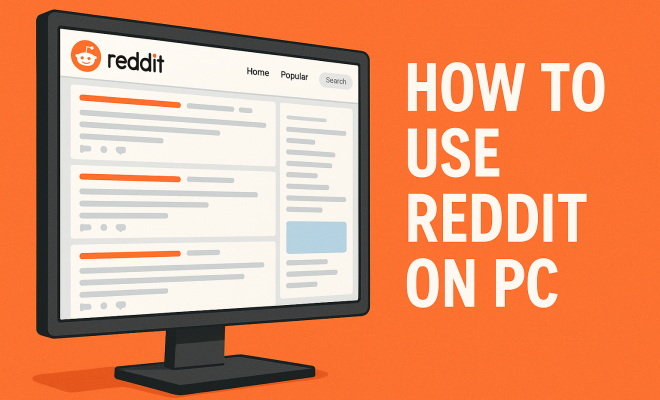
When you enter a subreddit, you’ll see a list of posts that users have submitted. Each post features a title, a brief description, and the number of upvotes and comments it has received. As you learn how to use Reddit on PC, you’ll want to get comfortable with browsing these posts.
Engaging with the community is simple. You can upvote or downvote posts to reflect your opinion and leave comments to contribute to ongoing discussions. Keep in mind that respectful and insightful comments tend to receive more upvotes, which can help you gain karma — a score that reflects your contributions on Reddit.
4. Submitting Your Own Content
Once you’ve familiarized yourself with Reddit, you might want to share your thoughts or content. Submitting posts requires navigating to the subreddit where you want to share. Look for the “Create Post” button, select whether you’re sharing a link, an image, or just text, and fill in the necessary fields.
When crafting your post, be sure to read the subreddit’s rules — each community has guidelines on what can be submitted. Engaging with the community correctly can lead to increased visibility and interaction with your post, making it more likely to gain upvotes.
5. Using Reddit’s Advanced Features
Learning how to use Reddit on PC also involves discovering its advanced features, which enhance your experience. One such feature is the ability to create your own posts through a rich text editor. This allows you to format your text, add images, and share links easily, making your contributions more visually appealing.
Another advanced feature is the Reddit chat function, which allows you to have real-time conversations with other users. You can access it by clicking on the chat icon on the top right corner of your screen. This feature is particularly useful for connecting with users who share your interests on a more personal level.
6. Managing Your Account and Privacy Settings
As you engage more on Reddit, it becomes important to manage your account settings and privacy. Navigate to your user profile, where you can view your comments, posts, and messages. Here, you’ll also find settings to adjust your privacy preferences, including who can send you messages and how you appear to other users. (See: Wikipedia page on Reddit.) See also Understanding Reddit Coins.
Reddit also offers an option to make your account anonymous, which can be beneficial if you’re discussing sensitive topics. To do this, consider creating a separate account for such discussions. Always remember that while Reddit can be a great source of information and community, maintaining your privacy is equally crucial.
7. Reddit Gold and Premium Features
If you find yourself using Reddit frequently, you might consider subscribing to Reddit Premium. This membership provides several perks, such as an ad-free experience, the ability to access r/lounge (a subreddit for Premium users), and monthly coins that you can use to award other users’ posts or comments.
Reddit Gold allows users to gift premium memberships to others, showing appreciation for outstanding content. Understanding these features can enhance your overall experience on the platform and allows you to support others in the community.
8. Finding the Right Subreddits for You
With thousands of subreddits available, finding the right ones can feel overwhelming. Start by thinking about your interests, hobbies, or topics you’re passionate about. You can also check out popular subreddits like r/AskReddit for general questions, r/IAmA for interesting interviews, or r/todayilearned for fascinating facts.
To discover more niche communities, consider using tools like Redditlist or Subreddit Finder, which help you explore based on your interests. Once you find a subreddit that resonates with you, don’t hesitate to subscribe and start engaging.
9. Staying Informed with Reddit
Reddit is not just a platform for entertainment; it is also a valuable resource for staying informed. Many news organizations and thought leaders share their insights on Reddit, often in real-time discussions. Subscribing to news-related subreddits such as r/news or r/worldnews can keep you updated on current events and trending topics.
Additionally, Reddit’s unique upvote/downvote system helps surface the most relevant and popular content, making it easier to find quality information. As you become more adept at using Reddit on PC, leverage these tools to enrich your knowledge and stay engaged with the world around you. Setting up a throwaway account offers useful background here.
10. Enhancing Your Experience with Third-party Tools
While Reddit offers a robust platform, you might find that third-party tools can enhance your experience even further. Applications like Reddit Enhancement Suite (RES) provide additional features such as keyboard shortcuts, an improved interface, and more options for filtering content. These tools can make navigation smoother and more enjoyable.
Another great tool is the Apollo app for Reddit, which focuses on a mobile experience but can be used alongside your PC account. It offers a sleek interface and customization options that can be appealing, especially if you frequently switch between devices.
11. Engaging with the Reddit Community
Building connections within the Reddit community can enrich your experience. Participating in AMAs (Ask Me Anything) is a unique way to engage with interesting people, whether they are celebrities, experts in a field, or everyday individuals with captivating stories. You can find AMAs in the subreddit r/IAmA, where users post their availability to answer questions and share experiences.
In addition to AMAs, consider joining Reddit meetups, which can be organized through various subreddits. These events allow users to meet in person, fostering a sense of community that transcends the online world.
12. Understanding Reddit Etiquette
Engaging on Reddit isn’t just about sharing content; it’s also about understanding the community’s norms. Each subreddit has its own set of rules and expectations, which often include guidelines on how to post and comment respectfully. Familiarizing yourself with these rules can prevent misunderstandings and ensure that you’re contributing positively to the community.
It’s also important to be mindful of the tone and nature of your interactions. Reddit can sometimes be a battleground for differing opinions, and being respectful, even in disagreement, is crucial. Think before you type, and always aim to foster constructive dialogue rather than arguments. (See: New York Times article on Reddit.)
13. Exploring Reddit’s Unique Culture
Reddit has developed a unique culture characterized by memes, in-jokes, and community-specific lingo. Each subreddit can have its own set of terminologies or humor, which can be amusing but also puzzling for newcomers. Spending time lurking (reading without posting) can help you catch on to these nuances.
For example, the phrase “this is a test” might pop up as a joke in certain subreddits whenever someone wants to check if their post is visible, while other communities might have specific phrases that have become inside jokes. Engaging with the culture can add an additional layer of enjoyment to your browsing experience.
14. Leveraging Reddit for Learning
Reddit isn’t just for entertainment; it’s a fantastic educational resource. Subreddits like r/AskScience, r/History, and r/DIY offer a wealth of knowledge shared by experts and enthusiasts alike. If you want to learn about a specific topic, you can often find in-depth discussions, resources, and advice from knowledgeable members.
Additionally, many universities and organizations have started utilizing Reddit for educational purposes. For instance, some professors will engage students in discussions on r/AskAcademia or related subs to provide real-world applications of their studies. This creates a collaborative environment for knowledge-sharing that can be incredibly beneficial.
15. Reddit and Social Issues
Reddit serves as a platform for discussing a wide range of social issues and movements. Many users turn to subreddits like r/ChangeMyView for respectful debates on differing perspectives. Others might engage in social issues through subreddits focused on activism or specific causes, like r/environment for environmental discussions or r/BlackLivesMatter for social justice topics.
By participating in these discussions, you can gain insights into various viewpoints and potentially find communities committed to advocating for change. Engaging in these conversations can help you not only stay informed but also contribute to meaningful causes.
16. Frequently Asked Questions (FAQ)
Q: Can I use Reddit without creating an account?
A: Yes, you can browse Reddit without an account. However, you won’t be able to post, comment, or vote on content. Creating an account allows you to participate fully.
Q: How do I report inappropriate content?
A: If you encounter content that violates Reddit’s rules, you can report it by clicking the “report” button found below each post or comment. This alerts the moderators of the subreddit.
Q: What is karma, and why does it matter?
A: Karma is a score that reflects your contributions to Reddit. It increases when users upvote your posts and comments. While it doesn’t have any real-world value, high karma can enhance your credibility within the community.
Q: Can I delete my account later if I no longer want it?
A: Yes, you can delete your Reddit account at any time. However, deleting your account doesn’t automatically remove your posts or comments. You’ll need to delete those individually if you want them removed.
Q: How often does Reddit get updated?
A: Reddit is continuously updated as users post new content and comments. The homepage may refresh frequently to show trending discussions. Each subreddit operates in real-time, reflecting ongoing conversations and activities.
Q: What should I do if I encounter harassment or abusive behavior?
A: If you experience harassment, it’s crucial to report it through Reddit’s reporting system. You can also block the user to prevent further interactions. Reddit takes abuse seriously and has policies in place to address it. (See: Research on social media platforms.) (Viewing deleted posts on Reddit)
Q: Are there any age restrictions for using Reddit?
A: Reddit requires users to be at least 13 years old. Content on the platform can vary widely, with some subreddits containing adult content, so parental guidance is recommended for younger users.
17. Tips for Maximizing Your Reddit Experience
As you explore how to use Reddit on PC, here are some practical tips to enhance your experience:
- Use the search function wisely: Instead of scrolling endlessly, use the search bar to find topics or threads that interest you. This can save time and help you find the most relevant discussions quickly.
- Follow active subreddits: Choose subreddits that regularly post new content. Active communities keep discussions lively and provide fresh content for engagement.
- Interact with moderators: Many subreddits have dedicated moderators who help maintain community standards. If you have questions or concerns, reaching out to them can be beneficial.
- Customize your feed: Take advantage of Reddit’s settings to hide subreddits you’re not interested in, or prioritize the ones you love. This helps create a personalized experience tailored to your preferences.
- Explore Reddit’s trending topics: Check out the trending section to stay on top of what’s hot right now. This is a great way to find new content and participate in popular discussions.
18. Reddit’s Impact on Trends and Movements
Reddit has played a significant role in shaping online trends and social movements. From the infamous r/The_Donald to r/WallStreetBets, subreddits have influenced everything from political campaigns to financial markets. For instance, the subreddit r/WallStreetBets gained massive attention during the GameStop stock surge in early 2021, showcasing the power of collective action and online communities in modern finance.
These examples highlight how Reddit isn’t just a platform for casual discussion; it can serve as a catalyst for real-world events. Understanding this influence can help you navigate discussions with a more informed perspective.
19. Staying Safe on Reddit
While Reddit is generally a safe platform, users should be aware of potential risks. Here are some tips for staying safe while using Reddit:
- Be cautious with personal information: Avoid sharing sensitive personal details such as your full name, address, or financial information. This helps protect your privacy.
- Report suspicious activity: If you notice any behavior that seems off or any suspicious accounts, report them to Reddit. This helps keep the community safe.
- Join reputable subreddits: Focus on joining subreddits with clear rules and active moderation to ensure a quality experience.
- Utilize Reddit’s privacy features: Familiarize yourself with Reddit’s privacy settings to control who can see your activity and how you interact with others.
20. How Reddit Differs from Other Social Media Platforms
Understanding how to use Reddit on PC also means recognizing how it stands apart from other social media. Unlike platforms like Facebook or Instagram, which focus on personal connections and curated content, Reddit emphasizes topic-based discussions and community engagement. Here’s how it differs:
- Anonymous interactions: Reddit allows for anonymous participation, letting users engage without revealing their real identities. This can lead to more honest discussions, as users don’t feel the pressure of social circles.
- Content-driven engagement: Posts are prioritized based on their merit and popularity, rather than the personal connections of the poster. This levels the playing field, giving everyone a chance to be heard.
- Diverse interests: With thousands of subreddits, you can find communities around virtually any interest, from niche hobbies to global issues, allowing for a wide range of discussions.
By understanding these differences, you can approach Reddit with the right mindset and better appreciate the unique value it offers compared to other platforms.
By understanding these FAQs and the nuances of how to use Reddit on PC, you’ll be better equipped to navigate the platform effectively, engage with others, and enrich your overall experience.
“`
Trending Now
Frequently Asked Questions
How do I create a Reddit account on PC?
To create a Reddit account on PC, visit reddit.com and click the 'Sign Up' button at the top right. Enter your email, choose a username, and set a password. After signing up, check your email for a verification link to activate your account.
What are subreddits and how do I find them?
Subreddits are specific communities on Reddit focused on particular topics, denoted by 'r/'. You can find them using the search bar at the top of the homepage. Exploring various subreddits helps tailor your feed to your interests.
How do I participate in discussions on Reddit?
To participate in discussions on Reddit, first enter a subreddit of interest. You can then comment on posts or create your own submissions. Make sure your account is verified to engage fully without restrictions.
What features does a verified Reddit account offer?
A verified Reddit account allows you to post and comment without restrictions, enhancing your overall experience. Verification improves your engagement with the community and provides access to more features.
Can I customize my Reddit homepage?
Yes, you can customize your Reddit homepage by subscribing to subreddits that interest you. This will tailor your feed to show content from those communities, making your browsing experience more relevant.
What's your take on this? Share your thoughts in the comments below — we read every one.