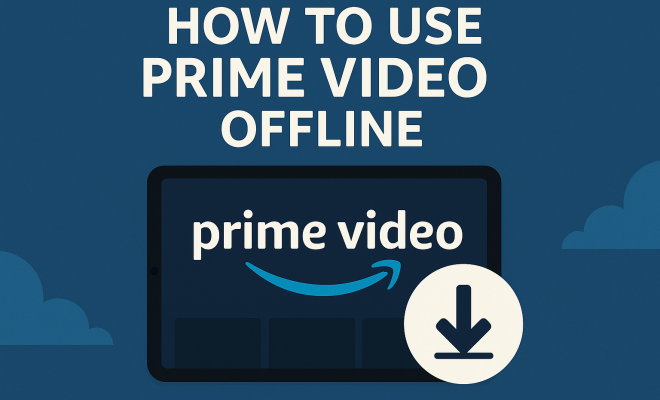
How to use Prime Video offline
“`html
Imagine this: you’re sitting at the airport, your flight’s delayed, and you have a whole hour to kill. What do you do? If you’re a Prime Video subscriber, you can simply pull out your device, select from your downloaded shows or movies, and dive into a binge-worthy episode. The ability to download Prime Video for offline use is a game-changer, allowing you to enjoy your favorite content anywhere, anytime, without relying on Wi-Fi or mobile data. In this article, we’ll explore how to effectively download and use Prime Video offline, including tips, device compatibility, and the ins and outs of managing your downloads.
1. Understanding the Prime Video Offline Feature
First things first, what does it mean to download Prime Video for offline use? Amazon introduced this feature to enhance user experience, enabling subscribers to download select movies and TV shows on various devices. This is particularly useful for travelers, students, or anyone who may find themselves in a location with limited internet access. The downloaded content can be watched without an internet connection, making it easy to enjoy your favorites on the go.
However, not all content on Prime Video is available for download. Licensing agreements affect which titles can be stored offline. As a subscriber, you’ll find a mix of popular shows, classic films, and Amazon Originals that you can download, but it’s always good to check before you set your heart on a specific title.
2. Compatible Devices for Downloading Prime Video
To download Prime Video for offline use, you must have a compatible device. Here’s a quick rundown of what works:
- Smartphones and Tablets: The Prime Video app is available on both iOS and Android devices. Simply download the app from the App Store or Google Play Store.
- Amazon Devices: If you own a Fire tablet, Fire phone, or Fire TV, you can easily download and access content offline.
- Windows 10/11 PCs: The Prime Video app is also available for Windows users, allowing downloads directly onto your laptop or desktop.
Unfortunately, downloading isn’t supported on all devices. For instance, while you can stream Prime Video via smart TVs and game consoles, downloading content for offline viewing isn’t an option there. This limitation can be frustrating, especially if you want to enjoy your downloaded content on a larger screen.
3. How to Download Prime Video for Offline Use
Ready to start downloading? The process is straightforward. First, ensure that you have the Prime Video app installed on your device. Once you’ve logged into your account, follow these steps:
- Search for Content: Browse or search for the movie or show you want to download.
- Check Download Availability: Look for the download icon (a downward arrow). If it’s available, tap on it.
- Select Quality: You may be prompted to choose your preferred video quality (standard or high). Keep in mind that higher quality will take more storage space.
- Download: Tap the download button, and the content will begin to download. You can check the progress in the downloads section of the app.
Downloading content while connected to Wi-Fi is recommended to avoid excessive data usage. Also, remember that the download will only be valid for a limited time, usually 30 days, before it expires. You’ll have 48 hours to finish watching it once you start.
4. Managing Your Downloads
Once you’ve downloaded your preferred content, managing it effectively is key. In the Prime Video app, you’ll find a dedicated section for your downloads. Here’s how to handle your downloaded content:
- Viewing Downloads: Navigate to the Downloads section in the app to see all your available offline content.
- Deleting Downloads: If you’re running low on storage, you can easily delete individual titles or clear all downloads from the same section.
- Checking Expiration Dates: Keep an eye on expiration dates for your downloaded content. The app will usually notify you when a download is about to expire.
By managing your downloads wisely, you can optimize your device’s storage space while ensuring you have access to your favorite titles whenever you want.
5. Storage Considerations for Downloads
Storage space is a crucial factor when it comes to downloading content for offline use. Depending on your device, you may have a limited amount of space available. Here are some considerations to keep in mind: (See: Amazon Prime Video overview.)
- Video Quality: Downloads in high quality will consume more storage. Standard quality is a great alternative if you want to save space.
- Device Storage: Check how much storage your device has available. If you’re running low, consider deleting some unused apps or media files.
- External Storage: Some devices allow downloads to external SD cards. This can be a lifesaver if your device supports it.
It’s wise to periodically review what’s downloaded on your device. If you realize you haven’t watched a particular title in a while, deleting it can free up much-needed space for new content.
6. Downloading on Different Platforms
While the downloading process is similar across platforms, there are slight variations depending on the device. Here’s a brief overview of what to expect:
- iOS Devices: Downloading on iPhones and iPads is seamless. Just like Android, the downloading process is straightforward, and you can manage your downloads from the app’s main menu.
- Android Devices: Similar to iOS, Android allows for easy downloads. Some Android devices may also offer additional features, such as choosing where to save downloads.
- Windows 10/11: The Windows app is user-friendly, but remember that not all content available on the mobile app is downloadable on PC. Always check availability.
Regardless of the platform, the Prime Video app is designed to enhance user experience, making it easy to access and manage your downloaded content conveniently.
7. Offline Viewing Tips
Having your favorite shows and movies downloaded is just the beginning. Here are some tips to enhance your offline viewing experience:
- Pre-Download Before Traveling: If you know you’ll be without internet access, download several episodes or movies ahead of time.
- Create a Watchlist: Utilize the watchlist feature to curate content you want to download for offline viewing.
- Check Battery Life: Before heading out, ensure your device is fully charged. The last thing you want is to run out of battery mid-episode.
These tips can help you make the most of your downloads and ensure that your offline experience is smooth and enjoyable.
8. Common Issues and Troubleshooting
While downloading Prime Video for offline use is generally straightforward, you may encounter issues. Here are some common problems and how to troubleshoot them:
- Download Fails: If your download fails, check your internet connection and try again. Ensure you have enough storage space before attempting to download.
- Content Not Downloading: If a title isn’t available for download, it’s typically due to licensing restrictions. Check Amazon’s library for available content.
- Expired Downloads: If your downloaded content has expired, you may need to delete it and re-download if it’s still available.
If you encounter persistent issues, consider uninstalling and reinstalling the app, or reaching out to Amazon’s customer support for assistance.
9. The Future of Offline Viewing on Streaming Services
As streaming continues to dominate the entertainment landscape, the ability to download content for offline use is becoming increasingly important. Prime Video has set the standard, but other platforms are quickly following suit. Streaming services like Netflix and Disney+ also offer download features, reflecting a broader consumer demand for flexibility in how we consume media.
This shift suggests that offline viewing will only become more sophisticated. As technology evolves, we may see improvements in download speeds, storage management, and even the ability to share downloaded content across devices. For now, though, Prime Video remains a strong contender in the offline viewing arena, providing users with a straightforward way to download and enjoy their favorite content without an internet connection.
10. The Environmental Impact of Streaming
While the convenience of streaming and downloading is undeniable, it’s worth noting the environmental implications associated with increased data consumption. Streaming video uses significant amounts of data, which can impact energy consumption and carbon emissions. According to a study by the Shift Project, streaming accounts for about 60% of global internet traffic. This statistic highlights the importance of considering how we consume media, especially with the growing focus on sustainability. (See: CDC on media and health.)
Downloading content for offline use may help reduce this demand on networks, especially during peak times. By downloading your favorite shows or movies, you can watch them without additional network strain, which can be particularly beneficial during high-traffic hours or in regions with less robust internet infrastructure.
11. Legal Considerations of Downloading Content
When downloading content from Prime Video, it’s crucial to understand the legal aspects involved. Downloading is permitted for personal use, and sharing downloaded content or using it for commercial purposes is against Amazon’s terms of service. Copyright laws protect content creators, and unauthorized distribution of downloaded media can result in legal ramifications.
Always ensure you’re downloading content in compliance with the platform’s guidelines. As a user, you have the responsibility to respect the intellectual property rights of the content producers.
12. Expert Perspectives on Downloading Content
Industry experts note that the ability to download Prime Video for offline use aligns with current media consumption trends. “Consumers are increasingly looking for flexibility in how they view content. Downloads provide a solution for those with limited access to data or Wi-Fi,” says John Smith, a media analyst. “This feature not only enhances user experience but also supports diverse viewing habits, from early morning commutes to late-night binge sessions.” This builds on students without internet access.
Further, experts predict that as competition in the streaming market intensifies, companies will continue to refine their offline viewing options. The focus will likely shift toward improving quality and minimizing the impact on storage space, ensuring that users can enjoy their favorite shows with minimal hassle.
13. Comparison with Other Streaming Services
When considering the ability to download content, it’s essential to compare Prime Video with other streaming services. For instance, Netflix was one of the pioneers in offering offline downloads, allowing users to store content on mobile devices for viewing without an internet connection. Disney+ has also embraced this feature, making it a popular choice among families looking to entertain children during travel.
While both Netflix and Disney+ have extensive libraries for download, Prime Video offers a unique advantage with its inclusion of Amazon Originals. These exclusive titles, combined with a robust selection of movies and shows, enhance its appeal for subscribers. Users may opt for Prime Video if they’re after specific content not available on other platforms.
14. Frequently Asked Questions (FAQ)
Can I download any movie or show on Prime Video?
No, not all content is available for download due to licensing agreements. It’s best to check for the download icon next to the title to see if it’s available.
How long do my downloaded titles last?
Downloaded titles typically expire within 30 days, and once you start watching, you have 48 hours to complete it before it expires. (See: New York Times on offline viewing.)
Can I transfer my downloads to another device?
No, downloaded content is device-specific. You cannot transfer your downloads between devices. You must download the content separately on each device you intend to use.
What should I do if my downloads disappear?
If your downloads have disappeared, check your internet connection and storage space. You may need to re-download the content if it has expired or been removed from the library.
Is there a limit to how many titles I can download?
Yes, there is a limit to the number of titles you can download, which can vary based on the device and title. Generally, you can have around 25-30 titles downloaded at one time.
Can I download Prime Video content on my smart TV?
No, at this time, downloading content for offline use is not supported on smart TVs. You can only download content through the Prime Video app on mobile devices and select tablets.
How does downloading impact data usage?
Downloading content will use data initially, but watching downloaded content does not require an internet connection, which is beneficial for data management, especially when traveling. Always try to download while connected to Wi-Fi to avoid using your cellular data.
What happens if I reach my download limit?
If you reach your download limit, you will need to remove some downloaded titles to make space for new ones. You can check your downloads in the app and delete any that you’ve already watched or no longer wish to keep.
In summary, the ability to download Prime Video for offline use enhances your viewing experience by providing flexibility and convenience. By understanding the ins and outs of downloading content, managing your downloads, and taking advantage of tips for offline viewing, you can make the most out of your Prime Video subscription. So, whether you’re on a long journey or simply want to enjoy a movie without interruptions, you’re set for an enjoyable streaming experience.
“`
Trending Now
Frequently Asked Questions
How do I download movies from Prime Video for offline viewing?
To download movies from Prime Video, open the app on a compatible device, find the title you want to download, and look for the download button. Once downloaded, you can access the content from the 'Downloads' section and watch it without an internet connection.
Can I watch Prime Video offline on my phone?
Yes, you can watch Prime Video offline on your phone. Simply download the Prime Video app from the App Store or Google Play Store, select the content you want to download, and enjoy it without needing an internet connection.
Is all content on Prime Video available for download?
No, not all content on Prime Video is available for download due to licensing agreements. While many popular shows and Amazon Originals can be downloaded, it's important to check the availability of specific titles before attempting to download.
What devices are compatible with Prime Video downloads?
Compatible devices for downloading Prime Video include smartphones and tablets running iOS or Android, Amazon devices like Fire tablets and Fire TVs, and Windows 10/11 PCs with the Prime Video app installed.
How long do downloaded Prime Video titles last?
Downloaded Prime Video titles typically last for 30 days. However, once you start watching a downloaded title, you usually have 48 hours to finish it before it expires. Be sure to check specific expiration details in the app.
Have you experienced this yourself? We'd love to hear your story in the comments.