Create a PayPal Account: Your Essential 2024 Guide
“`html
In today’s digital economy, having an online payment method is essential. PayPal has emerged as one of the most trusted platforms for making and receiving payments over the internet. Whether you’re a small business owner, a freelancer, or someone just looking to make online purchases, knowing how to create a PayPal account is a crucial step. This comprehensive guide will walk you through the process while providing insights on why PayPal is a popular choice for millions around the globe.
1. Understanding PayPal: A Brief Overview
Founded in December 1998, PayPal started as Confinity, a software company for Palm Pilots. In 2000, Confinity merged with X.com, an online banking company founded by Elon Musk. The company was renamed PayPal and became a widely accepted payment solution, especially after eBay acquired it in 2002. As of now, PayPal boasts over 400 million active user accounts and is available in more than 200 markets, allowing transactions in over 100 currencies.
PayPal’s appeal lies in its user-friendly interface, security features, and the ability to facilitate transactions without revealing sensitive financial information to sellers. It offers a safe way to shop online, send money to friends and family, and even receive payments for goods and services.
2. Why You Should Create a PayPal Account
Having a PayPal account comes with numerous advantages. Firstly, it simplifies the payment process when shopping online. You can make purchases at millions of retailers without needing to enter your credit card or bank information each time. This not only saves time but also adds an extra layer of security.
Secondly, PayPal allows for easy international transactions, making it an attractive option for freelancers and businesses that deal with clients worldwide. The platform provides currency conversion rates and facilitates cross-border payments seamlessly. Plus, you can send money to friends and family without incurring hefty fees, especially if you’re sending money within the same country.
Many users also appreciate the speed at which transactions occur. Payments are often processed instantly, which is incredibly beneficial for both buyers and sellers. In contrast, traditional banking methods might take several days to process, especially for international transfers. This speed can significantly enhance cash flow for businesses and provide quick access to funds for individuals.
3. Preparing to Create Your PayPal Account
Before you start the process to create a PayPal account, it’s essential to gather some information. You’ll need to have a valid email address, as this will serve as your PayPal account username. Additionally, you should have access to a bank account or credit/debit card to link to your PayPal account for transaction purposes.
Ensure that the email address you provide is secure and that you have the ability to access it, as PayPal will send verification emails and notifications regarding your account. It’s also wise to choose a strong password for your account to enhance security.
Consider preparing some extra documentation, especially if you plan to use your account for business purposes. Business accounts may require additional verification like a business license or tax information. This preparation can streamline the verification process later on.
4. Steps to Create Your PayPal Account
Creating a PayPal account is a straightforward process. Here’s how to do it:
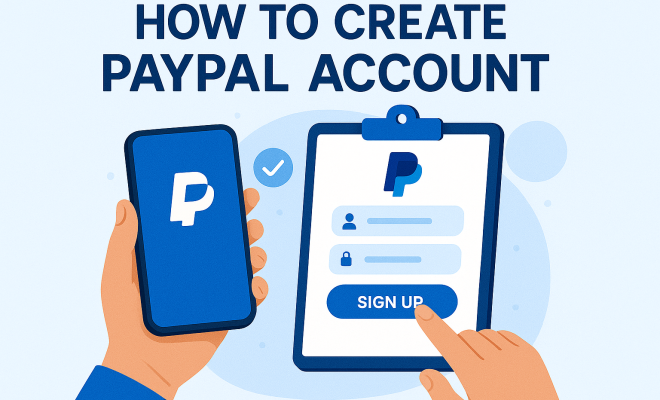
- Visit the PayPal Website: Go to PayPal’s official website and click on the “Sign Up” button. You’ll be given an option to choose between a personal account and a business account. Select the type that suits your needs best.
- Fill in Your Details: Enter the required personal information, including your name, email address, and password. Make sure to use a secure password that you haven’t used elsewhere.
- Verification: PayPal will send a verification email to the address provided. Click the link in the email to verify your account.
- Add Financial Information: Next, link your bank account or credit/debit card. You’ll need to provide details such as the account number and routing number, or card number and expiration date.
- Complete Your Profile: After linking your financial information, you may want to complete your profile by adding a phone number and verifying your identity, which can help increase your account’s security.
Once you’ve completed these steps, your PayPal account is officially created and ready to use! (See: PayPal – Wikipedia Overview.)
5. Verifying Your PayPal Account
Verification is a crucial step post-registration that enhances the security of your PayPal account and increases your transaction limits. To verify your account, you may need to confirm your email address, phone number, and bank account information.
For bank verification, PayPal will typically make two small deposits into your bank account. You’ll need to log in to your PayPal account and input the exact amounts of these deposits to confirm your bank account. This process usually takes a few days, but it’s essential for ensuring added security and trustworthiness.
Keep in mind that the verification process may differ slightly from one country to another due to local regulations. If you’re outside the U.S., you might be asked for additional documentation or identification. So, familiarizing yourself with your local requirements can help make the process smoother.
6. Setting Up Account Security Features
Security should be a top priority for anyone using online payment services. PayPal offers several security features to protect your account. Start by enabling two-factor authentication (2FA). This adds an extra step when logging in; you’ll receive a unique code on your mobile device that you must enter along with your password.
Additionally, regularly updating your password and monitoring your account for suspicious activity will help keep your account secure. PayPal also offers buyer protection for eligible transactions, meaning if something goes wrong with your purchase, you may be able to get your money back.
Another useful feature is the ability to set limits on your account. If you’re concerned about large transactions, consider adjusting your account settings to limit the amount you can send or receive in a given timeframe. This can provide peace of mind, especially if you use your account for business purposes.
7. Using Your PayPal Account: A Practical Guide
Once you’ve successfully created and verified your PayPal account, it’s time to explore how to use it effectively. You can make payments, send money to friends or family, and even receive payments for goods or services you sell.
To make a payment, simply log in to your account, enter the recipient’s email address, and specify the amount. You can also include a note describing the transaction purpose. PayPal will notify the recipient via email, and they’ll have the option to accept the payment into their own PayPal account.
For businesses, PayPal provides several tools to enhance your payment collection process. You can create invoices directly from your PayPal account, which can be sent to clients via email. This feature not only allows you to track payments but also provides a professional touch to your business transactions. According to a 2022 survey, over 40% of small businesses reported that using PayPal increased their cash flow, thanks to faster payment collection.
8. Common Issues and Troubleshooting Tips
While PayPal is generally easy to use, you may encounter some common issues. One frequent problem is being unable to log into your account. This can be resolved by resetting your password through the “Forgot Password?” link on the login page.
Another issue may arise if you’re unable to link your bank account or card. Make sure your financial institution supports PayPal and that you’re entering the correct details. Additionally, keep an eye on your email for any notifications from PayPal regarding your account status or verification requests.
If you face any problems, don’t hesitate to reach out to PayPal’s customer support. They offer a robust help center with articles and FAQs, alongside direct support via phone or chat. Don’t forget to check their community forums too; many users share solutions for common issues. (See: CDC on Digital Payment Safety.)
9. Staying Informed: PayPal Updates and Features
PayPal continually updates its platform to enhance user experience and security. As a user, it’s beneficial to stay informed about new features, updates, and potential fees. PayPal occasionally introduces promotions for users, such as cashback offers for using PayPal at specific merchants.
Additionally, following PayPal’s official blog or social media pages can keep you updated on any changes to services, fees, or security features. Being aware of these updates can help you maximize your use of PayPal and ensure a secure experience.
Understanding PayPal’s fee structure is also crucial. For instance, while sending money to friends or family within the same country is often free, international transfers may incur a fee, particularly if currency conversion is involved. Keeping track of these details can help you avoid unexpected charges.
10. PayPal Alternatives
While PayPal is a popular choice, it’s not the only option available for online transactions. Platforms like Venmo, Cash App, and Square offer similar services but with different feature sets. Venmo, for example, is particularly popular among younger users for peer-to-peer transactions and social sharing features.
Cash App, owned by Square, allows users to buy stocks and Bitcoin in addition to sending and receiving money, making it appealing for a different audience. If you’re a business owner, consider looking into Square for its point-of-sale solutions, which integrate seamlessly with online payments.
Each platform does come with its pros and cons, so it’s worth doing some research to figure out which one aligns best with your needs, whether that’s ease of use, transaction fees, or added features.
11. Frequently Asked Questions (FAQ)
What do I need to create a PayPal account?
To create a PayPal account, you need a valid email address, a strong password, and a bank account or credit/debit card to link to your account. Make sure your information is accurate to avoid any issues during the registration process.
Is PayPal safe to use?
PayPal is generally considered safe due to its robust security measures, including encryption, two-factor authentication, and buyer protection policies. However, users should also take precautions, like using strong passwords and monitoring their accounts regularly.
Can I use PayPal for international transactions?
Yes, PayPal supports international transactions, allowing you to send and receive money across borders. Keep in mind that conversion fees may apply, so check PayPal’s fee schedule for details.
How long does it take to verify my PayPal account?
The verification process usually takes a few days, especially if you’re confirming your bank account through small deposits. If you’re in a different country, the timeline might vary depending on local banking regulations. (See: New York Times on PayPal's Role.)
Can I link multiple bank accounts or cards to my PayPal account?
Yes, you can link multiple bank accounts or credit/debit cards to your PayPal account. This gives you flexibility in managing your funds and choosing your payment method during transactions.
What should I do if I encounter a problem with a transaction?
If you face issues with a transaction, such as not receiving a payment or being charged incorrectly, you can file a dispute through the PayPal Resolution Center. They will investigate and help resolve the issue.
Can I use PayPal to receive payments for my online business?
Absolutely! PayPal is a popular choice for online businesses. You can create “Pay Now” buttons, invoices, or even utilize PayPal’s API for a more customized checkout experience. This flexibility allows you to cater to your customers’ preferences.
What fees can I expect when using PayPal?
PayPal charges various fees depending on the type of transaction. For personal payments sent to friends or family, there are typically no fees unless you’re using a credit card. For business transactions, PayPal charges a fee that usually ranges from 2.9% + $0.30 per transaction, but this can vary based on your sales volume and country.
12. Advanced PayPal Features
Once you’re comfortable using PayPal, you might want to explore some of the more advanced features it offers:
- Recurring Payments: If you run a subscription-based business, you can set up recurring payments. This feature allows you to automate billing cycles, making it easier for both you and your customers.
- PayPal Here: This point-of-sale solution allows you to accept payments in person. With PayPal Here, you can process credit card payments through a mobile device and card reader, perfect for small businesses that attend events or operate in a brick-and-mortar store.
- PayPal Credit: PayPal offers a line of credit that allows users to finance their purchases. This can be especially useful for larger expenses, enabling you to pay over time while managing cash flow effectively.
- Business Analytics: Business accounts can access valuable insights and analytics regarding transactions, helping you manage sales trends, customer behavior, and financial reporting all in one place.
13. Integrating PayPal with Other Platforms
If you’re running an online store, integrating PayPal with your e-commerce platform can streamline your operations. Most major platforms, like Shopify, WooCommerce, and Magento, offer built-in support for PayPal. Here’s a quick look at how integration works:
- Shopify: PayPal is integrated into Shopify as one of the default payment methods. Simply enable it in your settings and configure your account.
- WooCommerce: For WordPress users, WooCommerce provides a PayPal payment gateway plugin, allowing you to accept payments directly on your site.
- Magento: Similar to WooCommerce, Magento allows merchants to add PayPal as a payment option, enhancing customer convenience and trust.
Integrating PayPal with your site not only provides a trusted payment option for your customers but also enhances your checkout process, potentially reducing cart abandonment rates.
In summary, knowing how to create a PayPal account not only opens the doors to a world of online transactions but also provides you with a secure and efficient way to manage your finances. With its widespread acceptance and user-friendly features, PayPal remains a top choice for those looking to navigate the digital economy securely.
“`
Trending Now
Frequently Asked Questions
How do I create a PayPal account?
To create a PayPal account, visit the PayPal website, click on 'Sign Up,' and choose between a Personal or Business account. Fill out the required information, including your email address and password, and follow the prompts to complete the registration process. You may need to verify your email and link a bank account or credit card to start using your account.
What are the benefits of having a PayPal account?
Having a PayPal account offers several benefits, including simplified online shopping, enhanced security by not sharing credit card details, and the ability to send money to friends and family with ease. Additionally, PayPal supports international transactions, making it ideal for freelancers and businesses working with clients globally.
Is PayPal safe to use?
Yes, PayPal is considered safe to use due to its robust security features, including encryption and fraud detection. Users do not need to share sensitive financial information with sellers, which adds an extra layer of protection. PayPal also offers buyer protection for eligible purchases, ensuring a safer shopping experience.
Can I use PayPal for international transactions?
Absolutely! PayPal is well-suited for international transactions, allowing users to send and receive payments across borders with ease. The platform provides currency conversion rates and facilitates transactions in multiple currencies, making it a popular choice for freelancers and businesses operating globally.
What information do I need to create a PayPal account?
To create a PayPal account, you will need a valid email address, personal information such as your name, address, and phone number, and a password. If you plan to link a bank account or credit card, you should have that information ready as well for a seamless setup process.
What's your take on this? Share your thoughts in the comments below — we read every one.