How to cancel Netflix subscription
“`html
In today’s streaming landscape, Netflix stands as a titan, captivating millions with its expansive library of shows and movies. However, there comes a time when you might consider the option to cancel Netflix subscription. Whether it’s due to rising costs, a lack of content that resonates with you, or simply needing to minimize monthly expenses, understanding how to effectively navigate this process is crucial. This article will guide you through the step-by-step procedure, the potential consequences of cancellation, and some alternatives you might want to consider.
1. Understanding Netflix’s Subscription Plans
Before you make the leap to cancel your Netflix subscription, it’s essential to know the various plans Netflix offers. As of late 2023, Netflix has several tiers: Basic, Standard, and Premium. The Basic plan allows streaming on one device and supports standard definition (SD). The Standard plan enables streaming on two devices simultaneously in high definition (HD), while the Premium plan supports four devices in ultra-high definition (UHD).
Prices vary by region, reflecting different market conditions. For instance, in the U.S., the Basic plan costs around $9.99, while the Premium plan can go as high as $19.99. Understanding your current plan can help you weigh whether you truly want to cancel your subscription or if you might be better suited for a different tier that fits your viewing habits.
2. Reasons People Cancel Their Netflix Subscription
People choose to cancel their Netflix subscriptions for a myriad of reasons. A common reason is cost; as streaming platforms proliferate, users often find themselves juggling multiple subscriptions and looking to cut unnecessary expenses. Furthermore, with Netflix continuously adjusting its pricing, users might feel that the service doesn’t provide enough value for the cost.
Another reason for cancellation could be dissatisfaction with content. While Netflix has a vast library, some viewers may feel that the quality or type of content has declined. Many users express frustration over the constant influx of new titles, which often leads to favorite shows being removed. Lastly, with the rise of competing platforms like Disney+, Hulu, and Amazon Prime Video, viewers may opt to switch to alternatives that better align with their preferences.
3. Steps to Cancel Your Netflix Subscription
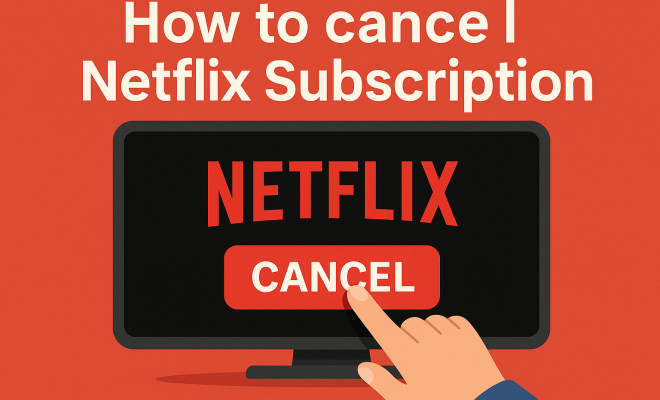
Canceling your Netflix subscription is a straightforward process. Here’s how:
- Access Your Account: Go to the Netflix homepage and log in to your account.
- Navigate to Account Settings: Click on your profile icon in the upper right corner and select ‘Account’ from the dropdown menu.
- Cancel Membership: In the Account settings, find the ‘Membership & Billing’ section, where you’ll see the option to ‘Cancel Membership’. Click on it.
- Follow the Prompts: Netflix will ask you to confirm your cancellation. Follow any additional prompts to finalize the process.
Note that if you’ve signed up via a third-party service (like iTunes or Google Play), you may need to cancel through that service instead.
4. What Happens After You Cancel
After you cancel your Netflix subscription, you won’t lose access to your account immediately. You’ll typically retain access to your account until the end of your billing period. This means you can still binge-watch your favorite shows right up until the cancellation takes effect. Netflix will also retain your viewing history and preferences for ten months, allowing you to reactivate your account easily in the future if you decide to come back.
However, once the cancellation takes effect, you will lose access to all Netflix content and features. It’s crucial to remember that any original content or series you were following will no longer be accessible. If you’re considering canceling, it might be wise to make a list of what you’ll miss the most.
5. The Impact of Cancellation on Recommendations
One of the often-overlooked aspects of canceling your Netflix subscription is its effect on personalized recommendations. Netflix uses complex algorithms to suggest shows and movies based on your viewing history. If you cancel and decide to return, the recommendations may take some time to adapt to your new viewing habits. (See: Netflix overview and subscription plans.)
When you log back in after a period of inactivity, Netflix may initially recommend content based on your last viewing habits before cancellation. Over time, as you start watching new content, the algorithm will adjust accordingly. If you return, be prepared for some familiar titles to pop up in your recommendations!
6. Alternatives to Netflix
If you’re thinking about canceling your Netflix subscription, you might be interested in exploring alternatives. Each streaming service has its unique offerings. Hulu, for instance, is known for its vast library of current TV shows, while Amazon Prime Video is a solid choice for those who enjoy a mix of original content and a wide selection of movies.
Disney+ has emerged as a formidable competitor, particularly for families and fans of classic Disney properties. HBO Max is another strong contender, boasting a large selection of blockbuster films and critically acclaimed shows. Depending on your viewing preferences, any of these platforms could be a suitable alternative that may even offer a better fit for your entertainment needs.
7. Reactivating Your Netflix Subscription
If you’ve canceled your Netflix subscription but find yourself missing it, reactivation is a breeze. Simply log back into your account, and Netflix will prompt you with options to restart your subscription. Your viewing history and preferences will still be there, making the transition back smooth.
In addition, Netflix often has promotional offers for returning subscribers, which could save you money on your first month back. Keep an eye on your inbox, as Netflix frequently sends out promotional deals that might entice you to return.
8. Final Thoughts: Is Canceling Netflix Right for You?
Deciding to cancel your Netflix subscription is ultimately a personal choice that should align with your entertainment preferences and budget. Weigh the benefits of the content available against the monthly cost, and consider how often you’re using the service.
With numerous streaming choices available, you might find a service that better meets your needs. Before making the final decision to cancel Netflix, take some time to assess what you love about the platform and what you might be willing to give up. It’s a big decision, but one that you can always reverse if you find you miss the content.
9. Comparative Analysis of Streaming Services
When considering whether to cancel your Netflix subscription, it’s valuable to compare it against other leading streaming services. Each platform has its strengths and weaknesses. For instance:
- Hulu: Hulu offers a more extensive selection of current TV shows and next-day availability for many popular series. If you’re someone who prefers to stay up-to-date with the latest episodes, Hulu might be a better fit.
- Amazon Prime Video: Along with a robust selection of movies, Amazon Prime Video allows you to rent or buy current blockbusters. The integration with Amazon shopping can be a plus for frequent Amazon users, providing added value to the Prime membership.
- Disney+: If you have children or are a fan of Disney classics, Disney+ is hard to beat. It’s home to a plethora of family-friendly content, Marvel superheroes, and Star Wars franchises, making it a favorite for fans of those franchises.
- HBO Max: HBO Max boasts a rich library of critically acclaimed films, classic HBO series, and exclusive new releases. For movie buffs, this could be an excellent alternative to Netflix.
By comparing the content libraries, pricing structures, and unique features of these platforms, you can make a more informed decision about whether to cancel your Netflix subscription and potentially switch to another service that better suits your needs.
10. Frequently Asked Questions (FAQ)
1. Can I pause my Netflix subscription instead of canceling it?
No, Netflix does not offer a pause option for subscriptions. If you want to stop using Netflix temporarily, you’ll have to cancel and then reactivate your account later.
2. Will I lose my watch history if I cancel my subscription?
No, if you cancel your Netflix subscription, your watch history and preferences will be saved for up to ten months. If you decide to reactivate your account within that timeframe, your data will still be there.
3. Are there cancellation fees for Netflix?
No, there are no cancellation fees associated with terminating your Netflix subscription. You can cancel anytime without incurring additional charges. (See: impact of streaming on mental health.)
4. What if I signed up for Netflix through a third party?
If you signed up for Netflix through a third-party service like iTunes or Google Play, you will need to cancel your subscription through that service. Your Netflix account will remain active until the third-party billing cycle ends. There’s a fuller look at top streaming options.
5. Can I get a refund if I cancel my Netflix subscription mid-month?
Netflix does not provide refunds for partial months. Once you cancel, you will continue to have access to the service until the end of your billing cycle, but you won’t receive a refund for the remaining days.
6. What should I do if I forget my Netflix password when trying to cancel?
If you forget your password, you can reset it by clicking on “Need help?” on the login page. Follow the prompts, and you’ll be able to regain access to your account and proceed with the cancellation.
7. Is it possible to reactivate my subscription after cancellation?
Absolutely! If you decide to reactivate your Netflix subscription after cancellation, simply log back into your account, and Netflix will guide you through the reactivation process.
8. Are there any differences between canceling from a mobile app versus the website?
The cancellation process is largely the same whether you use the mobile app or the website. Just ensure you are logged into your account, navigate to your account settings, and follow the prompts to cancel your membership.
11. The Content Dilemma: Keeping Up with Trends
An underlying factor influencing many users’ decisions to cancel their Netflix subscription is the constantly shifting content landscape. Netflix has invested heavily in original programming, but the effectiveness of this strategy can vary significantly. For instance, while some original shows like “Stranger Things” and “The Crown” have garnered critical acclaim and massive viewership, others have been less successful and have been quickly canceled.
This inconsistency can lead to frustration for subscribers who are invested in a particular show only to find it has been axed. In contrast, other platforms like Hulu and HBO Max often provide clearer indications of content longevity, which can reassure viewers that their favorite programs are likely to stick around longer. Knowing whether your favorite titles will be there when you tune back in is an important consideration in the age of streaming.
12. Content Ownership: The Shift in Streaming Rights
Another significant factor to consider when deciding to cancel your Netflix subscription is the evolution of content ownership. As streaming rights shift and studios start pulling their content to launch their own services (like NBC’s Peacock or Warner Bros’ HBO Max), you might find your favorite shows disappearing from Netflix. This trend has led to many viewers feeling like they are playing a game of musical chairs, with content constantly moving between platforms.
For example, several popular shows, including “Friends” and “The Office,” have moved to other platforms after previously being Netflix staples. If you’re attached to certain shows, it’s worth considering where they’ll be available in the future before canceling. Each platform now offers unique exclusive content, and understanding this landscape can greatly influence your viewing choices.
13. The Social Aspect of Streaming
One aspect that often gets overlooked is the social engagement that comes with streaming services. Watching shows or movies has become a communal activity for many. Friends and family often gather to watch the latest Netflix series or share reactions to popular films. When you consider canceling your Netflix subscription, think about the social aspects of your viewing habits. Are there shows that you enjoy discussing with friends? Canceling might mean losing that connection. (See: reasons for Netflix cancellations.)
However, streaming platforms are also evolving to incorporate social features. Netflix has experimented with interactive content and features that allow viewers to engage more deeply with the material. While this is still an emerging trend, it might influence your decision to stick around. Consider how important this social aspect is to your viewing experience.
14. The Future of Streaming Services
As we look to the future of streaming, it’s clear that the landscape will continue to change. The competition among platforms is fierce, with companies continually innovating to attract subscribers. With the rise of ad-supported tiers and bundling options, you might find that there are more affordable ways to access a variety of content without having to cancel Netflix entirely.
For example, some services are now offering lower-cost subscriptions that include advertisements. This can be a great middle-ground option for users who want to maintain access to their favorite shows while also being mindful of costs. Staying informed about these changes can help you make a more strategic decision about whether to keep or cancel your Netflix subscription.
15. Final Analysis: Making the Right Choice
Ultimately, the decision to cancel your Netflix subscription should be based on a careful evaluation of your viewing habits, budget, and the value you derive from the platform. Keeping track of how many hours you spend watching Netflix compared to other services can give you a clearer picture of where to allocate your entertainment budget.
Also, consider the social aspect of streaming. Watching shows and movies can be a communal experience for many, so think about what you might miss in terms of social engagement if you decide to cancel. Perhaps you could explore other platforms while keeping Netflix for occasional use, allowing you to enjoy a range of content without fully committing to one service.
As the streaming landscape continues to evolve, staying informed about your options will ensure you always make the best choice for your entertainment needs.
In the end, whether you choose to cancel your Netflix subscription or stick with it, the key is making an informed choice that fits your lifestyle and entertainment habits.
“`
Trending Now
Frequently Asked Questions
How do I cancel my Netflix subscription?
To cancel your Netflix subscription, log into your account on the Netflix website, navigate to 'Account', and select 'Cancel Membership'. Follow the prompts to complete the cancellation process. Ensure you do this before your next billing date to avoid being charged for the upcoming month.
What happens when I cancel my Netflix subscription?
When you cancel your Netflix subscription, you will retain access to your account until the end of your billing cycle. After that, you will lose access to all content. However, your account information and viewing history will be saved if you decide to reactivate your subscription later.
Can I pause my Netflix subscription instead of canceling?
Netflix does not offer a pause feature for subscriptions. If you want to stop using Netflix temporarily, you will need to cancel your subscription. You can reactivate it later, and your account information will still be available.
What are the reasons people cancel Netflix?
People cancel their Netflix subscriptions for various reasons, including rising costs, dissatisfaction with available content, or the desire to reduce monthly expenses by managing multiple streaming services. Evaluating your viewing habits can help determine if cancellation is necessary.
Is it easy to cancel Netflix?
Yes, canceling your Netflix subscription is straightforward. You can do it online through your account settings in just a few steps. It's recommended to check your billing cycle to avoid being charged for another month after cancellation.
What's your take on this? Share your thoughts in the comments below — we read every one.