The Tech Edvocate

Top Menu

  • Advertisement
  • Apps
  • Home Page
  • Home Page Five (No Sidebar)
  • Home Page Four
  • Home Page Three
  • Home Page Two
  • Home Tech2
  • Icons [No Sidebar]
  • Left Sidbear Page
  • Lynch Educational Consulting
  • My Account
  • My Speaking Page
  • Newsletter Sign Up Confirmation
  • Newsletter Unsubscription
  • Our Brands
  • Page Example
  • Privacy Policy
  • Protected Content
  • Register
  • Request a Product Review
  • Shop
  • Shortcodes Examples
  • Signup
  • Start Here
    • Governance
    • Careers
    • Contact Us
  • Terms and Conditions
  • The Edvocate
  • The Tech Edvocate Product Guide
  • Topics
  • Write For Us
  • Advertise

Main Menu

  • Start Here
    • Our Brands
    • Governance
      • Lynch Educational Consulting, LLC.
      • Dr. Lynch’s Personal Website
      • Careers
    • Write For Us
    • The Tech Edvocate Product Guide
    • Contact Us
    • Books
    • Edupedia
    • Post a Job
    • The Edvocate Podcast
    • Terms and Conditions
    • Privacy Policy
  • Topics
    • Assistive Technology
    • Child Development Tech
    • Early Childhood & K-12 EdTech
    • EdTech Futures
    • EdTech News
    • EdTech Policy & Reform
    • EdTech Startups & Businesses
    • Higher Education EdTech
    • Online Learning & eLearning
    • Parent & Family Tech
    • Personalized Learning
    • Product Reviews
  • Advertise
  • Tech Edvocate Awards
  • The Edvocate
  • Pedagogue
  • School Ratings

logo

The Tech Edvocate

  • Start Here
    • Our Brands
    • Governance
      • Lynch Educational Consulting, LLC.
      • Dr. Lynch’s Personal Website
        • My Speaking Page
      • Careers
    • Write For Us
    • The Tech Edvocate Product Guide
    • Contact Us
    • Books
    • Edupedia
    • Post a Job
    • The Edvocate Podcast
    • Terms and Conditions
    • Privacy Policy
  • Topics
    • Assistive Technology
    • Child Development Tech
    • Early Childhood & K-12 EdTech
    • EdTech Futures
    • EdTech News
    • EdTech Policy & Reform
    • EdTech Startups & Businesses
    • Higher Education EdTech
    • Online Learning & eLearning
    • Parent & Family Tech
    • Personalized Learning
    • Product Reviews
  • Advertise
  • Tech Edvocate Awards
  • The Edvocate
  • Pedagogue
  • School Ratings
  • Is the AI Bubble Bursting? OpenAI’s Funding Woes Revealed

  • Why Millions Are Skipping College for These 7 Online Courses Right Now

  • The Astonishing Truth About PS5 Pro vs Xbox Ally X Financing

  • The Urgent Truth About 2026 Privacy Laws: Why Your Business Could Face Catastrophic Fines

  • Shocking: Esports Pros Reveal the Critical Steps to Protect Your Earnings

  • The Staggering Truth About These New Weight Loss Drugs — And Why You Need to Know

  • The Quiet Crisis: Why Your Auto Loan Interest Rates Are Still Skyrocketing

  • Elvis’s Ghost Haunts AI: The $41 Million Anthropic Copyright Lawsuit Explained

  • 7 Micro-SaaS Tools Quietly Transforming Freelance Productivity — Don’t Miss Out!

  • Who Really Owns the Moon? The Shocking Truth About Lunar Real Estate

Social Media & Education
Home›Social Media & Education›How to Use Messenger Without a Facebook Account

How to Use Messenger Without a Facebook Account
By Matthew Lynch
June 6, 2023
0
Spread the love

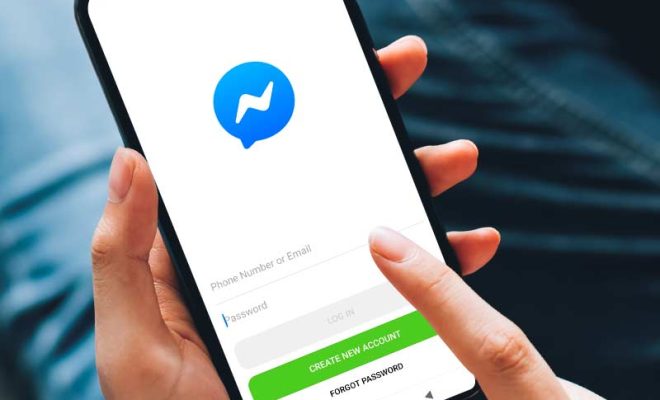
As social media usage continues to grow, many people are joining Facebook to stay connected with family and friends. However, not everyone may want to create a Facebook account to access its messaging app, Messenger. Fortunately, there are ways to use Messenger without a Facebook account.

Method one: Use your phone number

If you don’t have a Facebook account, you can still use Messenger by using your phone number. To get started, download the Messenger app on your smartphone and click on “Not on Facebook?” when prompted. Next, enter your phone number and verify it with the code sent via SMS. Once you confirm your phone number, you can add contacts to start messaging.

Method two: Use a permanent link

Another way to use Messenger without a Facebook account is by using a permanent link. This type of link is generated through Messenger and can be shared with people who want to message you without the need for a Facebook account. Here are the steps to create a permanent link:

1. Download the Messenger app and tap on your profile picture to access settings.

2. Click on “Profile” and then “Link to Messenger.”

3. Next, click on “Create Link” and choose how you want to share the link with people.

4. Share the link with friends and family, and they can open it on the Messenger app or browser to start messaging you.

Method three: Use a friend’s Facebook account

If you don’t want to create a Facebook account, you can ask a friend with an account to use Messenger with their login details. This method is ideal for occasional messaging, but it’s not recommended for long-term use.

In conclusion, using Messenger without a Facebook account is possible, as there are various ways to access the platform. Whether you choose to use your phone number, a permanent link, or a friend’s Facebook account, you can stay connected with loved ones and enjoy the benefits of messaging through Messenger.


Previous Article

How to Set Up Gmail on Apple ...

Next Article

How to Connect a Router to a ...

Matthew Lynch

Related articles More from author

  • Social Media & Education

    How to Recover Your Snapchat Account If You Forget Your Password

    August 5, 2023
    By Matthew Lynch
  • Social Media & Education

    What Happens When You Accept An Offer on Facebook Marketplace

    February 19, 2024
    By Matthew Lynch
  • Social Media & Education

    Can You Block Someone on Facebook but Not Messenger

    February 19, 2024
    By Matthew Lynch
  • Social Media & Education

    What is Asset Management Software?

    May 5, 2023
    By Matthew Lynch
  • Social Media & Education

    What Education Hashtags Should You be Using?

    March 27, 2018
    By Matthew Lynch
  • Social Media & Education

    How to Set Up an AT&T Conference Call

    May 8, 2023
    By Matthew Lynch

Search

Login & Registration

  • Log in
  • Entries feed
  • Comments feed
  • WordPress.org

Newsletter

Signup for The Tech Edvocate Newsletter and have the latest in EdTech news and opinion delivered to your email address!

About Us

Since technology is not going anywhere and does more good than harm, adapting is the best course of action. That is where The Tech Edvocate comes in. We plan to cover the PreK-12 and Higher Education EdTech sectors and provide our readers with the latest news and opinion on the subject. From time to time, I will invite other voices to weigh in on important issues in EdTech. We hope to provide a well-rounded, multi-faceted look at the past, present, the future of EdTech in the US and internationally.

We started this journey back in June 2016, and we plan to continue it for many more years to come. I hope that you will join us in this discussion of the past, present and future of EdTech and lend your own insight to the issues that are discussed.

Newsletter

Signup for The Tech Edvocate Newsletter and have the latest in EdTech news and opinion delivered to your email address!

Contact Us

The Tech Edvocate
910 Goddin Street
Richmond, VA 23231
(601) 630-5238
[email protected]

Copyright © 2026 Matthew Lynch. All rights reserved.