The Tech Edvocate

Top Menu

  • Advertisement
  • Apps
  • Home Page
  • Home Page Five (No Sidebar)
  • Home Page Four
  • Home Page Three
  • Home Page Two
  • Home Tech2
  • Icons [No Sidebar]
  • Left Sidbear Page
  • Lynch Educational Consulting
  • My Account
  • My Speaking Page
  • Newsletter Sign Up Confirmation
  • Newsletter Unsubscription
  • Our Brands
  • Page Example
  • Privacy Policy
  • Protected Content
  • Register
  • Request a Product Review
  • Shop
  • Shortcodes Examples
  • Signup
  • Start Here
    • Governance
    • Careers
    • Contact Us
  • Terms and Conditions
  • The Edvocate
  • The Tech Edvocate Product Guide
  • Topics
  • Write For Us
  • Advertise

Main Menu

  • Start Here
    • Our Brands
    • Governance
      • Lynch Educational Consulting, LLC.
      • Dr. Lynch’s Personal Website
      • Careers
    • Write For Us
    • The Tech Edvocate Product Guide
    • Contact Us
    • Books
    • Edupedia
    • Post a Job
    • The Edvocate Podcast
    • Terms and Conditions
    • Privacy Policy
  • Topics
    • Assistive Technology
    • Child Development Tech
    • Early Childhood & K-12 EdTech
    • EdTech Futures
    • EdTech News
    • EdTech Policy & Reform
    • EdTech Startups & Businesses
    • Higher Education EdTech
    • Online Learning & eLearning
    • Parent & Family Tech
    • Personalized Learning
    • Product Reviews
  • Advertise
  • Tech Edvocate Awards
  • The Edvocate
  • Pedagogue
  • School Ratings

logo

The Tech Edvocate

  • Start Here
    • Our Brands
    • Governance
      • Lynch Educational Consulting, LLC.
      • Dr. Lynch’s Personal Website
        • My Speaking Page
      • Careers
    • Write For Us
    • The Tech Edvocate Product Guide
    • Contact Us
    • Books
    • Edupedia
    • Post a Job
    • The Edvocate Podcast
    • Terms and Conditions
    • Privacy Policy
  • Topics
    • Assistive Technology
    • Child Development Tech
    • Early Childhood & K-12 EdTech
    • EdTech Futures
    • EdTech News
    • EdTech Policy & Reform
    • EdTech Startups & Businesses
    • Higher Education EdTech
    • Online Learning & eLearning
    • Parent & Family Tech
    • Personalized Learning
    • Product Reviews
  • Advertise
  • Tech Edvocate Awards
  • The Edvocate
  • Pedagogue
  • School Ratings
  • Trump Proposes Coalition to Secure the Strait of Hormuz Amid Rising Tensions with Iran

  • Trump Urges Global Allies to Assist in Securing the Strait of Hormuz Amid Energy Crisis

  • Trump’s Media Assault: A New Chapter in War Reporting Controversy

  • Senator Markey Demands Resignation of FCC Chairman Carr Over Media Threats

  • Shifting Perspectives: Key Insights for Pharma Marketers in March 2026

  • Genetic Mutation and the Fight Against ALS: A Personal Battle Amidst Funding Cuts

  • Exploring Canis Minor: A Glimpse into the Night Sky on March 16, 2026

  • New Insights into Cellular Sensing Mechanisms Could Unveil Cancer Metastasis Pathways

  • NASA Monitors Three Large Asteroids Approaching Earth: A Close Call or a Cosmic Show?

  • High-Value Stocks to Watch for Potential Splits: KLA, Eli Lilly, and McKesson

Digital & Mobile Technology
Home›Digital & Mobile Technology›How to Update a Dish Guide

How to Update a Dish Guide
By Matthew Lynch
May 30, 2023
0
Spread the love

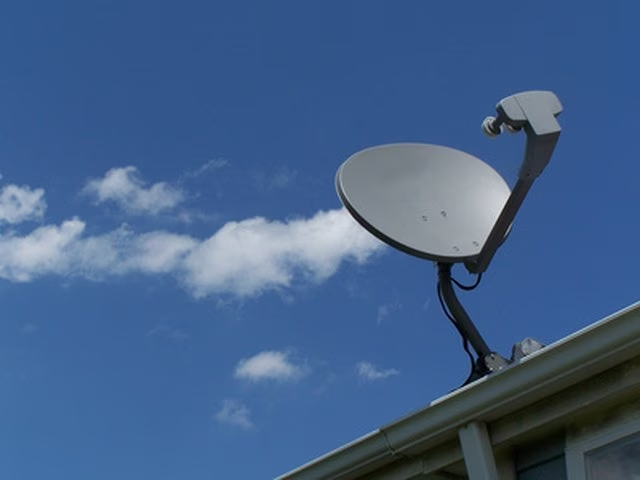
Updating a dish guide may seem like a daunting task, but with the right approach, it can be a breeze. Whether you’re a cable provider, satellite company or even an individual looking to create a list of your favorite dishes, updating your dish guide ensures that your viewers have access to the latest and most relevant information. Below are some simple steps on how to update a dish guide:

Step 1: Identify the Purpose of the Dish Guide

Before updating the guide, you need to understand the reason for its existence. Is it for personal use, marketing, or as an add-on service to your cable/satellite subscription? Once you have identified the reason for the dish guide, it will be easier to determine what kind of information to include in the guide.

Step 2: Research Your Sources

When updating a dish guide, it is important to have accurate and updated information. One way to do this is by conducting research to ensure that the guide reflects the most current offerings. You can check with the dish providers or the various channels to confirm the dishes that you want to include in your guide.

Step 3: Organize Your Information

Once you have gathered all the necessary information for your dish guide, it’s time to organize it in a way that is easy to read and understand. Consider how you want to present the information to your viewers, such as organizing the dishes in alphabetical order, by cuisine, or even by popularity. The key is to make it user-friendly.

Step 4: Design Your Dish Guide

You can use a word-processing software like Microsoft Word or Google Docs to design your dish guide. Make it visually appealing by using fonts that are easy to read, including images of the dishes or channel logos, and adding colors for easy identification. Ensure that the guide is well-spaced and formatted correctly.

Step 5: Update the Dish Guide Regularly

Finally, updating the dish guide should not be a one-time task. As dishes continue to come and go, or when new channels are added, it’s important to ensure that the dish guide is current. Keep an eye out for changes in the dish industry and update the guide as necessary.

Updating a dish guide is a simple process that can be done by anyone with a little bit of effort and research. By following these simple steps, you can create a user-friendly and up-to-date guide that your viewers will appreciate.


Previous Article

How to Update ActiveX

Next Article

How to Update and Reinstall Realtek HD ...

Matthew Lynch

Related articles More from author

  • Digital & Mobile Technology

    The Top 10 Best 10-Hour Long Videos on YouTube

    June 2, 2023
    By Matthew Lynch
  • Digital & Mobile Technology

    The Best iPhone 13 mini Cases

    June 5, 2023
    By Matthew Lynch
  • Digital & Mobile Technology

    Here’s What We Know About the iPhone SE 4 So Far

    August 5, 2023
    By Matthew Lynch
  • Digital & Mobile Technology

    Best Linux PDF Editors You Should Try

    June 15, 2023
    By Matthew Lynch
  • Digital & Mobile Technology

    How to Copy the URLs of All Tabs in Google Chrome

    June 10, 2023
    By Matthew Lynch
  • Digital & Mobile Technology

    5 Tips to Capture Screenshot the Right Way on Windows

    August 2, 2023
    By Matthew Lynch

Search

Login & Registration

  • Register
  • Log in
  • Entries feed
  • Comments feed
  • WordPress.org

Newsletter

Signup for The Tech Edvocate Newsletter and have the latest in EdTech news and opinion delivered to your email address!

About Us

Since technology is not going anywhere and does more good than harm, adapting is the best course of action. That is where The Tech Edvocate comes in. We plan to cover the PreK-12 and Higher Education EdTech sectors and provide our readers with the latest news and opinion on the subject. From time to time, I will invite other voices to weigh in on important issues in EdTech. We hope to provide a well-rounded, multi-faceted look at the past, present, the future of EdTech in the US and internationally.

We started this journey back in June 2016, and we plan to continue it for many more years to come. I hope that you will join us in this discussion of the past, present and future of EdTech and lend your own insight to the issues that are discussed.

Newsletter

Signup for The Tech Edvocate Newsletter and have the latest in EdTech news and opinion delivered to your email address!

Contact Us

The Tech Edvocate
910 Goddin Street
Richmond, VA 23231
(601) 630-5238
[email protected]

Copyright © 2025 Matthew Lynch. All rights reserved.