The Tech Edvocate

Top Menu

  • Advertisement
  • Apps
  • Home Page
  • Home Page Five (No Sidebar)
  • Home Page Four
  • Home Page Three
  • Home Page Two
  • Home Tech2
  • Icons [No Sidebar]
  • Left Sidbear Page
  • Lynch Educational Consulting
  • My Account
  • My Speaking Page
  • Newsletter Sign Up Confirmation
  • Newsletter Unsubscription
  • Our Brands
  • Page Example
  • Privacy Policy
  • Protected Content
  • Register
  • Request a Product Review
  • Shop
  • Shortcodes Examples
  • Signup
  • Start Here
    • Governance
    • Careers
    • Contact Us
  • Terms and Conditions
  • The Edvocate
  • The Tech Edvocate Product Guide
  • Topics
  • Write For Us
  • Advertise

Main Menu

  • Start Here
    • Our Brands
    • Governance
      • Lynch Educational Consulting, LLC.
      • Dr. Lynch’s Personal Website
      • Careers
    • Write For Us
    • The Tech Edvocate Product Guide
    • Contact Us
    • Books
    • Edupedia
    • Post a Job
    • The Edvocate Podcast
    • Terms and Conditions
    • Privacy Policy
  • Topics
    • Assistive Technology
    • Child Development Tech
    • Early Childhood & K-12 EdTech
    • EdTech Futures
    • EdTech News
    • EdTech Policy & Reform
    • EdTech Startups & Businesses
    • Higher Education EdTech
    • Online Learning & eLearning
    • Parent & Family Tech
    • Personalized Learning
    • Product Reviews
  • Advertise
  • Tech Edvocate Awards
  • The Edvocate
  • Pedagogue
  • School Ratings

logo

The Tech Edvocate

  • Start Here
    • Our Brands
    • Governance
      • Lynch Educational Consulting, LLC.
      • Dr. Lynch’s Personal Website
        • My Speaking Page
      • Careers
    • Write For Us
    • The Tech Edvocate Product Guide
    • Contact Us
    • Books
    • Edupedia
    • Post a Job
    • The Edvocate Podcast
    • Terms and Conditions
    • Privacy Policy
  • Topics
    • Assistive Technology
    • Child Development Tech
    • Early Childhood & K-12 EdTech
    • EdTech Futures
    • EdTech News
    • EdTech Policy & Reform
    • EdTech Startups & Businesses
    • Higher Education EdTech
    • Online Learning & eLearning
    • Parent & Family Tech
    • Personalized Learning
    • Product Reviews
  • Advertise
  • Tech Edvocate Awards
  • The Edvocate
  • Pedagogue
  • School Ratings
  • Shocking: Your Smart Ring Knows When You’re Having Sex

  • The SwiftRefi Scandal: 7 Astonishing Truths About Their ‘Zero-Fee’ Refinance

  • The AION 2 Scandal: Why This Korean MMO Controversy Is Boiling Over

  • The Bombshell Truth About Gaming’s Legal Reckoning

  • Staggering: AI’s ALS Breakthrough Comes With a $5 Million Price Tag

  • The Astonishing AI Predicting Housing Trends With 98% Accuracy — Regulators Are Freaking Out

  • Your Kids’ Classrooms Are Changing: Here’s What’s Coming by 2026

  • Jaw-Dropping: Millions Face Triple Tax Bills on Forgiven Student Loans

  • Mind-Blowing: Critical Infrastructure Faces Collapse From This Overlooked Threat

  • Unsettling: AI Agents Just Hacked 7 Major Banks — Here’s What It Means For Your Money

Digital & Mobile Technology
Home›Digital & Mobile Technology›How to Turn off Autocorrect on Android

How to Turn off Autocorrect on Android

By Matthew Lynch
June 12, 2023
0
Spread the love

Autocorrect can be a useful feature, but let’s face it, it can also be a complete nuisance. It seems to have a mind of its own, and often suggests words that you don’t want, or tries to “correct” words that are already correct. Fortunately, turning off autocorrect on your Android device is a straightforward process. Here’s how to do it.

Step 1: Launch your Settings app

To start, open your Android device’s Settings app. This can usually be found on your home screen or app drawer. It may be represented by a gear icon or something similar.

Step 2: Select Language and Input

Once you’re in the Settings app, scroll down until you see the Language and Input option. This may be under a different section depending on the Android version you are using.

Step 3: Choose Keyboard

Under the Language and Input menu, you’ll see the option for Keyboard. Tap on this to access your device’s keyboard settings.

Step 4: Select the Keyboard you want to turn off autocorrect for

In the Keyboard menu, you’ll see a list of keyboards that are already installed on your device. If you’re using the default keyboard that came with your Android device, it will likely be labeled as “Google Keyboard” or “Gboard”. If you’re using a third-party keyboard, such as Swiftkey or Grammarly, you’ll see that listed instead. Tap on the keyboard you want to disable autocorrect for.

Step 5: Turn off Autocorrect

Once you’ve selected the keyboard, you’ll see a list of settings. Look for the option called “Auto-correction” or “Text Correction”, and then toggle the switch to “off”. This may be worded slightly differently depending on your device or keyboard, but the idea is the same – turn off autocorrect.

And that’s it! You’ve now turned off autocorrect on your Android device. If you change your mind and want to turn it back on, simply follow the same steps and toggle the switch back to “on”.


Previous Article

How to Create and Format a Pie ...

Next Article

How to Fix It When Google Home ...

Matthew Lynch

Related articles More from author

  • Digital & Mobile Technology

    The Best Audio to Video Converters Available Online

    June 12, 2023
    By Matthew Lynch
  • Digital & Mobile Technology

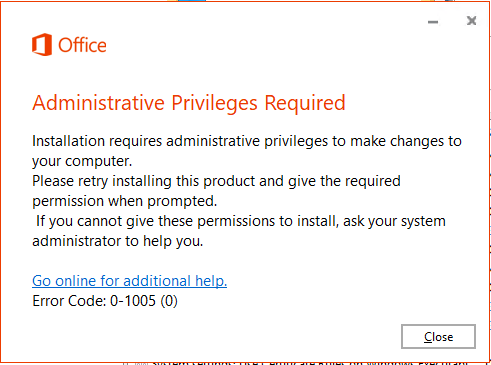
    How to Fix “This Installation Is Forbidden by System Policy” Error in Windows

    May 28, 2023
    By Matthew Lynch
  • Digital & Mobile Technology

    How To Plant Trees in Animal Crossing

    June 12, 2023
    By Matthew Lynch
  • Digital & Mobile Technology

    What is Character Set?

    May 5, 2023
    By Matthew Lynch
  • Digital & Mobile Technology

    Best Emergency Radios of 2023

    June 8, 2023
    By Matthew Lynch
  • Digital & Mobile Technology

    What Is an Android Phone?

    August 5, 2023
    By Matthew Lynch

Search

Login & Registration

  • Log in
  • Entries feed
  • Comments feed
  • WordPress.org

Newsletter

Signup for The Tech Edvocate Newsletter and have the latest in EdTech news and opinion delivered to your email address!

About Us

Since technology is not going anywhere and does more good than harm, adapting is the best course of action. That is where The Tech Edvocate comes in. We plan to cover the PreK-12 and Higher Education EdTech sectors and provide our readers with the latest news and opinion on the subject. From time to time, I will invite other voices to weigh in on important issues in EdTech. We hope to provide a well-rounded, multi-faceted look at the past, present, the future of EdTech in the US and internationally.

We started this journey back in June 2016, and we plan to continue it for many more years to come. I hope that you will join us in this discussion of the past, present and future of EdTech and lend your own insight to the issues that are discussed.

Newsletter

Signup for The Tech Edvocate Newsletter and have the latest in EdTech news and opinion delivered to your email address!

Contact Us

The Tech Edvocate
910 Goddin Street
Richmond, VA 23231
(601) 630-5238
[email protected]

Copyright © 2026 Matthew Lynch. All rights reserved.