The Tech Edvocate

Top Menu

  • Advertisement
  • Apps
  • Home Page
  • Home Page Five (No Sidebar)
  • Home Page Four
  • Home Page Three
  • Home Page Two
  • Home Tech2
  • Icons [No Sidebar]
  • Left Sidbear Page
  • Lynch Educational Consulting
  • My Account
  • My Speaking Page
  • Newsletter Sign Up Confirmation
  • Newsletter Unsubscription
  • Our Brands
  • Page Example
  • Privacy Policy
  • Protected Content
  • Register
  • Request a Product Review
  • Shop
  • Shortcodes Examples
  • Signup
  • Start Here
    • Governance
    • Careers
    • Contact Us
  • Terms and Conditions
  • The Edvocate
  • The Tech Edvocate Product Guide
  • Topics
  • Write For Us
  • Advertise

Main Menu

  • Start Here
    • Our Brands
    • Governance
      • Lynch Educational Consulting, LLC.
      • Dr. Lynch’s Personal Website
      • Careers
    • Write For Us
    • The Tech Edvocate Product Guide
    • Contact Us
    • Books
    • Edupedia
    • Post a Job
    • The Edvocate Podcast
    • Terms and Conditions
    • Privacy Policy
  • Topics
    • Assistive Technology
    • Child Development Tech
    • Early Childhood & K-12 EdTech
    • EdTech Futures
    • EdTech News
    • EdTech Policy & Reform
    • EdTech Startups & Businesses
    • Higher Education EdTech
    • Online Learning & eLearning
    • Parent & Family Tech
    • Personalized Learning
    • Product Reviews
  • Advertise
  • Tech Edvocate Awards
  • The Edvocate
  • Pedagogue
  • School Ratings

logo

The Tech Edvocate

  • Start Here
    • Our Brands
    • Governance
      • Lynch Educational Consulting, LLC.
      • Dr. Lynch’s Personal Website
        • My Speaking Page
      • Careers
    • Write For Us
    • The Tech Edvocate Product Guide
    • Contact Us
    • Books
    • Edupedia
    • Post a Job
    • The Edvocate Podcast
    • Terms and Conditions
    • Privacy Policy
  • Topics
    • Assistive Technology
    • Child Development Tech
    • Early Childhood & K-12 EdTech
    • EdTech Futures
    • EdTech News
    • EdTech Policy & Reform
    • EdTech Startups & Businesses
    • Higher Education EdTech
    • Online Learning & eLearning
    • Parent & Family Tech
    • Personalized Learning
    • Product Reviews
  • Advertise
  • Tech Edvocate Awards
  • The Edvocate
  • Pedagogue
  • School Ratings
  • US Economic Growth Faces Significant Downgrade Amidst Challenging Conditions

  • Navigating Economic Turbulence: The Impact of Oil Prices on Consumer Spending and Markets

  • Market Volatility as Oil Prices Surge Amid Iran Conflict

  • Emerging Markets Face Headwinds Amid Global Economic Shifts

  • Qura Secures €1.5 Million in Pre-Seed Funding, Signaling Growth in Health-Tech Investments

  • Microsoft’s Copilot Health: A Game Changer in Organizing Medical Data

  • ByteDance Secures Major Nvidia AI Chip Deal in Malaysia: A Step Towards Enhanced AI Infrastructure

  • Origa Secures $450K Funding, Elevating Voice AI Innovation in India

  • The Rise of AI: How Venture Capital is Shaping the Future of Startups

  • Faith and Family: Insights from Catholic Parenting in Daily Mass

Digital & Mobile Technology
Home›Digital & Mobile Technology›How to Test the WiFi Speed of an iPhone

How to Test the WiFi Speed of an iPhone
By Matthew Lynch
May 29, 2023
0
Spread the love

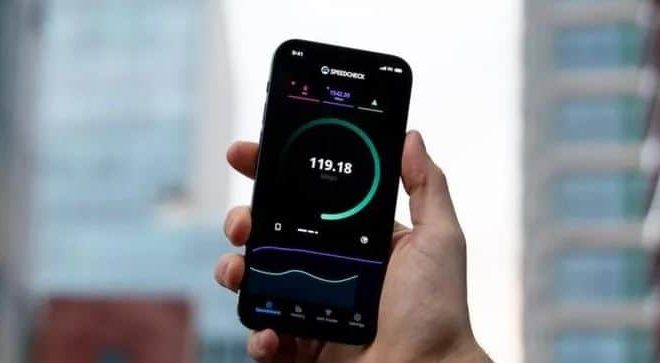
As an iPhone user, you know how important it is to have a stable and fast WiFi connection. It can be frustrating when you pay for high-speed internet and your iPhone’s WiFi speed is slow. Don’t fret! There’s a way to test your WiFi speed and determine if your network is the issue or if your iPhone needs a tune-up.

Here’s a simple guide on how to test the WiFi speed of your iPhone:

Step 1: Connect to Your WiFi Network

First, connect your iPhone to a WiFi network. Make sure it’s the one you want to test the speed for. Go to the Settings app on your iPhone, then tap on WiFi. Choose your network and enter the password if prompted.

Step 2: Launch your Internet Browser

After connecting to the WiFi network, open your internet browser. You can use Safari, Chrome, or any other browser on your iPhone.

Step 3: Visit a Speed Test Website

Now, you need to visit a website that can test your WiFi speed. There are plenty of free websites available like Speedtest.net, Ookla.com, etc. Choose one that you are comfortable with and that provides accurate results.

Step 4: Begin the Speed Test

Once you’ve accessed the speed test website, click on the “Go” or “Start” button to begin the test. The test may take a few moments to complete. While it’s running, make sure not to open any other tabs or apps.

Step 5: Review the Results

Once the test is complete, you’ll get your results. The website will show you your download speed, upload speed, and ping. Make sure to take note of these speeds.

Step 6: Repeat the Test

The speed test results may vary from time to time, so it’s best to repeat the test a few times to get more accurate results. If you notice a big difference between the tests, it could be an indication of an issue with your WiFi network.

In conclusion, testing your iPhone’s WiFi speed is simple and easy to do. By following these steps, you can identify if your network is the issue or if your iPhone needs some maintenance. Remember to test your WiFi speed regularly to ensure that you’re getting the most out of your internet connection.


Previous Article

How to Test the Stability of Your ...

Next Article

How to Test Your WiFi Speed

Matthew Lynch

Related articles More from author

  • Digital & Mobile Technology

    The Best Scope of Work Templates You Can Download for Free

    June 22, 2023
    By Matthew Lynch
  • Digital & Mobile Technology

    How to Separate First and Last Names in Microsoft Excel

    May 8, 2023
    By Matthew Lynch
  • Digital & Mobile Technology

    How to Redeem Google Play Promo Codes and Gift Cards

    July 31, 2023
    By Matthew Lynch
  • Digital & Mobile Technology

    5 Weird Noises Inside Your Computer Explained

    August 1, 2023
    By Matthew Lynch
  • Digital & Mobile Technology

    How Many Devices Can Stream Hulu at Once?

    June 8, 2023
    By Matthew Lynch
  • Digital & Mobile Technology

    5 Ways to Watch Cable TV While Traveling

    June 15, 2023
    By Matthew Lynch

Search

Login & Registration

  • Register
  • Log in
  • Entries feed
  • Comments feed
  • WordPress.org

Newsletter

Signup for The Tech Edvocate Newsletter and have the latest in EdTech news and opinion delivered to your email address!

About Us

Since technology is not going anywhere and does more good than harm, adapting is the best course of action. That is where The Tech Edvocate comes in. We plan to cover the PreK-12 and Higher Education EdTech sectors and provide our readers with the latest news and opinion on the subject. From time to time, I will invite other voices to weigh in on important issues in EdTech. We hope to provide a well-rounded, multi-faceted look at the past, present, the future of EdTech in the US and internationally.

We started this journey back in June 2016, and we plan to continue it for many more years to come. I hope that you will join us in this discussion of the past, present and future of EdTech and lend your own insight to the issues that are discussed.

Newsletter

Signup for The Tech Edvocate Newsletter and have the latest in EdTech news and opinion delivered to your email address!

Contact Us

The Tech Edvocate
910 Goddin Street
Richmond, VA 23231
(601) 630-5238
[email protected]

Copyright © 2025 Matthew Lynch. All rights reserved.