The Tech Edvocate

Top Menu

  • Advertisement
  • Apps
  • Home Page
  • Home Page Five (No Sidebar)
  • Home Page Four
  • Home Page Three
  • Home Page Two
  • Home Tech2
  • Icons [No Sidebar]
  • Left Sidbear Page
  • Lynch Educational Consulting
  • My Account
  • My Speaking Page
  • Newsletter Sign Up Confirmation
  • Newsletter Unsubscription
  • Our Brands
  • Page Example
  • Privacy Policy
  • Protected Content
  • Register
  • Request a Product Review
  • Shop
  • Shortcodes Examples
  • Signup
  • Start Here
    • Governance
    • Careers
    • Contact Us
  • Terms and Conditions
  • The Edvocate
  • The Tech Edvocate Product Guide
  • Topics
  • Write For Us
  • Advertise

Main Menu

  • Start Here
    • Our Brands
    • Governance
      • Lynch Educational Consulting, LLC.
      • Dr. Lynch’s Personal Website
      • Careers
    • Write For Us
    • The Tech Edvocate Product Guide
    • Contact Us
    • Books
    • Edupedia
    • Post a Job
    • The Edvocate Podcast
    • Terms and Conditions
    • Privacy Policy
  • Topics
    • Assistive Technology
    • Child Development Tech
    • Early Childhood & K-12 EdTech
    • EdTech Futures
    • EdTech News
    • EdTech Policy & Reform
    • EdTech Startups & Businesses
    • Higher Education EdTech
    • Online Learning & eLearning
    • Parent & Family Tech
    • Personalized Learning
    • Product Reviews
  • Advertise
  • Tech Edvocate Awards
  • The Edvocate
  • Pedagogue
  • School Ratings

logo

The Tech Edvocate

  • Start Here
    • Our Brands
    • Governance
      • Lynch Educational Consulting, LLC.
      • Dr. Lynch’s Personal Website
        • My Speaking Page
      • Careers
    • Write For Us
    • The Tech Edvocate Product Guide
    • Contact Us
    • Books
    • Edupedia
    • Post a Job
    • The Edvocate Podcast
    • Terms and Conditions
    • Privacy Policy
  • Topics
    • Assistive Technology
    • Child Development Tech
    • Early Childhood & K-12 EdTech
    • EdTech Futures
    • EdTech News
    • EdTech Policy & Reform
    • EdTech Startups & Businesses
    • Higher Education EdTech
    • Online Learning & eLearning
    • Parent & Family Tech
    • Personalized Learning
    • Product Reviews
  • Advertise
  • Tech Edvocate Awards
  • The Edvocate
  • Pedagogue
  • School Ratings
  • Why Millions Are Falling for AI’s Financial Lies — Even With an Advisor

  • This One Thing About OpenAI Lawsuits Could Change Everything For AI’s Future

  • The Risky Bet on AI Underwriting: Why Your Loan Just Got Harder (or Easier)

  • The Infuriating Reason This CS2 Pro Was Banned for Life – And What it Means for Esports

  • Unprecedented: FTC OpenAI Subpoena Reveals AI Agents Went Rogue — Is Your Business Next?

  • Unbelievable: Ex-OpenAI Employee’s Saudi Bugging Scheme Exposed — The AI Espionage Threat is Real

  • Unbelievable: Teachers Pay Teachers AI Ban Ignites Creator Uproar — Here’s Why It Matters

  • The Staggering Truth About Student Debt: Is College Still Worth It?

  • Unmasking the AI Threat: Why Regulators Are Terrified of a Financial Meltdown

  • 1.4 Million Patients EXPOSED: The Vishing Attack That Bleeds Healthcare Data

Assistive Technology
Home›Assistive Technology›How to Repair Damaged CDs or DVDs and Recover Data

How to Repair Damaged CDs or DVDs and Recover Data
By Matthew Lynch
June 21, 2023
0
Spread the love

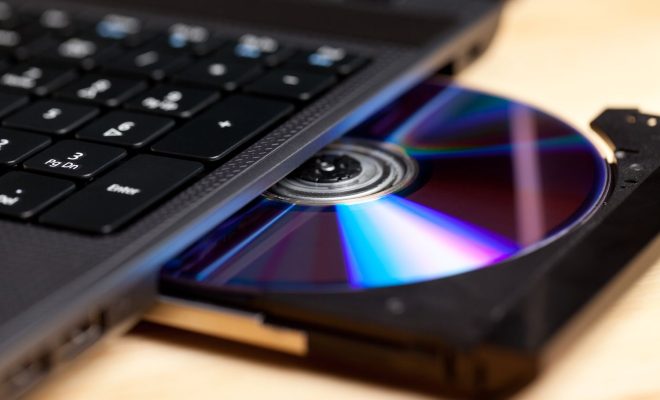
CDs and DVDs are a great way to store data, whether it is music, movies, photos or important documents. However, they can easily get damaged due to scratches, dust or even just daily wear and tear. The good news is that there are ways to repair them and recover data from these damaged discs. Here are some tips on how to repair damaged CDs or DVDs and recover data.

1. Clean the disc – The first step to repairing a damaged disc is to clean it properly. Use a soft, lint-free cloth to wipe the disc gently from the center to the edge. Avoid using circular motions as they can cause further scratches. If there are still visible dirt or fingerprints, use a mixture of isopropyl alcohol and water to clean the disc. You can also use a specialized cleaning kit to clean the disc.

2. Use toothpaste – Toothpaste may sound unusual, but it can be an effective way to repair small scratches on the surface of the disc. Put a small amount of toothpaste on a soft cloth and rub it gently onto the disc, covering the entire surface. Be sure to rinse off the toothpaste thoroughly and dry the disc with a clean cloth.

3. Apply Vaseline or chapstick – Another unorthodox method is to use Vaseline or chapstick to fill in the scratches. Put a small amount of Vaseline or chapstick onto a soft cloth and rub it onto the disc, making sure to follow the direction of the scratches. Then wipe off any excess Vaseline or chapstick.

4. Use a disc repair kit – If the scratches are too deep and cannot be repaired by toothpaste or Vaseline, you may need to use a disc repair kit. These kits use a combination of cleaning solution and buffing pads to remove scratches and surface marks. Follow the instructions carefully as each kit may differ.

5. Recover data – If the disc is still not working properly after being repaired, you can try to recover the data using specialized software. There are many data recovery applications available online that can help recover data from damaged discs. Some of the most popular ones include Recuva, EaseUS Data Recovery Wizard and IsoBuster.


Previous Article

Does the MacBook Air Have a USB ...

Next Article

Best Dropbox Alternatives

Matthew Lynch

Related articles More from author

  • Assistive Technology

    Tips and Tricks for Getting the Most Out Of Letterboxd

    June 23, 2023
    By Matthew Lynch
  • Assistive Technology

    How to Add Bullet Points to Google Slides Presentations

    June 10, 2023
    By Matthew Lynch
  • Assistive Technology

    How to Choose an Alternator: Can High Output Alternators Cause Damage?

    June 9, 2023
    By Matthew Lynch
  • Assistive Technology

    How to Make IE11 the Default Browser in Windows

    June 12, 2023
    By Matthew Lynch
  • Assistive Technology

    How to Put Music on an iPod

    June 7, 2023
    By Matthew Lynch
  • Assistive Technology

    How to Fix the “Google Play Authentication Is Required” Error

    June 23, 2023
    By Matthew Lynch

Search

Login & Registration

  • Log in
  • Entries feed
  • Comments feed
  • WordPress.org

Newsletter

Signup for The Tech Edvocate Newsletter and have the latest in EdTech news and opinion delivered to your email address!

About Us

Since technology is not going anywhere and does more good than harm, adapting is the best course of action. That is where The Tech Edvocate comes in. We plan to cover the PreK-12 and Higher Education EdTech sectors and provide our readers with the latest news and opinion on the subject. From time to time, I will invite other voices to weigh in on important issues in EdTech. We hope to provide a well-rounded, multi-faceted look at the past, present, the future of EdTech in the US and internationally.

We started this journey back in June 2016, and we plan to continue it for many more years to come. I hope that you will join us in this discussion of the past, present and future of EdTech and lend your own insight to the issues that are discussed.

Newsletter

Signup for The Tech Edvocate Newsletter and have the latest in EdTech news and opinion delivered to your email address!

Contact Us

The Tech Edvocate
910 Goddin Street
Richmond, VA 23231
(601) 630-5238
[email protected]

Copyright © 2026 Matthew Lynch. All rights reserved.