The Tech Edvocate

Top Menu

  • Advertisement
  • Apps
  • Home Page
  • Home Page Five (No Sidebar)
  • Home Page Four
  • Home Page Three
  • Home Page Two
  • Home Tech2
  • Icons [No Sidebar]
  • Left Sidbear Page
  • Lynch Educational Consulting
  • My Account
  • My Speaking Page
  • Newsletter Sign Up Confirmation
  • Newsletter Unsubscription
  • Our Brands
  • Page Example
  • Privacy Policy
  • Protected Content
  • Register
  • Request a Product Review
  • Shop
  • Shortcodes Examples
  • Signup
  • Start Here
    • Governance
    • Careers
    • Contact Us
  • Terms and Conditions
  • The Edvocate
  • The Tech Edvocate Product Guide
  • Topics
  • Write For Us
  • Advertise

Main Menu

  • Start Here
    • Our Brands
    • Governance
      • Lynch Educational Consulting, LLC.
      • Dr. Lynch’s Personal Website
      • Careers
    • Write For Us
    • The Tech Edvocate Product Guide
    • Contact Us
    • Books
    • Edupedia
    • Post a Job
    • The Edvocate Podcast
    • Terms and Conditions
    • Privacy Policy
  • Topics
    • Assistive Technology
    • Child Development Tech
    • Early Childhood & K-12 EdTech
    • EdTech Futures
    • EdTech News
    • EdTech Policy & Reform
    • EdTech Startups & Businesses
    • Higher Education EdTech
    • Online Learning & eLearning
    • Parent & Family Tech
    • Personalized Learning
    • Product Reviews
  • Advertise
  • Tech Edvocate Awards
  • The Edvocate
  • Pedagogue
  • School Ratings

logo

The Tech Edvocate

  • Start Here
    • Our Brands
    • Governance
      • Lynch Educational Consulting, LLC.
      • Dr. Lynch’s Personal Website
        • My Speaking Page
      • Careers
    • Write For Us
    • The Tech Edvocate Product Guide
    • Contact Us
    • Books
    • Edupedia
    • Post a Job
    • The Edvocate Podcast
    • Terms and Conditions
    • Privacy Policy
  • Topics
    • Assistive Technology
    • Child Development Tech
    • Early Childhood & K-12 EdTech
    • EdTech Futures
    • EdTech News
    • EdTech Policy & Reform
    • EdTech Startups & Businesses
    • Higher Education EdTech
    • Online Learning & eLearning
    • Parent & Family Tech
    • Personalized Learning
    • Product Reviews
  • Advertise
  • Tech Edvocate Awards
  • The Edvocate
  • Pedagogue
  • School Ratings
  • Rotirile gratuite fără depunere: activarea rundelor și creditarea câștigurilor

  • The Astonishing Reason Millions Are Ditching Old Finance Education for This New Method

  • Why Your Bank Account Needs These 7 Gamified Money Apps Right Now

  • Why Millions Are Finally Beating Debt Thanks to Gamification in Personal Finance Apps

  • 5.7 Million Students Exposed: Why This Breach Demands Immediate Legal Action

  • The Brutal Truth About EdTech Breaches: 8 Defenses Schools Need NOW

  • Millions of Student Records Exposed: The Scandalous ETS Data Breach

  • Amazon’s Secret Weapon: Why Its Workforce Strategy Crushes eBay’s Layoff Cycle

  • Devastating: eBay Layoffs Hit 1,000 — 8 Critical Moves to Land Your Next Role

  • eBay’s Second Wave: Is Your Tech Job Safe From These Brutal Cuts?

Digital & Mobile Technology
Home›Digital & Mobile Technology›How to Repair Broken HDMI Ports on a TV

How to Repair Broken HDMI Ports on a TV
By Matthew Lynch
May 4, 2023
0
Spread the love

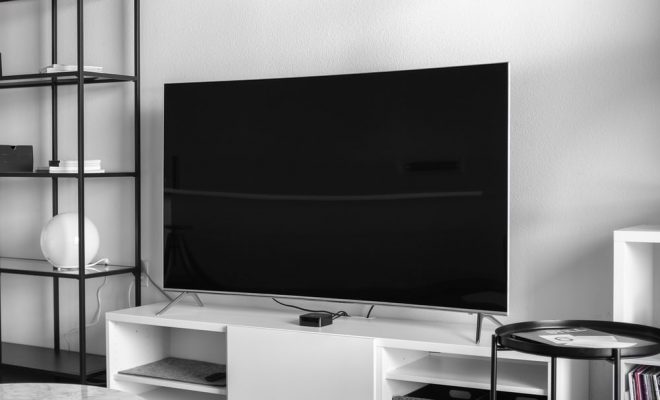
HDMI (High-Definition Multimedia Interface) ports are an essential part of modern TV sets. They allow you to connect gaming consoles, media players, and other HDMI-compatible devices to your TV, providing crystal-clear picture resolution and high-quality audio. However, over time, your HDMI ports may fail, resulting in a frustrating experience of no connectivity. Broken HDMI ports can be caused by various factors, including physical damage, excessive strain on the cables while connected, and improper handling.

If you’ve recently found that your TV’s HDMI port has stopped working, you might be wondering if it’s possible to repair it without replacing the whole TV set. Fortunately, fixing a broken HDMI port can be straightforward if you know what to do. Here’s a step-by-step guide on how to repair broken HDMI ports on a TV.

Assess the damage

The first step to repairing a broken HDMI port is to inspect the port carefully to assess the extent of the damage. You can start by looking for the following signs:

– The port is not receiving signals from the device

– The port is loose or wobbly

– The pins inside the port are bent or broken

– You see any visible cracks or damages on the external surface of the port

If the port’s problem falls under the first three categories, you might be able to repair it yourself. However, If you see visible cracks or other physical damage, it’s better to take the TV to a professional because it might be beyond repair.

Determine the port’s problem

Once you’ve assessed the damage to the HDMI port, the next thing is to determine what the actual problem is. If the connector is loose or wobbling, there might be a problem with the port’s soldering. In contrast, bent or broken pins might indicate an issue with the connector’s structural integrity. Figuring out the exact issue will help you formulate the best repair approach, saving you time and effort.

Gather necessary tools

To repair a broken HDMI port, you’ll need some tools. Here’s what you’ll need:

– A soldering iron with a fine tip

– De-soldering braid to remove the solder

– Solder wire

– A voltmeter or a multi-meter to check the continuity of the wiring

If you don’t have these tools or aren’t comfortable working with them, it’s advisable to seek a technician’s help.

Repair the port’s soldering

If the HDMI port is loose or wobbling, it might be caused by a soldering defect. Here’s how to repair it:

– Power off and unplug the TV from the wall.

– Use a soldering iron to remove the solder from around the port’s soldering points.

– Remove the HDMI port from the TV.

– Clean the affected area around the port with a soft cloth.

– Resolder the affected area to secure the HDMI port back in place.

– Allow the solder to solidify, and then reconnect the TV to power

Repair structural damage

If the HDMI port has broken pins or any visible physical damage, then you may need to replace the port or get a television repair specialist. However, if the pins are merely bent, you might be able to fix them by using a pair of tweezers, needle-nose pliers, or small needle to straighten them out. Ensure that you have good lighting and take great care not to break the pins completely.

In conclusion, repairing a broken HDMI port can be cost-effective and straightforward, and you don’t have to replace the whole TV set. However, it’s essential to follow safety precautions when handling the TV and tools to prevent further mishaps that could result in more damage. If you don’t feel comfortable doing the repairs yourself, it’s always advisable to contact your local TV repair service. 

Previous Article

How to Repair an External Hard Drive

Next Article

How to Repair Corrupted Files in Windows

Matthew Lynch

Related articles More from author

  • Digital & Mobile Technology

    How to Turn Off Private Browsing Mode on iPad

    June 2, 2023
    By Matthew Lynch
  • Digital & Mobile Technology

    How to Turn Off Your Amazon Fire TV Stick

    May 29, 2023
    By Matthew Lynch
  • Digital & Mobile Technology

    What Is Litecoin Halving? When Will the Litecoin Halving Happen?

    June 15, 2023
    By Matthew Lynch
  • Digital & Mobile Technology

    Best Secure Routers of 2023

    June 8, 2023
    By Matthew Lynch
  • Digital & Mobile Technology

    How to Map a Network Drive on a Mac

    June 2, 2023
    By Matthew Lynch
  • Digital & Mobile Technology

    How to Set an iPhone Timer to Vibrate Only and Make No Sounds

    August 3, 2023
    By Matthew Lynch

Search

Login & Registration

  • Log in
  • Entries feed
  • Comments feed
  • WordPress.org

Newsletter

Signup for The Tech Edvocate Newsletter and have the latest in EdTech news and opinion delivered to your email address!

About Us

Since technology is not going anywhere and does more good than harm, adapting is the best course of action. That is where The Tech Edvocate comes in. We plan to cover the PreK-12 and Higher Education EdTech sectors and provide our readers with the latest news and opinion on the subject. From time to time, I will invite other voices to weigh in on important issues in EdTech. We hope to provide a well-rounded, multi-faceted look at the past, present, the future of EdTech in the US and internationally.

We started this journey back in June 2016, and we plan to continue it for many more years to come. I hope that you will join us in this discussion of the past, present and future of EdTech and lend your own insight to the issues that are discussed.

Newsletter

Signup for The Tech Edvocate Newsletter and have the latest in EdTech news and opinion delivered to your email address!

Contact Us

The Tech Edvocate
910 Goddin Street
Richmond, VA 23231
(601) 630-5238
[email protected]

Copyright © 2026 Matthew Lynch. All rights reserved.