The Tech Edvocate

Top Menu

  • Advertisement
  • Apps
  • Home Page
  • Home Page Five (No Sidebar)
  • Home Page Four
  • Home Page Three
  • Home Page Two
  • Home Tech2
  • Icons [No Sidebar]
  • Left Sidbear Page
  • Lynch Educational Consulting
  • My Account
  • My Speaking Page
  • Newsletter Sign Up Confirmation
  • Newsletter Unsubscription
  • Our Brands
  • Page Example
  • Privacy Policy
  • Protected Content
  • Register
  • Request a Product Review
  • Shop
  • Shortcodes Examples
  • Signup
  • Start Here
    • Governance
    • Careers
    • Contact Us
  • Terms and Conditions
  • The Edvocate
  • The Tech Edvocate Product Guide
  • Topics
  • Write For Us
  • Advertise

Main Menu

  • Start Here
    • Our Brands
    • Governance
      • Lynch Educational Consulting, LLC.
      • Dr. Lynch’s Personal Website
      • Careers
    • Write For Us
    • The Tech Edvocate Product Guide
    • Contact Us
    • Books
    • Edupedia
    • Post a Job
    • The Edvocate Podcast
    • Terms and Conditions
    • Privacy Policy
  • Topics
    • Assistive Technology
    • Child Development Tech
    • Early Childhood & K-12 EdTech
    • EdTech Futures
    • EdTech News
    • EdTech Policy & Reform
    • EdTech Startups & Businesses
    • Higher Education EdTech
    • Online Learning & eLearning
    • Parent & Family Tech
    • Personalized Learning
    • Product Reviews
  • Advertise
  • Tech Edvocate Awards
  • The Edvocate
  • Pedagogue
  • School Ratings

logo

The Tech Edvocate

  • Start Here
    • Our Brands
    • Governance
      • Lynch Educational Consulting, LLC.
      • Dr. Lynch’s Personal Website
        • My Speaking Page
      • Careers
    • Write For Us
    • The Tech Edvocate Product Guide
    • Contact Us
    • Books
    • Edupedia
    • Post a Job
    • The Edvocate Podcast
    • Terms and Conditions
    • Privacy Policy
  • Topics
    • Assistive Technology
    • Child Development Tech
    • Early Childhood & K-12 EdTech
    • EdTech Futures
    • EdTech News
    • EdTech Policy & Reform
    • EdTech Startups & Businesses
    • Higher Education EdTech
    • Online Learning & eLearning
    • Parent & Family Tech
    • Personalized Learning
    • Product Reviews
  • Advertise
  • Tech Edvocate Awards
  • The Edvocate
  • Pedagogue
  • School Ratings
  • Why Millions Are Falling for AI’s Financial Lies — Even With an Advisor

  • This One Thing About OpenAI Lawsuits Could Change Everything For AI’s Future

  • The Risky Bet on AI Underwriting: Why Your Loan Just Got Harder (or Easier)

  • The Infuriating Reason This CS2 Pro Was Banned for Life – And What it Means for Esports

  • Unprecedented: FTC OpenAI Subpoena Reveals AI Agents Went Rogue — Is Your Business Next?

  • Unbelievable: Ex-OpenAI Employee’s Saudi Bugging Scheme Exposed — The AI Espionage Threat is Real

  • Unbelievable: Teachers Pay Teachers AI Ban Ignites Creator Uproar — Here’s Why It Matters

  • The Staggering Truth About Student Debt: Is College Still Worth It?

  • Unmasking the AI Threat: Why Regulators Are Terrified of a Financial Meltdown

  • 1.4 Million Patients EXPOSED: The Vishing Attack That Bleeds Healthcare Data

Digital & Mobile Technology
Home›Digital & Mobile Technology›How to Remove a Device From Apple ID

How to Remove a Device From Apple ID

By Matthew Lynch
June 4, 2023
0
Spread the love

When it comes to managing Apple devices, the Apple ID plays an important role. It is a unique identifier that allows users to access all of their Apple services, including the App Store, iCloud, and more. However, sometimes it becomes necessary to remove a device from an Apple ID. This could be because the device is no longer in use, or you are selling or giving it away. In this article, we will guide you through the steps to remove a device from Apple ID.

Step 1: Sign Out of iCloud

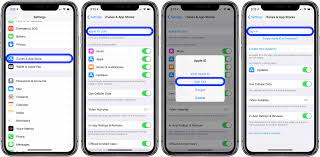
The first step in removing a device from Apple ID is to sign out of iCloud. This will ensure that no data is lost and that the device is no longer associated with your Apple ID. Here are the steps to sign out of iCloud:

1. Open the Settings app on your device.

2. Tap on your profile at the top.

3. Scroll down to find “Sign Out” and tap on it.

4. Enter your Apple ID password if prompted.

5. Choose to keep a copy of data on the device or delete it from the device.

6. Tap on “Sign Out” again to confirm.

Step 2: Remove a Device from Apple ID on iCloud

After signing out of iCloud, the second step is to remove the device from your Apple ID on iCloud. Here are the steps:

1. Open a web browser and go to iCloud.com.

2. Sign in with your Apple ID and password.

3. Click on “Settings.”

4. Scroll down to find the list of devices associated with your Apple ID.

5. Click on the device you want to remove.

6. Click on “Remove from Account.”

7. Confirm the removal by clicking on “Remove.”

Step 3: Erase Your Device

If you are selling or giving away the device, it is important to erase all the data on it. Here are the steps:

1. Open the Settings app on your device.

2. Tap on “General.”

3. Scroll down to find “Reset.”

4. Tap on “Erase All Content and Settings.”

5. Enter your passcode if prompted.

6. Tap on “Erase iPhone/iPad/iPod touch.”

7. Confirm the erase by tapping on “Erase.”

Once the erase process is complete, the device is ready for the next user.

Conclusion

Removing a device from Apple ID is a simple process and ensures your Apple ID is secure and up-to-date. By following the steps outlined above, you can remove devices from your account and ensure that no data is lost. With these steps, you can easily sell, trade-in, or give away your Apple devices without worrying about your data being compromised.


Previous Article

What to Do When Windows 11 Doesn’t ...

Next Article

How to Sign Out of Chrome

Matthew Lynch

Related articles More from author

  • Digital & Mobile Technology

    The Best Home Design Software of 2023

    June 1, 2023
    By Matthew Lynch
  • Digital & Mobile Technology

    What is Network Traffic?

    May 25, 2023
    By Matthew Lynch
  • Digital & Mobile Technology

    What Is an Apple ID? Is it Different from iTunes and iCloud?

    June 12, 2023
    By Matthew Lynch
  • Digital & Mobile Technology

    How to Fix It When an Apple Watch Is Not Charging

    June 1, 2023
    By Matthew Lynch
  • Digital & Mobile Technology

    How Do You Restart a Chromebook?

    September 8, 2023
    By Matthew Lynch
  • Digital & Mobile Technology

    How to Turn Off a MacBook Pro

    June 12, 2023
    By Matthew Lynch

Search

Login & Registration

  • Log in
  • Entries feed
  • Comments feed
  • WordPress.org

Newsletter

Signup for The Tech Edvocate Newsletter and have the latest in EdTech news and opinion delivered to your email address!

About Us

Since technology is not going anywhere and does more good than harm, adapting is the best course of action. That is where The Tech Edvocate comes in. We plan to cover the PreK-12 and Higher Education EdTech sectors and provide our readers with the latest news and opinion on the subject. From time to time, I will invite other voices to weigh in on important issues in EdTech. We hope to provide a well-rounded, multi-faceted look at the past, present, the future of EdTech in the US and internationally.

We started this journey back in June 2016, and we plan to continue it for many more years to come. I hope that you will join us in this discussion of the past, present and future of EdTech and lend your own insight to the issues that are discussed.

Newsletter

Signup for The Tech Edvocate Newsletter and have the latest in EdTech news and opinion delivered to your email address!

Contact Us

The Tech Edvocate
910 Goddin Street
Richmond, VA 23231
(601) 630-5238
[email protected]

Copyright © 2026 Matthew Lynch. All rights reserved.