The Tech Edvocate

Top Menu

  • Advertisement
  • Apps
  • Home Page
  • Home Page Five (No Sidebar)
  • Home Page Four
  • Home Page Three
  • Home Page Two
  • Home Tech2
  • Icons [No Sidebar]
  • Left Sidbear Page
  • Lynch Educational Consulting
  • My Account
  • My Speaking Page
  • Newsletter Sign Up Confirmation
  • Newsletter Unsubscription
  • Our Brands
  • Page Example
  • Privacy Policy
  • Protected Content
  • Register
  • Request a Product Review
  • Shop
  • Shortcodes Examples
  • Signup
  • Start Here
    • Governance
    • Careers
    • Contact Us
  • Terms and Conditions
  • The Edvocate
  • The Tech Edvocate Product Guide
  • Topics
  • Write For Us
  • Advertise

Main Menu

  • Start Here
    • Our Brands
    • Governance
      • Lynch Educational Consulting, LLC.
      • Dr. Lynch’s Personal Website
      • Careers
    • Write For Us
    • The Tech Edvocate Product Guide
    • Contact Us
    • Books
    • Edupedia
    • Post a Job
    • The Edvocate Podcast
    • Terms and Conditions
    • Privacy Policy
  • Topics
    • Assistive Technology
    • Child Development Tech
    • Early Childhood & K-12 EdTech
    • EdTech Futures
    • EdTech News
    • EdTech Policy & Reform
    • EdTech Startups & Businesses
    • Higher Education EdTech
    • Online Learning & eLearning
    • Parent & Family Tech
    • Personalized Learning
    • Product Reviews
  • Advertise
  • Tech Edvocate Awards
  • The Edvocate
  • Pedagogue
  • School Ratings

logo

The Tech Edvocate

  • Start Here
    • Our Brands
    • Governance
      • Lynch Educational Consulting, LLC.
      • Dr. Lynch’s Personal Website
        • My Speaking Page
      • Careers
    • Write For Us
    • The Tech Edvocate Product Guide
    • Contact Us
    • Books
    • Edupedia
    • Post a Job
    • The Edvocate Podcast
    • Terms and Conditions
    • Privacy Policy
  • Topics
    • Assistive Technology
    • Child Development Tech
    • Early Childhood & K-12 EdTech
    • EdTech Futures
    • EdTech News
    • EdTech Policy & Reform
    • EdTech Startups & Businesses
    • Higher Education EdTech
    • Online Learning & eLearning
    • Parent & Family Tech
    • Personalized Learning
    • Product Reviews
  • Advertise
  • Tech Edvocate Awards
  • The Edvocate
  • Pedagogue
  • School Ratings
  • A Visitors Guide to Long Beach (CA), United States

  • A Visitor’s Guide to Fresno (CA), United States

  • A Visitors Guide to New Orleans (LA), United States

  • A Visitors Guide to Sacramento (CA), United States

  • A Visitors Guide to Lyon, France

  • JisuLife Ultra2 Portable Fan: A Powerful Multi-Function Cooling Solution

  • A Visitors Guide to Viña del Mar, Chile

  • A Visitors Guide to Århus, Denmark

  • A Visitors Guide to Bakersfield (CA), United States

  • A Visitors Guide to Aurora (CO), United States

Gamification
Home›Gamification›How to Install Mods on Minecraft

How to Install Mods on Minecraft
By Matthew Lynch
June 6, 2023
0
Spread the love

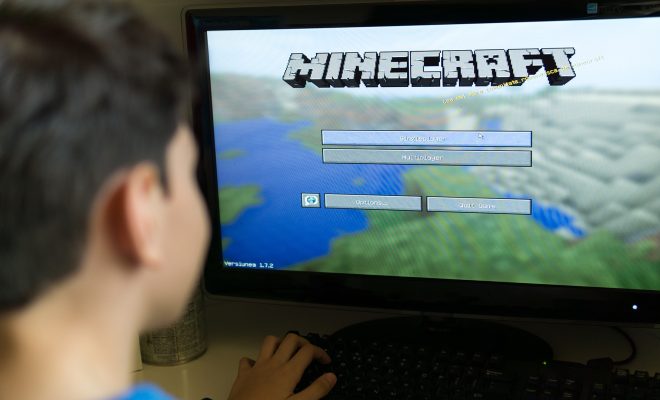
Minecraft is a wildly popular game that allows players to create their own virtual worlds, but sometimes the available options may be limited. This is where mods come in, which are modifications that can change how a game looks, plays, and functions. Installing mods on Minecraft is an easy process that can be done in a few simple steps.

First, players must have Minecraft installed on their computer or device. Mods cannot be installed on the console versions of the game. Once that is taken care of, it is important to choose a reliable website to download the mods from. Websites such as CurseForge, Planet Minecraft, and Minecraft Mods offer a variety of mods for players to choose from.

After selecting a mod to install, make sure it is compatible with the version of Minecraft being played. Mods are designed to work with specific versions of the game, so it is important to check if the mod is compatible before downloading it. Usually, the mod file will include the version it is compatible with in the title or description.

When the desired mod has been found and downloaded, players must navigate to the Minecraft folder on their computer. This can usually be found under “AppData” on a Windows computer or “Library” on a Mac. Look for the “.minecraft” folder and find the “mods” folder within it. If the “mods” folder is not there, create a new folder and name it “mods.”

After the folder has been located, simply drag and drop the downloaded mod file into the “mods” folder. Restart Minecraft, and the mod should be ready to use. To verify that the mod has been successfully installed, players can open the “Mods” menu located in the main menu of the game.

While installing mods on Minecraft is a straightforward process, it is important to exercise caution when downloading from third-party websites. Always make sure the website is reputable and the mod file is safe to download. Additionally, some mods may not be compatible with others or may have bugs that can cause issues with the game. It is recommended to only download and install mods that have been verified to work properly with the chosen version of Minecraft.

Conclusion

Mods can be a great way to enhance the Minecraft experience and add new features to the game. Installing mods on Minecraft is simple and easy but requires a bit of caution when downloading from external websites. Players should always ensure that the mod is compatible with their version of Minecraft and has been verified as safe to download before installation. With these few simple steps, players can begin exploring the limitless possibilities of Minecraft mods.

Previous Article

The Ultimate Animal Crossing House Upgrades Guide ...

Next Article

How to Unzip Files on Android Devices

Matthew Lynch

Related articles More from author

  • Gamification

    Castlevania: Symphony of the Night Walkthrough

    June 10, 2023
    By Matthew Lynch
  • Gamification

    HDMI vs. DisplayPort: Which Is Best for Gaming?

    June 22, 2023
    By Matthew Lynch
  • Gamification

    Great Strategy Games You Can Play on Your Mac

    June 12, 2023
    By Matthew Lynch
  • Gamification

    How to Change Your Riot Games Username and Tagline

    June 22, 2023
    By Matthew Lynch
  • Gamification

    What to Look For in a Gaming PC

    July 6, 2023
    By Matthew Lynch
  • Gamification

    Next Gen Gamification Solutions To Enhance Your Corporate Training

    March 22, 2023
    By Matthew Lynch

Search

Login & Registration

  • Register
  • Log in
  • Entries feed
  • Comments feed
  • WordPress.org

Newsletter

Signup for The Tech Edvocate Newsletter and have the latest in EdTech news and opinion delivered to your email address!

About Us

Since technology is not going anywhere and does more good than harm, adapting is the best course of action. That is where The Tech Edvocate comes in. We plan to cover the PreK-12 and Higher Education EdTech sectors and provide our readers with the latest news and opinion on the subject. From time to time, I will invite other voices to weigh in on important issues in EdTech. We hope to provide a well-rounded, multi-faceted look at the past, present, the future of EdTech in the US and internationally.

We started this journey back in June 2016, and we plan to continue it for many more years to come. I hope that you will join us in this discussion of the past, present and future of EdTech and lend your own insight to the issues that are discussed.

Newsletter

Signup for The Tech Edvocate Newsletter and have the latest in EdTech news and opinion delivered to your email address!

Contact Us

The Tech Edvocate
910 Goddin Street
Richmond, VA 23231
(601) 630-5238
[email protected]

Copyright © 2025 Matthew Lynch. All rights reserved.