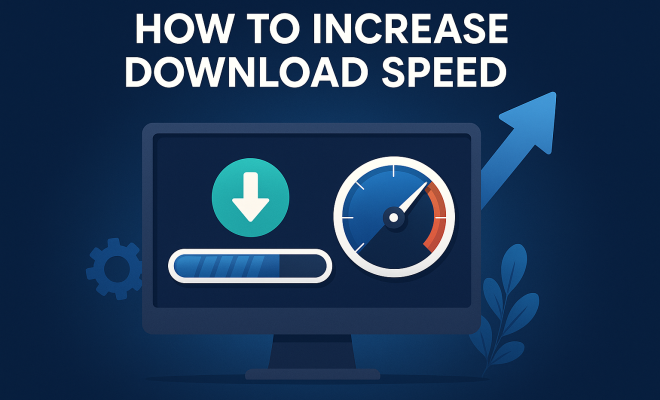
How to increase download speed
“`html
If you’re like most people, you know the frustration of slow download speeds. Whether you’re trying to download a large file for work, stream a movie, or update your software, waiting for downloads can feel like an eternity. Fortunately, there are several effective strategies to increase download speed that you can implement today. Below, we’ve compiled a comprehensive guide that explores key aspects of download speed, provides practical insights, and discusses their relevance in today’s technology-driven world.
1. Understanding Download Speed
Before diving into techniques, it’s crucial to understand what download speed actually is. Download speed measures how quickly data can be transferred from the internet to your device, usually measured in megabits per second (Mbps). The higher the number, the faster you can download files. Factors affecting download speed include your internet connection type, the quality of your router, and external factors like network congestion.
For instance, cable and fiber-optic connections typically provide faster download speeds than DSL and satellite. Understanding these differences can help you make informed decisions about your internet service provider (ISP) and hardware choices.
Moreover, it’s worth noting that download speed can vary at different times of the day. Peak hours, generally in the evenings when most people are online, can lead to reduced speeds. This is largely due to network congestion as multiple users share limited bandwidth. Being aware of these trends can guide you in planning your downloads more effectively.
2. Upgrade Your Internet Plan
If you find yourself consistently battling slow download speeds, it might be time to consider upgrading your internet plan. ISPs often offer a variety of plans with different maximum speeds. By choosing a higher tier service, you can significantly increase download speed. However, before making a switch, assess your actual needs.
Do a speed test and find out what speeds you currently have. Websites like Ookla Speedtest can provide this information. Compare it to the plans available in your area. If your usage typically involves large downloads or streaming high-definition content, a plan with a higher Mbps can greatly enhance your experience.
Additionally, keep in mind that not all ISPs are created equal. Some providers may offer promotional rates that can make their service more appealing, but it’s important to read the fine print. After the promotional period ends, prices can jump significantly. Ensure that the plan you choose provides not just the speed but also the value you need for your internet usage habits.
3. Optimize Your Wi-Fi Network
Your Wi-Fi network could be a bottleneck for your download speed. To optimize it, first ensure your router is placed in a central location in your home, away from walls and obstructions that could interfere with the signal. Additionally, ensure you’re using the 5GHz band instead of the 2.4GHz band whenever possible, as it typically provides faster speeds and less interference.
Also, regularly update your router’s firmware. Router manufacturers often release updates that can enhance performance and security. Check your manufacturer’s website for details on how to do this. Using a wired Ethernet connection for downloads can also significantly increase download speeds, as it is generally more stable than Wi-Fi.
If you have a lot of devices connected to your network, consider upgrading your router to one that supports more concurrent connections. Dual-band routers can also help manage multiple devices more efficiently. Furthermore, implementing Quality of Service (QoS) settings allows you to prioritize bandwidth for critical applications, ensuring that downloads and streaming receive the necessary speed boost.
4. Limit Background Applications
Often, the culprit behind slow download speeds can be background applications consuming bandwidth. Before starting a download, close unnecessary applications and browser tabs. This includes any music streaming, video chatting, or file-sharing programs that might be running silently in the background.
On Windows, the Task Manager can help you identify which applications are using bandwidth. On macOS, the Activity Monitor serves this purpose. By managing your network usage wisely, you can free up more bandwidth for downloads, thus increasing your download speed.
To take it a step further, consider using tools like NetLimiter or GlassWire, which can help you monitor and control the bandwidth usage of each application on your device. This way, you can see real-time data on which programs are consuming most of your bandwidth and adjust accordingly.
5. Check for Malware and Viruses
Sometimes, malware or viruses can slow down your internet connection significantly. These malicious programs can use your bandwidth for various purposes, such as sending out spam or participating in distributed denial-of-service (DDoS) attacks. Regularly scanning your device with reliable antivirus software is essential to keep it free from threats.
Furthermore, ensure that your device’s firewall is activated. This can help prevent unauthorized access and potential interference with your download speed. Regular software updates, including antivirus definitions, can also bolster your defense against these issues and maintain optimal speed.
It’s advisable to run a full system scan periodically. Some malware can be cleverly disguised and may not always trigger warnings. In addition, consider using anti-malware tools like Malwarebytes for an extra layer of security that focuses specifically on malware detection.
6. Use a Download Manager
For those who frequently download large files, a download manager can be an invaluable tool. These applications can optimize the download process by splitting files into smaller segments, downloading them simultaneously, and then reassembling them. This method not only speeds up the download process but also ensures that if a download fails, you only need to restart the portion that wasn’t completed, rather than starting over from scratch.
Popular download managers like Internet Download Manager (IDM) or Free Download Manager (FDM) are widely regarded for their effectiveness. They often allow you to schedule downloads for off-peak hours when your internet might be faster or less congested.
Some download managers even provide features such as browser integration, which allows you to initiate downloads directly from your web browser with just a click. They can also support various protocols, enabling you to download files from different sources more efficiently. This versatility can significantly enhance your download experience and speed.
7. Choose Off-Peak Hours for Downloads
Another strategy to increase download speed is to time your downloads for off-peak hours. Internet traffic typically decreases during late-night or early-morning hours, which can lead to faster speeds due to reduced congestion on your ISP’s network. If you can, plan your downloads during these times for optimal performance.
Even small adjustments to your download schedule can make a noticeable difference. For instance, if you usually download large files during the evening when everyone is online, try moving those downloads to a quieter time. The results could be surprising.
Some ISPs offer features that allow you to monitor network usage over time, helping you identify the best times to download. Moreover, you can explore using network management tools that provide insights into real-time network traffic trends, further assisting you in choosing the best time for your downloads.
8. Consider a Different ISP
If you’ve done everything right and still experience slow download speeds, it might be time to consider switching ISPs. Different providers may offer better infrastructure in your area, especially if they use up-to-date technology like fiber optics. Research local ISPs and read customer reviews to find one that is known for reliability and speed.
When switching, ensure that you check for any hidden fees or contract commitments. You can also inquire if they offer a trial period, allowing you to test the service without a long-term commitment. This can help you make a more informed decision and potentially lead to a significant improvement in your download speeds.
In some cases, community forums can provide insights into the best ISPs for your area. Residents often share their experiences regarding speed, reliability, and customer service, making it easier for you to gauge options before you decide to switch.
9. The Impact of Network Hardware
The hardware you use can greatly influence your download speeds. Upgrading to a more powerful router or modem can result in better performance, especially if your current devices are outdated. Look for routers that support the latest Wi-Fi standards, such as Wi-Fi 6, which can offer improved speed and efficiency.
Additionally, consider investing in a modem that is compatible with your ISP’s maximum speeds. Some modems are designed specifically for certain ISPs and can provide better performance than generic models. Checking compatibility and performance reviews can make a significant difference in your internet speeds.
Mesh Wi-Fi systems are also gaining popularity, especially for larger homes where a single router can’t cover the entire area. These systems use multiple nodes to provide strong, consistent coverage throughout your home, reducing dead spots and improving overall download speeds.
10. Understanding Your Device’s Limitations
Sometimes the device you’re using can be the bottleneck in your download speed. Older computers or smartphones may struggle to handle high-speed connections effectively. If you’re using an older model, it might not support the latest internet protocols, which can limit your download speeds.
Regular maintenance of your device is key. This includes keeping your operating system up to date and removing unnecessary files or applications that may slow down performance. Additionally, utilizing storage management tools can help keep your device running smoothly, which indirectly supports better download speeds by enhancing overall performance.
11. Advanced Configuration Techniques
If you’re tech-savvy, exploring advanced settings on your router can help you increase download speed. For instance, enabling Quality of Service (QoS) settings allows you to prioritize the bandwidth your devices use. This can be particularly useful in households with multiple users streaming, gaming, or working from home simultaneously.
Another advanced technique is to change your Domain Name System (DNS) settings. Switching to a faster DNS provider, such as Google DNS or Cloudflare, may improve both download speed and browsing speed by reducing the time it takes to resolve domain names into IP addresses.
Additionally, adjusting your MTU (Maximum Transmission Unit) size can eliminate packet fragmentation, further optimizing your connection. However, be cautious with these changes; incorrect settings can lead to connectivity issues.
12. Understanding the Role of ISP Throttling
Some ISPs may throttle or limit your bandwidth during peak usage times or if they detect high data consumption from specific applications. This can significantly affect your download speeds. To determine if throttling is impacting your speeds, try using a VPN during your downloads. A VPN can mask your activities from your ISP, potentially helping you avoid throttling.
However, it’s important to note that not all VPNs are created equal. Look for a high-speed, reliable VPN that offers features like unlimited bandwidth and a wide range of server locations. This can help ensure that you maintain fast download speeds while using the VPN.
If you suspect that throttling is an ongoing issue, it might be worth discussing this with your ISP. Some providers may offer plans with “unlimited” data or reduced throttling for higher-tier subscribers, which can be beneficial if you frequently download large files.
13. Common Download Speed Myths
There are several misconceptions regarding download speeds that can lead to frustration. One common myth is that restarting your router will always solve slow download issues. While rebooting can resolve temporary glitches, it doesn’t address underlying issues like ISP throttling or inadequate hardware.
Another myth is that using multiple devices on the same network always results in slower download speeds. While more devices can consume more bandwidth, modern routers are designed to manage multiple connections efficiently. If you’re using a dual-band or tri-band router, it should handle multiple connections without significantly impacting speed.
Finally, some believe that simply having high-speed internet means they will always experience those speeds. Download speed can fluctuate for several reasons, including network congestion, distance from your router, and the performance of the website from which you’re downloading. Understanding these factors can help you set realistic expectations.
14. Frequently Asked Questions (FAQ)
What is the ideal download speed for streaming?
The ideal download speed for streaming varies depending on the quality of the content. For standard definition (SD) streaming, 3 Mbps is typically sufficient, while high definition (HD) streaming requires at least 5-8 Mbps. For 4K streaming, you should aim for at least 25 Mbps.
Can using a VPN affect download speed?
Yes, using a VPN can potentially slow down your download speeds. However, this largely depends on the quality of the VPN service you’re using. A reliable, fast VPN can actually improve speeds by bypassing ISP throttling, whereas a poor VPN might lead to slower connections.
Is it possible to improve download speed without upgrading my plan?
Definitely! Many of the strategies mentioned in this article, such as optimizing your Wi-Fi network, using download managers, and limiting background applications, can significantly enhance your download speeds without requiring a plan upgrade.
How can I test my download speed?
You can test your download speed using various online tools like Ookla Speedtest, Fast.com, or Google’s speed test feature. These services provide a quick and easy way to determine your current download speeds and can help you track changes over time.
Why is my download speed slower than advertised?
There are several reasons why your actual download speeds may be slower than what your ISP advertises. Factors include network congestion, time of day, the quality of your router, and the distance from your router if you’re using Wi-Fi. Always remember that advertised speeds are often “up to” certain Mbps, meaning they can fluctuate under different circumstances.
What should I do if my download speed is significantly lower than expected?
If you notice a significant drop in your download speed, start by running a speed test to confirm the issue. Then, try restarting your router, checking for background applications, and ensuring your device is free from malware. If issues persist, contact your ISP for assistance and inquire about any service outages or throttling that might be occurring.
Are there any specific settings I should adjust on my router?
Yes, adjusting settings like Quality of Service (QoS) can help prioritize bandwidth for important tasks. Additionally, changing your DNS settings and MTU size can also enhance your connection. Just remember to document your original settings before making changes, so you can revert if necessary.
In summary, slow download speeds can be a frustrating reality, but with the right strategies, you can effectively increase download speed and improve your overall internet experience. From upgrading your internet plan to optimizing your Wi-Fi network and managing your applications, each of these tips provides actionable steps towards faster downloads. By implementing these strategies, you can enjoy a more seamless online experience, whether you’re downloading, streaming, or browsing the web.
“`
Trending Now
Frequently Asked Questions
What factors affect download speed?
Download speed can be influenced by several factors including your internet connection type (e.g., cable, fiber-optic, DSL), the quality of your router, and external conditions like network congestion during peak hours.
How can I increase my download speed?
To enhance your download speed, consider upgrading your internet plan, optimizing your router settings, using a wired connection, or scheduling downloads during off-peak hours when network congestion is lower.
Is it worth upgrading my internet plan for faster downloads?
Upgrading your internet plan can be worthwhile if you consistently experience slow download speeds. Assess your needs and perform a speed test to determine if a higher-tier service can meet your requirements.
What is a good download speed for streaming?
For smooth streaming, a download speed of at least 5 Mbps is generally recommended for standard definition, while 25 Mbps or higher is ideal for high-definition streaming to avoid buffering.
How do peak hours affect download speed?
Peak hours, typically in the evenings, can lead to reduced download speeds due to increased network congestion as multiple users share the same bandwidth, resulting in slower data transfer rates.
What did we miss? Let us know in the comments and join the conversation.