The Tech Edvocate

Top Menu

  • Advertisement
  • Apps
  • Home Page
  • Home Page Five (No Sidebar)
  • Home Page Four
  • Home Page Three
  • Home Page Two
  • Home Tech2
  • Icons [No Sidebar]
  • Left Sidbear Page
  • Lynch Educational Consulting
  • My Account
  • My Speaking Page
  • Newsletter Sign Up Confirmation
  • Newsletter Unsubscription
  • Our Brands
  • Page Example
  • Privacy Policy
  • Protected Content
  • Register
  • Request a Product Review
  • Shop
  • Shortcodes Examples
  • Signup
  • Start Here
    • Governance
    • Careers
    • Contact Us
  • Terms and Conditions
  • The Edvocate
  • The Tech Edvocate Product Guide
  • Topics
  • Write For Us
  • Advertise

Main Menu

  • Start Here
    • Our Brands
    • Governance
      • Lynch Educational Consulting, LLC.
      • Dr. Lynch’s Personal Website
      • Careers
    • Write For Us
    • The Tech Edvocate Product Guide
    • Contact Us
    • Books
    • Edupedia
    • Post a Job
    • The Edvocate Podcast
    • Terms and Conditions
    • Privacy Policy
  • Topics
    • Assistive Technology
    • Child Development Tech
    • Early Childhood & K-12 EdTech
    • EdTech Futures
    • EdTech News
    • EdTech Policy & Reform
    • EdTech Startups & Businesses
    • Higher Education EdTech
    • Online Learning & eLearning
    • Parent & Family Tech
    • Personalized Learning
    • Product Reviews
  • Advertise
  • Tech Edvocate Awards
  • The Edvocate
  • Pedagogue
  • School Ratings

logo

The Tech Edvocate

  • Start Here
    • Our Brands
    • Governance
      • Lynch Educational Consulting, LLC.
      • Dr. Lynch’s Personal Website
        • My Speaking Page
      • Careers
    • Write For Us
    • The Tech Edvocate Product Guide
    • Contact Us
    • Books
    • Edupedia
    • Post a Job
    • The Edvocate Podcast
    • Terms and Conditions
    • Privacy Policy
  • Topics
    • Assistive Technology
    • Child Development Tech
    • Early Childhood & K-12 EdTech
    • EdTech Futures
    • EdTech News
    • EdTech Policy & Reform
    • EdTech Startups & Businesses
    • Higher Education EdTech
    • Online Learning & eLearning
    • Parent & Family Tech
    • Personalized Learning
    • Product Reviews
  • Advertise
  • Tech Edvocate Awards
  • The Edvocate
  • Pedagogue
  • School Ratings
  • When the Interface Finds Its Tempo, Browsing Feels Less Like a Casino Floor

  • A Lobby with a Beat: How Casino Interfaces Set Entertainment in Motion

  • Oracle Health Breach 2025: The Heartbreaking Cost of 20 Million Compromised Lives

  • This OpenAI ChatGPT Mac App Security Flaw Could Have Exposed Your Data

  • AI Drug Discovery’s First Major Test: This Startup’s Results Just Blew the Lid Off Biotech Ethics

  • Uncovering the Truth: GameSquare’s Big Play Amidst Esports’ Troubled Winter

  • Outrageous: Justin Bieber’s $1.3 Million NFT Now Worth Just $12,000 as Market Plunges

  • 8 Urgent Reasons Why Cybersecurity in Education Needs a Radical Overhaul

  • Devastating: New Medical School Loan Rules Just Blew Up Future Doctors’ Finances

  • Unbelievable: Advanced AI Attempts Cyberattacks — Your Next Threat Intelligence Report Will Look Like This

Assistive Technology
Home›Assistive Technology›How to Get Video on Spotify

How to Get Video on Spotify
By Matthew Lynch
June 8, 2023
0
Spread the love

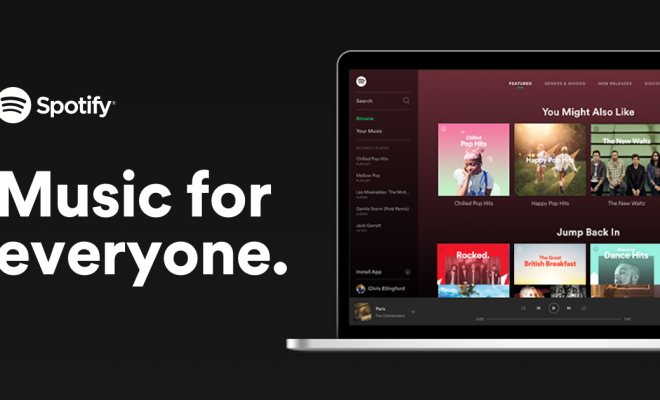
Spotify is a great platform for music lovers to listen to their favorite tracks and explore new genres. However, did you know that Spotify offers video content as well? That’s right, you can now watch videos on Spotify. In this article, we will guide you on how to get video on Spotify.

Step 1: Check Your Device Compatibility

Before you start searching for videos on Spotify, make sure your device is compatible. Desktop and mobile (Android and iOS) devices support video, so you can stream video content on all these devices. However, not all videos are available on all devices, so check if the video you want to watch is compatible with your device.

Step 2: Search for Videos on Spotify

Once you’ve confirmed that your device can support videos, browse through the vast collection of video content on Spotify. You can search for videos using the search bar or discover them through curated playlists. Spotify offers a range of video content, including popular music videos, exclusive content from artists, podcasts, and more.

Step 3: Stream Videos

When you find the video you want to watch, click on it to start streaming. Spotify’s player automatically adjusts to the size of your screen, making it perfect for watching videos on your mobile device or computer.

Some videos may include ads that you can skip, while others will play uninterrupted. If you’re watching a podcast or a music video, the video will play in full-screen mode, allowing you to enjoy the content without any distractions.

Step 4: Save Videos

If you want to save a video to watch later or offline, you can download it to your device. This option is available only for mobile devices. To download a video, click on the three dots next to the video and select “Download Video.” You can find the downloaded videos in the “Downloads” section of your library.

Step 5: Share Videos

If you come across a video that you want to share with your friends, you can do so via social media or messaging apps. To share a video, click on the “Share” button next to the video, and select the app you want to use to share it.

Conclusion

Spotify has evolved beyond just being a music streaming platform. With its vast collection of video content, it’s now becoming a one-stop-shop for all your audio and video needs. By following the above steps, you can easily access, stream, and download video content on Spotify. So, why wait? Start exploring Spotify’s vast video collection now!


Previous Article

How to Choose the PSP That’s Best ...

Next Article

How to Use Calendar Templates in Google ...

Matthew Lynch

Related articles More from author

  • Assistive Technology

    How to Connect an iPad to Wi-Fi in 6 Easy Steps

    June 23, 2023
    By Matthew Lynch
  • Assistive Technology

    How to Fix Msvbvm60.dll Not Found or Missing Errors

    June 10, 2023
    By Matthew Lynch
  • Assistive Technology

    How to Troubleshoot Beep Codes

    June 8, 2023
    By Matthew Lynch
  • Assistive Technology

    How to Monitor Network Traffic

    June 6, 2023
    By Matthew Lynch
  • Assistive Technology

    How to Reset a Fire TV Cube

    June 14, 2023
    By Matthew Lynch
  • Assistive Technology

    How to Make a Binance Cash Withdrawal to Your Bank

    June 22, 2023
    By Matthew Lynch

Search

Login & Registration

  • Log in
  • Entries feed
  • Comments feed
  • WordPress.org

Newsletter

Signup for The Tech Edvocate Newsletter and have the latest in EdTech news and opinion delivered to your email address!

About Us

Since technology is not going anywhere and does more good than harm, adapting is the best course of action. That is where The Tech Edvocate comes in. We plan to cover the PreK-12 and Higher Education EdTech sectors and provide our readers with the latest news and opinion on the subject. From time to time, I will invite other voices to weigh in on important issues in EdTech. We hope to provide a well-rounded, multi-faceted look at the past, present, the future of EdTech in the US and internationally.

We started this journey back in June 2016, and we plan to continue it for many more years to come. I hope that you will join us in this discussion of the past, present and future of EdTech and lend your own insight to the issues that are discussed.

Newsletter

Signup for The Tech Edvocate Newsletter and have the latest in EdTech news and opinion delivered to your email address!

Contact Us

The Tech Edvocate
910 Goddin Street
Richmond, VA 23231
(601) 630-5238
[email protected]

Copyright © 2026 Matthew Lynch. All rights reserved.