The Tech Edvocate

Top Menu

  • Advertisement
  • Apps
  • Home Page
  • Home Page Five (No Sidebar)
  • Home Page Four
  • Home Page Three
  • Home Page Two
  • Home Tech2
  • Icons [No Sidebar]
  • Left Sidbear Page
  • Lynch Educational Consulting
  • My Account
  • My Speaking Page
  • Newsletter Sign Up Confirmation
  • Newsletter Unsubscription
  • Our Brands
  • Page Example
  • Privacy Policy
  • Protected Content
  • Register
  • Request a Product Review
  • Shop
  • Shortcodes Examples
  • Signup
  • Start Here
    • Governance
    • Careers
    • Contact Us
  • Terms and Conditions
  • The Edvocate
  • The Tech Edvocate Product Guide
  • Topics
  • Write For Us
  • Advertise

Main Menu

  • Start Here
    • Our Brands
    • Governance
      • Lynch Educational Consulting, LLC.
      • Dr. Lynch’s Personal Website
      • Careers
    • Write For Us
    • The Tech Edvocate Product Guide
    • Contact Us
    • Books
    • Edupedia
    • Post a Job
    • The Edvocate Podcast
    • Terms and Conditions
    • Privacy Policy
  • Topics
    • Assistive Technology
    • Child Development Tech
    • Early Childhood & K-12 EdTech
    • EdTech Futures
    • EdTech News
    • EdTech Policy & Reform
    • EdTech Startups & Businesses
    • Higher Education EdTech
    • Online Learning & eLearning
    • Parent & Family Tech
    • Personalized Learning
    • Product Reviews
  • Advertise
  • Tech Edvocate Awards
  • The Edvocate
  • Pedagogue
  • School Ratings

logo

The Tech Edvocate

  • Start Here
    • Our Brands
    • Governance
      • Lynch Educational Consulting, LLC.
      • Dr. Lynch’s Personal Website
        • My Speaking Page
      • Careers
    • Write For Us
    • The Tech Edvocate Product Guide
    • Contact Us
    • Books
    • Edupedia
    • Post a Job
    • The Edvocate Podcast
    • Terms and Conditions
    • Privacy Policy
  • Topics
    • Assistive Technology
    • Child Development Tech
    • Early Childhood & K-12 EdTech
    • EdTech Futures
    • EdTech News
    • EdTech Policy & Reform
    • EdTech Startups & Businesses
    • Higher Education EdTech
    • Online Learning & eLearning
    • Parent & Family Tech
    • Personalized Learning
    • Product Reviews
  • Advertise
  • Tech Edvocate Awards
  • The Edvocate
  • Pedagogue
  • School Ratings
  • Why Millions Are Ditching Degrees for These Microcredential Programs

  • The Astonishing Truth: Why Microcredentials Could Be Your Career’s Secret Weapon

  • Why Employers Are Paying 15% More for This One Credential – Not Your Degree

  • 7 Critical Steps to Safeguard Students When Implementing AI in Your Classroom

  • The Astonishing Truth: Your School’s Data Security Might Be a Time Bomb – 7 LMS Platforms That Are Actually Safe for K-12

  • The Troubling Truth: AI in Education Could Be Compromising Your Child’s Privacy

  • Revealed: The Brutal Truth About IronCircle vs Other Cybersecurity Boot Camps

  • This One Thing About University Boot Camps Is Infuriating — Don’t Fall For It

  • Revealed: The Brutal Truth About University Boot Camp Debt

  • Revealed: The 7 Tools EdTech Pros Are Using to Dominate Remote Work in 2026

Assistive Technology
Home›Assistive Technology›How to Fix Windows 10 Freezing Up

How to Fix Windows 10 Freezing Up

By Matthew Lynch
June 14, 2023
0
Spread the love

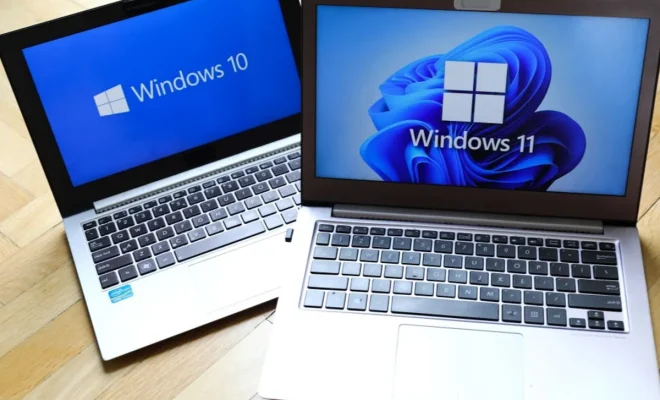
Windows 10 is a great operating system, but sometimes it can cause frustration when it freezes up. There are many reasons why Windows 10 might be freezing, but fortunately, there are also many solutions to this problem.

Solution 1: Make Sure Your Drivers are Up to Date

Sometimes the freezing issue can occur due to outdated or missing drivers. You should check for updates for your graphic card, chipset, network adapter, and other hardware. You can do this manually through the device manager or automatically using a driver updater tool.

Solution 2: Free Up Disk Space

When you are running low on disk space, your computer’s performance will suffer, and it may freeze up. You should remove any unnecessary files, programs, and applications that you no longer use. Make sure to empty the recycle bin and delete any temporary files.

Solution 3: Disable Unnecessary Startup Apps

Windows 10 has many apps that run automatically when your system starts up. If you have too many of these apps running, your computer might slow down and freeze up. You should disable the ones that you don’t need by opening task manager and going to the startup tab.

Solution 4: Remove Malware and Viruses

Sometimes malware and viruses are the cause of Windows 10 freezing up. You should run a full scan of your computer using a reliable antivirus program. If any viruses or malware is detected, remove them as soon as possible.

Solution 5: Disable Fast Startup

Fast startup is a feature in Windows 10 that is supposed to make your computer start up faster. However, it can also cause issues when you try to shut down your computer. You can disable it by going to Control Panel > Power Options > Choose what the power button does > Change settings that are currently unavailable and unchecking Turn on fast startup.

Solution 6: Repair Corrupt System Files

Sometimes Windows 10 might freeze due to corrupt system files. You can use the System File Checker tool to repair any damaged system files. Go to an elevated command prompt (press Windows key + X, and click Command Prompt (Admin)) and enter the command “sfc / scannow”.

Solution 7: Reset Windows 10

If all the above solutions fail to fix the freezing issue, you can reset Windows 10. This will reinstall the operating system and remove all the programs and files on your computer. You can do this by going to Settings > Update & Security > Recovery > Reset this PC.


Previous Article

You Can Now Buy a Nothing Phone ...

Next Article

How to Fix Error Code 0x80070422 in ...

Matthew Lynch

Related articles More from author

  • Assistive Technology

    Free Online Tycoon Games You Should Try

    June 21, 2023
    By Matthew Lynch
  • Assistive Technology

    How to Create Custom Alerts in React Using React-Toastify

    August 5, 2023
    By Matthew Lynch
  • Assistive Technology

    How to Use AutoKey to Automate Repetitive Tasks on Linux

    June 6, 2023
    By Matthew Lynch
  • Assistive Technology

    How to Download Amazon Prime Videos to Watch Offline

    June 12, 2023
    By Matthew Lynch
  • Assistive Technology

    Ways to Print Folder and Directory Contents in Windows

    July 15, 2023
    By Matthew Lynch
  • Assistive Technology

    How to Block Emails in Gmail

    June 12, 2023
    By Matthew Lynch

Search

Login & Registration

  • Log in
  • Entries feed
  • Comments feed
  • WordPress.org

Newsletter

Signup for The Tech Edvocate Newsletter and have the latest in EdTech news and opinion delivered to your email address!

About Us

Since technology is not going anywhere and does more good than harm, adapting is the best course of action. That is where The Tech Edvocate comes in. We plan to cover the PreK-12 and Higher Education EdTech sectors and provide our readers with the latest news and opinion on the subject. From time to time, I will invite other voices to weigh in on important issues in EdTech. We hope to provide a well-rounded, multi-faceted look at the past, present, the future of EdTech in the US and internationally.

We started this journey back in June 2016, and we plan to continue it for many more years to come. I hope that you will join us in this discussion of the past, present and future of EdTech and lend your own insight to the issues that are discussed.

Newsletter

Signup for The Tech Edvocate Newsletter and have the latest in EdTech news and opinion delivered to your email address!

Contact Us

The Tech Edvocate
910 Goddin Street
Richmond, VA 23231
(601) 630-5238
[email protected]

Copyright © 2026 Matthew Lynch. All rights reserved.