The Tech Edvocate

Top Menu

  • Advertisement
  • Apps
  • Home Page
  • Home Page Five (No Sidebar)
  • Home Page Four
  • Home Page Three
  • Home Page Two
  • Home Tech2
  • Icons [No Sidebar]
  • Left Sidbear Page
  • Lynch Educational Consulting
  • My Account
  • My Speaking Page
  • Newsletter Sign Up Confirmation
  • Newsletter Unsubscription
  • Our Brands
  • Page Example
  • Privacy Policy
  • Protected Content
  • Register
  • Request a Product Review
  • Shop
  • Shortcodes Examples
  • Signup
  • Start Here
    • Governance
    • Careers
    • Contact Us
  • Terms and Conditions
  • The Edvocate
  • The Tech Edvocate Product Guide
  • Topics
  • Write For Us
  • Advertise

Main Menu

  • Start Here
    • Our Brands
    • Governance
      • Lynch Educational Consulting, LLC.
      • Dr. Lynch’s Personal Website
      • Careers
    • Write For Us
    • The Tech Edvocate Product Guide
    • Contact Us
    • Books
    • Edupedia
    • Post a Job
    • The Edvocate Podcast
    • Terms and Conditions
    • Privacy Policy
  • Topics
    • Assistive Technology
    • Child Development Tech
    • Early Childhood & K-12 EdTech
    • EdTech Futures
    • EdTech News
    • EdTech Policy & Reform
    • EdTech Startups & Businesses
    • Higher Education EdTech
    • Online Learning & eLearning
    • Parent & Family Tech
    • Personalized Learning
    • Product Reviews
  • Advertise
  • Tech Edvocate Awards
  • The Edvocate
  • Pedagogue
  • School Ratings

logo

The Tech Edvocate

  • Start Here
    • Our Brands
    • Governance
      • Lynch Educational Consulting, LLC.
      • Dr. Lynch’s Personal Website
        • My Speaking Page
      • Careers
    • Write For Us
    • The Tech Edvocate Product Guide
    • Contact Us
    • Books
    • Edupedia
    • Post a Job
    • The Edvocate Podcast
    • Terms and Conditions
    • Privacy Policy
  • Topics
    • Assistive Technology
    • Child Development Tech
    • Early Childhood & K-12 EdTech
    • EdTech Futures
    • EdTech News
    • EdTech Policy & Reform
    • EdTech Startups & Businesses
    • Higher Education EdTech
    • Online Learning & eLearning
    • Parent & Family Tech
    • Personalized Learning
    • Product Reviews
  • Advertise
  • Tech Edvocate Awards
  • The Edvocate
  • Pedagogue
  • School Ratings
  • This RNA Breakthrough Could Rewrite Alzheimer’s Treatment

  • This One Thing Is Silently Crushing US Consumer Inflation — And Your Wallet

  • Chilling Ransom: 38 Maritime Giants Held Hostage By Cyber Crooks

  • October 2026 Patch Tuesday: The Critical Flaws You CANNOT Ignore

  • California’s AI Overhaul: Your Job & Legal Rights Will Never Be the Same

  • 100 Best Resource Management Apps

  • The Startling Truth About Viral Weight Loss Drugs You Need to Know

  • 57% Failure Rate: The Unsettling Truth About AI Financial Advice You Need to Know

  • AI’s Quiet Takeover: 179,542 Tech Layoffs 2023 Signal a Troubling Future

  • The Billion-Dollar Race: Why U.S. Tech Giants Are Scrambling for Israeli Startups

Assistive Technology
Home›Assistive Technology›How to Fix 8 Common Alexa and Amazon Echo Issues

How to Fix 8 Common Alexa and Amazon Echo Issues
By Matthew Lynch
June 6, 2023
0
Spread the love

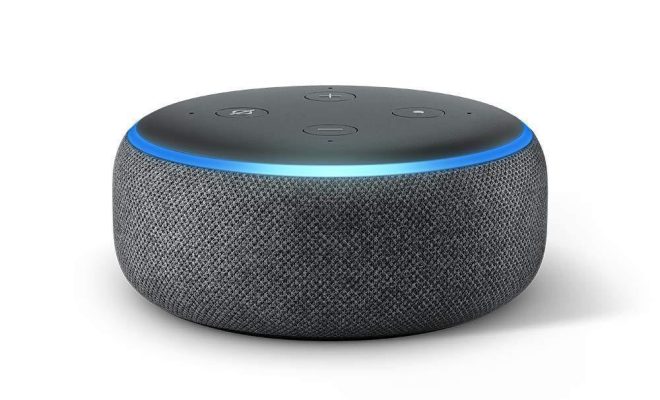
Alexa and Amazon Echo are Amazon’s voice-controlled assistant and smart speaker. While they are generally reliable and user-friendly, there are times when problems arise. If you’re having issues with Alexa or your Amazon Echo, don’t worry – here are eight common issues and solutions to help you troubleshoot these problems.

  1. Alexa Not Responding

Sometimes, Alexa may not respond to your voice commands. If this happens, check to see if the device is connected to the internet. If the Wi-Fi signal is weak, move it closer to the router. If Alexa still doesn’t respond, try restarting both the device and the Wi-Fi router.

  1. Alexa Misunderstands Commands

If Alexa misunderstands your command, first make sure you’re pronouncing words correctly. Then, check your vocabulary – Alexa may not understand unusual words or phrases. You can also adjust the device’s language settings for better comprehension.

  1. Echo Device Doesn’t Show Up in Alexa App

If you can’t find your Echo device in the Alexa app, check to make sure it’s plugged in and connected to a Wi-Fi network. Then, enable Bluetooth on your phone and put the Echo device in pairing mode. If you still can’t find the device, try deregistering it and re-registering it in the app.

  1. Bluetooth Connectivity Issues

If you’re having trouble connecting a device to your Echo via Bluetooth, try resetting both devices and enabling pairing mode again. You can also check if your Echo’s firmware is updated. If all else fails, try disconnecting other Bluetooth devices connected to the Echo.

  1. Echo Connectivity Issues

If the Echo is not connecting to the internet, check the Wi-Fi signal and make sure the device is in range. Alternatively, you can reset the device and restart your router. If the issue persists, try resetting your router, too.

  1. Music Streaming Issues

If you’re having trouble streaming music from a third-party app or service, check if the app is running on the Echo device. Also, make sure you have a strong Wi-Fi signal and the app is updated. If the issue persists, try switching to a different service or app.

  1. Smart Home Devices Are Not Working

If your smart home devices are not working with Alexa, check the compatibility of the devices with the Alexa app. Then, make sure the devices are connected to your Wi-Fi network and are within range of the Echo device. If the issue persists, try resetting both the device and the Alexa app.

  1. Alexa Skills Are Not Working

If certain Alexa skills are not working, check if the skill is installed and enabled on the Alexa app. You may need to update the skill or check its compatibility with your device model. In some cases, you may need to disable/enable the skill to get it to work.

In conclusion, Alexa and Amazon Echo are designed to make your life easier, but occasionally, these devices can experience problems. By following the solutions outlined above, you can effectively troubleshoot the 8 most common issues and get your device back to working condition. Remember, if none of the solutions work, get in touch with Amazon’s customer service for further assistance.


Previous Article

How to Tell if a Number Is ...

Next Article

How Much Video Can You Record on ...

Matthew Lynch

Related articles More from author

  • Assistive Technology

    How to Turn Off Auto Renewal on iPhone

    June 11, 2023
    By Matthew Lynch
  • Assistive Technology

    How to Troubleshoot HDMI Connection Problems

    June 6, 2023
    By Matthew Lynch
  • Assistive Technology

    5 YouTube Features Every Teacher Should Know How To Use

    December 30, 2020
    By Matthew Lynch
  • Assistive Technology

    How to Fix It When Your PS3 Controller Won’t Connect

    June 8, 2023
    By Matthew Lynch
  • Assistive Technology

    How to Unlock Your Android Phone Screen Without the Power Button

    June 23, 2023
    By Matthew Lynch
  • Assistive Technology

    How to Fix the “Not Enough Memory to Run Microsoft Excel” Error on Windows

    June 5, 2023
    By Matthew Lynch

Search

Login & Registration

  • Log in
  • Entries feed
  • Comments feed
  • WordPress.org

Newsletter

Signup for The Tech Edvocate Newsletter and have the latest in EdTech news and opinion delivered to your email address!

About Us

Since technology is not going anywhere and does more good than harm, adapting is the best course of action. That is where The Tech Edvocate comes in. We plan to cover the PreK-12 and Higher Education EdTech sectors and provide our readers with the latest news and opinion on the subject. From time to time, I will invite other voices to weigh in on important issues in EdTech. We hope to provide a well-rounded, multi-faceted look at the past, present, the future of EdTech in the US and internationally.

We started this journey back in June 2016, and we plan to continue it for many more years to come. I hope that you will join us in this discussion of the past, present and future of EdTech and lend your own insight to the issues that are discussed.

Newsletter

Signup for The Tech Edvocate Newsletter and have the latest in EdTech news and opinion delivered to your email address!

Contact Us

The Tech Edvocate
910 Goddin Street
Richmond, VA 23231
(601) 630-5238
[email protected]

Copyright © 2026 Matthew Lynch. All rights reserved.