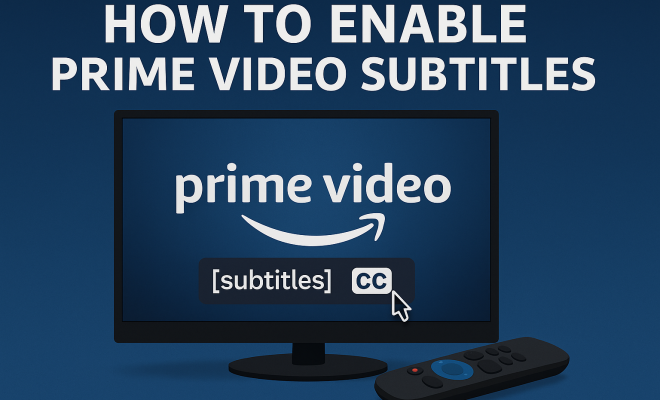
How to enable Prime Video subtitles
“`html
In the age of streaming, subtitles have become a pivotal feature for viewers across the globe. Whether you’re watching a nail-biting thriller, a heartwarming romance, or an engaging documentary on Prime Video, enabling subtitles can significantly enhance your viewing experience. But how exactly do you enable Prime Video subtitles? In this comprehensive guide, we’ll walk you through the steps, explore different devices, troubleshoot common problems, and discuss the benefits of using subtitles.
1. The Importance of Subtitles
Subtitles serve as more than just a tool for translation; they enhance accessibility for the hearing impaired, provide clarity in noisy environments, and help viewers grasp dialogues in foreign languages. According to a report by the National Center for Accessible Media, nearly 20% of Americans have some degree of hearing loss, making captions an essential feature for many. Moreover, subtitles can improve comprehension for all viewers, particularly in fast-paced or complex films. As streaming platforms like Prime Video continue to grow, the demand for reliable and easily accessible subtitle options has become more critical than ever. We covered Roku Streaming comparison in more detail.
2. How to Enable Prime Video Subtitles on Different Devices
Enabling subtitles on Prime Video varies slightly depending on the device you’re using. Here’s a breakdown of the steps for popular devices:
- Smart TVs: While watching content, press the * (asterisk) button on your remote, navigate to “Subtitles,” and select your preferred language.
- Mobile Devices: Tap the screen while watching a video, click the speech bubble icon, select “Subtitles,” and choose your language.
- Amazon Fire TV: Press the menu button during playback, go to “Audio & Subtitles,” and select your desired subtitles option.
- Web Browser: During playback, hover over the video, click on the “CC” icon, and choose your subtitle language from the dropdown menu.
3. Subtitles vs. Closed Captions: What’s the Difference?
It’s crucial to understand the distinction between subtitles and closed captions. Subtitles are primarily intended for translating spoken dialogue, while closed captions include additional information such as sound effects, speaker identification, and non-verbal cues. For instance, if a character sighs or if there’s background music playing, closed captions will note these details. This is particularly beneficial for viewers with hearing impairments, as it offers a fuller context of the content being viewed. Prime Video offers both options, allowing users to choose what best suits their needs.
4. Adjusting Subtitle Settings on Prime Video
Beyond simply enabling subtitles, Prime Video allows customization of subtitle settings. You can adjust the font size, style, and color to enhance visibility and readability. Here’s how:
- On a mobile device, navigate to “Settings” in the app, select “Accessibility,” and then choose “Closed Captions and Subtitles” to personalize your experience.
- On a web browser, go to “Account & Lists” > “Your Account” > “Your Profile” > “Subtitles and Captioning” to modify the display options.
Adjusting these settings can make a significant difference, especially if you’re watching in a brightly lit environment or on a smaller screen.
5. Troubleshooting Common Subtitle Issues
Even with all the right settings, you may encounter issues with subtitles on Prime Video. Here are some common problems and their solutions:
- Subtitles Not Showing Up: Ensure that they are enabled in the playback settings. If they appear but are not readable, adjusting the subtitle settings may help.
- Delayed or Out-of-Sync Subtitles: This can happen due to a poor internet connection. Restarting your device or checking your network can often resolve this issue.
- Subtitles Not Available for Certain Titles: Not all content on Prime Video comes with subtitles. Check the title’s description or look for the “CC” label before starting.
Having a strategy for these common issues can save you from frustration in the middle of an exciting film.
6. The Rise of Multilingual Subtitles
As streaming services expand their global reach, the availability of multilingual subtitles is more critical than ever. Prime Video supports various languages, allowing for a more inclusive viewing experience. This feature is particularly valuable for non-native speakers and those learning a new language. For example, if you’re watching a Spanish film, you may have the option to enable English subtitles, which can aid language comprehension while enjoying the film.
Moreover, multilingual subtitles promote cultural exchange and understanding. As more viewers seek diverse content, Prime Video is responding by increasing its offering of foreign films and series with subtitles in multiple languages. This trend is reshaping how global audiences consume media. (See: Hearing loss statistics and information.)
7. The Future of Subtitles on Streaming Platforms
As technology evolves, so does the way we interact with subtitles on streaming platforms. Innovations like AI-generated subtitles are becoming common, enhancing real-time captioning for live events and improving accessibility. Additionally, user-generated subtitles are gaining traction, allowing viewers to contribute their translations for global content.
With trends like these, it’s clear that the future of subtitles on platforms like Prime Video will focus on enhanced accessibility and user customization. As audiences become more diverse, the demand for tailored subtitle options will only continue to grow, and Prime Video is well-positioned to meet those needs.
8. Accessibility and Inclusivity in Streaming
The push for accessibility in streaming media goes beyond just subtitles. Platforms are increasingly recognizing their responsibility to ensure content is available to everyone. Prime Video has made strides in this area by offering audio descriptions, adjustable text sizes, and subtitle customization features. These improvements not only cater to those with hearing impairments but also support viewers with learning disabilities or cognitive challenges.
Accessibility is not just a feature; it’s a necessity in today’s diverse media landscape. As viewers demand greater inclusivity, platforms like Prime Video are leading the way, showing that ensuring everyone can enjoy content is paramount. The impact of these changes is profound, as they allow more people to connect with stories and experiences from around the world. (Best free streaming options)
9. Final Thoughts on Enabling Subtitles
Enabling Prime Video subtitles is not just a simple task; it’s an essential part of enhancing your viewing experience. With the steps outlined above, you can easily navigate through the process regardless of the device you’re using. Remember, subtitles are more than just text on a screen; they provide clarity, context, and accessibility, making every film and series more enjoyable.
As the demand for diverse content increases, expect streaming platforms like Prime Video to continue innovating in subtitle options, making entertainment more accessible than ever.
10. Benefits of Using Subtitles When Watching Prime Video
Subtitles are not only about accessibility; they come with numerous benefits that can enhance your overall viewing experience:
- Improved Understanding: Subtitles can help clarify dialogues that might be muffled or difficult to understand due to accents or sound mixing.
- Language Learning: For language learners, watching shows with subtitles in the target language can greatly aid vocabulary retention and pronunciation skills. Engaging with content you enjoy while learning can make the process more enjoyable.
- Enhanced Attention: For some viewers, reading subtitles helps maintain focus on the content, preventing distractions that may arise from multitasking.
- Increased Engagement: Subtitles can make the content more engaging, allowing for a deeper emotional connection to characters and storylines, especially in dramatic scenes.
11. Statistics on Subtitle Use in Streaming
To truly grasp the impact of subtitles in the streaming world, consider the following statistics:
- A survey conducted by the European Commission found that 42% of respondents use subtitles while streaming, even for content in their native language.
- According to a study from the University of Central Florida, 60% of participants claimed that they always watch TV shows or movies with subtitles.
- Research by the National Association of the Deaf highlights that 95% of individuals with hearing loss find captions helpful, evidencing the significant role subtitles play in accessibility.
These numbers underscore the growing importance and acceptance of subtitles in modern media consumption.
12. Expert Perspectives on the Future of Subtitles
Experts in the field of media accessibility and technology have noted several key trends when it comes to the future of subtitles: See also Roku Channel vs competitors.
Dr. Sarah Thompson, an Accessibility Researcher, states that “as technology advances, we expect to see more sophisticated subtitle options, including context-aware subtitles that adapt based on the scene.” This could mean subtitles that change in real-time depending on the emotions conveyed in a scene or even on the specific character speaking.
John Ramirez, a Linguist and Language Coach, emphasizes the educational aspect, saying, “Subtitles offer a unique opportunity for language learners to connect with authentic language in context, improving their learning experience.” This perspective showcases the dual role of subtitles in education and entertainment.
13. Comparative Analysis of Subtitle Options on Streaming Platforms
When it comes to subtitle options, various streaming platforms provide their unique features. Comparing Prime Video to other popular platforms can give you a better understanding of what to expect:
- Netflix: Known for its extensive library of original content, Netflix offers a wide array of subtitle options in numerous languages. They also have a unique feature that includes “burned-in” subtitles for foreign films, meaning subtitles are always displayed onscreen.
- Hulu: Similar to Prime Video, Hulu offers subtitles but has faced criticism in the past for not being consistent across all devices. However, they have made strides in improving their subtitle features and accessibility options.
- Disney+: Disney+ provides a family-friendly interface with subtitles available across their library. They have recently begun to add more accessibility features, including audio descriptions and customizable subtitle settings.
This comparison illustrates that while Prime Video offers robust subtitle options, other platforms are also making significant improvements in accessibility and user experience.
14. Frequently Asked Questions (FAQ)
Q1: Can I enable Prime Video subtitles for every title?
A: Not all titles on Prime Video have subtitles. It depends on the content rights and the availability of captions for that specific title. Look for the “CC” icon or check the title’s description.
Q2: Are Prime Video subtitles available in multiple languages?
A: Yes, Prime Video often provides subtitles in multiple languages for many of its titles, especially for foreign films and shows. You can easily select the desired language from the subtitle settings.
Q3: How do I adjust the appearance of subtitles on Prime Video?
A: You can customize subtitle appearance by accessing the settings in the app or on a web browser. Options include changing the font size, color, and background opacity to enhance readability.
Q4: What should I do if the subtitles are not syncing with the audio?
A: If you encounter this issue, try restarting your device or checking your internet connection. If the problem persists, it may be an issue with the specific title itself.
Q5: Can I disable subtitles permanently on my account?
A: Yes, you can set default preferences for subtitles in your account settings, ensuring that they are either always enabled or disabled when watching content on Prime Video.
Q6: Is there a way to report subtitle errors on Prime Video?
A: Yes, you can report subtitle issues through the feedback option available on the Prime Video interface. This helps improve the quality and accuracy of subtitles for future viewers.
Q7: Are there any costs associated with enabling subtitles on Prime Video?
A: Absolutely not! Enabling and customizing subtitles on Prime Video is entirely free and is included with your subscription.
15. How Subtitles Enhance Comprehension
In addition to making content accessible, subtitles can enrich comprehension for viewers of all backgrounds. Studies have shown that viewers tend to retain information better when they can read and hear dialogue simultaneously. This dual-mode processing reinforces memory and understanding, especially when dealing with complex narratives or specialized terminology. For instance, while watching a medical drama, reading the subtitles alongside the dialogue can help viewers grasp medical jargon or intricate plot points.
16. The Role of Subtitles in Cultural Exchange
Subtitles are not just about translation; they serve as a bridge for cultural exchange. By making international films and series viewable to a broader audience, subtitles allow viewers to experience stories and perspectives from different cultures. This is especially important as streaming platforms like Prime Video curate a diverse library of content from around the world. By enabling subtitles, viewers can appreciate the nuances of a film that may be lost in translation through dubbing alone. For example, a Japanese film may contain cultural references that resonate more deeply when accompanied by accurate subtitles that capture the essence of the dialogue.
17. Future Innovations in Subtitle Technology
The future of subtitle technology is set to be shaped by advancements in artificial intelligence and machine learning. As these technologies evolve, we may soon see features like automatic language detection, where subtitles adjust based on the viewer’s preferred language settings without manual intervention. This could streamline the viewing experience significantly, especially for multilingual households. Additionally, we might expect enhanced customization options where viewers can choose the level of detail they want in subtitles—ranging from basic dialogue to detailed descriptions that enhance the narrative.
18. Subtitles in Live Streaming Events
Live streaming events, such as sports or concerts, pose unique challenges for subtitles. However, platforms like Prime Video are investing in real-time captioning technologies to ensure that viewers can enjoy these events with accurate and timely subtitles. This is crucial for accessibility, as live events often include spontaneous dialogue and commentary. Real-time subtitles help ensure that all viewers, regardless of hearing ability, can participate in the excitement as it unfolds. As technologies improve, we can anticipate that the quality and accuracy of live subtitles will keep pace with viewer expectations.
19. The Connection Between Subtitles and Viewer Engagement
There’s a fascinating link between the use of subtitles and viewer engagement. Studies suggest that viewers are more likely to stay focused on a film or show when subtitles are present, even if they are not required. This is particularly evident in genres that involve a lot of dialects or accents, where subtitles can clarify dialogues that might otherwise be misunderstood. Engaging with subtitles can also foster a more immersive experience, allowing viewers to connect deeply with characters and narratives. This level of engagement can lead to a greater willingness to explore related content, ultimately benefiting content creators as well.
20. Additional Tips for an Optimal Subtitle Experience
To fully benefit from subtitles on Prime Video, consider these additional tips: Top live TV services for 2023 offers useful background here.
- Choose the Right Subtitle Language: For non-native speakers, choosing subtitles in your first language can help with understanding while watching a foreign film.
- Use Subtitles for Learning: If you’re learning a new language, try watching shows in that language with subtitles in that same language. This can reinforce vocabulary and grammar.
- Adjust Settings Regularly: Depending on the content you’re watching and the environment, regularly adjust subtitle settings for optimal visibility.
- Engage with the Community: Join forums or groups that discuss films and shows. Hearing about others’ perspectives can enhance your understanding and enjoyment of the subtitles.
Subtitles enhance not only accessibility but also engagement and understanding across diverse content. Whether you’re watching a beloved classic or a new release, enabling Prime Video subtitles is worth it!
“`
Trending Now
Frequently Asked Questions
How do I turn on subtitles for Prime Video?
To turn on subtitles for Prime Video, simply press the asterisk (*) button on your remote while watching on a Smart TV, tap the speech bubble icon on mobile devices, or click the 'CC' icon during playback on a web browser. Then, select your preferred subtitle language from the options provided.
Can you enable subtitles on Amazon Fire TV?
Yes, on Amazon Fire TV, you can enable subtitles by pressing the menu button during playback, navigating to 'Audio & Subtitles,' and selecting your desired subtitles option. This allows you to customize your viewing experience easily.
What devices support Prime Video subtitles?
Prime Video subtitles can be enabled on various devices, including Smart TVs, mobile devices, Amazon Fire TV, and web browsers. Each device has specific steps to access and turn on subtitle options, ensuring accessibility for all users.
Why are subtitles important on streaming services?
Subtitles are crucial for enhancing accessibility, aiding viewers with hearing impairments, and providing clarity in noisy environments. They also help viewers understand dialogues in foreign languages and improve overall comprehension, especially in fast-paced or complex films.
How do I change subtitle language on Prime Video?
To change the subtitle language on Prime Video, access the subtitles menu by pressing the asterisk (*) button on your remote, tapping the speech bubble icon on mobile devices, or clicking the 'CC' icon on a web browser. From there, you can select your preferred language from the available options.
Agree or disagree? Drop a comment and tell us what you think.