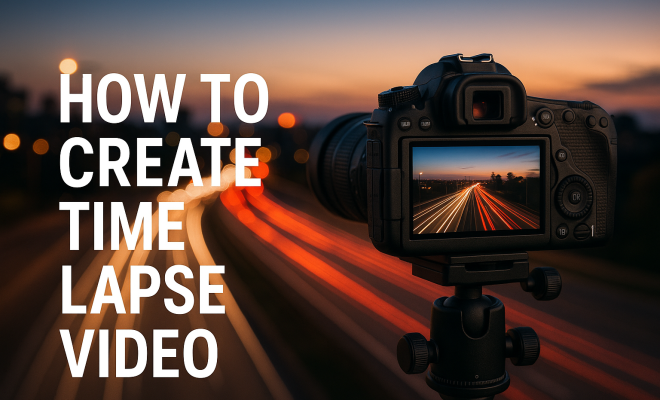
How to create time lapse video
“`html
1. Understanding Time Lapse Video: What Is It?
Time lapse video is a fascinating technique that condenses long periods into a brief, captivating visual journey. By capturing a series of frames at set intervals — whether it’s seconds, minutes, or hours apart — and then playing them back at a standard frame rate, you can create a mesmerizing effect that showcases changes over time. From blooming flowers to bustling cityscapes, this method serves as a powerful storytelling tool. Over the years, it has gained significant traction in various fields, including nature documentaries, urban planning, and art installations.
The essence of a time lapse video tutorial lies not just in the end product but also in the meticulous planning and technique involved. While it may seem simple at first glance, creating a truly impactful time lapse requires understanding both the technical aspects and the artistic nuances that bring your vision to life.
2. Equipment You’ll Need: From Cameras to Software
Before diving into the creation process, it’s essential to gather the right equipment that suits your needs. Here’s a breakdown of the necessary tools:
- Camera: Whether it’s a DSLR, mirrorless camera, or even a smartphone, the choice of camera can significantly affect the quality of your time lapse. DSLRs and mirrorless options often offer better image quality and manual controls.
- Tripod: Stability is crucial. A sturdy tripod will prevent any shaking or movement, ensuring your frames are consistent and smooth.
- Intervalometer: This device allows you to set the intervals for capturing images. Some cameras come with this feature built-in, but if yours doesn’t, you might need to purchase an external intervalometer.
- Editing Software: Post-production is where the magic happens. Software like Adobe Premiere Pro, Final Cut Pro, or even free options like DaVinci Resolve will help you stitch together your images into a cohesive video.
With the right tools in hand, you’re ready to start planning your time lapse video tutorial.
3. Choosing Your Subjects: What to Capture
One of the most crucial steps in creating a captivating time lapse is selecting the right subject. You want something that exhibits clear changes over time. Here are a few popular subjects to consider:
- Nature Scenes: Capturing the transition of a sunset, the movement of clouds, or the blooming of flowers can produce breathtaking visuals.
- Urban Environments: Time lapses of city life, traffic flow, or construction projects can showcase the hustle and bustle of urban landscapes.
- Artistic Projects: From painting to sculpture, documenting the evolution of an art piece can provide insight into the creative process.
Think about the story you want to tell through your time lapse video. The subject should not only be visually interesting but should also convey a narrative that resonates with your audience.
4. Setting Up Your Shot: Composition and Lighting
Once you’ve chosen your subject, the next step is to set up your shot. Proper composition and lighting can make a significant difference in the final product. Here are some tips:
- Framing: Use the rule of thirds to create a balanced composition. This method helps guide the viewer’s eye through the video and keeps it engaging.
- Lighting: Consider the time of day and the direction of light. Soft, even lighting often works best, so early morning or late afternoon are ideal times for outdoor shots.
- Background Elements: Ensure the background complements your subject without being distracting. A cluttered background can pull focus from your main subject.
Also, be prepared to adjust your setup if conditions change. For outdoor shoots, weather can be unpredictable, so having a flexible mindset is essential. (See: Wikipedia article on time lapse.)
5. Camera Settings: Getting Technical
To achieve the best results in your time lapse video tutorial, it’s vital to understand the camera settings that will optimize your shots. Here are some key settings to consider:
- Shutter Speed: A general rule of thumb is to set your shutter speed to double your frame rate. For instance, if you’re shooting at 24 frames per second (fps), set your shutter speed to 1/48 seconds. This will help maintain natural motion blur.
- Aperture: A wider aperture (lower f-stop number) allows more light and can create a shallower depth of field, which can be artistically pleasing. However, a narrower aperture (higher f-stop number) increases depth of field, which can be beneficial for landscapes.
- ISO Settings: Keep your ISO as low as possible to reduce noise in your images. If you’re shooting in low light, you may need to increase the ISO, but be mindful of the potential graininess.
These settings can vary depending on your specific environment and subject matter, so don’t hesitate to experiment before you start capturing your time lapse footage.
6. Capturing Your Time Lapse: Tips for Success
Now that you’re set up, it’s time to capture your time lapse footage. Here are some best practices to follow:
- Determine Your Interval: The interval at which you take a photo is crucial. For faster-moving subjects, shorter intervals (1-5 seconds) may be necessary. For slower changes, longer intervals (10-30 seconds) work well.
- Test Shots: Before starting the full capture, take test shots to ensure your settings are correct and your composition is strong. This can save you a lot of headaches later.
- Be Patient: Depending on your subject, capturing a time lapse can take a significant amount of time. Be prepared to leave your camera unattended for hours, or even days, depending on the project.
Remember, the quality of your footage will ultimately depend on your preparation and attention to detail during the capturing process.
7. Editing Your Time Lapse Video: Bringing It All Together
With your footage captured, it’s time to enter the editing phase. This is where you can enhance the visual appeal and create a polished final product. Here are some steps to consider during editing:
- Importing Your Photos: Start by importing your images into your editing software. Most programs allow you to import photos as a sequence, which simplifies the process.
- Speed Adjustment: Depending on your footage, you may want to adjust the playback speed to ensure it captures the desired effect. Play around with speed settings to see what looks best.
- Color Correction: Enhance colors and contrast to make your visuals pop. Adjustments can significantly improve the cinematic quality of your time lapse.
Don’t forget to add sound if needed. Background music or sound effects can profoundly affect the emotional impact of your video. Choose tracks that complement the mood you’re trying to create.
8. Sharing Your Time Lapse Video: Platforms and Promotion
Once your time lapse video is complete, it’s time to share it with the world. Various platforms allow you to showcase your creativity:
- YouTube: The go-to platform for video content. Make sure to optimize your video title, description, and tags with keywords like “time lapse video tutorial” to enhance discoverability.
- Social Media: Platforms like Instagram and TikTok are perfect for shorter clips, allowing you to reach a broader audience. Engage with your followers and invite them to share your content.
- Personal Website or Blog: If you have a website, consider writing a blog post about your time lapse process. This adds depth to your video and can help attract viewers through SEO.
Promotion is essential. Engage with communities interested in time lapse videos, and consider submitting your work to film festivals or online contests to gain recognition.
9. Current Trends and Innovations: The Future of Time Lapse
As technology evolves, so too does the world of time lapse video. Recent advancements are pushing the boundaries of this art form: (See: Nature article on time lapse photography.)
- Drone Time Lapse: Drones have revolutionized the ability to capture expansive landscapes and dynamic urban environments from unique angles, providing stunning perspectives that were previously unattainable.
- 360-Degree Time Lapse: With the rise of 360-degree cameras, creators can now encapsulate entire environments in their time lapse videos, offering an immersive experience that engages viewers.
- AI and Automation: Innovations in AI technology are simplifying the editing process, allowing for seamless integration of captures into polished final products without extensive manual labor.
Staying updated with these trends can inspire new projects and keep your creative juices flowing. The world of time lapse videos is ever-expanding and ripe for exploration.
10. Time Lapse Techniques: Exploring Different Styles
Beyond the basics, there are several unique approaches to time lapse video that can elevate your work:
- Hyperlapse: This technique involves moving the camera over considerable distances between shots while maintaining an interval. The result can create dynamic, fluid motion through a space, making the viewer feel like they’re traveling through the scene.
- Motion Control Time Lapse: Using a motorized slider allows for precise camera movements during video capture. This technique gives your time lapse an added layer of visual interest, as it incorporates movement that can draw viewers even deeper into the scene.
- Timelapse Photography: Instead of video, this technique involves capturing individual snapshots at regular intervals. These images are then compiled to create the illusion of motion. This can often yield higher resolution than traditional video, particularly useful for large prints or display.
Experimenting with these different styles can help you find your unique voice in the world of time lapse video, allowing you to tell your stories in increasingly innovative ways.
11. Practical Applications of Time Lapse: Where It’s Used
Time lapse video isn’t just an artistic endeavor; it has real-world applications across various fields:
- Scientific Research: In fields like ecology or meteorology, time lapse videos can document changes in landscapes, plant growth, or weather patterns over time, providing valuable data for studies.
- Architecture and Construction: Time lapses of construction projects can serve as a powerful marketing tool and documentation of the building process, showcasing the transformation of a site from foundation to finished product.
- Healthcare: Hospitals are using time lapse videos to monitor patient recovery processes, surgeries, and even the growth of new tissues in regenerative medicine.
Understanding these applications can open up new avenues for creativity and collaboration, as you could partner with professionals in various fields looking to harness the power of time lapse video.
12. Time Lapse Video FAQ
Here are some frequently asked questions regarding time lapse video tutorials:
- What is the best interval for shooting a time lapse?
It largely depends on the subject. For fast-moving subjects, try 1-5 second intervals. For slower-moving objects, like sunsets or plant growth, intervals of 10-30 seconds work well. - Can I use a smartphone for time lapse videos?
Absolutely! Many smartphones now come with built-in time lapse features, making it easy to shoot and edit your footage without needing extra equipment. - Do I need special software to edit a time lapse video?
While dedicated software can offer advanced features, you can also use basic editing tools like iMovie or free options like DaVinci Resolve for simpler edits and compiling. - Is it possible to create a time lapse with video footage?
Yes! You can take existing video footage and adjust the playback speed to create a time lapse effect, although the quality might not be as high as using individual frames from a photo sequence. - What’s the ideal length for a time lapse video?
This varies based on your content and audience. Generally, aim for something between 30 seconds to 2 minutes, as this keeps viewers engaged without losing their interest.
By answering these common inquiries, you can further clarify the process for yourself and others interested in creating breathtaking time lapse videos.
13. Common Mistakes to Avoid: Learning from Experience
Even seasoned videographers can make mistakes when creating time lapse videos. Here are some common pitfalls to watch out for: (See: CDC Youth Risk Behavior Surveillance.)
- Inconsistent Intervals: It’s crucial to maintain consistent intervals in your captures. Random intervals can create jarring changes in motion and disrupt the flow of the video.
- Neglecting Battery Life: Long shoots can drain batteries quickly. Always have extra batteries on hand, or consider using an AC adapter for lengthy time lapse sessions.
- Ignoring Weather Conditions: Weather can change rapidly, which can alter lighting conditions and even affect your subject. Always check forecasts and be prepared for unexpected changes.
- Not Reviewing Footage: While capturing, it’s easy to focus solely on the shot. However, periodically checking your footage can help catch issues like focus problems or framing errors before it’s too late.
Being aware of these pitfalls can save you time and frustration during the creation process, allowing you to focus on producing quality content instead.
14. Inspiration from the Masters: Learning from Great Time Lapse Artists
Many talented creators have made a significant impact in the world of time lapse video. Watching their work can inspire your projects and teach you valuable techniques. Here’s a look at a few renowned time lapse artists:
- Tom Lowe: Known for his film “Timescapes,” which beautifully illustrates the night sky and celestial phenomena, Lowe’s work combines stunning visuals with ethereal soundscapes.
- Michael O’Neill: His work, particularly “A Year in the Wilderness,” captures the changing seasons in remarkable detail, reminding viewers of nature’s cycles over time.
- Rob Whitworth: Combining hyperlapse techniques with time lapse, his work showcases dynamic cityscapes and architectural marvels with a fluidity that captivates audiences.
Exploring the work of these artists will not only inspire you but will also help you discover new techniques and approaches that you can incorporate into your own projects.
15. Future Innovations in Time Lapse Video: Looking Ahead
The landscape of time lapse video is constantly evolving. Several emerging trends could shape the future of this art form:
- Virtual Reality (VR): As VR technology becomes more accessible, creators may explore integrating time lapse features into immersive experiences, allowing viewers to engage with time-lapsed content in a new dimension.
- Real-time Streaming: The combination of time lapse video with live streaming could allow audiences to witness events unfold in a condensed format, providing unique insights into processes like construction or natural phenomena.
- Interactive Time Lapse: The potential for interactive elements, where viewers can control aspects of the time lapse, such as speed or perspective, may create personalized viewing experiences.
Keeping an eye on these trends can help you anticipate changes in the field and inspire fresh ideas for your projects, ensuring you stay on the cutting edge of time lapse video creation.
“`
Trending Now
Frequently Asked Questions
What is time lapse video?
Time lapse video is a technique that condenses long periods into a brief visual journey by capturing a series of frames at set intervals. When played back at a standard frame rate, it creates a captivating effect that showcases changes over time, such as blooming flowers or bustling cityscapes.
What equipment do I need for time lapse video?
To create a time lapse video, you will need a camera (DSLR, mirrorless, or smartphone), a sturdy tripod for stability, an intervalometer to set image capture intervals, and editing software like Adobe Premiere Pro or DaVinci Resolve for post-production.
How do you create a time lapse video?
Creating a time lapse video involves selecting a subject, setting up your camera on a tripod, using an intervalometer to capture images at regular intervals, and finally, stitching those images together using editing software to create a cohesive video.
Can I make a time lapse video with my smartphone?
Yes, you can create a time lapse video with your smartphone. Many smartphones come equipped with built-in time lapse features, allowing you to capture and edit videos easily without the need for additional equipment.
What are some common uses for time lapse videos?
Time lapse videos are commonly used in nature documentaries, urban planning, and art installations to showcase changes over time. They serve as a powerful storytelling tool, visually capturing processes that are otherwise too slow to observe.
What’s your take on this? Share your thoughts in the comments below — we read every one.