How to create Gantt chart
“`html
1. What is a Gantt Chart?
A Gantt chart is a visual project management tool that outlines a project schedule. Named after its inventor, Henry Gantt, who created the first version in the 1910s, this chart helps project managers and teams visualize the timeline of tasks and activities, making it easier to track progress and allocate resources efficiently.
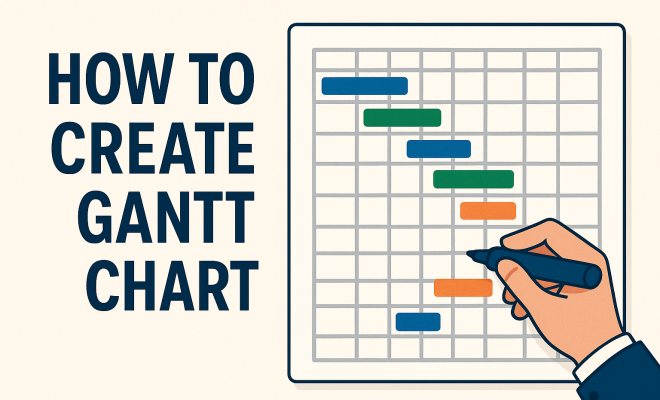
Often displayed as a horizontal bar chart, a Gantt chart contains a list of tasks on the vertical axis and time intervals on the horizontal axis. Each task is represented by a bar, where the length and position reflect the start date, duration, and end date. This format provides an immediate overview of the project’s timeline, helping to identify overlaps, dependencies, and potential bottlenecks.
2. Why Use a Gantt Chart?
Creating a Gantt chart can significantly enhance project management for several reasons. First, it improves communication among team members and stakeholders. With clear visual representations of tasks and timelines, everyone involved can quickly grasp the project’s status and upcoming deadlines.
Additionally, a Gantt chart aids in resource management. By visualizing task durations and dependencies, project managers can better allocate resources, ensuring that no team member is overburdened while others are underutilized. This balance is crucial for maintaining productivity and morale throughout the project lifecycle.
Finally, Gantt charts provide a historical perspective when reviewing project timelines and outcomes. This can be incredibly valuable for future planning, as teams can learn from previous projects and refine their processes based on past experiences.
3. Key Components of a Gantt Chart
To effectively create a Gantt chart, you need to understand its essential components. Start with a clear list of tasks or activities, which should be broken down into manageable units. Each task should include a title, descriptions, and responsible team members.
- Task Duration: Indicate how long each task will take, typically in days or weeks.
- Start and End Dates: Clearly define when each task begins and ends, allowing for better scheduling.
- Dependencies: Identify which tasks depend on the completion of others. This is crucial for understanding the sequence of activities.
- Milestones: Highlight critical checkpoints within the project to monitor major progress points.
- Resources: Assign resources, including team members and tools, to each task to ensure accountability.
- Progress Tracking: Incorporate a method for tracking progress against the planned timeline to keep abreast of any delays or advancements.
4. Tools for Creating Gantt Charts
While you can create Gantt charts using traditional tools like Excel or Google Sheets, dedicated project management software can simplify the process. Tools like Microsoft Project, Trello, and Asana offer built-in Gantt chart features that allow for easy adjustments and real-time collaboration.
When selecting a tool, consider factors like user-friendliness, integration capabilities, and the specific features you need. For example, if your team frequently collaborates remotely, choosing software that supports real-time updates and cloud storage can enhance productivity and communication.
Some tools like ClickUp and TeamGantt not only allow Gantt chart creation but also integrate with other project management features like task assignments, team communication, and document sharing, making them a one-stop solution for project tracking.
5. Step-by-Step Guide: How to Create a Gantt Chart
Regardless of the tool you choose, the process for creating a Gantt chart usually follows these steps:
- Define Your Project Scope: Start by outlining the project’s objectives, deliverables, and key milestones.
- List All Tasks: Break down the project into smaller tasks and sub-tasks. Include details such as task owners and descriptions.
- Estimate Task Durations: Determine how long each task will take, considering the team’s workload and potential challenges.
- Identify Dependencies: Note which tasks must precede others to streamline the workflow and avoid bottlenecks.
- Create the Chart: Using your chosen tool, input the tasks, durations, and dependencies to generate the Gantt chart.
- Monitor and Update: Regularly revisit the chart to track progress, make adjustments as necessary, and keep all team members informed.
- Feedback Loop: Implement a system for gathering feedback from team members on the Gantt chart’s effectiveness and make changes as needed.
6. Best Practices for Effective Gantt Charts
To maximize the effectiveness of your Gantt chart, keep the following best practices in mind:
- Keep It Simple: Avoid cluttering the chart with excessive details. Focus on major tasks and milestones to ensure clarity.
- Regular Updates: Make it a habit to regularly update the Gantt chart based on project progress, ensuring it remains an accurate reflection of reality.
- Engage Your Team: Involve team members in the creation and updating process. This increases buy-in and accountability.
- Color Coding: Use color coding to differentiate between task types or team members, making it visually easier to understand.
- Set Realistic Milestones: Ensure that milestones are achievable and accurately reflect the project’s progress to maintain team motivation.
7. Common Mistakes to Avoid
Even seasoned project managers can fall victim to common pitfalls when creating Gantt charts. One major mistake is failing to define clear task dependencies, which can lead to confusion and delays. It’s essential to understand which tasks can happen simultaneously and which must be completed before others can begin.
Another common error is being overly optimistic about time estimates. Underestimating how long tasks will take can derail a project schedule. Always account for potential setbacks and build in buffer time to manage unexpected challenges effectively. (See: Gantt chart – Wikipedia.)
Additionally, some managers neglect to involve their team in the planning process, which can result in unrealistic timelines or overlooked tasks. Engaging your team early on can provide valuable insights that enhance the accuracy of your Gantt chart.
Lastly, failing to regularly update the Gantt chart can lead to it becoming irrelevant. A project can change as it progresses, so keeping the chart current is vital for accurate project tracking.
8. Real-World Applications of Gantt Charts
Gantt charts find applications across various industries, from construction to software development. In construction, for instance, project managers use Gantt charts to visualize the timeline of different phases, ensuring each is completed before moving to the next.
In software development, Agile teams leverage Gantt charts to track sprints and milestones, making it easier to align on deliverables. The flexibility of Gantt charts allows teams to adapt to changes, thus maintaining project momentum and clarity.
Healthcare projects also benefit from Gantt charts, as they can help coordinate treatment plans, scheduling of surgeries, and integration of various medical teams. By visualizing these complex schedules, healthcare providers can minimize patient wait times and enhance service delivery.
In educational institutions, Gantt charts can aid in curriculum planning and resource allocation for different programs, helping administrators ensure that all necessary components are in place for successful student outcomes.
9. Integrating Gantt Charts with Agile Methodologies
Although Gantt charts are often associated with traditional project management, they can also be effectively integrated into Agile frameworks. By using Gantt charts to visualize sprints and release plans, Agile teams can maintain a high-level view of project progress while remaining flexible to adapt to changes during development.
Furthermore, tools that support both Gantt charts and Agile methodologies allow for a seamless blend of detailed planning and iterative execution. This hybrid approach can enhance team collaboration and ensure that deadlines align with Agile principles.
In doing so, Agile teams can utilize Gantt charts not only for visual timelines but also as a tool for retrospective analysis. By reviewing past Gantt charts, teams can identify areas for improvement and strategize on how to enhance future sprints and projects.
10. The Future of Gantt Charts in Project Management
As project management continues to evolve with technology, Gantt charts are also adapting. Innovations like AI and machine learning are making it possible to automate updates and optimize scheduling based on historical data and predictive analytics.
Additionally, as remote work becomes more prevalent, the need for collaborative tools that support Gantt charts will increase. Project managers will likely see new software solutions that blend Gantt charts with real-time collaboration features, making it easier than ever to create Gantt charts that keep teams informed and on track.
Moreover, the rise of data visualization tools means that Gantt charts will likely become more interactive and customizable. Imagine a future where stakeholders can click on a task to see detailed information, updates, and associated documents directly tied to that element of the project. This can streamline communication and improve access to information.
11. Examples of Gantt Charts in Action
Understanding how Gantt charts function can be made easier through real-world examples. Let’s look at a couple of scenarios:
Example 1: Software Development Project
Consider a software development project aimed at delivering a new application. The Gantt chart might list tasks such as requirements gathering, design, coding, testing, and deployment. Each task would have clearly defined durations and dependencies. For instance, coding cannot start until the design phase is completed. This visual representation allows the team to see which tasks are overlapping and where the bottlenecks may occur. (See: CDC on project management tools.)
Example 2: Event Planning
Imagine planning a corporate event. The Gantt chart would include tasks such as venue selection, catering arrangements, guest list management, and marketing. Each of these tasks would have specific dates and durations, helping the event planner ensure all elements are coordinated effectively. If one task is delayed, it’s immediately clear how that affects subsequent tasks.
12. Frequently Asked Questions (FAQ)
Q1: Can I create a Gantt chart for free?
A: Yes, there are several free tools available for creating Gantt charts, such as GanttProject, TeamGantt (free tier), and even templates in Excel or Google Sheets.
Q2: How do I know what tasks to include in my Gantt chart?
A: Start by brainstorming all the tasks associated with your project. Break them down into smaller, actionable units. Consult with your team to ensure you’re not missing any critical activities.
Q3: What if my project changes mid-way through?
A: Gantt charts are designed to be flexible. Regular updates allow you to adjust timelines, swap tasks around, and manage dependencies as the project evolves. Stay in communication with your team about any changes.
Q4: Are there any alternatives to Gantt charts?
A: Yes, other project management methodologies like Kanban boards or Scrum charts offer different visual representations of workflows and tasks. Each method has its strengths, and the right choice often depends on your team’s needs.
Q5: How do I ensure my Gantt chart is effective?
A: Regularly update your Gantt chart, involve your team in its creation, and make sure it remains uncluttered and clear. Provide training if necessary to ensure everyone understands how to interpret the chart.
Q6: Can Gantt charts be used for personal projects? (See: AP News on project management trends.)
A: Absolutely! Gantt charts can help organize personal tasks, such as planning a wedding or managing a home renovation project, by providing a visual timeline to keep everything on track.
Q7: What is the best software for creating Gantt charts?
A: The best software often depends on your specific needs. For robust features, consider Microsoft Project or Smartsheet. If you need something simpler, tools like Trello with Gantt chart plugins or Asana might be sufficient.
13. Tips for Collaborating on Gantt Charts
Collaboration is key to ensuring that everyone on your team is aligned and informed about project timelines. Here are some helpful tips for effective collaboration when creating and using Gantt charts:
- Conduct Regular Meetings: Schedule regular check-ins to discuss progress and any adjustments needed in the Gantt chart. This keeps everyone on the same page and encourages accountability.
- Use Cloud-Based Tools: Opt for cloud-based Gantt chart tools that enable real-time collaboration. This allows team members to update their tasks and see changes immediately, fostering a sense of teamwork.
- Provide Access to Stakeholders: Share the Gantt chart with stakeholders, ensuring they’re informed of timelines and progress. This transparency can help manage expectations and reduce the likelihood of surprises.
- Encourage Feedback: Foster an open environment where team members feel comfortable giving and receiving feedback on the Gantt chart. This can lead to improvements in how tasks are organized and prioritized.
- Visualize Dependencies: Clearly indicate task dependencies on the Gantt chart. Use arrows or lines to illustrate how tasks interconnect. This visualization helps the team understand the impact of delays.
14. Advanced Features in Gantt Chart Software
Modern Gantt chart software often comes loaded with advanced features that can enhance your project management experience. Here are some notable features to look for:
- Resource Management: Some tools allow you to manage not just tasks but also resources. You can allocate specific team members to tasks, see who’s over- or under-loaded, and make adjustments accordingly.
- Critical Path Analysis: This feature helps you identify the longest path of planned tasks to the end of the project. By understanding the critical path, you can prioritize tasks that directly affect your project’s completion date.
- Automated Notifications: Set up alerts to notify team members about upcoming deadlines or changes in task status. Automated notifications ensure that everyone stays informed without needing constant manual updates.
- Time Tracking: Some Gantt chart software includes built-in time tracking, enabling team members to log hours spent on tasks directly. This feature is invaluable for monitoring productivity and managing budgets.
- Customizable Views: Choose between different views like daily, weekly, or monthly timelines. Customization helps you and your team to see the project from the perspective that makes the most sense for your workflow.
15. Case Studies: Successful Gantt Chart Implementations
Looking at successful case studies can provide valuable insights into how Gantt charts can be effectively leveraged in various projects. Here are two examples:
Case Study 1: Marketing Campaign
A digital marketing agency was tasked with launching a new product. They implemented a Gantt chart to map out their campaign strategy, which involved multiple teams: design, content creation, and analytics. The Gantt chart clearly delineated the tasks for each team, complete with deadlines. By visualizing the timeline, the agency was able to identify a potential overlap in content delivery and design work, allowing them to adjust timelines ahead of time. The campaign launched smoothly, leading to a 30% increase in engagement compared to previous campaigns.
Case Study 2: Construction Project
A construction company utilized a Gantt chart for a large-scale building project. Task durations were meticulously estimated, and dependencies were marked to show the sequence of activities such as site preparation, foundation laying, and building the structure. Regular updates were made to the Gantt chart during weekly meetings. This transparency allowed the team to quickly adapt to unforeseen delays due to weather conditions, resulting in a project completion date that was only slightly behind schedule.
16. Conclusion
By integrating Gantt charts into your project management toolkit, you can significantly enhance your ability to plan, execute, and monitor projects effectively. Whether you’re managing a construction project, planning a marketing campaign, or organizing an event, creating a Gantt chart can provide you with the clarity and structure needed for success.
“`
Trending Now
Frequently Asked Questions
What are the benefits of using a Gantt chart?
Using a Gantt chart enhances project management by improving communication among team members, aiding in resource allocation, and providing a clear visual representation of timelines. This helps identify task dependencies and potential bottlenecks while ensuring that resources are effectively utilized, maintaining productivity and team morale.
How do you create a Gantt chart?
To create a Gantt chart, start by listing all tasks or activities involved in your project. Break these down into manageable units, assign titles and responsible team members, and visualize the timeline with bars representing the start date, duration, and end date for each task on a horizontal axis.
What should be included in a Gantt chart?
A Gantt chart should include a clear list of tasks, their respective start and end dates, durations, and responsible team members. It visually represents the timeline with horizontal bars for each task, helping to track progress, dependencies, and overlaps effectively.
Why is it called a Gantt chart?
The Gantt chart is named after its inventor, Henry Gantt, who developed the first version in the 1910s. It serves as a visual project management tool to outline project schedules and timelines, helping teams manage tasks and resources more effectively.
Can Gantt charts help with project planning?
Yes, Gantt charts are invaluable for project planning. They provide a visual overview of the project timeline, enabling teams to identify task dependencies, allocate resources efficiently, and learn from past projects by reviewing historical timelines and outcomes.
Agree or disagree? Drop a comment and tell us what you think.