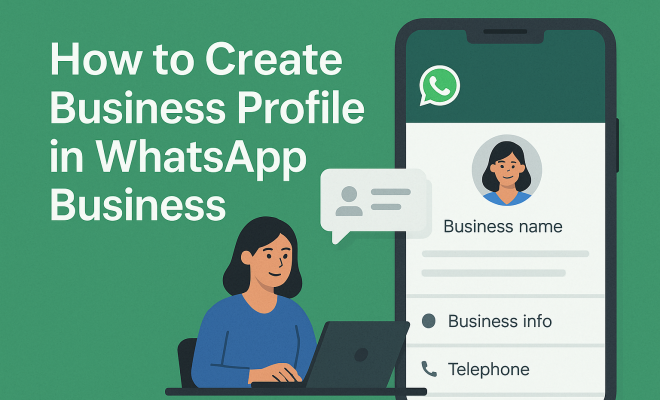
How to create business profile in WhatsApp Business
“`html
1. Understanding WhatsApp Business
WhatsApp Business is more than just a messaging tool; it’s an essential platform for businesses looking to enhance customer engagement. Launched in 2018, this app caters specifically to small and medium-sized enterprises (SMEs) by offering features that standard WhatsApp lacks. These features are designed to facilitate business communication and improve customer service, making it easier for businesses to interact with their customers directly.
One key aspect of WhatsApp Business is its ability to help businesses establish a professional presence. Unlike regular WhatsApp, the Business version allows users to create a detailed business profile. This profile not only embodies the brand’s identity but also provides crucial information such as address, business description, email, and website link. This way, customers can easily know who they are interacting with and what the business offers.
2. Why You Should Create a Business Profile on WhatsApp Business
Creating a business profile on WhatsApp Business offers numerous advantages that can significantly boost your marketing and customer service efforts. Firstly, a professional business profile builds credibility. In today’s digital age, customers prefer to engage with businesses that present a polished and trustworthy image. A well-crafted business profile can set the tone for all your customer interactions.
Additionally, WhatsApp Business provides features like automated messages, quick replies, and labels to organize chats. These tools can save time and improve response rates, making your business more efficient. Furthermore, since WhatsApp has over 2 billion users globally, establishing a business profile can help you tap into a vast audience that prefers messaging over traditional email or phone calls.
3. Step-by-Step: How to Create Your Business Profile on WhatsApp Business
Creating a business profile on WhatsApp Business is straightforward. Here’s how you can do it:
- Download the App: First, download WhatsApp Business from the Google Play Store or Apple App Store. If you already have the regular WhatsApp, you will need to use a different phone number to register.
- Set Up Your Account: Open the app and agree to the terms and conditions. You’ll be prompted to enter your business phone number. A verification code will be sent to that number for authentication.
- Create Your Business Profile: Once verified, you can create your business profile. This will include your business name, category, description, address, and hours of operation. Ensure that your business name reflects your brand accurately.
- Add Media: You can also upload a profile picture and cover photo that represent your business. This visual content should align with your branding strategy.
- Save and Publish: Once you’ve filled in all relevant information, save your changes. Your business profile is now live and accessible to potential customers.
4. Key Elements of a Winning Business Profile
When you create a business profile on WhatsApp Business, several key elements should be prioritized to maximize its effectiveness:
- Business Name: This should be your official business name, as it helps customers recognize you.
- Description: Craft a brief but compelling description that summarizes what your business does. Limit it to 256 characters so that it’s concise yet informative.
- Address: If you have a physical store, include your address. This allows customers to locate you easily.
- Business Hours: Clearly stating your hours of operation helps manage expectations and informs customers when they can reach you.
- Website and Email: Linking to your website and adding an email can facilitate further communication and provide more information about your offerings.
5. Utilizing WhatsApp Business Features to Enhance Customer Interaction
WhatsApp Business comes with various features that can transform the way you interact with your customers. One of the standout features is the ability to set up automated greeting messages. This feature allows you to send a welcoming message to customers who message you for the first time, ensuring they feel acknowledged immediately.
Another valuable tool is the quick replies feature. You can create predefined messages for frequently asked questions, which can significantly reduce response time and enhance customer satisfaction. Additionally, the labels feature helps you organize chats based on customer interactions. This way, you can categorize customers by their needs or stages in the sales funnel, allowing for more personalized interactions.
6. Common Mistakes to Avoid When Creating Your Business Profile
While creating a business profile on WhatsApp Business is a relatively simple process, there are some common pitfalls that you should avoid. One major mistake is not verifying your business information. Ensure that all details, including your business name, address, and hours of operation, are accurate. Incorrect information can lead to customer frustration.
Another mistake is neglecting to regularly update your profile. If any changes occur, such as new business hours or a change in services, make sure to update your profile promptly. Additionally, skimping on visual content can be detrimental. A professional profile and cover photo can make a significant difference in how customers perceive your business.
7. Measuring the Impact of Your WhatsApp Business Profile
Once you have created your business profile on WhatsApp Business, it’s essential to measure its effectiveness. One way to evaluate your success is by tracking message statistics, such as the number of messages sent, delivered, read, and received. This data can highlight how well your responses resonate with customers. (See: WhatsApp Business overview.)
Additionally, you can solicit feedback from customers to understand their experience better. Engaging with your audience and asking for their opinions can provide insights into areas that might need improvement. By continuously analyzing these metrics, you can fine-tune your strategy and enhance customer engagement further.
8. Staying Current: WhatsApp Business Updates and Trends
As technology evolves, WhatsApp Business continues to roll out updates and features aimed at improving user experience. Keeping abreast of these updates is crucial for maximizing your business profile’s potential. For instance, WhatsApp has recently introduced new features like catalog management, allowing businesses to showcase products directly in the app.
Additionally, as more businesses adopt WhatsApp Business, trends in customer interaction are shifting. More customers prefer instant messaging over traditional communication methods, signaling that adapting to this change is essential. By staying informed about the latest trends and updates in WhatsApp Business, you can remain competitive and relevant.
9. Final Thoughts on Creating a Business Profile on WhatsApp Business
Creating a business profile on WhatsApp Business is a vital step for any business aiming to strengthen its customer communication strategy. With a clear understanding of how to utilize this platform effectively, you can enhance your customer interactions, streamline your operations, and ultimately drive your business’s growth. Don’t overlook the importance of a well-structured profile; it serves as the digital front of your business in the messaging landscape. This builds on top VoIP services.
As you embark on this journey, remember that engaging with your customers and adapting to their needs is key. With the right approach, WhatsApp Business can be a game-changer in how you communicate and build relationships with your audience.
10. Advanced Strategies for WhatsApp Business Success
Once you’ve established a business profile, you may want to consider advanced strategies to further enhance your WhatsApp Business experience. These strategies not only focus on better customer engagement but also seek to leverage the platform’s potential for marketing and sales.
10.1 Integrating WhatsApp Business with Your CRM
Many businesses find it beneficial to integrate WhatsApp Business with their Customer Relationship Management (CRM) system. This integration allows you to manage customer interactions more effectively and provide a seamless experience. For instance, syncing customer data enables personalized communication, making it easier to follow up on leads or past interactions. Numerous tools and platforms facilitate this integration, allowing you to streamline processes and improve efficiency.
10.2 Utilizing Broadcast Lists for Targeted Messaging
WhatsApp Business allows you to create broadcast lists, which can be a powerful tool for sending messages to multiple customers at once. This feature is particularly useful for sending out promotions, updates, or important announcements. Unlike group messages, recipients receive messages as one-to-one conversations, preserving their privacy. Make sure to segment your audience based on preferences or behaviors to make your communications more targeted and effective.
10.3 Creating a WhatsApp Catalog
The catalog feature in WhatsApp Business allows you to showcase your products or services directly in the app. By setting up a catalog, you can display images, descriptions, prices, and links, making it easier for customers to explore your offerings without leaving the chat. This feature is especially advantageous for e-commerce businesses, as it simplifies the purchasing process for customers and allows them to browse at their convenience.
10.4 Using WhatsApp for Customer Feedback and Surveys
Gathering customer feedback is crucial for improving your services and understanding your audience better. WhatsApp Business can be a convenient channel for conducting surveys or seeking feedback. You can create simple survey questions or ask customers to rate their experiences directly in the chat. This not only shows that you value their opinions, but it also helps you gather insightful data that can inform your business decisions.
11. Expert Perspectives on WhatsApp Business
According to industry experts, the importance of adopting messaging platforms like WhatsApp Business cannot be overstated. “As customer preferences shift towards instant communication, businesses that leverage platforms like WhatsApp can meet their audience where they are,” says Sarah Thompson, a digital marketing strategist. She emphasizes that businesses must not only use these tools for communication but also for building relationships. “The more personal the interaction, the stronger the customer loyalty,” she adds.
Another expert, Tom Davidson, a consumer behavior analyst, points out that WhatsApp’s informal nature allows businesses to connect with customers in a more approachable manner. “This platform breaks down the barriers of formal communication, making it easier for businesses to engage with their customers authentically,” he explains. He encourages businesses to showcase their personality through their WhatsApp interactions, as this can significantly enhance customer experience. (See: Using WhatsApp for business communication.)
12. Statistical Insights into WhatsApp Business Usage
Understanding the statistics surrounding WhatsApp Business can provide valuable insights into its effectiveness. Recent surveys show that over 70% of customers prefer messaging apps for customer support over traditional methods like calls or emails. Additionally, businesses that use WhatsApp Business report a 30% increase in customer engagement compared to those that don’t. This statistic highlights the platform’s ability to foster stronger connections between businesses and customers.
Furthermore, a study by Statista reveals that more than 50% of small businesses using WhatsApp Business have experienced a significant increase in sales due to direct messaging capabilities. These insights underscore the critical role WhatsApp Business can play in enhancing customer service and driving sales.
13. FAQ: Common Questions About Creating a Business Profile on WhatsApp Business
13.1 Is WhatsApp Business free to use?
Yes, WhatsApp Business is free to download and use. However, businesses may incur costs associated with internet data usage.
13.2 Can I use my regular WhatsApp number for WhatsApp Business?
No, you need to use a different phone number for WhatsApp Business. You can’t convert your existing regular WhatsApp account to a business account.
13.3 How do I promote my WhatsApp Business profile?
You can promote your WhatsApp Business profile through social media, your website, email newsletters, and business cards. Encourage customers to reach out via WhatsApp for inquiries.
13.4 Can I use WhatsApp Business for marketing?
Absolutely! WhatsApp Business is an excellent platform for marketing, allowing you to send updates, promotions, and personalized messages to your customers.
13.5 What should I include in my WhatsApp Business profile?
Your profile should include your business name, description, address, website, email, and business hours, along with a professional profile picture and cover photo.
13.6 How can I ensure customer privacy on WhatsApp Business?
WhatsApp Business features end-to-end encryption, which helps protect customer conversations. It’s also a good idea to avoid sharing sensitive personal information.
13.7 Can I run promotions exclusively through WhatsApp Business?
Yes, many businesses run exclusive promotions for customers who reach out via WhatsApp. This strategy can create a sense of exclusivity and encourage engagement.
13.8 How can I handle customer complaints through WhatsApp Business?
Handling customer complaints can be done effectively on WhatsApp Business. Ensure timely responses, acknowledge their concerns, and offer solutions to resolve the issue promptly. (See: Impact of messaging apps on businesses.)
14. Leveraging WhatsApp Business for Customer Retention
Retaining customers is just as crucial as acquiring new ones, and WhatsApp Business can play a pivotal role in your retention strategies. One effective method is to create personalized follow-up messages after a purchase. A simple thank-you message can go a long way in making customers feel valued. Additionally, you can utilize the platform to send reminders about upcoming promotions or product restocks, ensuring your business stays top-of-mind.
Another strategy is to run loyalty programs through WhatsApp. You can create exclusive deals only available to your WhatsApp contacts, driving engagement and encouraging repeat purchases. By making customers feel special and appreciated, you can foster long-term relationships that are beneficial for both parties.
15. Building a Community with WhatsApp Groups
WhatsApp Business also allows for the creation of groups, which can be a fantastic way to build a community around your brand. By creating groups for your most engaged customers, you can facilitate discussions, gather feedback, and share exclusive content. This community aspect can enhance customer loyalty as members feel like they’re part of a special circle.
To make the most out of WhatsApp groups, encourage members to share their experiences with your products or services. This user-generated content can serve as powerful testimonials and help attract new customers. Make sure to moderate the group effectively to maintain a positive environment and ensure that all discussions align with your brand values.
16. Future Trends in Messaging for Businesses
As messaging apps continue to evolve, the potential for WhatsApp Business will likely expand. One emerging trend is the incorporation of AI chatbots to handle customer inquiries. These chatbots can provide immediate answers to common questions, improving response times and freeing up human resources for more complex issues.
Additionally, we can expect to see advancements in payment functionalities within messaging apps. WhatsApp has already begun to roll out features that allow businesses to accept payments directly through the app, providing a seamless shopping experience for customers. As these features become more widespread, businesses should be prepared to adapt and integrate them into their sales strategies.
17. Conclusion: Embracing WhatsApp Business for Future Success
Creating a business profile on WhatsApp Business is an important step in enhancing customer communication and engagement. By utilizing the platform’s features and adopting advanced strategies, you can build stronger relationships with your customers and drive your business growth. As messaging becomes a preferred communication method, businesses that embrace this shift will find themselves at the forefront of customer satisfaction and loyalty. Take your time to craft a compelling business profile and start leveraging WhatsApp Business to its fullest potential today.
“`
Trending Now
Frequently Asked Questions
How do I create a business profile on WhatsApp Business?
To create a business profile on WhatsApp Business, download the app, register your business number, and follow the prompts to set up your profile. You'll need to enter essential information such as your business name, description, address, email, and website link to establish a professional presence.
What are the benefits of using WhatsApp Business?
WhatsApp Business offers several benefits, including enhanced customer engagement through features like automated messages and quick replies. A professional business profile builds credibility, and with over 2 billion users, it allows businesses to connect with a vast audience that prefers messaging over traditional communication methods.
Is WhatsApp Business free to use?
Yes, WhatsApp Business is free to download and use. It provides businesses with various tools to improve customer service and engagement without any charges, making it an accessible option for small and medium-sized enterprises.
Can I use my personal WhatsApp for business?
While you can use your personal WhatsApp for business purposes, it is recommended to use WhatsApp Business for a more professional image. WhatsApp Business offers features tailored for businesses, such as business profiles and messaging tools that enhance customer interactions.
What features are available in WhatsApp Business?
WhatsApp Business includes features like business profiles, automated messages, quick replies, labels to organize chats, and statistics on messaging performance. These tools help businesses streamline communication and improve customer service efficiency.
Have you experienced this yourself? We'd love to hear your story in the comments.