The Tech Edvocate

Top Menu

  • Advertisement
  • Apps
  • Home Page
  • Home Page Five (No Sidebar)
  • Home Page Four
  • Home Page Three
  • Home Page Two
  • Home Tech2
  • Icons [No Sidebar]
  • Left Sidbear Page
  • Lynch Educational Consulting
  • My Account
  • My Speaking Page
  • Newsletter Sign Up Confirmation
  • Newsletter Unsubscription
  • Our Brands
  • Page Example
  • Privacy Policy
  • Protected Content
  • Register
  • Request a Product Review
  • Shop
  • Shortcodes Examples
  • Signup
  • Start Here
    • Governance
    • Careers
    • Contact Us
  • Terms and Conditions
  • The Edvocate
  • The Tech Edvocate Product Guide
  • Topics
  • Write For Us
  • Advertise

Main Menu

  • Start Here
    • Our Brands
    • Governance
      • Lynch Educational Consulting, LLC.
      • Dr. Lynch’s Personal Website
      • Careers
    • Write For Us
    • The Tech Edvocate Product Guide
    • Contact Us
    • Books
    • Edupedia
    • Post a Job
    • The Edvocate Podcast
    • Terms and Conditions
    • Privacy Policy
  • Topics
    • Assistive Technology
    • Child Development Tech
    • Early Childhood & K-12 EdTech
    • EdTech Futures
    • EdTech News
    • EdTech Policy & Reform
    • EdTech Startups & Businesses
    • Higher Education EdTech
    • Online Learning & eLearning
    • Parent & Family Tech
    • Personalized Learning
    • Product Reviews
  • Advertise
  • Tech Edvocate Awards
  • The Edvocate
  • Pedagogue
  • School Ratings

logo

The Tech Edvocate

  • Start Here
    • Our Brands
    • Governance
      • Lynch Educational Consulting, LLC.
      • Dr. Lynch’s Personal Website
        • My Speaking Page
      • Careers
    • Write For Us
    • The Tech Edvocate Product Guide
    • Contact Us
    • Books
    • Edupedia
    • Post a Job
    • The Edvocate Podcast
    • Terms and Conditions
    • Privacy Policy
  • Topics
    • Assistive Technology
    • Child Development Tech
    • Early Childhood & K-12 EdTech
    • EdTech Futures
    • EdTech News
    • EdTech Policy & Reform
    • EdTech Startups & Businesses
    • Higher Education EdTech
    • Online Learning & eLearning
    • Parent & Family Tech
    • Personalized Learning
    • Product Reviews
  • Advertise
  • Tech Edvocate Awards
  • The Edvocate
  • Pedagogue
  • School Ratings
  • The Silent Revolution: How AI Property Valuation Is Quietly Reshaping Real Estate

  • The Astonishing Truth: Why Your Dream Car Is Now a $52,000 Illusion

  • Toxic Algorithms: Why Your Bank’s AI Could Cost You Everything

  • OpenAI’s GPT-6 Cyber: A Dangerous New AI Threat or Our Ultimate Digital Guardian?

  • This Game-Changing Natural Ozempic Alternative Just Blew Up on Social Media

  • Bónuszösszeg, ingyen pörgetés és befizetési feltétel: üdvözlő és befizetés nélküli kaszinóajánlatok magyar játékosoknak

  • 9 Critical Reasons Why Athexio Might Be The Investment You Need (Or Should Avoid)

  • A Single Breakthrough Could Finally Kill Range Anxiety for Millions of EV Owners

  • Your Money, Their AI: The Secret Agents Invading Bank Accounts

  • US Battery as a Service Market Shifts Toward Fleet-Based Energy

Assistive Technology
Home›Assistive Technology›How to Connect AirPods to Android Phones and Devices

How to Connect AirPods to Android Phones and Devices
By Matthew Lynch
June 10, 2023
0
Spread the love

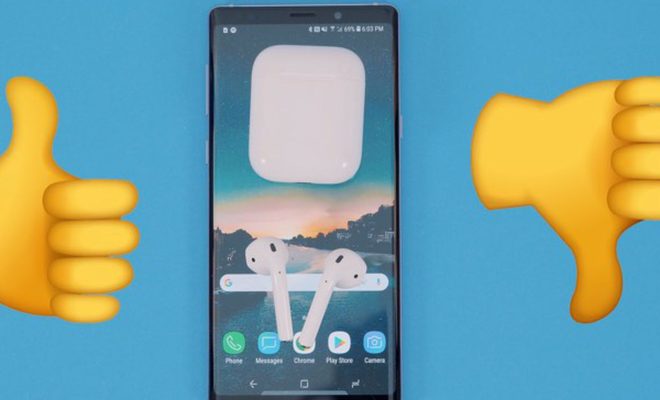
Apple’s AirPods are hailed as one of the most versatile and convenient headphones out there. However, despite being primarily designed for use with Apple devices, it’s possible to connect your AirPods to your Android phone too. In this article, we’ll show you how to do just that.

First and foremost, make sure that your AirPods are properly charged and in their charging case. You should also ensure that both your Android phone and the AirPods are in close proximity to each other.

Next, it’s time to pair your Android device with the AirPods. This can be done in a few simple steps:

1. Open the Settings app on your Android device.

2. Navigate to the Bluetooth menu, which is usually found under the “Connected devices” or “Wireless & networks” section.

3. Ensure that Bluetooth is switched on by toggling the button, if it is off.

4. Once Bluetooth is switched on, tap on the “Pair new device” or “Scan for devices” button.

5. Wait for your Android phone to scan for nearby Bluetooth devices, and when you see the AirPods appear on the list of available devices, tap on them to connect.

6. Follow any prompts that appear on your phone or AirPods screen to complete the pairing process.

7. Once the AirPods are successfully paired with your Android phone, you should see them listed under the “Paired devices” or “Previously connected devices” menu in your Bluetooth settings.

Note that while most of the functions of the AirPods will work smoothly when paired with Android devices, certain features like Siri control, automatic ear detection and quick switching between devices may not work.

In conclusion, connecting your AirPods to your Android phone is a straightforward process that can be easily accomplished by following the steps outlined in this article. With your AirPods now connected to your Android device, you can enjoy the convenience and high-quality sound that they offer, no matter what device you’re using.

Previous Article

Westinghouse iGen2500 Generator Review

Next Article

How to Use Linktree to Add Links ...

Matthew Lynch

Related articles More from author

  • Assistive Technology

    How to Fix Google Authenticator Codes That Have Stopped Working

    June 21, 2023
    By Matthew Lynch
  • Assistive Technology

    How to Install the Unity Desktop on Ubuntu 22.04

    June 14, 2023
    By Matthew Lynch
  • Assistive Technology

    How to Save a Gmail Message as a Draft

    June 12, 2023
    By Matthew Lynch
  • Assistive Technology

    How to Lock Your Windows 10 PC

    June 10, 2023
    By Matthew Lynch
  • Assistive Technology

    How to Create a Gradient in Adobe Illustrator: 2 Ways to Do It

    June 23, 2023
    By Matthew Lynch
  • Assistive Technology

    How to Unlock iCloud-Locked iPhones

    June 6, 2023
    By Matthew Lynch

Search

Login & Registration

  • Log in
  • Entries feed
  • Comments feed
  • WordPress.org

Newsletter

Signup for The Tech Edvocate Newsletter and have the latest in EdTech news and opinion delivered to your email address!

About Us

Since technology is not going anywhere and does more good than harm, adapting is the best course of action. That is where The Tech Edvocate comes in. We plan to cover the PreK-12 and Higher Education EdTech sectors and provide our readers with the latest news and opinion on the subject. From time to time, I will invite other voices to weigh in on important issues in EdTech. We hope to provide a well-rounded, multi-faceted look at the past, present, the future of EdTech in the US and internationally.

We started this journey back in June 2016, and we plan to continue it for many more years to come. I hope that you will join us in this discussion of the past, present and future of EdTech and lend your own insight to the issues that are discussed.

Newsletter

Signup for The Tech Edvocate Newsletter and have the latest in EdTech news and opinion delivered to your email address!

Contact Us

The Tech Edvocate
910 Goddin Street
Richmond, VA 23231
(601) 630-5238
[email protected]

Copyright © 2026 Matthew Lynch. All rights reserved.