The Tech Edvocate

Top Menu

  • Advertisement
  • Apps
  • Home Page
  • Home Page Five (No Sidebar)
  • Home Page Four
  • Home Page Three
  • Home Page Two
  • Home Tech2
  • Icons [No Sidebar]
  • Left Sidbear Page
  • Lynch Educational Consulting
  • My Account
  • My Speaking Page
  • Newsletter Sign Up Confirmation
  • Newsletter Unsubscription
  • Our Brands
  • Page Example
  • Privacy Policy
  • Protected Content
  • Register
  • Request a Product Review
  • Shop
  • Shortcodes Examples
  • Signup
  • Start Here
    • Governance
    • Careers
    • Contact Us
  • Terms and Conditions
  • The Edvocate
  • The Tech Edvocate Product Guide
  • Topics
  • Write For Us
  • Advertise

Main Menu

  • Start Here
    • Our Brands
    • Governance
      • Lynch Educational Consulting, LLC.
      • Dr. Lynch’s Personal Website
      • Careers
    • Write For Us
    • The Tech Edvocate Product Guide
    • Contact Us
    • Books
    • Edupedia
    • Post a Job
    • The Edvocate Podcast
    • Terms and Conditions
    • Privacy Policy
  • Topics
    • Assistive Technology
    • Child Development Tech
    • Early Childhood & K-12 EdTech
    • EdTech Futures
    • EdTech News
    • EdTech Policy & Reform
    • EdTech Startups & Businesses
    • Higher Education EdTech
    • Online Learning & eLearning
    • Parent & Family Tech
    • Personalized Learning
    • Product Reviews
  • Advertise
  • Tech Edvocate Awards
  • The Edvocate
  • Pedagogue
  • School Ratings

logo

The Tech Edvocate

  • Start Here
    • Our Brands
    • Governance
      • Lynch Educational Consulting, LLC.
      • Dr. Lynch’s Personal Website
        • My Speaking Page
      • Careers
    • Write For Us
    • The Tech Edvocate Product Guide
    • Contact Us
    • Books
    • Edupedia
    • Post a Job
    • The Edvocate Podcast
    • Terms and Conditions
    • Privacy Policy
  • Topics
    • Assistive Technology
    • Child Development Tech
    • Early Childhood & K-12 EdTech
    • EdTech Futures
    • EdTech News
    • EdTech Policy & Reform
    • EdTech Startups & Businesses
    • Higher Education EdTech
    • Online Learning & eLearning
    • Parent & Family Tech
    • Personalized Learning
    • Product Reviews
  • Advertise
  • Tech Edvocate Awards
  • The Edvocate
  • Pedagogue
  • School Ratings
  • A Visitors Guide to Long Beach (CA), United States

  • A Visitor’s Guide to Fresno (CA), United States

  • A Visitors Guide to New Orleans (LA), United States

  • A Visitors Guide to Sacramento (CA), United States

  • A Visitors Guide to Lyon, France

  • JisuLife Ultra2 Portable Fan: A Powerful Multi-Function Cooling Solution

  • A Visitors Guide to Viña del Mar, Chile

  • A Visitors Guide to Århus, Denmark

  • A Visitors Guide to Bakersfield (CA), United States

  • A Visitors Guide to Aurora (CO), United States

Assistive Technology
Home›Assistive Technology›How to Clear the Cache on Xbox Series X or S Consoles

How to Clear the Cache on Xbox Series X or S Consoles
By Matthew Lynch
June 10, 2023
0
Spread the love

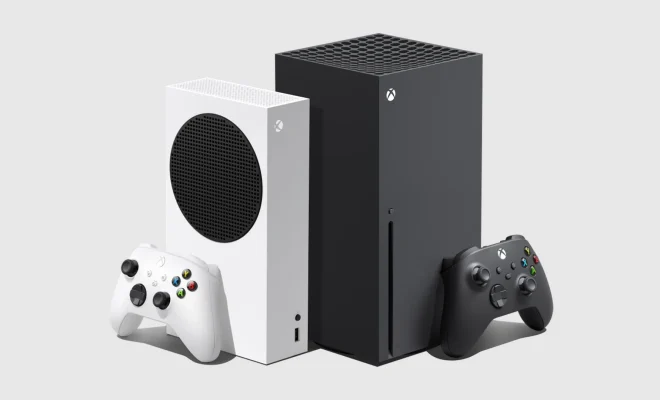
The Xbox Series X and S consoles are undoubtedly one of the most popular gaming devices on the market today. They offer amazing graphics and gameplay, which are among the best in the gaming world. However, sometimes, the console’s cache can become full and slow down the device’s performance. In this article, we will discuss how to clear the cache on your Xbox Series X or S console.

What is a cache?

A cache is a temporary memory storage space for your Xbox Series X or S console. It contains software and game files that your console downloads and stores to speed up load times and improve performance. Over time, this cache can become full and cause your console’s performance to slow down or become unresponsive.

Why should you clear your cache?

Clearing the cache on your Xbox Series X or S console can help improve performance, reduce game crashes, and fix issues with the system. Additionally, it frees up space on your console’s hard drive, which can help reduce clutter, and make it easier to manage your games and apps.

How to clear your cache?

Clearing your Xbox Series X or S console’s cache is a straightforward process that only takes a few minutes. Follow these simple steps to clear your cache:

1. Turn off your Xbox Series X or S console by pressing and holding the Xbox button on the front of the console.

2. Wait for the console to shut down completely.

3. Once the console is turned off, unplug it from the power source.

4. Wait for thirty seconds before plugging the console back in.

5. Turn on your Xbox Series X or S console.

6. Press the Xbox button on your controller to open the guide.

7. Navigate to System > Settings > Storage.

8. Select the appropriate storage device for which you want to clear the cache.

9. Press the “Menu” button on your controller, then select “Clear local saved games.”

10. Once the cache is cleared, restart your console.

Conclusion

Clearing the cache on your Xbox Series X or S console is an essential step to maintaining optimal performance. It is a simple process that only takes a few minutes and can significantly improve your gaming experience. Make sure to routinely clear your cache to avoid performance issues and keep your console running smoothly.


Previous Article

How to Sideload Android Apps

Next Article

Castlevania: Symphony of the Night Walkthrough

Matthew Lynch

Related articles More from author

  • Assistive Technology

    How to Set Up MSI Afterburner to Display Stats While Gaming on Windows 11

    June 23, 2023
    By Matthew Lynch
  • Assistive Technology

    How to Customize the Google Search Widget on Your Android Phone

    June 6, 2023
    By Matthew Lynch
  • Assistive Technology

    How to Delete Internet Explorer ActiveX Controls

    June 14, 2023
    By Matthew Lynch
  • Assistive Technology

    How to Import Your Passwords to iCloud Keychain Using a Mac

    June 23, 2023
    By Matthew Lynch
  • Assistive Technology

    Ways to Fix It When Gmail Isn’t Working on Android

    June 11, 2023
    By Matthew Lynch
  • Assistive Technology

    How to Fix the Werfault.exe Error in Windows 10

    September 7, 2023
    By Matthew Lynch

Search

Login & Registration

  • Register
  • Log in
  • Entries feed
  • Comments feed
  • WordPress.org

Newsletter

Signup for The Tech Edvocate Newsletter and have the latest in EdTech news and opinion delivered to your email address!

About Us

Since technology is not going anywhere and does more good than harm, adapting is the best course of action. That is where The Tech Edvocate comes in. We plan to cover the PreK-12 and Higher Education EdTech sectors and provide our readers with the latest news and opinion on the subject. From time to time, I will invite other voices to weigh in on important issues in EdTech. We hope to provide a well-rounded, multi-faceted look at the past, present, the future of EdTech in the US and internationally.

We started this journey back in June 2016, and we plan to continue it for many more years to come. I hope that you will join us in this discussion of the past, present and future of EdTech and lend your own insight to the issues that are discussed.

Newsletter

Signup for The Tech Edvocate Newsletter and have the latest in EdTech news and opinion delivered to your email address!

Contact Us

The Tech Edvocate
910 Goddin Street
Richmond, VA 23231
(601) 630-5238
[email protected]

Copyright © 2025 Matthew Lynch. All rights reserved.