Customize Your LinkedIn URL: Boost Your Professional Brand
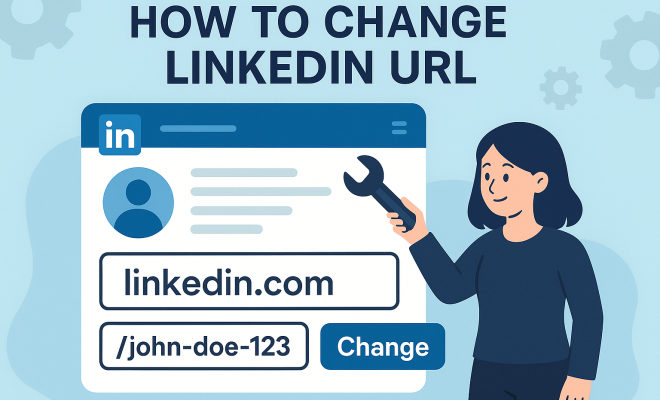
“`html
In today’s digital landscape, first impressions often come from your online presence, particularly on platforms like LinkedIn. Having a customized LinkedIn URL not only makes your profile easier to share, but it also enhances your professional branding. In this article, we’ll explore why you should consider changing your LinkedIn URL, how to do it step-by-step, and some best practices to follow once you’ve made the change.
1. Why You Should Change Your LinkedIn URL
Your LinkedIn URL is the web address that directs users to your profile. By default, LinkedIn generates a URL for you that includes your name and a series of numbers, which can be long and unwieldy. Here are several compelling reasons to customize your LinkedIn URL:
- Professionalism: A customized URL looks more polished and professional, which can give potential employers or clients a positive first impression.
- Branding: Your URL can reinforce your personal brand. Including keywords or your profession can help in searches and gives a sense of what you do.
- Ease of Sharing: A shorter, cleaner URL is easier to share in resumes, emails, or business cards. It minimizes the risk of errors when someone types it in manually.
Having a customized LinkedIn URL can also improve your visibility in search engines, where a well-chosen URL can rank higher than a generic version. This means that when someone searches for you, they are more likely to find your profile easily.
2. How to Change Your LinkedIn URL on Desktop
Changing your LinkedIn URL is a straightforward process, especially on the desktop version. Here’s how to do it:
- Log In: Access your LinkedIn profile by logging in to your account.
- Go to Your Profile: Click on your profile picture or the “Me” icon located at the top of your LinkedIn homepage.
- Edit Public Profile Settings: In the right sidebar, click on “Edit public profile & URL.” This will take you to a new page.
- Customize Your URL: On the right side of the page, find the section labeled “Edit your custom URL.” Click the pencil icon next to your current URL.
- Enter Your New URL: Type your desired URL and click “Save” to confirm your changes.
Make sure your new URL is unique; LinkedIn will notify you if the URL you want is already taken.
3. How to Change Your LinkedIn URL on Mobile
If you’re on the go, you may want to change your LinkedIn URL using the mobile app. Here’s how you can do it:
- Open the LinkedIn App: Launch the app and log in to your account.
- Access Your Profile: Tap on your profile icon, usually found at the top left corner.
- Tap on the Edit Button: Once you’re on your profile page, look for the “Edit” button (usually represented by a pencil icon).
- Edit Your URL: Scroll down to the “Edit public profile URL” section. Tap it to access the URL settings.
- Enter Your Desired URL: Input your new URL and finish by hitting “Save.”
This process makes it easy to manage your LinkedIn URL even when you’re busy or away from your computer.
4. Best Practices for Choosing Your LinkedIn URL
Once you’ve decided to change your LinkedIn URL, the next step is to choose the right one. Here are some best practices to keep in mind:
- Keep It Simple: The simpler your URL, the better. Ideally, it should be easy to remember and type.
- Include Your Name: If possible, use your first and last name to ensure that your profile is easily identifiable. If your name is common, consider adding a middle initial or profession.
- Avoid Special Characters: Stick to letters and numbers; avoid using special characters or spaces. For example, using hyphens or underscores can complicate things.
- Incorporate Keywords: If you’re in a specific profession, consider including industry-related keywords. For example, if you’re a graphic designer, your URL could include “graphicdesigner” along with your name.
Taking the time to choose a well-thought-out URL can significantly increase your professional visibility.
5. How Changing Your LinkedIn URL Affects Your Connections
When you change your LinkedIn URL, it doesn’t affect your current connections or the content on your profile. However, it’s essential to consider how this change might impact others: (See: LinkedIn overview on Wikipedia.)
- Old Links Break: Any old links that you’ve shared, whether in email signatures or on other platforms, will no longer work once you change your URL.
- Inform Your Connections: If you frequently share your LinkedIn URL, it might be a good idea to inform your connections about the update to avoid confusion.
- SEO Considerations: If your previous URL had backlinks from other websites, those backlinks will become inactive. This could impact searchability until the new URL gains traction in search engines.
While changing your URL is a beneficial move for branding, being proactive in communicating this change can help maintain your network’s awareness.
6. What to Do After Changing Your LinkedIn URL
Once you’ve successfully adjusted your LinkedIn URL, it’s essential to take steps to maximize its benefits:
- Update Your Online Presence: Make sure to update your LinkedIn URL on your resume, business cards, and other networking materials.
- Share Your New URL: Post about your new URL on LinkedIn itself, and encourage your connections to check out your profile. This can help direct traffic to your profile.
- Monitor Profile Views: Keep an eye on your profile views and engagement after making the change. Tools like LinkedIn Analytics can help you gauge how your new URL is performing.
These actions will ensure that your newly customized URL serves its purpose effectively.
7. Common Mistakes to Avoid
When changing your LinkedIn URL, it’s essential to avoid common pitfalls that could undermine your efforts:
- Choosing a Complicated URL: Avoid URLs that are long, complicated, or difficult to remember. This might deter people from visiting your profile.
- Neglecting Updates: Don’t forget to update your URL in all the places where it’s currently listed. This includes your email signature, social media profiles, and personal websites.
- Failing to Inform Your Network: If you don’t let people know about the change, they may struggle to find your updated profile.
Being aware of these common mistakes can help you navigate your LinkedIn URL change more smoothly.
8. The Importance of Regularly Reviewing Your LinkedIn Profile
Your LinkedIn profile should be a living document that evolves with your career. Regularly reviewing and updating it can ensure that you’re always showcasing your best self:
- Stay Relevant: Keep your profile up to date with your latest skills, experiences, and accomplishments. An outdated profile can be a missed opportunity.
- Tailor Your URL: As your career progresses, you might find that your initial URL no longer fits. Don’t hesitate to revisit and change it as necessary.
- Engage with Your Network: Regularly update your network on new developments in your career. This fosters connections and keeps your profile active.
Your LinkedIn profile is not just a static online resume; it’s a dynamic tool for networking and career growth.
9. Final Thoughts: Elevating Your Online Professional Presence
Changing your LinkedIn URL is a small yet impactful step toward enhancing your personal brand. It not only makes it easier for others to find you but also reinforces your professionalism. By following the steps outlined in this article and adhering to best practices, you can ensure that your LinkedIn presence reflects your career aspirations effectively.
As you navigate your professional journey, remember that your online identity matters. So, don’t underestimate the power of a well-crafted LinkedIn URL. It could be the key to unlocking new opportunities and connections in your field.
10. Examples of Effective LinkedIn URLs
To help you visualize what a strong LinkedIn URL looks like, here are a few examples. Each one aligns with best practices for creating a memorable and professional online presence:
- JohnDoeMarketing: This example clearly indicates the person’s name and industry, making it easy for others to identify their profession at a glance.
- JaneSmithGraphicDesigner: By including both her name and profession, Jane’s URL will likely catch the attention of recruiters looking for graphic design talent.
- EmilyJohnsonTechWriter: Incorporating a specific job title like “Tech Writer” helps her profile stand out among other profiles, especially in a competitive field.
- MarkTaylorSolutions: This URL hints at a broader skill set and suggests that Mark offers various solutions, which could appeal to potential clients.
These examples highlight how a customized LinkedIn URL can effectively communicate your professional identity and make it easier for others to remember your profile.
11. Statistics on LinkedIn Usage and URL Customization
Understanding the impact of a personalized LinkedIn URL is supported by various statistics on LinkedIn usage: (See: CDC on online presence and professionalism.)
- LinkedIn’s Growth: As of 2023, LinkedIn boasts over 900 million users worldwide, making it a prime platform for networking and job searching.
- Profile Visibility: Profiles with custom URLs can see a 30% increase in visibility compared to those with default URLs, according to LinkedIn analytics.
- Professional Branding: A survey indicated that 70% of recruiters are more likely to reach out to candidates with a professional-looking LinkedIn URL.
- Searchability: Customized URLs improve search engine optimization (SEO), with a study showing that profiles with keywords in their URLs rank higher in search results.
These statistics reinforce the importance of investing time in customizing your LinkedIn URL to enhance your overall online presence.
12. How to Promote Your New LinkedIn URL
Once you’ve changed your LinkedIn URL, it’s essential to promote it effectively to maximize its reach. Here are some strategies to consider:
- Email Signature: Update your email signature to include your new LinkedIn URL. This way, anyone you communicate with will have easy access to your profile.
- Social Media Posts: Share a post on your other social media platforms announcing your new URL. Encourage followers to connect with you on LinkedIn for professional updates.
- Networking Events: Use your new URL when exchanging contact information at networking events. Handing out business cards with your updated LinkedIn link can facilitate connections.
- Blog or Website Integration: If you have a personal blog or website, include your new LinkedIn URL on your contact page or about section to drive traffic.
Taking these steps can help ensure that your connections are aware of the change and can easily find your profile.
13. Frequently Asked Questions (FAQ)
What is a LinkedIn URL?
A LinkedIn URL is the web address that directs users to your LinkedIn profile. It typically includes your name and a series of numbers unless customized.
Why should I customize my LinkedIn URL?
Customizing your LinkedIn URL enhances professionalism, makes sharing easier, and can improve your searchability on both LinkedIn and search engines.
Can I change my LinkedIn URL multiple times?
Yes, you can change your LinkedIn URL multiple times; however, it’s recommended to do so infrequently to maintain consistency for your connections.
What happens to old links after I change my URL?
Any old links you shared that include the previous URL will no longer work. It’s wise to inform your connections of the change to avoid confusion.
Will changing my LinkedIn URL affect my profile views?
Initially, you might notice a drop in profile views due to broken links; however, promoting your new URL actively can help regain and even boost your visibility over time.
Are there any character limits for LinkedIn URLs?
Yes, LinkedIn URLs must be between 5 and 30 characters long and can only contain letters and numbers, not special characters or spaces.
14. The Role of LinkedIn in Job Searching
Changing your LinkedIn URL can be particularly beneficial if you’re actively job searching. A customized URL adds a layer of professionalism that can make a difference in how potential employers perceive you. Here are some additional insights into LinkedIn’s role in job searching: (See: New York Times LinkedIn tips.)
- Recruiter Use: About 95% of recruiters use LinkedIn to find candidates, making your profile a crucial element of your job search.
- Networking Opportunities: LinkedIn is an excellent platform for networking with industry professionals, which can lead to job opportunities that aren’t publicly advertised.
- Job Listings: LinkedIn regularly posts job openings based on your profile, which means that having a complete and up-to-date profile increases your chances of being matched with relevant positions.
- Recommendations and Endorsements: Your connections can endorse your skills or provide recommendations, adding credibility to your profile and making you more appealing to employers.
By taking the time to optimize your LinkedIn URL and profile, you’re likely to improve your chances of standing out in the competitive job market.
15. Networking Strategies on LinkedIn
Beyond just changing your URL, maximizing your LinkedIn experience involves strategic networking efforts. Here’s how you can effectively network on the platform:
- Connect with Industry Leaders: Follow and connect with leaders in your field. Engage with their content, comment thoughtfully, and share insights to create rapport.
- Join Relevant Groups: Participating in groups related to your industry can help you meet like-minded professionals and exchange valuable resources.
- Share Meaningful Content: Regularly post articles, insights, or updates related to your profession. Sharing valuable content can position you as a thought leader in your field.
- Send Personalized Connection Requests: When reaching out to new connections, personalize your message. Mention why you’d like to connect and what mutual benefits you can explore.
Effective networking can open doors to new opportunities and partnerships that can enhance your career trajectory.
16. Long-term Benefits of a Customized LinkedIn URL
Investing time in customizing your LinkedIn URL brings several long-term advantages:
- Increased Discoverability: A well-structured URL improves the chances of your profile appearing in search results, making it easier for recruiters to find you.
- Enhanced Professional Image: A personalized URL reflects attention to detail and professionalism, which can positively influence how employers view your profile.
- Consistency Across Platforms: Having a matching URL across your professional profiles can create a consistent personal brand, aiding recall for potential employers or clients.
- Future Updates Made Easy: As you evolve in your career, you may change industries or roles. A customizable URL allows you to adapt your online presence without starting from scratch.
By focusing on these long-term benefits, you can see that changing your LinkedIn URL is more than just a cosmetic change; it’s part of a larger strategy to enhance your professional identity.
17. Conclusion
Changing your LinkedIn URL is a strategic move in today’s digital job market. A well-crafted URL can help you present a professional image, improve your visibility, and make it easier for connections to find you. Remember to keep it simple, relevant, and memorable. Utilize the tools and strategies outlined in this article to ensure your LinkedIn presence is as impactful as possible.
Your online presence is a vital component of your professional identity. So take charge of your LinkedIn URL today and make a lasting impression.
“`
Trending Now
Frequently Asked Questions
How do I customize my LinkedIn URL?
To customize your LinkedIn URL, log in to your account, go to your profile, and click on 'Edit public profile & URL' in the right sidebar. From there, you can enter your desired URL, which should ideally be short and include your name or profession for better branding.
Why should I change my LinkedIn URL?
Changing your LinkedIn URL enhances professionalism, improves branding by including relevant keywords, and makes it easier to share. A customized URL can also increase your visibility in search engines, making it simpler for others to find your profile.
Can I change my LinkedIn URL on mobile?
Yes, you can change your LinkedIn URL on mobile. Open the LinkedIn app, go to your profile, tap on 'Edit public profile,' and then select 'Edit your custom URL' to make your changes.
What is a good LinkedIn URL?
A good LinkedIn URL is concise, easy to remember, and ideally includes your name or profession. Avoid special characters and numbers, and consider adding relevant keywords that reflect your personal brand for better searchability.
How often can I change my LinkedIn URL?
You can change your LinkedIn URL as often as you like, but keep in mind that frequent changes may confuse connections. It's best to choose a URL that represents you well and stick with it for consistency.
What’s your take on this? Share your thoughts in the comments below — we read every one.