The Tech Edvocate

Top Menu

  • Advertisement
  • Apps
  • Home Page
  • Home Page Five (No Sidebar)
  • Home Page Four
  • Home Page Three
  • Home Page Two
  • Home Tech2
  • Icons [No Sidebar]
  • Left Sidbear Page
  • Lynch Educational Consulting
  • My Account
  • My Speaking Page
  • Newsletter Sign Up Confirmation
  • Newsletter Unsubscription
  • Our Brands
  • Page Example
  • Privacy Policy
  • Protected Content
  • Register
  • Request a Product Review
  • Shop
  • Shortcodes Examples
  • Signup
  • Start Here
    • Governance
    • Careers
    • Contact Us
  • Terms and Conditions
  • The Edvocate
  • The Tech Edvocate Product Guide
  • Topics
  • Write For Us
  • Advertise

Main Menu

  • Start Here
    • Our Brands
    • Governance
      • Lynch Educational Consulting, LLC.
      • Dr. Lynch’s Personal Website
      • Careers
    • Write For Us
    • The Tech Edvocate Product Guide
    • Contact Us
    • Books
    • Edupedia
    • Post a Job
    • The Edvocate Podcast
    • Terms and Conditions
    • Privacy Policy
  • Topics
    • Assistive Technology
    • Child Development Tech
    • Early Childhood & K-12 EdTech
    • EdTech Futures
    • EdTech News
    • EdTech Policy & Reform
    • EdTech Startups & Businesses
    • Higher Education EdTech
    • Online Learning & eLearning
    • Parent & Family Tech
    • Personalized Learning
    • Product Reviews
  • Advertise
  • Tech Edvocate Awards
  • The Edvocate
  • Pedagogue
  • School Ratings

logo

The Tech Edvocate

  • Start Here
    • Our Brands
    • Governance
      • Lynch Educational Consulting, LLC.
      • Dr. Lynch’s Personal Website
        • My Speaking Page
      • Careers
    • Write For Us
    • The Tech Edvocate Product Guide
    • Contact Us
    • Books
    • Edupedia
    • Post a Job
    • The Edvocate Podcast
    • Terms and Conditions
    • Privacy Policy
  • Topics
    • Assistive Technology
    • Child Development Tech
    • Early Childhood & K-12 EdTech
    • EdTech Futures
    • EdTech News
    • EdTech Policy & Reform
    • EdTech Startups & Businesses
    • Higher Education EdTech
    • Online Learning & eLearning
    • Parent & Family Tech
    • Personalized Learning
    • Product Reviews
  • Advertise
  • Tech Edvocate Awards
  • The Edvocate
  • Pedagogue
  • School Ratings
  • A Visitor’s Guide to Fresno (CA), United States

  • A Visitors Guide to New Orleans (LA), United States

  • A Visitors Guide to Sacramento (CA), United States

  • A Visitors Guide to Lyon, France

  • JisuLife Ultra2 Portable Fan: A Powerful Multi-Function Cooling Solution

  • A Visitors Guide to Viña del Mar, Chile

  • A Visitors Guide to Århus, Denmark

  • A Visitors Guide to Bakersfield (CA), United States

  • A Visitors Guide to Aurora (CO), United States

  • A Visitor’s Guide to Toledo (OH), United States

Assistive Technology
Home›Assistive Technology›How to Change Fitbit Charge 2 Bands

How to Change Fitbit Charge 2 Bands
By Matthew Lynch
June 9, 2023
0
Spread the love

Fitbit Charge 2 is a popular wearable fitness tracker that has gained a lot of popularity in recent years. The device comes with a standard band that is comfortable but may not always match your style or outfit. Luckily, changing the Fitbit Charge 2 band is a quick and easy process that can be done by anyone with minimal effort. Here’s how to change your Fitbit Charge 2 bands in a few easy steps:

Step 1: Purchase a new band

Before changing your Fitbit Charge 2 band, you will need to purchase a new one. Fitbit offers several replacement bands on their website, from sporty silicone options to more stylish leather or metal bands. Alternatively, there are many third-party bands available on Amazon or other retailers if you want more variety in options.

Step 2: Remove the current band

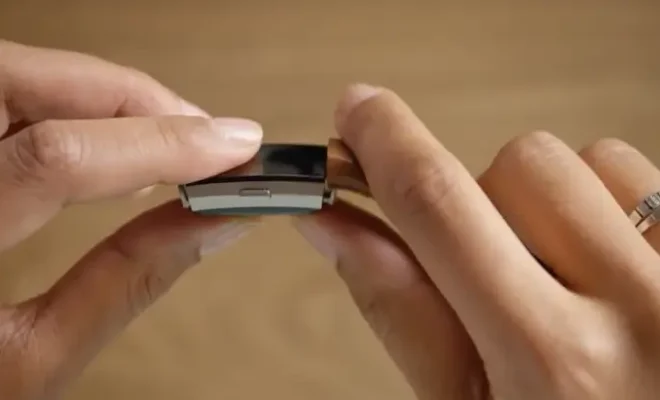
To remove the current band from your Fitbit Charge 2, turn the device over and locate the two pins on the back of the tracker. Using your finger or a small tool, press down on each pin to release the band from the watch. Once both pins have been released, slide the band out of the tracker and set it aside.

Step 3: Attach the new band

To attach the new band, find the two metal pins on the back of the watch face and align them with the corresponding holes on the new band. Once the pins are in place, press down on the band until you hear a click, indicating that the band is secure.

Step 4: Test the new band

After attaching the new band, put your Fitbit Charge 2 back on your wrist and ensure that it fits comfortably and securely. Adjust the band’s tightness by pulling on the loose end, and ensure that there is no excess slack. Once you are satisfied with the fit of the new band, you are done!

In conclusion, changing the Fitbit Charge 2 band is a simple process that can be done by anyone with minimal effort. Whether you’re looking for a new style or just want to replace an old or damaged band, there are plenty of options available that are quick and easy to install. So why not switch up your Fitbit’s look today and try out a new band?


Previous Article

What Is Sidecar on a Mac?

Next Article

How to Make the PS5 Download Faster

Matthew Lynch

Related articles More from author

  • Assistive Technology

    8 Useful Windows Administrative Tools & How to Use Them

    June 6, 2023
    By Matthew Lynch
  • Assistive Technology

    How to Install SteamOS 3 on Your Linux PC

    June 15, 2023
    By Matthew Lynch
  • Assistive Technology

    What Is the Libby App? How to Use It

    June 22, 2023
    By Matthew Lynch
  • Assistive Technology

    How to Find Your Windows 11 Product Key

    June 23, 2023
    By Matthew Lynch
  • Assistive Technology

    How to Chromecast to Your Fire Stick

    June 6, 2023
    By Matthew Lynch
  • Assistive Technology

    How to Search Inside a Message in Outlook

    June 7, 2023
    By Matthew Lynch

Search

Login & Registration

  • Register
  • Log in
  • Entries feed
  • Comments feed
  • WordPress.org

Newsletter

Signup for The Tech Edvocate Newsletter and have the latest in EdTech news and opinion delivered to your email address!

About Us

Since technology is not going anywhere and does more good than harm, adapting is the best course of action. That is where The Tech Edvocate comes in. We plan to cover the PreK-12 and Higher Education EdTech sectors and provide our readers with the latest news and opinion on the subject. From time to time, I will invite other voices to weigh in on important issues in EdTech. We hope to provide a well-rounded, multi-faceted look at the past, present, the future of EdTech in the US and internationally.

We started this journey back in June 2016, and we plan to continue it for many more years to come. I hope that you will join us in this discussion of the past, present and future of EdTech and lend your own insight to the issues that are discussed.

Newsletter

Signup for The Tech Edvocate Newsletter and have the latest in EdTech news and opinion delivered to your email address!

Contact Us

The Tech Edvocate
910 Goddin Street
Richmond, VA 23231
(601) 630-5238
[email protected]

Copyright © 2025 Matthew Lynch. All rights reserved.