The Tech Edvocate

Top Menu

  • Advertisement
  • Apps
  • Home Page
  • Home Page Five (No Sidebar)
  • Home Page Four
  • Home Page Three
  • Home Page Two
  • Home Tech2
  • Icons [No Sidebar]
  • Left Sidbear Page
  • Lynch Educational Consulting
  • My Account
  • My Speaking Page
  • Newsletter Sign Up Confirmation
  • Newsletter Unsubscription
  • Our Brands
  • Page Example
  • Privacy Policy
  • Protected Content
  • Register
  • Request a Product Review
  • Shop
  • Shortcodes Examples
  • Signup
  • Start Here
    • Governance
    • Careers
    • Contact Us
  • Terms and Conditions
  • The Edvocate
  • The Tech Edvocate Product Guide
  • Topics
  • Write For Us
  • Advertise

Main Menu

  • Start Here
    • Our Brands
    • Governance
      • Lynch Educational Consulting, LLC.
      • Dr. Lynch’s Personal Website
      • Careers
    • Write For Us
    • The Tech Edvocate Product Guide
    • Contact Us
    • Books
    • Edupedia
    • Post a Job
    • The Edvocate Podcast
    • Terms and Conditions
    • Privacy Policy
  • Topics
    • Assistive Technology
    • Child Development Tech
    • Early Childhood & K-12 EdTech
    • EdTech Futures
    • EdTech News
    • EdTech Policy & Reform
    • EdTech Startups & Businesses
    • Higher Education EdTech
    • Online Learning & eLearning
    • Parent & Family Tech
    • Personalized Learning
    • Product Reviews
  • Advertise
  • Tech Edvocate Awards
  • The Edvocate
  • Pedagogue
  • School Ratings

logo

The Tech Edvocate

  • Start Here
    • Our Brands
    • Governance
      • Lynch Educational Consulting, LLC.
      • Dr. Lynch’s Personal Website
        • My Speaking Page
      • Careers
    • Write For Us
    • The Tech Edvocate Product Guide
    • Contact Us
    • Books
    • Edupedia
    • Post a Job
    • The Edvocate Podcast
    • Terms and Conditions
    • Privacy Policy
  • Topics
    • Assistive Technology
    • Child Development Tech
    • Early Childhood & K-12 EdTech
    • EdTech Futures
    • EdTech News
    • EdTech Policy & Reform
    • EdTech Startups & Businesses
    • Higher Education EdTech
    • Online Learning & eLearning
    • Parent & Family Tech
    • Personalized Learning
    • Product Reviews
  • Advertise
  • Tech Edvocate Awards
  • The Edvocate
  • Pedagogue
  • School Ratings
  • A Visitors Guide to Pittsburgh (PA), United States

  • A Visitors Guide to Colorado Springs (CO), United States

  • 5 Pairs of Shoes That Will Instantly Step Your Shoe Game Up

  • Radiant Youthful Skin is the Perfect Christmas Gift

  • Give Your Loved One the Gift of Youthful, Radiant Skin this Christmas

  • Give Your Loved One the Gift of a Restful Night Sleep this Christmas

  • Nex Playground’s Holiday Sales Bring Active Play Indoors This Seaso

  • A Visitors Guide to Louisville (KY), United States

  • A Visitor’s Guide to Nashville-Davidson (TN), United States

  • A Visitors Guide to Portland (OR), United States

Digital & Mobile Technology
Home›Digital & Mobile Technology›How to Calibrate Your Mac’s Display For Color Accuracy

How to Calibrate Your Mac’s Display For Color Accuracy
By Matthew Lynch
May 19, 2023
0
Spread the love

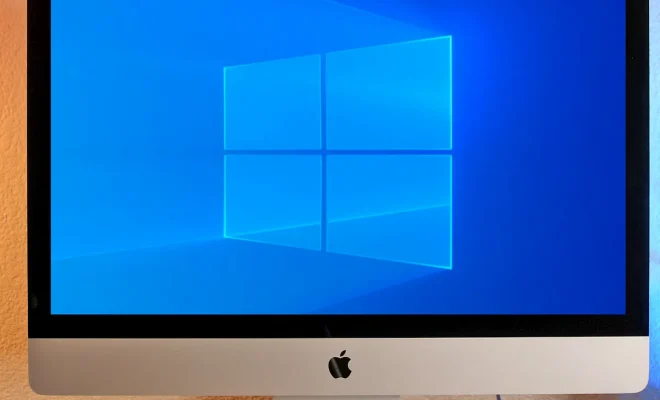
As a Mac user, you depend on your computer’s display for everything from work to entertainment. However, displays are not always calibrated accurately, and this can affect the quality of the content you see. Inaccurate colours could mean that the blue you see might be different from the blue that the designer intended, which could be frustrating if you are a creative professional. Here are a few tips on how to calibrate your Mac’s display for colour accuracy.

1. Use Tools that Improve the Display

Before you even start to calibrate your display, it is essential to make sure your Mac is equipped with the right tools. Investing in a colorimeter or spectrophotometer will save you a lot of struggle and help you achieve excellent color accuracy. These tools are efficient, as they measure the light emitted by your Mac’s screen and its response to colours.

2. Avoid Custom Settings

Customizing the colour settings on your Mac might be tempting, but you should avoid it at all costs. The default settings are usually designed to give you the best possible display experience, and changing them will most likely worsen the display quality.

3. Disable True Tone

True Tone is an excellent feature that automatically adjusts the Mac’s screen temperature depending on the light in your environment. However, since it affects colour reproduction, it is best to disable it when calibrating your Mac’s display.

4. Calibrate Using System Preferences

Your Mac’s System Preferences is your go-to tool for calibration. Navigate to the Displays settings and click on the Color tab. From there, click on Calibrate and follow the on-screen instructions carefully.

5. Optimize Your Display for the Room

Your display should be calibrated to the lighting in the room you use your computer. If you work in a bright room with lots of natural light, you might need to change the colour temperature to a warmer setting. If you work in a basement with dim lighting, use a cooler setting.

6. Use Your Calibrated Display

Now that your display is calibrated, it’s time to use your Mac as you would normally. If you see a colour that is off, repeat the calibration process until you achieve satisfactory results.

In conclusion, color accuracy is essential, especially for creative professionals. Calibrating your Mac’s display is a straightforward process that can make a significant difference in the quality of the content you see. Follow these steps and enjoy accurate and vibrant colours on your Mac.

Previous Article

How to Bulk-Delete Messages from Facebook Messenger

Next Article

Why WhatsApp Is so Popular

Matthew Lynch

Related articles More from author

  • Digital & Mobile Technology

    The Best Photoshop Fonts and Typefaces in Creative Cloud

    June 15, 2023
    By Matthew Lynch
  • Digital & Mobile Technology

    Disk Utility Can Create a JBOD RAID Set for Your Mac

    June 15, 2023
    By Matthew Lynch
  • Digital & Mobile Technology

    How to Delete a Spotify Account

    June 11, 2023
    By Matthew Lynch
  • Digital & Mobile Technology

    What is Lorem Ipsum?

    May 23, 2023
    By Matthew Lynch
  • Digital & Mobile Technology

    Best Cheap Wireless Earbuds Under $50

    April 10, 2023
    By Matthew Lynch
  • Digital & Mobile Technology

    What is Enterprise Computing?

    May 7, 2023
    By Matthew Lynch

Search

Login & Registration

  • Register
  • Log in
  • Entries feed
  • Comments feed
  • WordPress.org

Newsletter

Signup for The Tech Edvocate Newsletter and have the latest in EdTech news and opinion delivered to your email address!

About Us

Since technology is not going anywhere and does more good than harm, adapting is the best course of action. That is where The Tech Edvocate comes in. We plan to cover the PreK-12 and Higher Education EdTech sectors and provide our readers with the latest news and opinion on the subject. From time to time, I will invite other voices to weigh in on important issues in EdTech. We hope to provide a well-rounded, multi-faceted look at the past, present, the future of EdTech in the US and internationally.

We started this journey back in June 2016, and we plan to continue it for many more years to come. I hope that you will join us in this discussion of the past, present and future of EdTech and lend your own insight to the issues that are discussed.

Newsletter

Signup for The Tech Edvocate Newsletter and have the latest in EdTech news and opinion delivered to your email address!

Contact Us

The Tech Edvocate
910 Goddin Street
Richmond, VA 23231
(601) 630-5238
[email protected]

Copyright © 2025 Matthew Lynch. All rights reserved.