The Tech Edvocate

Top Menu

  • Advertisement
  • Apps
  • Home Page
  • Home Page Five (No Sidebar)
  • Home Page Four
  • Home Page Three
  • Home Page Two
  • Home Tech2
  • Icons [No Sidebar]
  • Left Sidbear Page
  • Lynch Educational Consulting
  • My Account
  • My Speaking Page
  • Newsletter Sign Up Confirmation
  • Newsletter Unsubscription
  • Our Brands
  • Page Example
  • Privacy Policy
  • Protected Content
  • Register
  • Request a Product Review
  • Shop
  • Shortcodes Examples
  • Signup
  • Start Here
    • Governance
    • Careers
    • Contact Us
  • Terms and Conditions
  • The Edvocate
  • The Tech Edvocate Product Guide
  • Topics
  • Write For Us
  • Advertise

Main Menu

  • Start Here
    • Our Brands
    • Governance
      • Lynch Educational Consulting, LLC.
      • Dr. Lynch’s Personal Website
      • Careers
    • Write For Us
    • The Tech Edvocate Product Guide
    • Contact Us
    • Books
    • Edupedia
    • Post a Job
    • The Edvocate Podcast
    • Terms and Conditions
    • Privacy Policy
  • Topics
    • Assistive Technology
    • Child Development Tech
    • Early Childhood & K-12 EdTech
    • EdTech Futures
    • EdTech News
    • EdTech Policy & Reform
    • EdTech Startups & Businesses
    • Higher Education EdTech
    • Online Learning & eLearning
    • Parent & Family Tech
    • Personalized Learning
    • Product Reviews
  • Advertise
  • Tech Edvocate Awards
  • The Edvocate
  • Pedagogue
  • School Ratings

logo

The Tech Edvocate

  • Start Here
    • Our Brands
    • Governance
      • Lynch Educational Consulting, LLC.
      • Dr. Lynch’s Personal Website
        • My Speaking Page
      • Careers
    • Write For Us
    • The Tech Edvocate Product Guide
    • Contact Us
    • Books
    • Edupedia
    • Post a Job
    • The Edvocate Podcast
    • Terms and Conditions
    • Privacy Policy
  • Topics
    • Assistive Technology
    • Child Development Tech
    • Early Childhood & K-12 EdTech
    • EdTech Futures
    • EdTech News
    • EdTech Policy & Reform
    • EdTech Startups & Businesses
    • Higher Education EdTech
    • Online Learning & eLearning
    • Parent & Family Tech
    • Personalized Learning
    • Product Reviews
  • Advertise
  • Tech Edvocate Awards
  • The Edvocate
  • Pedagogue
  • School Ratings
  • Viaim Opennote Review: The AI Note-Taker That Disappears Into Your Daily Routine

  • A Visitors Guide to Long Beach (CA), United States

  • A Visitor’s Guide to Fresno (CA), United States

  • A Visitors Guide to New Orleans (LA), United States

  • A Visitors Guide to Sacramento (CA), United States

  • A Visitors Guide to Lyon, France

  • JisuLife Ultra2 Portable Fan: A Powerful Multi-Function Cooling Solution

  • A Visitors Guide to Viña del Mar, Chile

  • A Visitors Guide to Århus, Denmark

  • A Visitors Guide to Bakersfield (CA), United States

Digital & Mobile Technology
Home›Digital & Mobile Technology›How to Build and Maintain the Best Home Network

How to Build and Maintain the Best Home Network

By Matthew Lynch
June 6, 2023
0
Spread the love

Building and maintaining a home network can be a daunting task, but with the right tools and knowledge, it can be a simple and effective way to enhance your home’s connectivity. Whether you are trying to stream movies, video call family or work from home, a strong network is essential for uninterrupted access. Here are some tips on how to build and maintain the best home network.

Step 1: Plan Your Network

The first step is to plan what you want your network to achieve. Determine what devices you will use, how many people will be connected, and what activities they will perform. This will help you choose the right network equipment.

Step 2: Pick the Right Router

The router is the central point of your home network, and it plays a crucial role in delivering good performance. Make sure you choose a router with the latest WiFi standards and features like MU-MIMO technology, which enables multiple devices to access the internet simultaneously. Also, ensure that it can handle the number of devices and the data throughput your family needs.

Step 3: Use Quality Cables

Using quality cables is crucial in setting up a robust network. Ethernet cables are the most reliable, as they offer stable internet connections for gaming, streaming, and downloading large files. Make sure you use Cat 6 cables, as they are faster and have better shielding from interference.

Step 4: Install a Network Management Tool

Keeping track of your home network is essential, especially with multiple devices and users. Install a network management tool like Fing or Networx. These tools monitor your network, help you detect any issues and optimize your network speed.

Step 5: Set Up Network Security

Security is a critical element in any network system. To prevent unauthorized access, make sure to enable WPA2 encryption on your router. Also, create a strong and unique password and change it periodically. You can also use a network security software like Norton or McAfee to monitor and secure your network.

Step 6: Update Devices and Firmware Regularly

Ensure that all your devices have the latest firmware, as this enables new features, bug fixes and enhances performance. Keep your router updated regularly by checking for updates on the manufacturer’s website or in the router’s admin panel.

In conclusion, building and maintaining the best home network requires careful planning, quality hardware, and careful management. By following these tips, you can create a robust network that can handle all your family’s needs.

Previous Article

Best Websites for Playing Free Online Games

Next Article

The Best Prepaid iPhones of 2023

Matthew Lynch

Related articles More from author

  • Digital & Mobile Technology

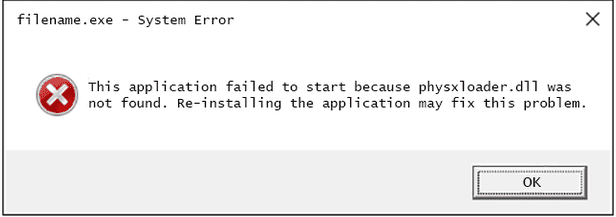
    Fix Physxloader.dll Is Missing or Not Found Errors

    July 14, 2023
    By Matthew Lynch
  • Digital & Mobile Technology

    How to Add Borders to Photos: Easy Methods

    August 5, 2023
    By Matthew Lynch
  • Digital & Mobile Technology

    How to Install an Email Program

    April 27, 2023
    By Matthew Lynch
  • Digital & Mobile Technology

    What Are the Best Spotify Equalizer Settings?

    June 22, 2023
    By Matthew Lynch
  • Digital & Mobile Technology

    8 Fixes for GIFs Not Working or Disappeared on iPhone

    February 19, 2024
    By Matthew Lynch
  • Digital & Mobile Technology

    How to Create a Spotify Iceberg and Explore Your Music Tastes

    August 5, 2023
    By Matthew Lynch

Search

Login & Registration

  • Register
  • Log in
  • Entries feed
  • Comments feed
  • WordPress.org

Newsletter

Signup for The Tech Edvocate Newsletter and have the latest in EdTech news and opinion delivered to your email address!

About Us

Since technology is not going anywhere and does more good than harm, adapting is the best course of action. That is where The Tech Edvocate comes in. We plan to cover the PreK-12 and Higher Education EdTech sectors and provide our readers with the latest news and opinion on the subject. From time to time, I will invite other voices to weigh in on important issues in EdTech. We hope to provide a well-rounded, multi-faceted look at the past, present, the future of EdTech in the US and internationally.

We started this journey back in June 2016, and we plan to continue it for many more years to come. I hope that you will join us in this discussion of the past, present and future of EdTech and lend your own insight to the issues that are discussed.

Newsletter

Signup for The Tech Edvocate Newsletter and have the latest in EdTech news and opinion delivered to your email address!

Contact Us

The Tech Edvocate
910 Goddin Street
Richmond, VA 23231
(601) 630-5238
[email protected]

Copyright © 2025 Matthew Lynch. All rights reserved.