How to backup text messages
“`html
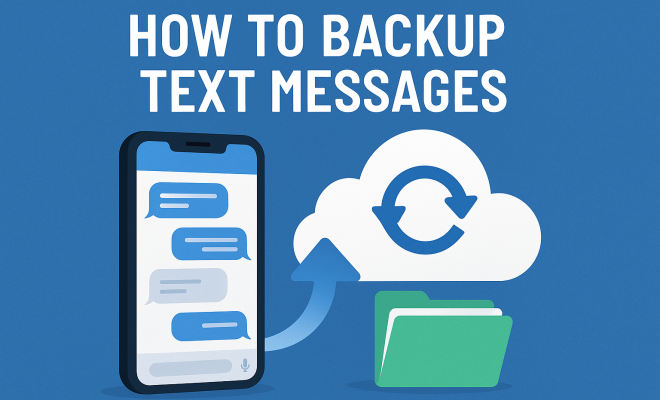
In an age where communication happens primarily through our smartphones, the importance of backing up text messages cannot be overstated. They hold vital information, cherished memories, and important conversations that can be easily lost due to device malfunction, accidental deletion, or theft. If you’ve ever found yourself frantically searching for an important text only to realize it’s gone, you’re not alone. Here’s how to backup text messages effectively and ensure that your conversations remain safe and retrievable.
1. Understanding the Need for Backup
Text messages can contain anything from essential information like addresses and appointments to sentimental moments, such as loving messages from friends and family. Not backing them up can lead to loss of data that may be irreplaceable. In fact, studies indicate that 20% of smartphone users lose data at some point due to various reasons. This staggering statistic highlights the necessity of having a reliable backup plan for your messages.
With the increasing vulnerability of smartphones to malware and cyber threats, safeguarding your text messages is crucial. A significant number of users overlook the fact that their conversations can be targeted, which can lead to privacy breaches or identity theft. By regularly backing up text messages, you’re protecting not just information but also your privacy.
2. Using Built-in Backup Features
Most smartphones come equipped with built-in backup features. For example, Apple devices utilize iCloud for backing up data, including text messages. To backup text messages on an iPhone, navigate to Settings, select your name at the top, choose iCloud, and turn on Messages. This will automatically sync your messages with the iCloud, ensuring they are stored safely and can be easily restored if needed.
Android devices differ slightly, as they often use Google Drive for backups. By going to Settings, tapping on Google, then Backup, you can enable the backup of your text messages. While this feature is convenient, it’s important to note that restoring messages later can sometimes be cumbersome, especially if you switch devices or lose access to your Google account.
3. Using Third-Party Applications
If you want more control or features, several third-party applications can help you backup text messages effectively. Apps like SMS Backup & Restore provide a seamless way to save your messages to cloud storage services like Google Drive or Dropbox. These apps often feature scheduling options, allowing you to automate your backups, which means you won’t have to remember to do it manually.
Another popular option is iMazing for iOS users. This powerful software allows you to backup, manage, and export text messages from your iPhone to your computer. With iMazing, you can create backups that are not only accessible but also readable, letting you export your messages as PDF files or text documents for easy viewing.
4. Backing Up Directly to Your Computer
For users who prefer a more hands-on approach, backing up text messages directly to your computer is a viable option. For iPhone users, the process involves using iTunes or Finder (for macOS Catalina and later). Simply connect your device, open iTunes or Finder, and select Backup Now. This method will create a complete backup of your device, including text messages, which can be restored in case of data loss.
Android users can also back up their messages to a PC by using software like Android Data Backup & Restore. This tool allows users to select specific data types, including SMS, and transfer them to a computer, ensuring that your messages are stored securely off-device.
5. Exporting Messages via Email
Sometimes, you might want to preserve specific conversations instead of backing up all your text messages. In such cases, exporting your messages via email can be a quick fix. Apps like SMS to Text for Android allow users to send selected messages directly to their email accounts, creating a permanent record of those vital conversations.
On iPhones, while there isn’t a native way to email messages directly, users can take screenshots of conversations and email them to themselves. Although this method can be tedious, it allows for quick access to particularly significant exchanges without needing an elaborate backup system.
6. Cloud Storage Services
If you’re looking for an accessible and easy method to backup text messages, consider utilizing cloud storage services. With options like Google Drive, Dropbox, and OneDrive, you can store exported messages or backup files securely. For instance, after using an app like SMS Backup & Restore, you can set it to automatically upload your backups to your cloud storage. This way, you’ll have access to your messages from any device at any time. (See: importance of data backup.)
Cloud storage provides additional benefits, such as large storage capacity and easy sharing options. Just ensure you maintain strong security measures, like two-factor authentication, to protect your sensitive information. Remember, keeping your backups safe is just as critical as creating them in the first place.
7. Regular Backup Schedules
Establishing a regular backup schedule is vital to ensure that your text messages are consistently protected. Depending on how often you receive important messages, you might want to set daily, weekly, or monthly backups. Setting reminders on your phone can help you make this a routine task.
Automation is your friend here. Many third-party apps allow you to schedule backups at specific intervals, so you don’t have to remember to do it manually. It’s a small effort that could save you from losing crucial information later on, giving you peace of mind knowing your data is safe and sound.
8. Tips for Effective Backup Management
Lastly, having a backup plan is one thing, but managing it effectively is another. Here are a few tips to ensure your backup strategy is robust:
- Check Your Backups Regularly: Make it a habit to check your backups periodically. This ensures that they are being created successfully and that you can actually restore your messages when needed.
- Organize Your Storage: Whether you’re using cloud services or your hard drive, organize your backups into dated folders. This will make it easier to locate specific backups later.
- Stay Updated: As technology changes, so do backup methods. Stay informed about new apps or updates that might offer better backup solutions.
- Test Restorations: Once in a while, try restoring a backup to ensure the process works. This is especially important before making major changes to your device.
9. Analyzing Backup Methods: Pros and Cons
Understanding the various methods of backing up text messages can help you choose the right one for your needs. Here’s a breakdown of the pros and cons of the different methods discussed:
Built-in Backup Features
Pros: Convenient and easy to set up; requires minimal user intervention once configured; integrates well with existing device operating systems.
Cons: Limited flexibility in terms of backup customization; in some cases, may not back up messages in real-time.
Third-Party Applications
Pros: Typically offer more features and customization options; can automate backups and provide better organization; some apps allow for exporting messages in readable formats.
Cons: May require additional steps to set up; some apps may come with subscription fees or in-app purchases; potential privacy concerns depending on the app’s data handling policies.
Backing Up to Computer
Pros: Offers a complete backup of the device and does not rely on internet connectivity; gives users more control over the backup process.
Cons: Requires physical connections and may be time-consuming; limited accessibility if you need to access messages from other devices.
Email Exporting
Pros: Quick and easy method for saving specific messages; creates a permanent record in your email.
Cons: Not practical for large message histories or regular backups; relies on manual effort to execute. (See: how to backup text messages.)
Cloud Storage
Pros: Accessible from multiple devices; offers additional storage for other data; often comes with collaboration features.
Cons: Relies on stable internet access; potential security risks if proper measures are not taken.
10. Statistics on Data Loss and Backup Patterns
Understanding statistics related to data loss and user backup practices can emphasize the importance of backing up text messages. A survey conducted in 2022 indicated that:
- Approximately 60% of smartphone users reported losing data at least once, with text messages being one of the most commonly lost types of data.
- Only about 30% of users regularly back up their devices, reflecting a significant gap in data protection practices.
- Studies show that users who back up their data at least once a month are 50% less likely to experience permanent data loss compared to those who don’t.
These statistics show that there’s a clear need for more awareness and action around backing up important data, including text messages. The consequences of not doing so can be dire, impacting both personal and professional communications.
11. Expert Perspectives on Data Backup
Experts in the field of technology and data management often stress the importance of having a robust backup strategy. Dr. Emily Carter, a data protection specialist, states that “data loss is more common than most people think, and the best way to safeguard against it is to regularize your backup practices.” Dr. Carter emphasizes that users should not only focus on backing up text messages but also consider other forms of data, including photos and documents.
Additionally, cybersecurity expert John Matthews notes that “the rise in ransomware attacks has made it increasingly important for individuals to have reliable backups. Text messages often contain sensitive information that can be targeted by cybercriminals, so backing them up can be an essential part of privacy protection.”
12. Frequently Asked Questions (FAQs)
Why should I backup my text messages?
Backing up text messages ensures that you won’t lose important information, sentimental conversations, or crucial details that could be helpful in the future. Data loss can happen for many reasons, and having a backup gives you peace of mind.
How often should I backup my text messages?
The frequency of backups depends on your usage. If you regularly receive important messages, consider backing up daily or weekly. For less frequent users, monthly backups may suffice.
What if I switch to a new phone? Can I still access my backed-up messages?
Yes! As long as you have backed up your messages using a method that transfers them to the new phone (like using cloud storage or third-party applications), you can restore them on your new device.
Can I backup text messages without an internet connection?
Yes, if you back up directly to your computer using iTunes, Finder, or specific software for Android, you do not need an internet connection. However, cloud backups will require internet access.
Are there any limits to how much data I can back up?
Yes, the limits depend on the method you choose. Cloud services often have storage limits based on the plan you select. Make sure to check the terms of your chosen service.
What if I accidentally delete a backed-up message?
If a message was backed up before deletion, you can restore it from your backup. However, if the backup was created after the message was deleted, it will not be recoverable. (See: data loss statistics in smartphones.)
13. Advanced Backup Techniques
While basic backup methods are effective, you might want to explore more advanced techniques to enhance your data security further. For instance, using a combination of local and cloud backup methods can provide an extra layer of protection. You might back up messages to your computer while also utilizing a cloud storage solution for additional redundancy.
Another technique involves versioning your backups. Some third-party applications allow you to keep multiple backup versions. This means if you accidentally delete a message or conversation, you can go back to a previous backup state to recover it. This feature is particularly useful for users who have ongoing conversations that may change frequently.
14. Disaster Recovery Planning
It’s essential to think about disaster recovery when creating your backup strategy. In the event of a catastrophic failure, such as losing your phone or having it stolen, it’s crucial to have a plan in place for how you will recover your messages. This might include knowing how to use your cloud service to restore your data or having all necessary passwords and recovery codes saved securely.
Regularly reviewing and updating your disaster recovery plan can ensure that you’re always prepared. For example, you might want to test your recovery procedures periodically to make sure they work. This proactive approach can save you a lot of stress in the long run.
15. Future Innovations in Backup Technology
The landscape of backup technology is continually evolving. Emerging technologies, such as blockchain for data security, promise to offer more secure and transparent ways to manage backups. Blockchain can create immutable records of your data, ensuring that once it’s backed up, it cannot be tampered with or erased.
Additionally, advancements in artificial intelligence could lead to smarter backup solutions, where your device could automatically prioritize the messages and data that are most critical to you. This tailored approach might revolutionize how we handle data, making backups more intuitive and user-friendly.
16. Best Practices for Securing Your Backups
Ensuring the security of your backups is as vital as the backup process itself. Here are some best practices:
- Use Strong Passwords: Always protect your cloud storage accounts with strong, unique passwords to prevent unauthorized access.
- Enable Two-Factor Authentication: Adding an extra layer of security by using two-factor authentication helps protect your accounts from unauthorized access.
- Encrypt Sensitive Data: If possible, use encryption to protect your backups. This ensures that even if someone gains access to your backup, they cannot read your messages without the encryption key.
- Regularly Update Software: Keep your backup applications and devices updated to protect against vulnerabilities and security flaws.
Backing up text messages is a critical task that shouldn’t be overlooked. With various methods available, from built-in features to third-party apps and cloud storage, you have multiple options to secure your important communications. By incorporating regular backups into your routine and employing best practices for security, you’ll not only protect your data but also relieve the anxiety that comes with the thought of losing cherished messages.
“`
Trending Now
Frequently Asked Questions
How can I backup my text messages on Android?
To backup text messages on an Android device, go to Settings, tap on Google, then select Backup. Ensure that the toggle for backing up messages is enabled. This will store your SMS in Google Drive, allowing you to restore them later if needed.
Can I backup my text messages on iPhone?
Yes, to backup text messages on an iPhone, go to Settings, tap your name at the top, select iCloud, and turn on Messages. This will sync your messages with iCloud, ensuring they are safely backed up and retrievable.
Why is it important to backup text messages?
Backing up text messages is crucial because they often contain important information, sentimental memories, and conversations that can be lost due to device issues or accidental deletion. Regular backups protect your data and privacy.
What happens if I don't backup my text messages?
If you don't backup your text messages, you risk losing important conversations and information due to device malfunctions, accidental deletions, or theft. This can lead to the loss of irreplaceable data and potential privacy breaches.
Are there apps to backup text messages?
Yes, there are various apps available for backing up text messages, such as SMS Backup & Restore for Android and iMazing for iPhone. These apps provide additional features for managing and restoring your messages as needed.
Agree or disagree? Drop a comment and tell us what you think.