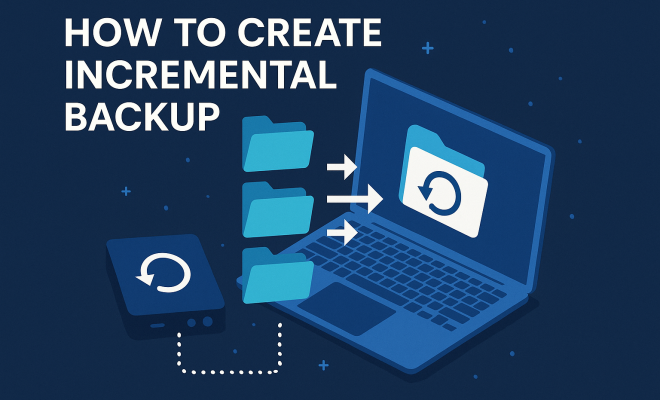
How to create incremental backup
“`html
In today’s digital age, data is an invaluable asset. Whether you’re a business owner safeguarding sensitive customer information or an individual storing cherished photos and documents, the importance of robust data protection strategies cannot be overstated. One effective method for ensuring your data remains accessible and intact is through incremental backup. This article will explore what incremental backup is, how it functions, and offer practical steps to create one, ensuring your data is always protected against unforeseen disasters.
1. Understanding Incremental Backup
Before we dive into the nitty-gritty of how to create an incremental backup, it’s essential to understand what this process entails. An incremental backup is a backup strategy that saves only the data that has changed since the last backup was performed. This method contrasts with full backups, which capture all data every time they are executed, regardless of whether the data has changed or not.
One of the primary advantages of incremental backups is efficiency. Since only the changes are stored, they consume less storage space and reduce backup time significantly. This efficiency can be a game changer for organizations and individuals with limited storage resources. However, it also requires a reliable system to manage multiple backup sets, as restoring data from incremental backups typically necessitates the last full backup plus all incremental backups made since then.
2. The Importance of Incremental Backup
The necessity for incremental backups rises as the volume of data continues to grow exponentially. Cyber threats, human error, hardware failures, and natural disasters are just a few risks that can lead to data loss. According to a report by the National Archives, approximately 93% of companies that experience a data loss and cannot recover it within ten days are likely to file for bankruptcy within one year.
Additionally, the efficiency of incremental backups minimizes the impact of downtime during the backup process. For businesses, reducing downtime can mean the difference between maintaining a competitive edge or falling behind. For everyday users, it aligns with the need for seamless access to their data without significant interruptions. Ultimately, an incremental backup strategy is not just a safety net; it’s a necessity for sustainable data management.
3. Prerequisites for Creating Incremental Backups
Before embarking on the journey to create an incremental backup, certain prerequisites should be established. First, you need to select a backup solution that supports incremental backups. This could be software like Acronis, Veeam, or even cloud-based solutions like Google Drive or Dropbox, depending on your needs.
Next, ensure that you have adequate storage space. Since incremental backups rely on a full backup as a baseline, you’ll need space for both the full backup and the incremental backups. Considerations for data encryption and compliance with data regulations also come into play, especially for businesses dealing with sensitive information.
4. Step-by-Step Guide to Creating Incremental Backups
Creating an incremental backup involves a systematic approach. Here’s a step-by-step guide to help you through the process:
- Choose Your Backup Software: Select software that meets your requirements. Some popular options include Windows Backup, rsync for Linux users, and cloud services like Backblaze.
- Perform a Full Backup: Start by making a complete backup of your data. This serves as the foundation for all subsequent incremental backups.
- Schedule Your Incremental Backups: Set a schedule for your incremental backups. Depending on your data change frequency, this could be daily, weekly, or even hourly.
- Monitor Your Backups: Regularly check the integrity of both your full and incremental backups. Ensuring they are functioning correctly is critical for data recovery.
By following these steps, you can establish a reliable incremental backup process tailored to your needs. Remember, the goal is to keep your data safe while minimizing storage use and backup time.
5. Restoring Data from Incremental Backups
While creating incremental backups is crucial, knowing how to restore data from them is equally important. Restoring from incremental backups can be a bit more complex than from a full backup. Here’s how it generally works:
First, you need to locate the last full backup. This serves as the starting point, and from there, you will apply each incremental backup in the order they were created. If you miss one of the incremental backups, you may risk losing the data captured in that backup, making the restoration incomplete.
Most backup software applications provide a straightforward interface for restoring data, so familiarizing yourself with your chosen application’s functionality can streamline this process. Always test your restore process periodically to ensure that your backups are reliable and you know the steps to recover your data swiftly when necessary. (See: Understanding backup strategies.)
6. Common Mistakes to Avoid
Creating an incremental backup isn’t foolproof, and several common mistakes can undermine your data protection efforts. One significant error is failing to regularly update your full backups. If you rely solely on incremental backups without periodically refreshing your full backup, it can lead to a lengthy recovery process.
Another mistake is neglecting to monitor your backups. It’s essential to check that your backup job completed successfully and that the data is recoverable. Automated systems can fail; without oversight, you may find yourself unprepared when you need to recover data quickly.
Finally, do not overlook physical storage protection. If you’re using external drives or network-attached storage, ensure they’re securely stored and protected from environmental hazards like fire or water damage.
7. Cost Considerations for Incremental Backup Solutions
While many backup solutions offer incremental backup features, costs can vary significantly based on your choices. Free solutions might suffice for personal use, but businesses often require more robust systems that may come with a price tag. Products like Acronis Backup or Veeam can run into hundreds of dollars annually, particularly if you need to back up multiple systems.
Additionally, consider the hidden costs associated with data loss. According to IBM, the average cost of data breaches can reach up to $3.86 million. Investing in an effective incremental backup solution can save you from potential losses that far exceed the initial costs.
8. Current Trends and Innovations in Incremental Backup
As technology continues to advance, the realm of incremental backup solutions is evolving. One notable trend is the rise of cloud-based backups. Cloud storage providers are incorporating incremental backup options that allow users to store data securely while also enhancing accessibility. This shift significantly reduces the need for on-premises infrastructure.
Moreover, artificial intelligence and machine learning are beginning to play a role in backup solutions. These technologies can predict potential data failures and optimize backup schedules based on data usage patterns, further improving efficiency and reliability.
9. Types of Incremental Backup
Incremental backup isn’t a one-size-fits-all solution. There are various types available, each suited for different needs. Let’s explore these types:
- File-level Incremental Backup: This method backs up individual files that have changed since the last backup. It’s useful for systems where specific files are frequently modified, such as document repositories.
- Image-level Incremental Backup: This approach captures changes at the disk or partition level. It’s especially beneficial for system recovery as it allows users to restore their entire system, including the operating system and applications, to a previous state.
- Database Incremental Backup: Tailored for database management systems, this method only backs up the database changes since the last backup. This is crucial for businesses relying on databases for day-to-day operations.
Choosing the right type of incremental backup is crucial based on your data environment and recovery needs.
10. Best Practices for Incremental Backup
To ensure your incremental backup strategy is effective, several best practices should be followed:
- Regularly Review Your Backup Schedule: Depending on how often your data changes, adjust your backup frequency. Regular reviews can help you maintain an optimized backup strategy.
- Test Restore Processes: Conduct regular drills on restoring data from backups. Knowing the restoration process inside out will prepare you for an actual data loss scenario.
- Keep Offsite Copies: Store copies of your backups in a different physical location. This helps safeguard against local disasters like fire or flood.
- Utilize Encryption: Protect your data with encryption, especially when using cloud-based solutions. This ensures that even if data is accessed without authorization, it remains unreadable.
Implementing these best practices can enhance the effectiveness of your incremental backup strategy.
11. Incremental Backup vs. Differential Backup
Understanding the differences between incremental and differential backups can help you decide which method to implement:
Incremental Backup: This only backs up data that has changed since the last backup, whether it was full or incremental. For instance, if you perform a full backup on Sunday and incremental backups on Monday and Tuesday, Tuesday’s backup will include only the changes made since Monday’s backup. (See: Data protection in technology.)
Differential Backup: In contrast, a differential backup saves all changes made since the last full backup. Using the same example, if you perform a full backup on Sunday and differential backups on Monday and Tuesday, Tuesday’s differential backup will include all changes made since Sunday, accumulating changes over time.
This difference has implications for restoration time. Restoring from an incremental backup requires all previous backups, while restoring from a differential backup only needs the last full backup and the most recent differential backup, which can simplify and speed up the recovery process.
12. FAQs About Incremental Backup
What is the main advantage of incremental backup?
The primary advantage of incremental backup is its efficiency. By only saving the changes made since the last backup, it uses less storage space and requires less time to complete compared to full backups.
How often should I perform incremental backups?
The frequency of incremental backups depends on how often your data changes. For businesses with frequent data updates, hourly backups might be ideal, while personal users may opt for daily or weekly schedules.
Can I use incremental backups with any backup software?
Not all backup software supports incremental backups. It’s essential to choose a solution specifically designed for this purpose, such as Veeam, Acronis, or similar options.
What happens if I lose an incremental backup?
If an incremental backup is lost, any data changes captured in that backup may be unrecoverable. This is why it’s crucial to maintain all incremental backups in the order they were created until you refresh your full backup.
Is incremental backup secure?
Incremental backups can be secure, especially when combined with encryption and strong access controls. Always ensure your backup solution includes robust security features to protect your data.
13. Final Thoughts on Incremental Backup
In an era where data is growing exponentially and the threats to its integrity are ever-present, embracing an incremental backup strategy is more critical than ever. It offers a balance of efficiency and reliability, catering to both personal and business needs. By understanding its importance, following best practices, and keeping abreast of technological advancements, you can safeguard your data effectively.
Ultimately, whether you’re a tech-savvy individual or a business entity, investing the time to implement and manage incremental backups will pay dividends in peace of mind and data security.
14. Real-World Applications of Incremental Backup
Incremental backup strategies have found diverse applications across various industries, proving to be essential for data integrity and availability. For instance, in the healthcare sector, patient records are regularly updated. Hospitals employ incremental backups to ensure that they capture the latest patient information without overloading their systems with redundant full backups.
In the finance industry, where every transaction is vital, banks utilize this method to safeguard transaction data. By employing incremental backups, they can quickly restore systems to recover from data loss events while ensuring minimal disruption to their services.
15. Statistics on Data Loss and Backup Necessity
Understanding the scale of data loss helps highlight the critical role of incremental backups. A staggering statistic from a survey by the Data Recovery Services shows that 60% of companies that lose their data will shut down within six months of the disaster. Additionally, it has been reported that 30% of users have never backed up their data. These numbers emphasize the need for a robust backup strategy like incremental backups, as they provide peace of mind and a safety net against catastrophic data loss. (See: NIST on information security standards.)
16. Choosing the Right Incremental Backup Solution
With numerous options available in the market, selecting the right incremental backup solution can be daunting. First, evaluate your specific needs, such as the volume of data, recovery time objectives, and budget constraints. If you manage large datasets, consider solutions that offer scalability and robust reporting features. Also, user-friendliness is crucial; a complicated interface might result in oversight during critical backup processes.
Additionally, take advantage of free trials offered by many software vendors. Testing a solution before committing can provide insights into its performance and compatibility with your existing systems.
17. Emerging Technologies in Backup Solutions
As the digital landscape evolves, so do backup solutions. One emerging technology is blockchain, which is being explored for data integrity in backups. By leveraging blockchain’s immutable ledger, organizations can ensure the authenticity of backup data, providing an additional layer of security against tampering. Furthermore, advancements in data deduplication technologies can significantly enhance the efficiency of incremental backups, making them faster and requiring even less storage space.
18. FAQs About Incremental Backup Continued
What is the difference between backup and archiving?
Backup refers to regularly creating copies of data to recover from loss, while archiving involves moving data that is no longer actively used to a separate storage for long-term retention. Archiving is often a one-time process for data that doesn’t change, whereas backups are ongoing.
Do incremental backups work for virtual machines?
Yes, incremental backups are ideal for virtual machines. They typically require less storage and can be completed faster than full backups, making them a popular choice in virtualized environments.
How do I ensure my incremental backup is successful?
To ensure your incremental backup is successful, regularly monitor your backup logs, test the restore process, and verify the integrity of your backups. These steps can help catch issues before they become major problems.
Can I automate my incremental backups?
Yes, most modern backup solutions allow you to automate your incremental backups. Setting up a schedule for automatic backups can save you time and ensure that your data is regularly protected without manual intervention.
What is the ideal backup strategy for small businesses?
For small businesses, a combination of full, incremental, and offsite backups is often ideal. Regularly scheduled full backups, supplemented by frequent incremental backups, can provide a comprehensive strategy while keeping costs manageable.
“`
Trending Now
Frequently Asked Questions
What is an incremental backup?
An incremental backup is a data protection strategy that saves only the information that has changed since the last backup was performed. This method is more efficient than full backups, as it consumes less storage space and reduces backup time, making it ideal for both individuals and organizations.
How does incremental backup work?
Incremental backup works by tracking changes made to data since the last backup. After the initial full backup, only the modified or newly created files are saved in subsequent backups, allowing for quicker and more efficient data protection while requiring less storage.
What are the benefits of incremental backups?
The benefits of incremental backups include reduced storage space usage, faster backup times, and the ability to efficiently manage large volumes of data. This method is particularly advantageous for organizations facing risks such as data loss from cyber threats or hardware failures.
How do I restore data from an incremental backup?
To restore data from an incremental backup, you need the last full backup and all the incremental backups made since then. The restoration process involves first restoring the full backup and then applying each incremental backup in sequence to recover the most recent data.
Why are incremental backups important?
Incremental backups are crucial because they protect against data loss caused by cyber threats, human error, and hardware failures. As data volumes grow, having an efficient backup strategy like incremental backups can significantly reduce the risk of losing critical information.
What’s your take on this? Share your thoughts in the comments below — we read every one.