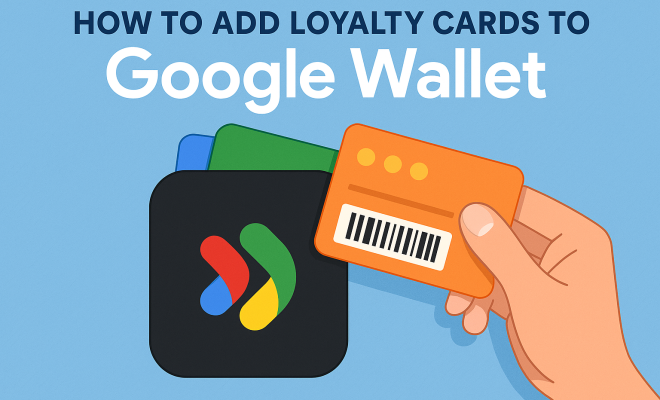
How to add loyalty cards to Google Wallet
“`html
In an age where convenience is king, managing loyalty cards digitally may seem like a no-brainer. But how do you add loyalty cards to Google Wallet? With the rise of digital wallets, including Google Wallet, it’s easier than ever to streamline your shopping experience. This article will guide you through the process, explore the benefits, and provide insights into how this innovative technology is reshaping how we engage with brands.
1. Understanding Google Wallet
Google Wallet is more than just a digital wallet; it’s a comprehensive payment platform that allows users to store various digital items, including payment methods, tickets, and importantly, loyalty cards. Launched initially in 2011, Google Wallet has undergone various transformations, adapting to the changing landscapes of consumer needs and technology. Today, it stands as a user-friendly solution for anyone looking to consolidate their essential cards.
One of the significant advantages of using Google Wallet is the ability to add all your loyalty cards to one app, eliminating the need to carry physical cards. This function not only declutters your wallet but also ensures that you’re always ready to earn points and redeem rewards without fumbling through numerous plastic cards. By digitizing your loyalty cards, you also help streamline the checkout process, making it quicker and more efficient.
2. Why Add Loyalty Cards to Google Wallet?
There are numerous reasons to consider adding loyalty cards to Google Wallet. First and foremost, convenience stands out. By having all your cards in one place, you can easily access them whenever you make a purchase. You can also take advantage of exclusive offers and rewards by simply scanning your phone at checkout.
Moreover, digitizing your loyalty cards means you can keep track of your points and rewards in real time. Many retailers offer mobile notifications for exclusive deals or point updates when you’ve reached a certain threshold. This instant access encourages you to engage more with your favorite brands, enhancing your shopping experience by making it both rewarding and effortless.
3. Requirements Before Adding Loyalty Cards
Before you start the process to add loyalty cards to Google Wallet, make sure you have the following requirements in place:
- A smartphone or tablet with the Google Wallet app installed.
- A valid Google account to sign in to Google Wallet.
- The loyalty cards you want to add, ideally with a barcode or QR code for scanning.
- Internet access to download updates and sync your wallet.
These basic requirements ensure that you have a smooth experience while adding your loyalty cards. It’s worth noting that not all loyalty cards may be compatible with Google Wallet, so check with specific retailers regarding their digital integration.
4. How to Add Loyalty Cards Step-by-Step
Now that you’re clear on the requirements, let’s walk through the steps to add your loyalty cards to Google Wallet:
- Open the Google Wallet app on your device.
- Tap on the “Add” or “+” icon usually located at the bottom right corner.
- Select “Loyalty Card” from the list of options.
- Choose the retailer from the list or search for it using the search bar if it’s not readily visible.
- Enter your membership number or scan your loyalty card’s barcode or QR code directly using your smartphone camera.
- Verify the information and tap “Save” or “Done” to add the card.
- You can also add a loyalty card manually by entering card details if the retailer is not listed.
- Once added, you can view your card in the app, ready for usage at your next visit.
- Remember to sync your account if you’re using multiple devices to ensure all your loyalty cards are accessible.
By following these steps, you’ll be able to utilize your loyalty cards efficiently without ever needing to hold onto a physical card.
5. Managing Your Loyalty Cards
After you add loyalty cards to Google Wallet, managing them is crucial for maximizing your benefits. Within the app, you can easily organize your loyalty cards, making it simple to find what you need at checkout. You might want to prioritize certain cards based on where you shop most frequently.
Additionally, Google Wallet allows you to edit or delete cards if your membership status changes or if you wish to remove a card you no longer use. Simply tap on the card you want to manage, and you’ll find options to edit or delete it right there. Keeping your digital wallet updated ensures that you always have access to the latest offers and rewards. (See: digital wallet overview.)
6. Benefits of Digital Loyalty Cards
The transition from physical to digital loyalty cards offers several notable benefits. First, they’d help reduce waste by minimizing the need for plastic cards, contributing to a more sustainable shopping experience. This is particularly relevant as many consumers are becoming more environmentally conscious.
Furthermore, digital cards can enhance customer engagement. Retailers can send personalized offers and promotions based on your shopping habits, which are more likely to resonate with you. This tailored approach often leads to increased customer satisfaction and loyalty, creating a win-win situation for both consumers and brands.
7. Common Issues and Troubleshooting
While adding loyalty cards to Google Wallet is generally a straightforward process, you might encounter some issues. One common problem involves cards not being accepted at certain retailers. While many major chains support Google Wallet, smaller or regional stores may not have the technology to process digital cards.
If you run into trouble, double-check that you’ve entered your membership number correctly or ensure that the store accepts Google Wallet. If a card doesn’t appear in your wallet, try syncing your app or restarting your device. Most importantly, keep your app updated to avoid glitches.
8. The Future of Loyalty Programs
The future of loyalty programs is likely to be even more integrated with technology, as more retailers adopt digital systems. Expect to see enhanced features, such as automatic point tracking, personalized deals based on AI analytics, and seamless integration with payment systems.
As consumers increasingly prefer contactless payment methods, the demand for digital wallets will continue to grow. Brands that adapt to these changes will likely see increased customer retention and satisfaction, as well as more robust data on consumer behavior.
9. How Loyalty Programs Drive Traffic to Retailers
Loyalty programs have always been a key strategy for retailers to drive traffic and boost sales. According to a recent survey by Bond Brand Loyalty, 79% of consumers indicated that loyalty programs make them more likely to continue doing business with certain brands. This statistic highlights the effectiveness of loyalty cards in ensuring repeat business.
Moreover, the design of these programs can significantly affect consumer behavior. For example, gamification elements, such as earning badges for certain purchases or reaching milestones, can enhance engagement. Retailers like Starbucks have successfully implemented gamification, offering rewards that encourage customers to buy more frequently to reach tiered rewards.
As more brands recognize the importance of these psychological triggers, we can expect to see more innovative loyalty programs that incorporate these tactics, enhancing customer experience while simultaneously driving sales.
10. Comparing Loyalty Cards Across Different Retailers
Not all loyalty programs are created equal. When considering which cards to add to Google Wallet, it’s essential to compare the benefits offered by different retailers. For instance, grocery store loyalty programs often provide discounts on future purchases, while retail stores might focus on exclusive offers or early access to sales.
Take Target’s loyalty program as an example. Unlike many programs that reward only points, Target’s program gives members a straightforward 1% back on every purchase. In contrast, a program like Sephora’s rewards customers based on tiers, providing different levels of perks like free shipping, birthday gifts, and access to exclusive products. Such comparisons can help you decide which loyalty cards are worth adding to streamline your shopping experience.
11. Security and Privacy Considerations
While adding loyalty cards to Google Wallet offers convenience, it’s important to consider security and privacy. Google Wallet employs robust encryption and security protocols to protect your information, but users should also take personal precautions. Ensure that your device has secure lock features, like facial recognition or a strong password. (See: benefits of digital wallets.)
Additionally, be cautious about what information you share with loyalty programs. Always review the terms and conditions to understand how your data is being used. Retailers often share data with third parties for marketing purposes, so being aware of these practices can help you make informed decisions about which loyalty programs to join.
12. FAQs About Adding Loyalty Cards to Google Wallet
Q1: Can I add multiple loyalty cards from the same retailer to Google Wallet?
A1: Generally, Google Wallet allows you to add only one loyalty card per retailer. However, if you have multiple cards, some users opt to consolidate by contacting customer service to link their accounts, if possible.
Q2: What if my loyalty card doesn’t have a barcode or QR code?
A2: If your loyalty card lacks a scannable code, you can usually enter your membership number manually. Some retailers also offer digital cards that can be accessed via their apps, which you might be able to add to Google Wallet.
Q3: How do I know if a retailer’s loyalty card is compatible with Google Wallet?
A3: You can check compatibility by visiting the retailer’s website or contacting their customer service. Many retailers advertise their support for Google Wallet on their loyalty program pages.
Q4: What happens to my loyalty points if I switch phones?
A4: Your loyalty points should remain intact as long as you log in to your Google account on the new device and sync your Google Wallet. However, it’s always a good idea to check with the specific retailer to ensure your points transfer correctly.
Q5: Are there any fees associated with adding loyalty cards to Google Wallet?
A5: No, adding loyalty cards to Google Wallet is free. However, be aware that while using some loyalty programs may require purchases or fees for certain tiers, adding the card itself does not incur any costs.
13. Embracing a Smart Shopping Future
As technology continues to evolve, so does the way we engage with brands. Adding loyalty cards to Google Wallet is just one of many steps toward a more streamlined shopping experience. As you embrace this technology, you’ll find that not only is your wallet lighter, but your shopping habits can become more strategic and rewarding.
With the insights and tools available today, you have the power to make informed choices about where to shop and how to earn rewards. So, take the plunge and start adding your loyalty cards to Google Wallet — it might just change the way you think about shopping!
14. Real-World Examples of Successful Loyalty Programs
Several brands have successfully integrated loyalty programs into their business models, demonstrating the potential benefits of digitization. Take Starbucks, for instance. Their loyalty program rewards customers with stars for every purchase, which can be redeemed for free drinks, food, and exclusive offers. The app also allows users to order ahead and pay, making the entire experience seamless. As of their latest reports, Starbucks has more than 24 million active loyalty program members in the U.S., showing how effective a well-designed loyalty system can be. Related reading: favorite barcode scanner apps.
Another notable example is Amazon Prime, which offers a variety of benefits, including free shipping, exclusive deals, and access to streaming services. Amazon has turned its loyalty program into a pivotal aspect of its business strategy, contributing substantially to its customer retention rates. (See: Google Wallet and loyalty cards.)
These examples illustrate that when loyalty programs are executed thoughtfully and integrated into the shopping experience, they can significantly boost customer loyalty and brand engagement.
15. Statistics That Highlight the Importance of Loyalty Programs
Understanding the impact of loyalty programs can be eye-opening. According to a study by Accenture, 77% of consumers say loyalty programs make them more likely to continue doing business with brands. Additionally, a study by the Loyalty Marketing Council found that 50% of consumers are more likely to choose a retailer if that retailer offers a loyalty program.
Moreover, brands that excel at customer experience, which includes a well-structured loyalty program, can see an increase in revenue by up to 10-15%. These statistics underscore the importance of not just having a loyalty card but ensuring that it is effectively integrated with digital platforms like Google Wallet for enhanced customer engagement and convenience.
16. How to Maximize Your Benefits from Loyalty Programs
To get the most out of your loyalty cards, consider the following strategies:
- Stay Informed: Regularly check your favorite retailers’ apps or websites for new promotions and point multipliers. These limited-time offers can significantly boost your earnings.
- Combine Offers: Look for ways to combine loyalty points with other promotions, like coupons or seasonal sales, to maximize your savings.
- Engage with Brands: Follow your favorite brands on social media to stay updated on exclusive offers and events that may not be advertised elsewhere.
- Utilize Apps: Many retailers offer apps that provide additional perks or enable you to earn points faster. Make sure you’re taking full advantage of these tools.
- Know the Fine Print: Be aware of the terms and conditions of your loyalty programs. Understanding expiration dates for points or any potential fees can help you avoid losing rewards.
17. Looking Ahead: The Evolution of Digital Wallets and Loyalty Programs
The integration of loyalty cards into digital wallets is just the beginning. As technology advances, we can expect to see more innovation in this space. Future developments could include enhanced personalized experiences through AI, real-time reward notifications, and even the potential for blockchain technology to secure transactions and rewards.
With the increasing popularity of mobile payment solutions and contactless transactions, brands need to stay ahead of the curve. Adapting loyalty programs to fit into these digital frameworks will not only attract tech-savvy consumers but also enhance overall customer satisfaction.
So, whether you’re a consumer eager to save or a retailer looking to engage more effectively with your customers, the future looks bright for loyalty programs and digital wallets.
“`
Trending Now
Frequently Asked Questions
How do I add loyalty cards to Google Wallet?
To add loyalty cards to Google Wallet, open the app and tap on 'Add to Wallet.' Select 'Loyalty Card' and either scan the card or enter the details manually. This allows you to keep all your loyalty cards in one convenient place for easy access during purchases.
What are the benefits of using Google Wallet for loyalty cards?
Using Google Wallet for loyalty cards offers several benefits, including convenience, organization, and real-time tracking of points and rewards. It eliminates the need to carry physical cards and allows for quick access to exclusive offers at checkout.
Can I store multiple loyalty cards in Google Wallet?
Yes, you can store multiple loyalty cards in Google Wallet. The app allows you to add various cards from different retailers, making it easy to manage and access all your loyalty programs in one place.
Is it safe to store loyalty cards in Google Wallet?
Yes, it is generally safe to store loyalty cards in Google Wallet. The app uses encryption and secure servers to protect your information, ensuring that your loyalty card details are kept private and secure.
Do I need an internet connection to use loyalty cards in Google Wallet?
You do not need an active internet connection to access your loyalty cards in Google Wallet once they are downloaded. However, you may need internet access to add new cards or receive updates related to your loyalty programs.
What's your take on this? Share your thoughts in the comments below — we read every one.