The Tech Edvocate

Top Menu

  • Advertisement
  • Apps
  • Home Page
  • Home Page Five (No Sidebar)
  • Home Page Four
  • Home Page Three
  • Home Page Two
  • Home Tech2
  • Icons [No Sidebar]
  • Left Sidbear Page
  • Lynch Educational Consulting
  • My Account
  • My Speaking Page
  • Newsletter Sign Up Confirmation
  • Newsletter Unsubscription
  • Our Brands
  • Page Example
  • Privacy Policy
  • Protected Content
  • Register
  • Request a Product Review
  • Shop
  • Shortcodes Examples
  • Signup
  • Start Here
    • Governance
    • Careers
    • Contact Us
  • Terms and Conditions
  • The Edvocate
  • The Tech Edvocate Product Guide
  • Topics
  • Write For Us
  • Advertise

Main Menu

  • Start Here
    • Our Brands
    • Governance
      • Lynch Educational Consulting, LLC.
      • Dr. Lynch’s Personal Website
      • Careers
    • Write For Us
    • The Tech Edvocate Product Guide
    • Contact Us
    • Books
    • Edupedia
    • Post a Job
    • The Edvocate Podcast
    • Terms and Conditions
    • Privacy Policy
  • Topics
    • Assistive Technology
    • Child Development Tech
    • Early Childhood & K-12 EdTech
    • EdTech Futures
    • EdTech News
    • EdTech Policy & Reform
    • EdTech Startups & Businesses
    • Higher Education EdTech
    • Online Learning & eLearning
    • Parent & Family Tech
    • Personalized Learning
    • Product Reviews
  • Advertise
  • Tech Edvocate Awards
  • The Edvocate
  • Pedagogue
  • School Ratings

logo

The Tech Edvocate

  • Start Here
    • Our Brands
    • Governance
      • Lynch Educational Consulting, LLC.
      • Dr. Lynch’s Personal Website
        • My Speaking Page
      • Careers
    • Write For Us
    • The Tech Edvocate Product Guide
    • Contact Us
    • Books
    • Edupedia
    • Post a Job
    • The Edvocate Podcast
    • Terms and Conditions
    • Privacy Policy
  • Topics
    • Assistive Technology
    • Child Development Tech
    • Early Childhood & K-12 EdTech
    • EdTech Futures
    • EdTech News
    • EdTech Policy & Reform
    • EdTech Startups & Businesses
    • Higher Education EdTech
    • Online Learning & eLearning
    • Parent & Family Tech
    • Personalized Learning
    • Product Reviews
  • Advertise
  • Tech Edvocate Awards
  • The Edvocate
  • Pedagogue
  • School Ratings
  • US Battery as a Service Market Shifts Toward Fleet-Based Energy

  • The Startling Truth: Why Americans Distrust AI with Their Health

  • This Crucial Deadline for Banks Is Closer Than You Think

  • Baffling: CrowdStrike’s $500 Million AI Bet Reshapes Cybersecurity

  • This Crucial Autonomous Driving Rule Could Cost You Everything

  • Baffling: Microsoft AI CEO Demands Halt to Conscious AI Development

  • O seară în ritmul tău: atmosfera divertismentului de cazinou pe internet

  • Outrageous: AppLovin Hit With Lawsuit Over AI Claims — What Investors Need to Know

  • 9 Critical Ways AI Investment Fraud Is Quietly Draining Your Bank Account

  • Is the AI Bubble Bursting? OpenAI’s Funding Woes Revealed

Digital & Mobile Technology
Home›Digital & Mobile Technology›Google Assistant Driving Mode vs. Android Auto: What’s the Difference?

Google Assistant Driving Mode vs. Android Auto: What’s the Difference?
By Matthew Lynch
June 13, 2023
0
Spread the love

With the increasing demand for in-car technology, there are two notable options available to drivers: Google Assistant Driving Mode and Android Auto. Despite their similar names and functions, there are distinct differences between the two.

Google Assistant Driving Mode is a feature within the Google Assistant app that provides a streamlined and hands-free experience for drivers. Once enabled, the mode optimizes the interface for safe driving by providing voice controls for tasks like making calls or sending messages. Additionally, the mode works with apps like Google Maps, which offer navigation information without having to glance at a screen. With safety in mind, Google Assistant Driving Mode has “Do Not Disturb” messaging, meaning notifications and calls will not appear on-screen unless manually requested.

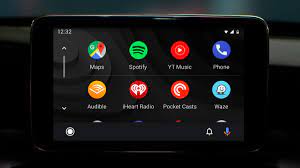
On the other hand, Android Auto is a standalone app that provides a more comprehensive experience for drivers. It offers a simplified version of the user’s phone screen, with larger icons and text to make it easier to navigate while driving. The app offers voice-activated controls for music, messaging, and phone calls, and also offers compatibility with popular navigation apps like Google Maps and Waze. For added convenience, Android Auto also offers fast access to frequently used apps like Spotify and WhatsApp.

One of the major differences between the two options is their accessibility. Google Assistant Driving Mode is built into the Google Assistant app and can be activated with just a few clicks. Android Auto is a separate app that needs to be downloaded from the Google Play Store before it can be used. Also, Google Assistant Driving Mode is only available on Android devices running Android 9.0 and above, while Android Auto is backward compatible to Android 5.0.

Another notable difference between the two options is their level of compatibility with different cars. Android Auto traditionally requires a car with a compatible physical head unit, whereas Google Assistant Driving Mode just needs Bluetooth connectivity with the car’s audio system to work. Many new car models already have Android Auto integration built into them, but older cars might not be compatible. This is where Google Assistant Driving Mode offers a distinct advantage over Android Auto.

In conclusion, both Google Assistant Driving Mode and Android Auto can provide a safer and more convenient driving experience by allowing drivers to keep their eyes on the road while controlling their phone features. Google Assistant Driving Mode offers a more straightforward and hands-free feature, optimized for safety, while Android Auto offers a more comprehensive and customizable driving experience for users. Ultimately, it comes down to personal preference and the driver’s technological compatibility.

Previous Article

The Useful Bash Shell Variables You Should ...

Next Article

How to Set Up and Join Custom ...

Matthew Lynch

Related articles More from author

  • Digital & Mobile Technology

    How to Fix Bad Pool Caller Error on Windows 10

    June 12, 2023
    By Matthew Lynch
  • Digital & Mobile Technology

    How to Set Out of Office Status on Microsoft Teams

    September 8, 2023
    By Matthew Lynch
  • Digital & Mobile Technology

    Build Your Own Raspberry Pi Cloud Server with Nextcloud

    June 5, 2023
    By Matthew Lynch
  • Digital & Mobile Technology

    The History of iTunes and Its Major Versions

    July 30, 2023
    By Matthew Lynch
  • Best of the Best ListsDigital & Mobile Technology

    The Best Off-Bike Workouts on Openfit

    June 12, 2023
    By Matthew Lynch
  • Digital & Mobile Technology

    The 5 Best Photo Editor Apps of 2023

    June 30, 2023
    By Matthew Lynch

Search

Login & Registration

  • Log in
  • Entries feed
  • Comments feed
  • WordPress.org

Newsletter

Signup for The Tech Edvocate Newsletter and have the latest in EdTech news and opinion delivered to your email address!

About Us

Since technology is not going anywhere and does more good than harm, adapting is the best course of action. That is where The Tech Edvocate comes in. We plan to cover the PreK-12 and Higher Education EdTech sectors and provide our readers with the latest news and opinion on the subject. From time to time, I will invite other voices to weigh in on important issues in EdTech. We hope to provide a well-rounded, multi-faceted look at the past, present, the future of EdTech in the US and internationally.

We started this journey back in June 2016, and we plan to continue it for many more years to come. I hope that you will join us in this discussion of the past, present and future of EdTech and lend your own insight to the issues that are discussed.

Newsletter

Signup for The Tech Edvocate Newsletter and have the latest in EdTech news and opinion delivered to your email address!

Contact Us

The Tech Edvocate
910 Goddin Street
Richmond, VA 23231
(601) 630-5238
[email protected]

Copyright © 2026 Matthew Lynch. All rights reserved.