The Tech Edvocate

Top Menu

  • Advertisement
  • Apps
  • Home Page
  • Home Page Five (No Sidebar)
  • Home Page Four
  • Home Page Three
  • Home Page Two
  • Home Tech2
  • Icons [No Sidebar]
  • Left Sidbear Page
  • Lynch Educational Consulting
  • My Account
  • My Speaking Page
  • Newsletter Sign Up Confirmation
  • Newsletter Unsubscription
  • Our Brands
  • Page Example
  • Privacy Policy
  • Protected Content
  • Register
  • Request a Product Review
  • Shop
  • Shortcodes Examples
  • Signup
  • Start Here
    • Governance
    • Careers
    • Contact Us
  • Terms and Conditions
  • The Edvocate
  • The Tech Edvocate Product Guide
  • Topics
  • Write For Us
  • Advertise

Main Menu

  • Start Here
    • Our Brands
    • Governance
      • Lynch Educational Consulting, LLC.
      • Dr. Lynch’s Personal Website
      • Careers
    • Write For Us
    • The Tech Edvocate Product Guide
    • Contact Us
    • Books
    • Edupedia
    • Post a Job
    • The Edvocate Podcast
    • Terms and Conditions
    • Privacy Policy
  • Topics
    • Assistive Technology
    • Child Development Tech
    • Early Childhood & K-12 EdTech
    • EdTech Futures
    • EdTech News
    • EdTech Policy & Reform
    • EdTech Startups & Businesses
    • Higher Education EdTech
    • Online Learning & eLearning
    • Parent & Family Tech
    • Personalized Learning
    • Product Reviews
  • Advertise
  • Tech Edvocate Awards
  • The Edvocate
  • Pedagogue
  • School Ratings

logo

The Tech Edvocate

  • Start Here
    • Our Brands
    • Governance
      • Lynch Educational Consulting, LLC.
      • Dr. Lynch’s Personal Website
        • My Speaking Page
      • Careers
    • Write For Us
    • The Tech Edvocate Product Guide
    • Contact Us
    • Books
    • Edupedia
    • Post a Job
    • The Edvocate Podcast
    • Terms and Conditions
    • Privacy Policy
  • Topics
    • Assistive Technology
    • Child Development Tech
    • Early Childhood & K-12 EdTech
    • EdTech Futures
    • EdTech News
    • EdTech Policy & Reform
    • EdTech Startups & Businesses
    • Higher Education EdTech
    • Online Learning & eLearning
    • Parent & Family Tech
    • Personalized Learning
    • Product Reviews
  • Advertise
  • Tech Edvocate Awards
  • The Edvocate
  • Pedagogue
  • School Ratings
  • A Visitors Guide to Long Beach (CA), United States

  • A Visitor’s Guide to Fresno (CA), United States

  • A Visitors Guide to New Orleans (LA), United States

  • A Visitors Guide to Sacramento (CA), United States

  • A Visitors Guide to Lyon, France

  • JisuLife Ultra2 Portable Fan: A Powerful Multi-Function Cooling Solution

  • A Visitors Guide to Viña del Mar, Chile

  • A Visitors Guide to Århus, Denmark

  • A Visitors Guide to Bakersfield (CA), United States

  • A Visitors Guide to Aurora (CO), United States

Digital & Mobile Technology
Home›Digital & Mobile Technology›Free Desktop Publishing Software for Windows

Free Desktop Publishing Software for Windows
By Matthew Lynch
July 30, 2023
0
Spread the love

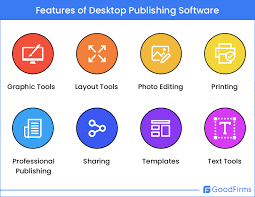
Desktop publishing software has been an integral part of designers and professionals’ lives over the years. It is a tool that allows you to create stunning visuals with text and graphics, and it is utilized in various fields like entertainment, education, and marketing. When you think of desktop publishing software, Adobe InDesign is the program that comes to mind first. However, it is not always an accessible or affordable option for everyone. If you’re a budding designer or a small business owner, you don’t have to spend hundreds of dollars on high-end software. Here are some of the best free desktop publishing software for Windows, which can get the job done without breaking the bank.

1. Scribus

Scribus is a free and open-source software that provides professional-level page layout and design tools. It is ideal for creating flyers, brochures, business cards, and magazines. The program supports various file types, including PDF, EPS, and SVG. Scribus has a user-friendly interface, making it easy to use for beginners. It also has additional features like color management, prepress support, and vector drawing tools.

2. Lucidpress

Lucidpress is a cloud-based platform for creating print and digital content. While Lucidpress is not entirely free, it offers a robust free version that includes 25MB of storage and a limited range of design templates. Lucidpress is an intuitive tool that includes a drag-and-drop editor and is easy to use.

3. Canva

Canva is a web-based graphic design platform that has a vast library of pre-designed templates. With Canva, you can create anything from business cards to social media graphics to posters. It has an intuitive drag-and-drop interface that allows users to customize templates easily. Canva also has a paid version that increases the number of templates and adds features such as a brand toolkit.

4. Inkscape

Inkscape is a free and open-source vector graphics editor. Although it is not exclusively a desktop publishing tool, Inkscape’s features make it an excellent option for creating visually stunning designs. It has a robust set of features, including scalable vector graphics, color selector, and text tools. Inkscape is a versatile and flexible tool that is capable of producing high-quality designs.

5. GIMP

GIMP, or GNU Image Manipulation Program, is an open-source raster graphics editor. While it is not exclusively a desktop publishing tool, GIMP’s features make it a powerful design software. It has an extensive array of tools, including filters, brushes, and layer support. GIMP is a versatile tool that can create designs for posters, social media, and websites.

In conclusion, desktop publishing software can be expensive, but it does not have to be. The programs mentioned above offer excellent features and design tools while being relatively cost-effective. Whether you’re a beginner or a professional designer, these free desktop publishing software for Windows have the capabilities to help you meet your design needs.

Previous Article

What Is LinkedIn InMail?

Next Article

How to Make a Call From the ...

Matthew Lynch

Related articles More from author

  • Digital & Mobile Technology

    Canon PowerShot SX530 Review

    June 4, 2023
    By Matthew Lynch
  • Digital & Mobile Technology

    Features That Make a Twitter Circle More Private

    August 5, 2023
    By Matthew Lynch
  • Digital & Mobile Technology

    A Guide to Back Up iPhone Data to Google Drive

    April 10, 2023
    By Matthew Lynch
  • Digital & Mobile Technology

    Using iBooks and the iBookstore

    July 24, 2023
    By Matthew Lynch
  • Digital & Mobile Technology

    Circadian Rhythm: Here’s How to Reset and Get Better Sleep

    January 31, 2024
    By Matthew Lynch
  • Digital & Mobile Technology

    Fallout Shelter Tips for Vault Dwellers

    June 22, 2023
    By Matthew Lynch

Search

Login & Registration

  • Register
  • Log in
  • Entries feed
  • Comments feed
  • WordPress.org

Newsletter

Signup for The Tech Edvocate Newsletter and have the latest in EdTech news and opinion delivered to your email address!

About Us

Since technology is not going anywhere and does more good than harm, adapting is the best course of action. That is where The Tech Edvocate comes in. We plan to cover the PreK-12 and Higher Education EdTech sectors and provide our readers with the latest news and opinion on the subject. From time to time, I will invite other voices to weigh in on important issues in EdTech. We hope to provide a well-rounded, multi-faceted look at the past, present, the future of EdTech in the US and internationally.

We started this journey back in June 2016, and we plan to continue it for many more years to come. I hope that you will join us in this discussion of the past, present and future of EdTech and lend your own insight to the issues that are discussed.

Newsletter

Signup for The Tech Edvocate Newsletter and have the latest in EdTech news and opinion delivered to your email address!

Contact Us

The Tech Edvocate
910 Goddin Street
Richmond, VA 23231
(601) 630-5238
[email protected]

Copyright © 2025 Matthew Lynch. All rights reserved.