The Tech Edvocate

Top Menu

  • Advertisement
  • Apps
  • Home Page
  • Home Page Five (No Sidebar)
  • Home Page Four
  • Home Page Three
  • Home Page Two
  • Home Tech2
  • Icons [No Sidebar]
  • Left Sidbear Page
  • Lynch Educational Consulting
  • My Account
  • My Speaking Page
  • Newsletter Sign Up Confirmation
  • Newsletter Unsubscription
  • Our Brands
  • Page Example
  • Privacy Policy
  • Protected Content
  • Register
  • Request a Product Review
  • Shop
  • Shortcodes Examples
  • Signup
  • Start Here
    • Governance
    • Careers
    • Contact Us
  • Terms and Conditions
  • The Edvocate
  • The Tech Edvocate Product Guide
  • Topics
  • Write For Us
  • Advertise

Main Menu

  • Start Here
    • Our Brands
    • Governance
      • Lynch Educational Consulting, LLC.
      • Dr. Lynch’s Personal Website
      • Careers
    • Write For Us
    • The Tech Edvocate Product Guide
    • Contact Us
    • Books
    • Edupedia
    • Post a Job
    • The Edvocate Podcast
    • Terms and Conditions
    • Privacy Policy
  • Topics
    • Assistive Technology
    • Child Development Tech
    • Early Childhood & K-12 EdTech
    • EdTech Futures
    • EdTech News
    • EdTech Policy & Reform
    • EdTech Startups & Businesses
    • Higher Education EdTech
    • Online Learning & eLearning
    • Parent & Family Tech
    • Personalized Learning
    • Product Reviews
  • Advertise
  • Tech Edvocate Awards
  • The Edvocate
  • Pedagogue
  • School Ratings

logo

The Tech Edvocate

  • Start Here
    • Our Brands
    • Governance
      • Lynch Educational Consulting, LLC.
      • Dr. Lynch’s Personal Website
        • My Speaking Page
      • Careers
    • Write For Us
    • The Tech Edvocate Product Guide
    • Contact Us
    • Books
    • Edupedia
    • Post a Job
    • The Edvocate Podcast
    • Terms and Conditions
    • Privacy Policy
  • Topics
    • Assistive Technology
    • Child Development Tech
    • Early Childhood & K-12 EdTech
    • EdTech Futures
    • EdTech News
    • EdTech Policy & Reform
    • EdTech Startups & Businesses
    • Higher Education EdTech
    • Online Learning & eLearning
    • Parent & Family Tech
    • Personalized Learning
    • Product Reviews
  • Advertise
  • Tech Edvocate Awards
  • The Edvocate
  • Pedagogue
  • School Ratings
  • RayNeo iO Smart Glasses: A Comprehensive Review

  • Glo Skin Beauty: The Aesthetician-Backed Brand Taking 25% Off for October Prime Day

  • The Shocking Truth: ESG Training Programs Are Quietly Reshaping Your Career Path

  • Why Millions of People Are Switching to These Green Energy Certifications Right Now

  • The green skills gap in 2026: How to address this growing problem

  • The Shocking Truth: Your Degree Won’t Land You the Best IT Jobs in 2026

  • The Brutal Truth About Degrees: Why Micro-Credentials Are Quietly Dominating Careers by 2026

  • Why 96% of Employers Now Prefer Skills Over Degrees: The Micro-Credential Revolution

  • This Crucial Mistake With AI Is Stunting Student Minds: Here’s How to Fix It

  • The AI ‘Cognitive Surrender’ Crisis: 7 Tools Every Educator Needs NOW

Tech Advice
Home›Tech Advice›Check Out the iPhone’s One-Handed Keyboard. You’ll Thank Us Later

Check Out the iPhone’s One-Handed Keyboard. You’ll Thank Us Later
By Matthew Lynch
July 17, 2023
0
Spread the love

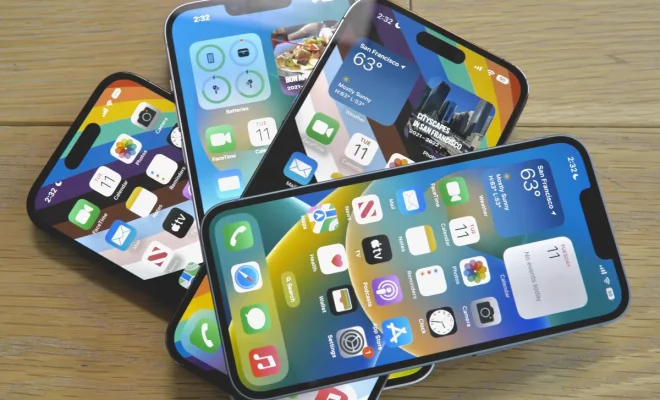
In today’s fast-paced world, smartphones have become an integral part of our daily lives. With each new iteration of the iPhone, Apple continues to deliver cutting-edge features and enhancements to make our lives more convenient – and now it’s time for the one-handed keyboard to steal the spotlight. This little-known but incredibly helpful feature will make typing a breeze, especially for all you multitaskers out there. So, let us dive right in and learn how to utilize the iPhone’s one-handed keyboard.

What is the One-Handed Keyboard?

The one-handed keyboard is a hidden feature introduced in iOS 11 that allows you to type more comfortably with just one hand. It essentially shifts the keyboard from its central position on your iPhone to either left or right side of the screen, making it easy to reach all the keys while holding your phone with only one hand.

Why You Need It

Many people often find themselves juggling multiple tasks while using their iPhone – from holding coffee cups and shopping bags to chatting on the go. The one-handed keyboard can be a game-changer in such situations where using two hands is not feasible or convenient. Moreover, those with smaller hands will appreciate this feature as it makes reaching those far flung keys so much easier.

How to Enable the One-Handed Keyboard

Activating this handy feature is quite simple:

1. Open any app on your iPhone that allows you to type.

2. Tap on the text input area to bring up your keyboard.

3. Press and hold down the “globe” icon or emoji icon (located at the bottom left of your keyboard).

4. You will see three miniature keyboards pop up on your screen – a centralized one, another nudged towards the left edge, and one nudged towards the right edge of your display.

5. Select either the left or right keyboard depending on your preference.

Note that you can always switch back to the regular keyboard by tapping on the arrow icons found within the left or right one-handed keyboards.

Customizing One-Handed Keyboard Settings

For further customization, you can adjust the one-handed keyboard settings in your iPhone’s main settings:

1. Open the “Settings” app.

2. Scroll down to “General” and tap on it.

3. Select “Keyboard”.

4. Find “One Handed Keyboard” and tap on it.

5. Choose between “Off”, “Left”, or “Right” to set your preference.

Now that you have unlocked the potential of your iPhone’s one-handed keyboard, texting, emailing, and browsing will be faster and more convenient than ever. Once you get acquainted with this useful feature, you’ll wonder how you ever managed without it! So go ahead and give it a try – trust us, you’ll be thankful later!


Previous Article

Pokemon Go finally lets you change your ...

Next Article

Buying the New AirPods Pro 2? You ...

Matthew Lynch

Related articles More from author

  • Tech Advice

    7 Tips to Lose Body Fat at Home, According to Experts

    July 6, 2023
    By Matthew Lynch
  • Tech Advice

    Bose Smart Soundbar 600 Review: All This and Great Sound, Too

    July 16, 2023
    By Matthew Lynch
  • Tech Advice

    Pokemon Go Dialga Raid Guide: Best Counters, Weaknesses and Moveset

    July 15, 2023
    By Matthew Lynch
  • Tech Advice

    Pebble Time Steel review: Time, with a battery boost

    July 12, 2023
    By Matthew Lynch
  • Tech Advice

    The Best Prime Day SSD Deals to Upgrade Your Laptop Storage and Speed

    October 19, 2023
    By Matthew Lynch
  • Tech Advice

    Jedi Survivor System Requirements

    July 24, 2023
    By Matthew Lynch

Search

Login & Registration

  • Log in
  • Entries feed
  • Comments feed
  • WordPress.org

Newsletter

Signup for The Tech Edvocate Newsletter and have the latest in EdTech news and opinion delivered to your email address!

About Us

Since technology is not going anywhere and does more good than harm, adapting is the best course of action. That is where The Tech Edvocate comes in. We plan to cover the PreK-12 and Higher Education EdTech sectors and provide our readers with the latest news and opinion on the subject. From time to time, I will invite other voices to weigh in on important issues in EdTech. We hope to provide a well-rounded, multi-faceted look at the past, present, the future of EdTech in the US and internationally.

We started this journey back in June 2016, and we plan to continue it for many more years to come. I hope that you will join us in this discussion of the past, present and future of EdTech and lend your own insight to the issues that are discussed.

Newsletter

Signup for The Tech Edvocate Newsletter and have the latest in EdTech news and opinion delivered to your email address!

Contact Us

The Tech Edvocate
910 Goddin Street
Richmond, VA 23231
(601) 630-5238
[email protected]

Copyright © 2026 Matthew Lynch. All rights reserved.