The Tech Edvocate

Top Menu

  • Advertisement
  • Apps
  • Home Page
  • Home Page Five (No Sidebar)
  • Home Page Four
  • Home Page Three
  • Home Page Two
  • Home Tech2
  • Icons [No Sidebar]
  • Left Sidbear Page
  • Lynch Educational Consulting
  • My Account
  • My Speaking Page
  • Newsletter Sign Up Confirmation
  • Newsletter Unsubscription
  • Our Brands
  • Page Example
  • Privacy Policy
  • Protected Content
  • Register
  • Request a Product Review
  • Shop
  • Shortcodes Examples
  • Signup
  • Start Here
    • Governance
    • Careers
    • Contact Us
  • Terms and Conditions
  • The Edvocate
  • The Tech Edvocate Product Guide
  • Topics
  • Write For Us
  • Advertise

Main Menu

  • Start Here
    • Our Brands
    • Governance
      • Lynch Educational Consulting, LLC.
      • Dr. Lynch’s Personal Website
      • Careers
    • Write For Us
    • The Tech Edvocate Product Guide
    • Contact Us
    • Books
    • Edupedia
    • Post a Job
    • The Edvocate Podcast
    • Terms and Conditions
    • Privacy Policy
  • Topics
    • Assistive Technology
    • Child Development Tech
    • Early Childhood & K-12 EdTech
    • EdTech Futures
    • EdTech News
    • EdTech Policy & Reform
    • EdTech Startups & Businesses
    • Higher Education EdTech
    • Online Learning & eLearning
    • Parent & Family Tech
    • Personalized Learning
    • Product Reviews
  • Advertise
  • Tech Edvocate Awards
  • The Edvocate
  • Pedagogue
  • School Ratings

logo

The Tech Edvocate

  • Start Here
    • Our Brands
    • Governance
      • Lynch Educational Consulting, LLC.
      • Dr. Lynch’s Personal Website
        • My Speaking Page
      • Careers
    • Write For Us
    • The Tech Edvocate Product Guide
    • Contact Us
    • Books
    • Edupedia
    • Post a Job
    • The Edvocate Podcast
    • Terms and Conditions
    • Privacy Policy
  • Topics
    • Assistive Technology
    • Child Development Tech
    • Early Childhood & K-12 EdTech
    • EdTech Futures
    • EdTech News
    • EdTech Policy & Reform
    • EdTech Startups & Businesses
    • Higher Education EdTech
    • Online Learning & eLearning
    • Parent & Family Tech
    • Personalized Learning
    • Product Reviews
  • Advertise
  • Tech Edvocate Awards
  • The Edvocate
  • Pedagogue
  • School Ratings
  • A Visitor’s Guide to Fresno (CA), United States

  • A Visitors Guide to New Orleans (LA), United States

  • A Visitors Guide to Sacramento (CA), United States

  • A Visitors Guide to Lyon, France

  • JisuLife Ultra2 Portable Fan: A Powerful Multi-Function Cooling Solution

  • A Visitors Guide to Viña del Mar, Chile

  • A Visitors Guide to Århus, Denmark

  • A Visitors Guide to Bakersfield (CA), United States

  • A Visitors Guide to Aurora (CO), United States

  • A Visitor’s Guide to Toledo (OH), United States

Digital & Mobile Technology
Home›Digital & Mobile Technology›Canva vs. Figma: What’s the Best Program for Designers?

Canva vs. Figma: What’s the Best Program for Designers?
By Matthew Lynch
June 12, 2023
0
Spread the love

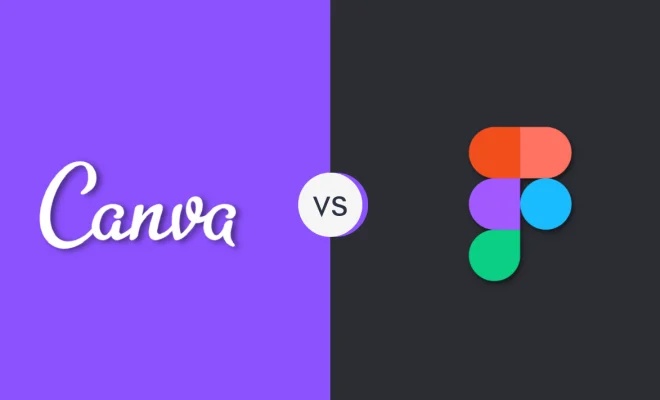
When it comes to graphic design, two tools that have been gaining popularity are Canva and Figma. Both offer features that designers find exceptionally helpful. However, there are differences between the two, and choosing between them can be challenging.

Canva is an online design tool that enables users to create graphics, posters, and even videos using pre-built templates combined with a drag-and-drop interface. In comparison, Figma is a more advanced design tool, designed for web and app development. It allows designers to create and edit vector designs, collaborate in real-time, and test their designs on various devices.

One important factor that sets the two apart is their usability. Canva’s user interface is straightforward and intuitive — making it beginner-friendly — whereas Figma’s interface is more complex, with a steeper learning curve. The latter, however, is known to have more robust tools, making it an ideal option for professional designers.

Canva’s ease of use and focus on template-based designs make it a fantastic choice for social media posts, resumes, or business cards. It’s an excellent program for novice designers who want to create quick design collaterals for their personal use or small business. Figma, on the other hand, is designed to optimize group design work. Its focus is more on web design, user interface design, and software development, making it a better choice for larger, more complex projects.

Apart from usability, another important factor that sets the two apart is access to features. Canva’s free version is relatively limited, and users may have to pay for premium features such as custom fonts, illustrations, and animations. In contrast, Figma offers the majority of its features for free, although some advanced features require a paid subscription.

Lastly, it’s worth noting that collaboration features make Figma an excellent tool for designers working in teams. It allows multiple team members to work on a design simultaneously, with changes seen in real-time. Canva, however, supports teamwork in a slightly different way by allowing multiple people to work on a design at once — it is not as seamless as Figma though.

In conclusion, Canva and Figma are both powerful tools for designers with different target uses. Canva is excellent for designs with lower complexity, while Figma works best for larger and more complex projects. If you’re a novice designer, Canva may be the best option for you. But, if you’re a seasoned designer, with a team working on a project or project of high-level complexity, Figma would be the best choice


Previous Article

Top Remote Access Software to Control Your ...

Next Article

How to Find Songs in Deezer by ...

Matthew Lynch

Related articles More from author

  • Digital & Mobile Technology

    Types of Media Used in Computer Networking

    April 14, 2023
    By Matthew Lynch
  • Digital & Mobile Technology

    What Does Embed Mean?

    June 12, 2023
    By Matthew Lynch
  • Digital & Mobile Technology

    How to Cancel the Echo on a Cell Phone

    May 20, 2023
    By Matthew Lynch
  • Digital & Mobile Technology

    How to Force Restart iPhone 12

    June 9, 2023
    By Matthew Lynch
  • Digital & Mobile Technology

    How to Turn Off Camera Sounds and Screenshot Sounds on iPhone

    June 23, 2023
    By Matthew Lynch
  • Digital & Mobile Technology

    3 Changes Coming to TikTok Live

    August 3, 2023
    By Matthew Lynch

Search

Login & Registration

  • Register
  • Log in
  • Entries feed
  • Comments feed
  • WordPress.org

Newsletter

Signup for The Tech Edvocate Newsletter and have the latest in EdTech news and opinion delivered to your email address!

About Us

Since technology is not going anywhere and does more good than harm, adapting is the best course of action. That is where The Tech Edvocate comes in. We plan to cover the PreK-12 and Higher Education EdTech sectors and provide our readers with the latest news and opinion on the subject. From time to time, I will invite other voices to weigh in on important issues in EdTech. We hope to provide a well-rounded, multi-faceted look at the past, present, the future of EdTech in the US and internationally.

We started this journey back in June 2016, and we plan to continue it for many more years to come. I hope that you will join us in this discussion of the past, present and future of EdTech and lend your own insight to the issues that are discussed.

Newsletter

Signup for The Tech Edvocate Newsletter and have the latest in EdTech news and opinion delivered to your email address!

Contact Us

The Tech Edvocate
910 Goddin Street
Richmond, VA 23231
(601) 630-5238
[email protected]

Copyright © 2025 Matthew Lynch. All rights reserved.