The Tech Edvocate

Top Menu

  • Advertisement
  • Apps
  • Home Page
  • Home Page Five (No Sidebar)
  • Home Page Four
  • Home Page Three
  • Home Page Two
  • Home Tech2
  • Icons [No Sidebar]
  • Left Sidbear Page
  • Lynch Educational Consulting
  • My Account
  • My Speaking Page
  • Newsletter Sign Up Confirmation
  • Newsletter Unsubscription
  • Our Brands
  • Page Example
  • Privacy Policy
  • Protected Content
  • Register
  • Request a Product Review
  • Shop
  • Shortcodes Examples
  • Signup
  • Start Here
    • Governance
    • Careers
    • Contact Us
  • Terms and Conditions
  • The Edvocate
  • The Tech Edvocate Product Guide
  • Topics
  • Write For Us
  • Advertise

Main Menu

  • Start Here
    • Our Brands
    • Governance
      • Lynch Educational Consulting, LLC.
      • Dr. Lynch’s Personal Website
      • Careers
    • Write For Us
    • The Tech Edvocate Product Guide
    • Contact Us
    • Books
    • Edupedia
    • Post a Job
    • The Edvocate Podcast
    • Terms and Conditions
    • Privacy Policy
  • Topics
    • Assistive Technology
    • Child Development Tech
    • Early Childhood & K-12 EdTech
    • EdTech Futures
    • EdTech News
    • EdTech Policy & Reform
    • EdTech Startups & Businesses
    • Higher Education EdTech
    • Online Learning & eLearning
    • Parent & Family Tech
    • Personalized Learning
    • Product Reviews
  • Advertise
  • Tech Edvocate Awards
  • The Edvocate
  • Pedagogue
  • School Ratings

logo

The Tech Edvocate

  • Start Here
    • Our Brands
    • Governance
      • Lynch Educational Consulting, LLC.
      • Dr. Lynch’s Personal Website
        • My Speaking Page
      • Careers
    • Write For Us
    • The Tech Edvocate Product Guide
    • Contact Us
    • Books
    • Edupedia
    • Post a Job
    • The Edvocate Podcast
    • Terms and Conditions
    • Privacy Policy
  • Topics
    • Assistive Technology
    • Child Development Tech
    • Early Childhood & K-12 EdTech
    • EdTech Futures
    • EdTech News
    • EdTech Policy & Reform
    • EdTech Startups & Businesses
    • Higher Education EdTech
    • Online Learning & eLearning
    • Parent & Family Tech
    • Personalized Learning
    • Product Reviews
  • Advertise
  • Tech Edvocate Awards
  • The Edvocate
  • Pedagogue
  • School Ratings
  • A Visitors Guide to Long Beach (CA), United States

  • A Visitor’s Guide to Fresno (CA), United States

  • A Visitors Guide to New Orleans (LA), United States

  • A Visitors Guide to Sacramento (CA), United States

  • A Visitors Guide to Lyon, France

  • JisuLife Ultra2 Portable Fan: A Powerful Multi-Function Cooling Solution

  • A Visitors Guide to Viña del Mar, Chile

  • A Visitors Guide to Århus, Denmark

  • A Visitors Guide to Bakersfield (CA), United States

  • A Visitors Guide to Aurora (CO), United States

Digital & Mobile Technology
Home›Digital & Mobile Technology›Can You Use a TV as a Computer Monitor?

Can You Use a TV as a Computer Monitor?
By Matthew Lynch
March 19, 2023
0
Spread the love

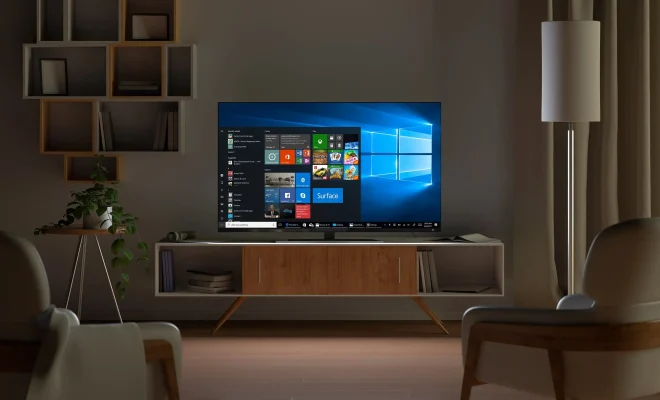
In today’s world, technology has made our lives much easier than before. We have seen significant changes in devices such as televisions, computers and monitors. One of the most common questions that people ask is Can You Use a TV as a Computer Monitor?

In short, the answer is yes! You can use a TV as a computer monitor. However, there may be some limitations due to the differences in technology and the quality of the screens.

Using a TV as a computer monitor can be a practical and cost-effective solution if you don’t have a computer monitor or if you want to have a larger display. Some reasons to use a TV as a computer monitor are:

1. Larger screen size

You can enjoy a larger display with a higher resolution by connecting your computer to a TV. This can be especially beneficial for graphics-intensive tasks or when you need to view multiple windows at the same time.

2. Better viewing experience

You can sit further away from a TV screen than you can from a computer monitor, creating a more comfortable viewing experience. This can help reduce eye strain, especially during long periods of use.

3. Cost-effective solution

If you are on a budget and are unable to buy a computer monitor, using a TV as a monitor can be an affordable solution. Televisions are usually cheaper than computer monitors, and you don’t need to buy additional cables.

However, there are some limitations to using a TV as a computer monitor. One of the most notable is that TVs are not designed for use as a computer monitor. As a result, there may be image quality issues, including pixelation or blurred images.

Additionally, some TVs may not have a high enough resolution to display text and images clearly when used as a monitor. You need to check the specifications of your TV to ensure that it has the right resolution.

Furthermore, TVs may not have a fast enough response time to keep up with computer use. If you are an online gamer or frequently use programs that require fast refresh rates, a TV may not be suitable as a monitor. In conclusion, using a TV as a computer monitor can be a practical and cost-effective solution, especially if you are on a budget or need a larger display. However, you need to check your TV specifications to ensure it has the correct resolution and response time for your needs. Despite some limitations, using a TV as a monitor can be a great experience.


Previous Article

Difference Between Subwoofer & RCA Cable

Next Article

Data Protection Technologies Changing the Market

Matthew Lynch

Related articles More from author

  • Digital & Mobile Technology

    How to Change Fonts in Android

    May 20, 2023
    By Matthew Lynch
  • Digital & Mobile Technology

    RØDECaster Pro II Review: The Easiest All-in-One Mixer

    June 12, 2023
    By Matthew Lynch
  • Digital & Mobile Technology

    What Is a Good Refresh Rate for a TV?

    April 18, 2023
    By Matthew Lynch
  • Digital & Mobile Technology

    How Realistic Is Weather Control? Are Governments Controlling It Already?

    August 5, 2023
    By Matthew Lynch
  • Digital & Mobile Technology

    Why You Should Never Use a Pirated Copy of Photoshop

    June 5, 2023
    By Matthew Lynch
  • Digital & Mobile Technology

    How to Delete PS4 User Accounts

    June 30, 2023
    By Matthew Lynch

Search

Login & Registration

  • Register
  • Log in
  • Entries feed
  • Comments feed
  • WordPress.org

Newsletter

Signup for The Tech Edvocate Newsletter and have the latest in EdTech news and opinion delivered to your email address!

About Us

Since technology is not going anywhere and does more good than harm, adapting is the best course of action. That is where The Tech Edvocate comes in. We plan to cover the PreK-12 and Higher Education EdTech sectors and provide our readers with the latest news and opinion on the subject. From time to time, I will invite other voices to weigh in on important issues in EdTech. We hope to provide a well-rounded, multi-faceted look at the past, present, the future of EdTech in the US and internationally.

We started this journey back in June 2016, and we plan to continue it for many more years to come. I hope that you will join us in this discussion of the past, present and future of EdTech and lend your own insight to the issues that are discussed.

Newsletter

Signup for The Tech Edvocate Newsletter and have the latest in EdTech news and opinion delivered to your email address!

Contact Us

The Tech Edvocate
910 Goddin Street
Richmond, VA 23231
(601) 630-5238
[email protected]

Copyright © 2025 Matthew Lynch. All rights reserved.