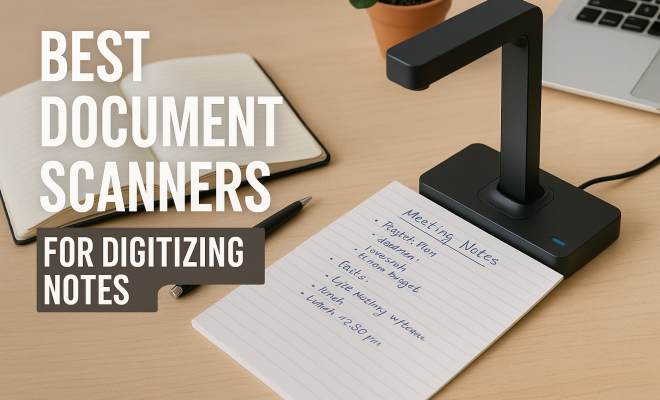
Best Document Scanners for Digitizing Notes
“`html
In an age where digital solutions are increasingly prevalent, the need for effective document scanners that can seamlessly digitize your notes has never been more critical. From students managing coursework to professionals handling vast amounts of paperwork, the best document scanners can save countless hours and keep your information organized and accessible. Let’s dive into the top nine document scanners that stand out in today’s market to help you make the ideal choice.
1. Fujitsu ScanSnap iX1600: Seamless and Smart Scanning
The Fujitsu ScanSnap iX1600 is widely regarded as one of the best document scanners available. It boasts a user-friendly interface with a 4.3-inch touch screen that allows for easy navigation, making it ideal for those who may not be tech-savvy. With its rapid scanning speed of up to 30 pages per minute, you can quickly digitize both single and double-sided documents, which is a significant advantage when dealing with large stacks of notes.
This scanner also features Wi-Fi connectivity, allowing you to scan directly to cloud services like Google Drive and Dropbox. This means that your notes are not only digitized but also backed up securely in the cloud, providing peace of mind. Additionally, its compact design means it won’t take up much space on your desk, making it an excellent choice for home or office use.
2. Brother ADS-2700W: Versatile and Reliable
Another strong contender in the realm of best document scanners is the Brother ADS-2700W. This model is equipped with robust features that cater to both small businesses and personal users. It offers a 35-page-per-minute scanning capability, which, combined with its automatic document feeder, makes it efficient for bulk scanning tasks.
The ADS-2700W stands out with its integrated wireless networking capabilities, allowing you to share the scanner on your network easily. You can scan directly into various cloud applications, enhancing your workflow. Furthermore, it supports a wide range of document types, including business cards and receipts, making it an all-in-one device for various scanning needs.
3. CanoScan LiDE 400: Affordable and High-Quality
If you’re searching for an economical option without compromising on quality, the Canon CanoScan LiDE 400 might be your best bet. Weighing just over a pound, this scanner is incredibly portable and boasts a sleek design. It features an impressive resolution of 4800 x 4800 dpi, ensuring that your digitized notes retain their clarity and detail.
What’s particularly appealing about the CanoScan LiDE 400 is its USB-powered operation, which eliminates the need for an external power source. This feature is perfect for students or professionals who may want to scan on-the-go. Additionally, it includes built-in software that allows for easy image enhancement, making your scanned notes look professional and clean.
4. Epson WorkForce ES-500W: Fast and Efficient
For those who prioritize speed, the Epson WorkForce ES-500W is one of the best document scanners on the market. It provides a remarkable scanning speed of 35 pages per minute, making it ideal for busy individuals who have a large volume of documents to digitize. This scanner is particularly useful for those who need to scan receipts, invoices, and other documents quickly and efficiently.
The ES-500W also supports wireless scanning, allowing you to send documents directly to your computer, tablet, or smartphone. With its reliable cloud connectivity, you can easily access your scans from anywhere. Moreover, it includes a duplex scanning feature, ensuring that both sides of your documents are captured in a single pass, which saves time and enhances productivity. (See: Overview of document scanners.)
5. HP ScanJet Pro 200: Compact and User-Friendly
The HP ScanJet Pro 200 is a compact document scanner that packs a punch with its user-friendly features. It can scan at speeds of up to 24 pages per minute and includes an automatic document feeder capable of holding 50 pages at a time. This model is perfect for those who need to digitize large volumes of notes quickly.
This scanner also offers a customizable interface, allowing you to create shortcuts for frequently used functions, which streamlines your scanning process. Furthermore, it includes HP’s Smart Advance technology, which automatically detects and enhances the quality of your scans, ensuring crisp and legible documents every time.
6. NeatReceipts Scanner: Perfect for Organization
If your primary focus is on organizing receipts and notes, the NeatReceipts Scanner is an exceptional choice. It combines scanning capabilities with organizational software, enabling users to easily categorize and manage their documents. This is particularly useful for freelancers or small business owners who need to keep track of expenses.
The NeatReceipts Scanner can scan various documents, including receipts, invoices, and handwritten notes, at 8 pages per minute. It also integrates with cloud services, making it easy to store and access your documents from anywhere. The included software not only scans but also allows for easy retrieval and report generation, which is a significant advantage for those looking to streamline their documentation process.
7. ScanSnap IX100: Portable and Efficient
The Fujitsu ScanSnap IX100 is designed with portability in mind, making it an excellent option for students or professionals on the move. Weighing less than a pound, this lightweight scanner can easily fit into a bag or briefcase. Despite its small size, it delivers sharp scans with a resolution of up to 600 dpi.
This scanner offers a convenient wireless scanning feature, enabling you to scan directly to your smartphone or tablet. The IX100 is also equipped with a rechargeable battery, allowing for scanning without needing a power outlet, which enhances its portability. Whether you’re at a coffee shop or a library, you can quickly digitize your notes with ease.
8. Visioneer Patriot H60: Versatile and Robust
The Visioneer Patriot H60 is known for its versatility and robust performance. It can scan both documents and photos, making it a great option for those who want a multifunctional device. With a scanning speed of 60 pages per minute, it is one of the fastest scanners on the market, perfect for large volumes of notes.
One of the standout features of the H60 is its ability to handle various media types, including embossed cards and thin documents. It includes a 50-sheet automatic document feeder, which is beneficial for bulk scanning tasks. Additionally, it provides advanced image processing capabilities, ensuring that your scans are of the highest quality.
9. Plustek MobileOffice D600: Compact and Portable
Finally, the Plustek MobileOffice D600 is a compact scanner that excels in portability and ease of use. It allows you to scan documents directly to PDF or JPEG formats, making it easy to store and share your notes. With its fast scanning speed of up to 20 pages per minute, it’s perfect for on-the-go digitization.
This scanner is USB powered, which means you can easily connect it to your laptop for immediate use. Its small footprint makes it easy to fit into any workspace, and the included software helps enhance your scanned documents, ensuring they look polished and professional. If you’re looking for a lightweight scanner that delivers quality results, the Plustek MobileOffice D600 is well worth considering.
Choosing the Right Document Scanner for Your Needs
When considering the best document scanners, it’s essential to evaluate your specific needs and preferences. Here are some critical factors to consider: (See: Digitizing notes and documentation.)
- Scanning Speed: If you’re dealing with large volumes of documents, opt for models that offer faster scanning speeds. Scanners that can handle 30 pages per minute or more are typically ideal for heavy users.
- Portability: For those who travel frequently or work in different locations, a lightweight, compact scanner is crucial. Models like the Fujitsu ScanSnap IX100 and Plustek MobileOffice D600 offer excellent portability without sacrificing quality.
- Software and Features: Look for scanners that come with robust software capabilities, including cloud integration, OCR (Optical Character Recognition), and easy-to-use interfaces. These features can significantly enhance your productivity.
- Document Types: Consider what types of documents you will be scanning. Some scanners are specifically designed for receipts and business cards, while others are more versatile and can handle a variety of media.
Frequently Asked Questions about Document Scanners
What is a document scanner and how does it work?
A document scanner is an electronic device that scans physical documents and converts them into digital formats, such as PDFs or JPEGs. Most scanners work by using a light source to capture an image of the document, which is then processed and saved digitally.
Do I need special software to use a document scanner?
While many document scanners come with their software, you can use third-party applications for scanning and organizing your documents. Popular options include Adobe Acrobat, Evernote, and various cloud storage services that offer scanning capabilities.
Can I scan directly to my phone or tablet?
Yes, many modern document scanners have wireless capabilities that allow you to scan documents directly to mobile devices. Models like the Fujitsu ScanSnap IX100 come equipped with this feature, making it easy to digitize documents on the go.
What scanning resolution should I choose?
The resolution you choose should depend on the type of documents you’re scanning. For general documents, a resolution of 300 dpi is usually sufficient. However, if you’re scanning photos or documents requiring high detail, opt for a resolution of 600 dpi or higher.
Are document scanners expensive?
Document scanner prices can vary widely based on features and capabilities. Basic models can start as low as $50, while high-end models with advanced features can range from $300 to over $700. It’s essential to weigh the cost against the features that will be most beneficial for your needs.
Do scanners come with warranty and support?
Most reputable scanner brands offer a limited warranty covering defects and malfunctions. Additionally, customer support is often available through online resources, phone support, or chat options to assist with any issues you may encounter.
Expert Perspectives on Document Scanning Trends
Industry experts suggest that the future of document scanning is leaning more towards automated solutions. As artificial intelligence and machine learning continue to develop, we can expect smarter scanners that can automatically categorize and index scanned documents without user input.
Furthermore, cloud storage integration is becoming a standard feature, allowing users to easily access their documents from multiple devices. With the growing emphasis on remote work, having a scanner that syncs seamlessly with various cloud platforms will be essential for maintaining productivity in a digital workspace.
Comparing Scanners: What You Should Know
When comparing scanners, keep in mind the balance of speed, quality, and usability. For example, while the Visioneer Patriot H60 offers impressive speed, it might be overkill if you only need to scan a few pages occasionally. On the other hand, a low-cost scanner like the Canon CanoScan LiDE 400 may be perfect for occasional use but may lack features necessary for heavy users. (See: Transitioning to a paperless office.)
Before purchasing, read user reviews and expert opinions for insights into real-world performance. Additionally, consider the full cost of ownership, which includes maintenance, ink (if applicable), and software updates.
How to Maintain Your Document Scanner
Once you’ve invested in one of the best document scanners, it’s essential to keep it in good working condition. Here are some maintenance tips:
- Regular Cleaning: Dust and debris can affect the performance of your scanner. Regularly clean the scanner glass and exterior with a soft, lint-free cloth. For internal components like rollers, consult the user manual for the best cleaning methods.
- Software Updates: Keep your scanner’s software up to date. Manufacturers often release updates that improve performance, add features, and fix bugs. Regular updates can enhance user experience and ensure compatibility with your operating system.
- Proper Storage: If you’re not using your scanner frequently, store it in a safe, dry place to avoid damage. Protect it from extreme temperatures and humidity.
- Usage Practices: Avoid overloading the automatic document feeder and only scan documents that are within the manufacturer’s specifications. This will prevent jams and wear on the machine.
The Environmental Impact of Document Scanning
As more businesses and individuals embrace digital solutions, document scanning is playing a vital role in reducing paper waste. The use of document scanners helps in minimizing the need for physical storage space and cuts down on the resources required to produce paper.
According to the Environmental Paper Network, the average office worker uses about 10,000 sheets of paper per year. By digitizing documents, you can significantly reduce your paper consumption. This not only contributes to sustainability but also leads to more efficient business practices.
Document Scanners for Specific Industries
Different industries often have unique needs when it comes to document scanning. Here are a few examples:
- Healthcare: In the healthcare sector, scanners are used to digitize patient records, prescriptions, and insurance documents. Fast and high-quality scanners are essential for maintaining accurate and accessible records.
- Legal: Law firms often deal with large volumes of documents that require scanning. High-capacity document scanners that offer high-resolution outputs are crucial for ensuring the legibility of legal documents.
- Education: Schools and universities benefit from scanners that can digitize test papers, assignments, and administrative documents. Portable options allow for scanning in various locations, from classrooms to libraries.
As you evaluate the best document scanners for digitizing notes, consider your specific needs, such as speed, size, and functionality. Whether you’re a student, professional, or someone who simply values organization, the right scanner can enhance your productivity and keep your documents secure. Armed with the information from this guide, you’re now better equipped to choose the scanner that best fits your requirements.
“`
Trending Now
Frequently Asked Questions
What are the best document scanners for digitizing notes?
Some of the best document scanners for digitizing notes include the Fujitsu ScanSnap iX1600 and Brother ADS-2700W. The iX1600 features a user-friendly interface and rapid scanning speed, while the ADS-2700W offers robust features and wireless networking capabilities, making them ideal for both students and professionals.
How fast can document scanners digitize notes?
Document scanners like the Fujitsu ScanSnap iX1600 can digitize notes at a speed of up to 30 pages per minute, while the Brother ADS-2700W can scan up to 35 pages per minute. This speed is especially beneficial for efficiently handling large stacks of documents.
Can document scanners scan directly to the cloud?
Yes, many document scanners, including the Fujitsu ScanSnap iX1600 and Brother ADS-2700W, offer the ability to scan directly to cloud services like Google Drive and Dropbox. This feature ensures that your digitized notes are securely backed up and easily accessible.
Are there user-friendly document scanners for non-tech-savvy users?
Absolutely! The Fujitsu ScanSnap iX1600 is particularly user-friendly, featuring a 4.3-inch touch screen for easy navigation. Its intuitive design makes it suitable for users who may not be tech-savvy, allowing them to digitize notes without complications.
What features should I look for in a document scanner?
When choosing a document scanner, consider features like scanning speed, automatic document feeders, wireless connectivity, and cloud integration. Models like the Fujitsu ScanSnap iX1600 and Brother ADS-2700W offer a combination of these features, making them versatile and efficient for digitizing notes.
What did we miss? Let us know in the comments and join the conversation.