The Tech Edvocate

Top Menu

  • Advertisement
  • Apps
  • Home Page
  • Home Page Five (No Sidebar)
  • Home Page Four
  • Home Page Three
  • Home Page Two
  • Home Tech2
  • Icons [No Sidebar]
  • Left Sidbear Page
  • Lynch Educational Consulting
  • My Account
  • My Speaking Page
  • Newsletter Sign Up Confirmation
  • Newsletter Unsubscription
  • Our Brands
  • Page Example
  • Privacy Policy
  • Protected Content
  • Register
  • Request a Product Review
  • Shop
  • Shortcodes Examples
  • Signup
  • Start Here
    • Governance
    • Careers
    • Contact Us
  • Terms and Conditions
  • The Edvocate
  • The Tech Edvocate Product Guide
  • Topics
  • Write For Us
  • Advertise

Main Menu

  • Start Here
    • Our Brands
    • Governance
      • Lynch Educational Consulting, LLC.
      • Dr. Lynch’s Personal Website
      • Careers
    • Write For Us
    • The Tech Edvocate Product Guide
    • Contact Us
    • Books
    • Edupedia
    • Post a Job
    • The Edvocate Podcast
    • Terms and Conditions
    • Privacy Policy
  • Topics
    • Assistive Technology
    • Child Development Tech
    • Early Childhood & K-12 EdTech
    • EdTech Futures
    • EdTech News
    • EdTech Policy & Reform
    • EdTech Startups & Businesses
    • Higher Education EdTech
    • Online Learning & eLearning
    • Parent & Family Tech
    • Personalized Learning
    • Product Reviews
  • Advertise
  • Tech Edvocate Awards
  • The Edvocate
  • Pedagogue
  • School Ratings

logo

The Tech Edvocate

  • Start Here
    • Our Brands
    • Governance
      • Lynch Educational Consulting, LLC.
      • Dr. Lynch’s Personal Website
        • My Speaking Page
      • Careers
    • Write For Us
    • The Tech Edvocate Product Guide
    • Contact Us
    • Books
    • Edupedia
    • Post a Job
    • The Edvocate Podcast
    • Terms and Conditions
    • Privacy Policy
  • Topics
    • Assistive Technology
    • Child Development Tech
    • Early Childhood & K-12 EdTech
    • EdTech Futures
    • EdTech News
    • EdTech Policy & Reform
    • EdTech Startups & Businesses
    • Higher Education EdTech
    • Online Learning & eLearning
    • Parent & Family Tech
    • Personalized Learning
    • Product Reviews
  • Advertise
  • Tech Edvocate Awards
  • The Edvocate
  • Pedagogue
  • School Ratings
  • A Visitors Guide to Long Beach (CA), United States

  • A Visitor’s Guide to Fresno (CA), United States

  • A Visitors Guide to New Orleans (LA), United States

  • A Visitors Guide to Sacramento (CA), United States

  • A Visitors Guide to Lyon, France

  • JisuLife Ultra2 Portable Fan: A Powerful Multi-Function Cooling Solution

  • A Visitors Guide to Viña del Mar, Chile

  • A Visitors Guide to Århus, Denmark

  • A Visitors Guide to Bakersfield (CA), United States

  • A Visitors Guide to Aurora (CO), United States

Digital & Mobile Technology
Home›Digital & Mobile Technology›Best Coding Apps for iOS and iPadOS

Best Coding Apps for iOS and iPadOS
By Matthew Lynch
June 15, 2023
0
Spread the love

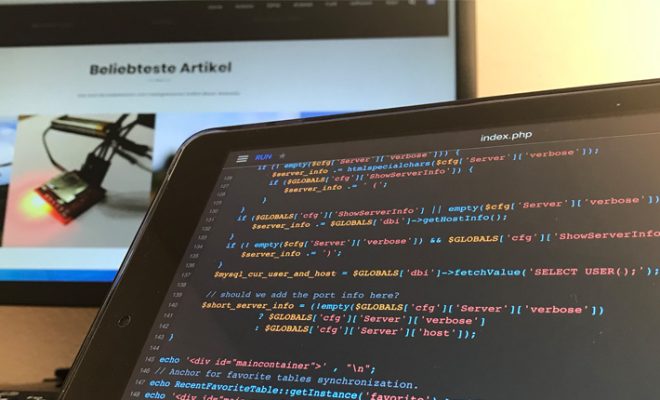
As the world becomes increasingly digital, coding has become a valuable skill to have. With the rise of mobile technology, there are now several coding apps available on iOS and iPadOS that make it easy for anyone to learn or practice coding on the go. From beginners to experienced coders, here are some of the best coding apps available for iOS and iPadOS.

  1. Swift Playgrounds

Swift Playgrounds is one of the most popular coding apps available for iOS and iPadOS. Designed by Apple, this app is especially helpful for those looking to learn the Swift programming language. It offers an interactive and immersive learning experience that makes coding fun and engaging. The app includes a series of coding challenges and puzzles that increase in difficulty as you progress. Swift Playgrounds is suitable for anyone, regardless of their experience level.

  1. Codea

Codea is an app that offers a comprehensive development environment for iPadOS. It allows you to create and iterate on your code in real-time, making it easy to see the results of your work. Codea is especially great for those who want to create their own games or interactive applications. The app features a drag-and-drop interface that makes it easy to create graphics and animations. Codea also has a built-in reference system that helps you learn about different programming concepts and techniques.

  1. Mimo

Mimo is another popular coding app for iOS and iPadOS. It has a different approach from Swift Playgrounds, where it offers thousands of interactive coding lessons for a wide range of programming languages, including Python, HTML, and CSS. The app features bite-sized lessons that are designed to be completed in just a few minutes a day. This makes it easy for anyone to learn how to code, even if they have limited time to spare. Mimo also includes a feature that allows you to track your progress and receive personalized recommendations for your next lesson.

  1. Py

Py is a Python coding app that is perfect for beginners. The app offers a simple and intuitive interface that makes it easy to learn the basics of Python programming. It includes a set of challenges and exercises that help you learn to code. Py also has a built-in code editor, which makes it easy to test your code and see the results in real-time.

  1. Tynker

Tynker is an interactive coding app that is aimed at younger students. The app features visual blocks that you can drag and drop to build your code. This makes it easy for children to learn programming concepts without having to understand complex syntax. Tynker includes a set of coding challenges and games, which makes learning to code fun and engaging. It also integrates with Minecraft, allowing you to create your own mods and customizations.


Previous Article

Ways to Hide Desktop Icons on Windows

Next Article

Selecting Between I2C and SPI for Your ...

Matthew Lynch

Related articles More from author

  • Digital & Mobile Technology

    How to Delete Pre-Installed Apps on Android

    June 1, 2023
    By Matthew Lynch
  • Digital & Mobile Technology

    What is an Auxiliary Port (AUX)?

    April 25, 2023
    By Matthew Lynch
  • Digital & Mobile Technology

    What Is Last.fm and Should You Use It?

    June 9, 2023
    By Matthew Lynch
  • Digital & Mobile Technology

    Everything You Need to Know About Unlocked iPhones

    June 10, 2023
    By Matthew Lynch
  • Digital & Mobile Technology

    How to Mark Yourself Safe on Facebook

    June 4, 2023
    By Matthew Lynch
  • Digital & Mobile Technology

    How to Use Blood Red in Your Design Projects

    June 2, 2023
    By Matthew Lynch

Search

Login & Registration

  • Register
  • Log in
  • Entries feed
  • Comments feed
  • WordPress.org

Newsletter

Signup for The Tech Edvocate Newsletter and have the latest in EdTech news and opinion delivered to your email address!

About Us

Since technology is not going anywhere and does more good than harm, adapting is the best course of action. That is where The Tech Edvocate comes in. We plan to cover the PreK-12 and Higher Education EdTech sectors and provide our readers with the latest news and opinion on the subject. From time to time, I will invite other voices to weigh in on important issues in EdTech. We hope to provide a well-rounded, multi-faceted look at the past, present, the future of EdTech in the US and internationally.

We started this journey back in June 2016, and we plan to continue it for many more years to come. I hope that you will join us in this discussion of the past, present and future of EdTech and lend your own insight to the issues that are discussed.

Newsletter

Signup for The Tech Edvocate Newsletter and have the latest in EdTech news and opinion delivered to your email address!

Contact Us

The Tech Edvocate
910 Goddin Street
Richmond, VA 23231
(601) 630-5238
[email protected]

Copyright © 2025 Matthew Lynch. All rights reserved.