The Tech Edvocate

Top Menu

  • Advertisement
  • Apps
  • Home Page
  • Home Page Five (No Sidebar)
  • Home Page Four
  • Home Page Three
  • Home Page Two
  • Home Tech2
  • Icons [No Sidebar]
  • Left Sidbear Page
  • Lynch Educational Consulting
  • My Account
  • My Speaking Page
  • Newsletter Sign Up Confirmation
  • Newsletter Unsubscription
  • Our Brands
  • Page Example
  • Privacy Policy
  • Protected Content
  • Register
  • Request a Product Review
  • Shop
  • Shortcodes Examples
  • Signup
  • Start Here
    • Governance
    • Careers
    • Contact Us
  • Terms and Conditions
  • The Edvocate
  • The Tech Edvocate Product Guide
  • Topics
  • Write For Us
  • Advertise

Main Menu

  • Start Here
    • Our Brands
    • Governance
      • Lynch Educational Consulting, LLC.
      • Dr. Lynch’s Personal Website
      • Careers
    • Write For Us
    • The Tech Edvocate Product Guide
    • Contact Us
    • Books
    • Edupedia
    • Post a Job
    • The Edvocate Podcast
    • Terms and Conditions
    • Privacy Policy
  • Topics
    • Assistive Technology
    • Child Development Tech
    • Early Childhood & K-12 EdTech
    • EdTech Futures
    • EdTech News
    • EdTech Policy & Reform
    • EdTech Startups & Businesses
    • Higher Education EdTech
    • Online Learning & eLearning
    • Parent & Family Tech
    • Personalized Learning
    • Product Reviews
  • Advertise
  • Tech Edvocate Awards
  • The Edvocate
  • Pedagogue
  • School Ratings

logo

The Tech Edvocate

  • Start Here
    • Our Brands
    • Governance
      • Lynch Educational Consulting, LLC.
      • Dr. Lynch’s Personal Website
        • My Speaking Page
      • Careers
    • Write For Us
    • The Tech Edvocate Product Guide
    • Contact Us
    • Books
    • Edupedia
    • Post a Job
    • The Edvocate Podcast
    • Terms and Conditions
    • Privacy Policy
  • Topics
    • Assistive Technology
    • Child Development Tech
    • Early Childhood & K-12 EdTech
    • EdTech Futures
    • EdTech News
    • EdTech Policy & Reform
    • EdTech Startups & Businesses
    • Higher Education EdTech
    • Online Learning & eLearning
    • Parent & Family Tech
    • Personalized Learning
    • Product Reviews
  • Advertise
  • Tech Edvocate Awards
  • The Edvocate
  • Pedagogue
  • School Ratings
  • Where Casino Entertainment Meets Comfort, Pace, and Atmosphere

  • Toxic Pills: This Supplement Scandal Puts Millions at Risk

  • Urgent Dog Supplement Recall: This Stealthy Threat Could Be Hiding in Your Pantry!

  • Staggering: Climate Tech Fundraising Collapses — Is AI to Blame?

  • Global AI stocks tumble as industry’s biggest names sound alarm – The Straits Times

  • Sony’s Controversial Move: Why the Last of Us Part II Multiplayer Mod Got Axed

  • Trump’s Wild AI Claims: Is There a ‘Sick Conspiracy’ Against Tech?

  • This One Thing Is Turning Classrooms Into Culture War Battlegrounds

  • Your AI Detector Is Useless: Why Universities Are Scrapping ‘Catch & Ban’ for This

  • Terrifying: AI Is About to Break Cybersecurity – And No One Is Ready

Digital & Mobile Technology
Home›Digital & Mobile Technology›Best Chromebook : 8 Options to Fit Any Budget

Best Chromebook : 8 Options to Fit Any Budget
By Matthew Lynch
March 19, 2023
0
Spread the love

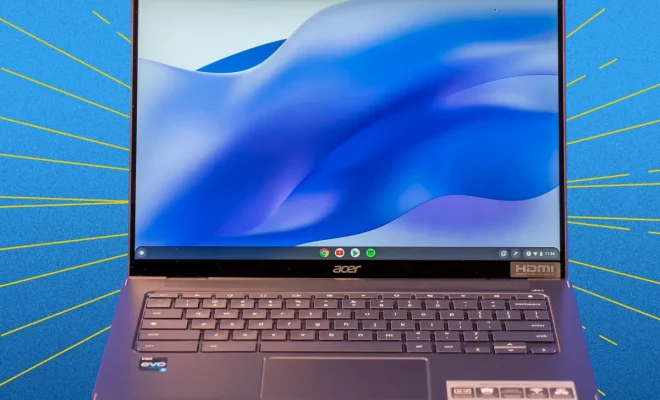
Chromebooks are becoming increasingly popular due to their affordability, portability, and ease of use. However, with so many options available, it can be overwhelming to decide which one to buy. That’s why we’ve compiled a list of the best Chromebooks to fit any budget.

1. Acer Chromebook Spin 311 – $270

The Acer Chromebook Spin 311 is a budget-friendly option that still packs a punch. It has a 360-degree hinge, allowing it to be used as a tablet or laptop. It also boasts a long battery life of up to 10 hours, making it ideal for on-the-go use.

2. Lenovo Chromebook Duet – $300

The Lenovo Chromebook Duet is a 2-in-1 device that can be used as a laptop or tablet. It has a crisp 10.1-inch display and a detachable keyboard. With up to 10 hours of battery life, it’s perfect for students and professionals who need to work on-the-go.

3. HP Chromebook x360 14c – $500

The HP Chromebook x360 14c is a premium device that offers excellent performance and features. It has a 14-inch touchscreen display with a resolution of 1920 x 1080, a backlit keyboard, and a long battery life of up to 12 hours. It’s perfect for those who need a high-performance device for work or entertainment.

4. Asus Chromebook Flip C434 – $520

The Asus Chromebook Flip C434 is a sleek and stylish device that offers excellent performance and features. It has a 14-inch touchscreen display with a resolution of 1920 x 1080, a backlit keyboard, and a long battery life of up to 10 hours. It’s ideal for those who want a premium device without breaking the bank.

5. Google Pixelbook Go – $650

The Google Pixelbook Go is a premium Chromebook that offers excellent performance and features. It has a 13.3-inch touchscreen display with a resolution of 1920 x 1080, a backlit keyboard, and a long battery life of up to 12 hours. It’s perfect for those who want a high-end device for work or entertainment.

6. Acer Chromebook Spin 13 – $850

The Acer Chromebook Spin 13 is a high-performance device that’s perfect for professionals who need a powerful laptop. It has a 13.5-inch touchscreen display with a resolution of 2256 x 1504, a backlit keyboard, and a long battery life of up to 10 hours. It comes with an Intel Core i5 processor and 8GB of RAM, making it ideal for multitasking.

7. Samsung Galaxy Chromebook – $1,000

The Samsung Galaxy Chromebook is a premium device that offers excellent performance and features. It has a 13.3-inch 4K touchscreen display, a backlit keyboard, and a long battery life of up to 8 hours. It comes with an Intel Core i5 processor, 8GB of RAM, and 256GB of storage, making it ideal for professionals who need a high-performance device.

8. Asus Chromebook CX9 – $1,150

The Asus Chromebook CX9 is a premium device that’s perfect for professionals who need a powerful laptop. It has a 14-inch touchscreen display with a resolution of 1920 x 1080, a backlit keyboard, and a long battery life of up to 14 hours. It comes with an Intel Core i7 processor, 16GB of RAM, and 512GB of storage, making it ideal for multitasking.

In conclusion, there’s a Chromebook for everyone regardless of budget. Whether you’re a student, professional, or someone who just needs a device for entertainment, these eight options offer something for everyone.


Previous Article

Best Party-planning Apps For

Next Article

Best Budget 3D Printer: 8 Great Printers ...

Matthew Lynch

Related articles More from author

  • Digital & Mobile Technology

    The Best Practices Every SharePoint User Should Know

    June 12, 2023
    By Matthew Lynch
  • Digital & Mobile Technology

    How to Add a Screen Saver to Your Mac

    June 2, 2023
    By Matthew Lynch
  • Digital & Mobile Technology

    How to Unlock a Samsung Phone without the Password

    June 5, 2023
    By Matthew Lynch
  • Digital & Mobile Technology

    What Are Ubisoft Connect Units? How to Earn Them and Get Store Discounts

    July 31, 2023
    By Matthew Lynch
  • Digital & Mobile Technology

    Fixes for an iPhone Stuck in Headphone Mode

    June 12, 2023
    By Matthew Lynch
  • Digital & Mobile Technology

    What is Green Computing?

    May 22, 2023
    By Matthew Lynch

Search

Login & Registration

  • Log in
  • Entries feed
  • Comments feed
  • WordPress.org

Newsletter

Signup for The Tech Edvocate Newsletter and have the latest in EdTech news and opinion delivered to your email address!

About Us

Since technology is not going anywhere and does more good than harm, adapting is the best course of action. That is where The Tech Edvocate comes in. We plan to cover the PreK-12 and Higher Education EdTech sectors and provide our readers with the latest news and opinion on the subject. From time to time, I will invite other voices to weigh in on important issues in EdTech. We hope to provide a well-rounded, multi-faceted look at the past, present, the future of EdTech in the US and internationally.

We started this journey back in June 2016, and we plan to continue it for many more years to come. I hope that you will join us in this discussion of the past, present and future of EdTech and lend your own insight to the issues that are discussed.

Newsletter

Signup for The Tech Edvocate Newsletter and have the latest in EdTech news and opinion delivered to your email address!

Contact Us

The Tech Edvocate
910 Goddin Street
Richmond, VA 23231
(601) 630-5238
[email protected]

Copyright © 2026 Matthew Lynch. All rights reserved.