Apple’s New Child Safety Features: Ultimate Parental Control
“`html
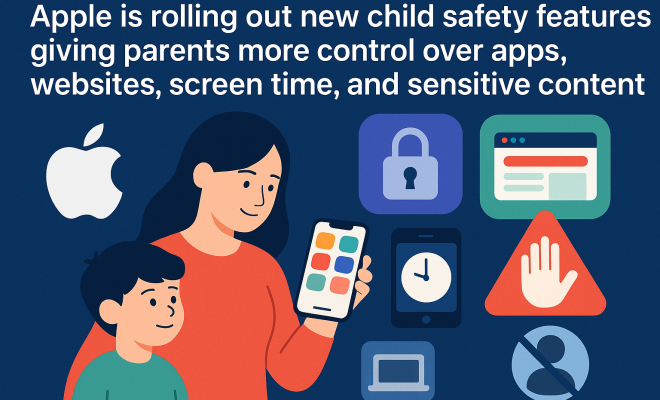
Apple has recently unveiled a suite of child safety features that significantly enhance parental control over devices. In a time when digital interactions are prevalent among children, these updates come as a welcome relief for parents who are constantly seeking ways to ensure their kids are safe online. The new parental control features allow parents to manage apps, websites, screen time, and sensitive content, making it easier than ever to monitor and guide their children’s digital experiences. Let’s dive deeper into these features and explore their implications for families.
1. Enhanced App Management
One of the most significant updates in Apple’s new parental control features is enhanced app management. Parents will now have the ability to approve or restrict specific applications on their children’s devices. This means you can choose which apps your child can access, aligning their usage with your family values and guidelines.
This feature is particularly useful in the age of countless apps vying for children’s attention. From social media platforms to gaming applications, not every app is suitable for young users. By having the power to approve apps, parents can take steps to protect their children from potentially harmful content, ensuring that their kids engage with appropriate materials. Moreover, parents can also receive notifications when their child attempts to download a new app, fostering open conversations about digital safety.
2. Website Restrictions Made Easy
Apple’s latest update also includes robust web filtering options. Parents can now set restrictions on specific websites or categories of content, like adult sites or violence-related content, providing an additional layer of protection for children. This feature is especially relevant considering research indicating that exposure to inappropriate online content can have lasting impacts on young minds.
With easy-to-use controls, parents can tailor the browsing experience to fit their child’s age and maturity level. Furthermore, setting up these restrictions can lead to healthier internet habits. Instead of encountering explicit content, children will be guided toward educational or age-appropriate websites, promoting a more constructive online experience. This proactive approach can also open up opportunities for parents to engage with their children about online ethics and safe internet practices.
3. Managing Screen Time Effectively
Screen time management has become a crucial concern for many parents, and Apple’s features address this need head-on. The new controls allow you to set daily limits on screen time for different apps or categories, helping manage how long your child spends on their devices. This means families can establish healthier digital habits and reduce the risk of digital addiction.
Research has shown that excessive screen time can lead to a variety of health issues, including sleep problems, anxiety, and even obesity. By implementing these controls, parents are empowered to encourage more balanced lifestyles that include physical activities and face-to-face interactions. Additionally, the ability to monitor screen time can help start conversations about responsible technology use, guiding children to make better choices as they grow.
4. Sensitive Content Filters
Perhaps one of the most talked-about features is the introduction of sensitive content filters. Parents can now block explicit content across various media formats, including music and videos. This control extends beyond simply keeping children away from inappropriate content; it also fosters a safer environment for exploring creativity and learning.
Given the widespread concern regarding exposure to explicit materials, having these filters in place can relieve some anxiety for parents. Moreover, discussions on why certain content is deemed sensitive can enhance children’s understanding of personal boundaries and digital citizenship. This approach could have long-term benefits as children transition into adolescence, where navigating online spaces becomes increasingly complex.
5. Integration with Family Sharing
The rollout of parental control features is also seamlessly integrated with Apple’s Family Sharing program. This means that all these controls can be managed centrally from one device, making it a breeze for parents to oversee their children’s online activity. This convenience is key for busy parents who may not have the time to individually set restrictions on multiple devices.
Family Sharing allows for easy oversight of purchases, shared calendars, and location tracking, but now, it empowers parents to take an active role in their children’s digital lives. With all controls under one roof, families can establish healthy digital habits that serve everyone involved. This organized approach encourages collective responsibility among family members, further enhancing the family unit.
6. Balancing Safety with Privacy
The new parental control features from Apple bring up a significant dialogue about the balance between child safety and privacy. While it’s vital for parents to protect their children, many also grapple with the idea of allowing their kids some autonomy in their digital lives. It’s a delicate balance: how much oversight is too much? (See: CDC on parental communication strategies.)
Engaging in discussions about privacy and trust can foster a better understanding within families. It’s crucial for parents to explain the rationale behind these controls. Instead of making it seem like an invasion of privacy, frame it as a collaborative approach to safety. Creating an open dialogue can help children feel involved in their own safety measures, rather than merely policed by their parents.
7. Expert Perspectives on Digital Parenting
Experts in child development emphasize the importance of parental involvement when it comes to navigating digital spaces. Dr. Elizabeth Milovidov, a recognized authority on digital parenting, advocates that features like those introduced by Apple serve as essential tools in today’s tech-driven society. “Parental control features are not just about restricting access; they’re about facilitating safe exploration,” she states.
Moreover, Dr. Milovidov suggests that these tools should be part of a broader parenting strategy that includes teaching children about responsible digital citizenship. As parents engage with their children regarding these new features, it opens avenues for discussing the ethical dimensions of technology use, such as digital footprints and online etiquette.
8. Resources for Parents
For parents eager to make the most of Apple’s enhanced parental control features, there are valuable resources available. Apple’s official support page includes detailed guides on how to set up and maximize these features effectively. Additionally, online forums and parenting blogs provide shared experiences and tips from other parents navigating similar challenges.
Moreover, organizations focused on child online safety, such as Common Sense Media, offer insights into the latest trends in digital parenting. Utilizing these resources ensures that you not only implement controls but also stay informed about the evolving landscape of digital safety.
9. Comparing Apple’s Features with Other Platforms
When considering parental control features, it’s essential to analyze how Apple’s offerings stack up against those from other platforms like Android and Windows. Many parents may be wondering whether Apple’s controls provide superior functionality or if there are equally effective solutions available elsewhere.
For instance, Android holds a significant share in the smartphone market and offers its own set of parental control features through Google Family Link. This service allows parents to monitor app activity, set screen time limits, and even remotely lock devices. However, the integration isn’t as seamless as Apple’s Family Sharing feature, which allows for a more holistic approach to managing family accounts and settings.
On the other hand, Windows’ parental controls provide options to restrict content and limit screen time, but the user interface can be less intuitive than Apple’s. This user-friendliness makes Apple’s parental controls more accessible for non-tech-savvy parents, potentially leading to better adoption and effective monitoring.
Statistics show that as of 2023, Apple holds around 26% of the global smartphone market. This indicates a significant number of families are likely utilizing Apple devices, making the effectiveness of Apple’s parental control features particularly relevant. Understanding how they compare to Android or Windows can give parents a clearer picture of what works best for their needs.
10. Benefits of Using Parental Control Features
The benefits of utilizing parental control features extend beyond merely restricting access to certain apps or websites. These tools can foster healthier relationships between parents and children, facilitating open discussions about technology use and online behavior.
Firstly, by actively engaging with these features, parents demonstrate to their children the importance of responsible digital citizenship. This can lead to a greater awareness among kids about the content they encounter online and the implications of their digital actions.
Secondly, these features can provide peace of mind for parents, knowing that they have mechanisms in place to protect their children from potential harm. This can alleviate anxiety, allowing families to enjoy technology without constant worry about what children might be exposed to online.
Additionally, parental controls can support educational engagement. For instance, by guiding children toward specific educational apps and websites, parents can promote a more enriching digital experience. Over time, this can encourage children to leverage technology for learning rather than just entertainment. (See: New York Times on Apple's child safety features.)
11. Common Concerns Parents Have
Even with the advanced parental control features, parents often have common concerns that arise when managing their children’s digital experiences. These concerns include issues of trust, over-restriction, and the potential for rebellion against imposed controls.
One significant concern is whether monitoring will lead to a breakdown of trust between parents and children. Some children may feel that constant oversight is intrusive. To mitigate this, parents should prioritize open communication, discussing why certain restrictions are in place and how they benefit their child’s safety. Establishing a dialogue can help build trust, allowing children to understand that these controls are implemented out of care, not suspicion.
Another common issue is the fear of over-restricting, where parents inadvertently limit their children’s ability to learn and explore. Striking a balance is key. Encouraging children to participate in discussions about which apps and websites to restrict can empower them and promote responsible usage. Allowing children to have a say can ease tensions and foster a sense of autonomy.
Parents also worry about the potential for rebellion. When restrictions feel too heavy-handed, children might seek ways to bypass them. This highlights the importance of involving children in setting the rules and consequences related to technology use. When children feel included in the decision-making process, they are less likely to rebel against boundaries.
12. FAQs About Parental Control Features
What are parental control features?
Parental control features are tools that allow parents to manage and monitor their children’s digital interactions. This can include setting restrictions on app usage, filtering websites, managing screen time, and blocking sensitive content.
Why are parental control features important?
These features are crucial for protecting children from inappropriate content and managing their screen time. They also promote healthy digital habits and encourage discussions about responsible technology usage.
How do I set up parental controls on Apple devices?
Setting up parental controls on Apple devices can be done through the Settings app. Navigate to ‘Screen Time’ and follow the prompts to customize settings based on your family’s needs.
Can parental controls prevent all inappropriate content?
While parental controls can significantly reduce exposure to inappropriate content, they may not catch everything. It’s essential for parents to remain engaged and have open discussions with their children about online safety.
How do I balance restrictions with my child’s need for independence?
Engaging your child in discussions about restrictions can help strike a balance. Allowing them to express their opinions and including them in decision-making can foster a sense of autonomy.
What should I do if my child is bypassing the parental controls?
If you suspect your child is bypassing parental controls, address the issue directly. Discuss the reasons for the restrictions and work together to establish trust and accountability.
13. Statistics on Digital Safety and Parental Control Usage
Understanding the current landscape around parental control features is crucial for parents wanting to protect their children. A recent survey by the Pew Research Center revealed that 61% of parents use some form of parental control on their children’s devices. This statistic underscores the proactive steps many families are taking to safeguard their digital environments. (See: WHO on adolescent health and safety.)
In addition, a study conducted by the American Academy of Pediatrics found that children aged 8-18 spend an average of 7 hours and 22 minutes on entertainment media each day. This statistic highlights the need for effective parental controls, as this amount of screen time exposes children to various risks. Implementing parental control features not only mitigates these risks but also instills a sense of digital responsibility in young users.
14. Parental Control Features Across Various Age Groups
Understanding how to implement parental control features effectively also depends on your child’s age. For young children, parental controls can be more restrictive, focusing on limiting screen time and filtering content. This age group benefits significantly from strict content filters that block any inappropriate materials.
As children grow into their teenage years, the approach may require modification. Teenagers often seek more independence, and overly restrictive measures can lead to rebellion. Engaging in conversations about responsible usage becomes crucial. At this stage, parents can shift from merely blocking content to guiding discussions around safe online practices.
Statistics show that 70% of teens reported wanting more transparency and collaboration from their parents regarding digital usage. This highlights the importance of adapting parental control strategies according to your child’s developmental stage and needs.
15. Future Trends in Parental Control Features
As technology continues to evolve, so too will parental control features. Experts predict that future updates will likely incorporate even more sophisticated tools, such as AI-driven suggestions that can proactively warn parents about emerging trends in online risks. These enhancements could provide parents with real-time insights into their child’s online behavior, offering them the ability to respond faster to potential threats.
Furthermore, increased collaboration between tech companies and educational institutions could lead to the development of tools designed to educate both parents and children on digital literacy and safety. This could create a more informed generation that understands the implications of their online actions.
Finally, privacy concerns will continue to shape how parental controls are implemented. Parents will demand greater transparency about how their data and their children’s data is handled. Providing a robust privacy framework will be crucial for tech companies looking to build trust with families.
As technology continues to evolve, remaining educated and proactive is vital for parents. Apple’s new parental control features represent a significant step toward empowering families to engage safely and thoughtfully in the digital age. By effectively utilizing these tools, parents can foster an environment where children can thrive and explore, both online and offline.
“`
Trending Now
Frequently Asked Questions
What new child safety features has Apple introduced?
Apple has rolled out new child safety features that enhance parental control over apps, websites, screen time, and sensitive content. These updates allow parents to approve or restrict specific applications, set website restrictions, and manage their children's digital experiences more effectively.
How can parents manage apps on their children's devices with Apple's new features?
With Apple's new features, parents can approve or restrict specific applications on their children's devices. This allows them to control which apps their children can access, ensuring they engage with content that aligns with family values and safety guidelines.
What web filtering options are available for parental control on Apple devices?
Apple's latest updates include robust web filtering options, allowing parents to set restrictions on specific websites or categories of content, such as adult sites or violent content. This helps protect children from inappropriate online material.
How does Apple's new parental control improve screen time management?
Apple's new parental control features enhance screen time management by allowing parents to set limits on app usage and receive notifications when their child attempts to download new apps. This fosters discussions about digital safety and responsible device usage.
Why are the new child safety features important for families?
The new child safety features are crucial for families as they provide parents with greater control over their children's digital interactions. In an age where children are frequently online, these tools help ensure a safer online environment and promote healthy digital habits.
What did we miss? Let us know in the comments and join the conversation.